Nora IPLM Integrations.
Your tools. Connected product context.
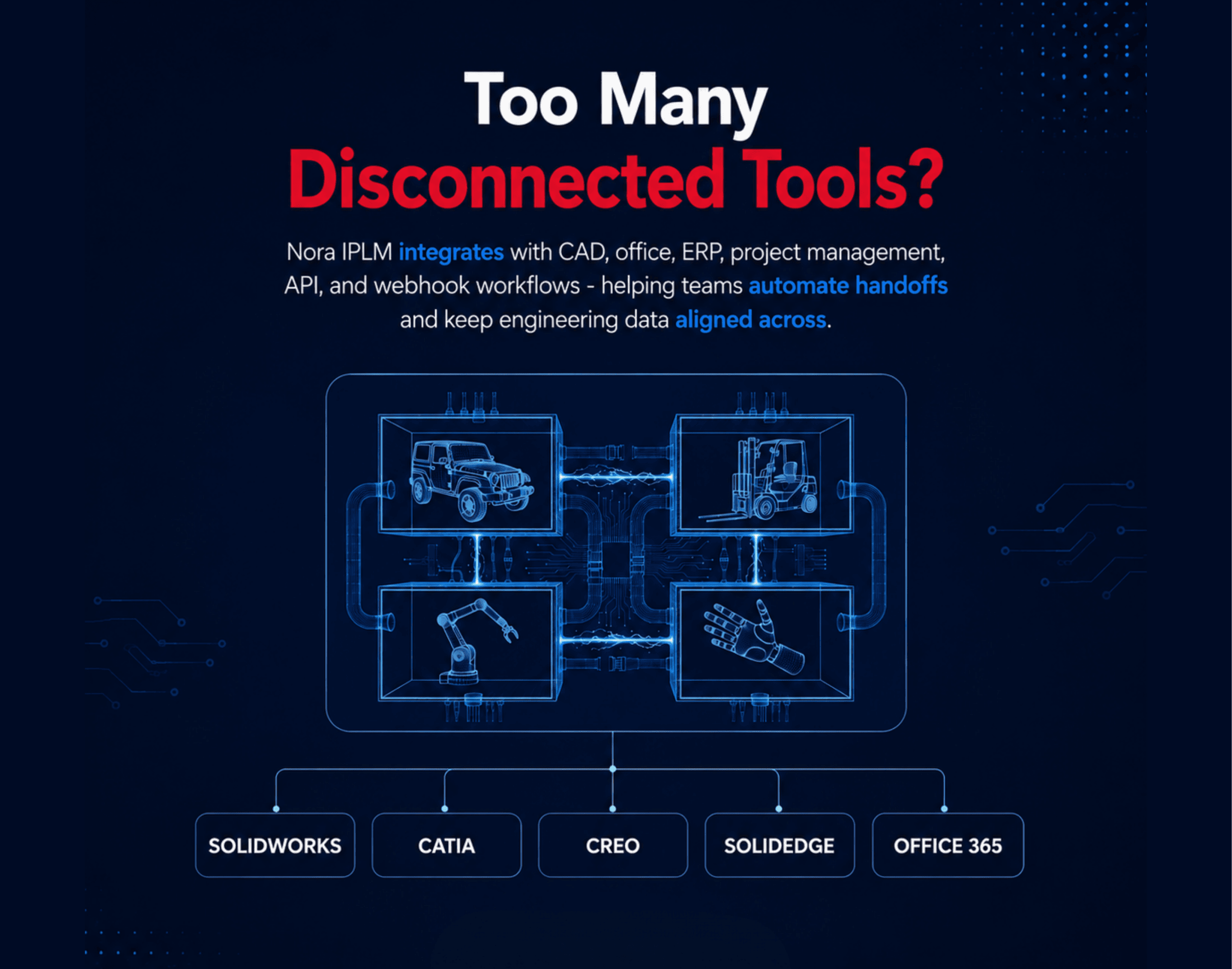
Nora IPLM unifies your product data across CAD, office, and business applications so teams can automate handoffs, eliminate manual updates, and keep every file, task, and decision aligned from engineering through operations.
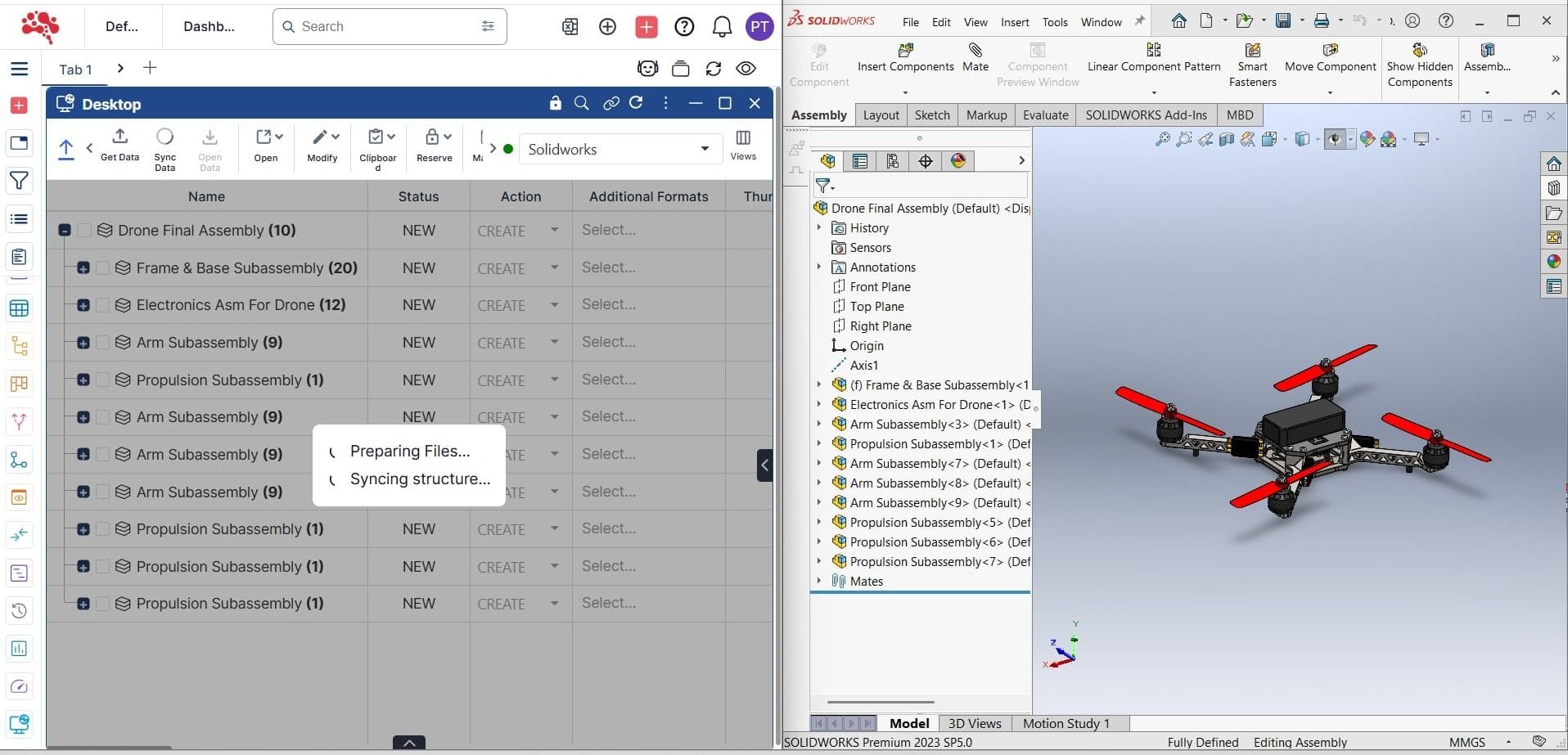
Explore integrations.
Keep your tools connected.
Choose a category or search to find the right integration for your team.
13 integrations
SolidWorks
Sync SolidWorks data directly into Nora IPLM and preserve the structure around parts, assemblies, drawings, and linked references in one controlled workflow.
Explore integrationCATIA V5
Bring CATIA parts, assemblies, and drawings into Nora IPLM with accurate relationships, revision visibility, and a cleaner path from engineering to downstream teams.
Explore integrationSolid Edge
Integrate Solid Edge with Nora IPLM to manage parts, assemblies, drawings, and revisions in one governed product environment with connected lifecycle visibility.
Explore integrationCreo
Connect Creo to Nora IPLM for structured revision management, reference tracking, and product data continuity across engineering, quality, and release workflows.
Explore integrationWord Integration
Manage specifications, requirements, reports, and controlled documents by storing all Word versions directly in Nora IPLM. Changes stay connected to workflows, projects, and objects.
Microsoft OfficeExcel Integration
Keep spreadsheets for lists, calculations, cost breakdowns, test plans, and supplier data connected to your PLM objects. Nora IPLM stores versions, updates, and history for every Excel file.
Microsoft OfficePowerPoint Integration
Organize presentation decks for reviews, design communication, and status updates. Nora IPLM versions every PowerPoint file and links them to workflows and project milestones.
Microsoft OfficeJira
Connect product ideas, requirements, BOMs, issues, tasks, and engineering changes with Jira work management without losing lifecycle context.
Explore integrationGitHub
Link Nora change orders to pull requests and commits, tracing engineering decisions to code.
Project managementSAP
Push approved BOM and part data to SAP materials management and production.
ERP systemsOracle NetSuite
Sync item records and costed BOMs from Nora directly to NetSuite.
ERP systemsCustom ERP
Use Nora's REST API or pre-built connector templates to connect any ERP system.
ERP systemsWebhook / API
Trigger custom workflows on Nora events via outbound webhooks or the REST API.
API & webhooksNo matches found.
Try a different search or clear your filters to see everything.
Every system has a role.
Keep the data around it connected.
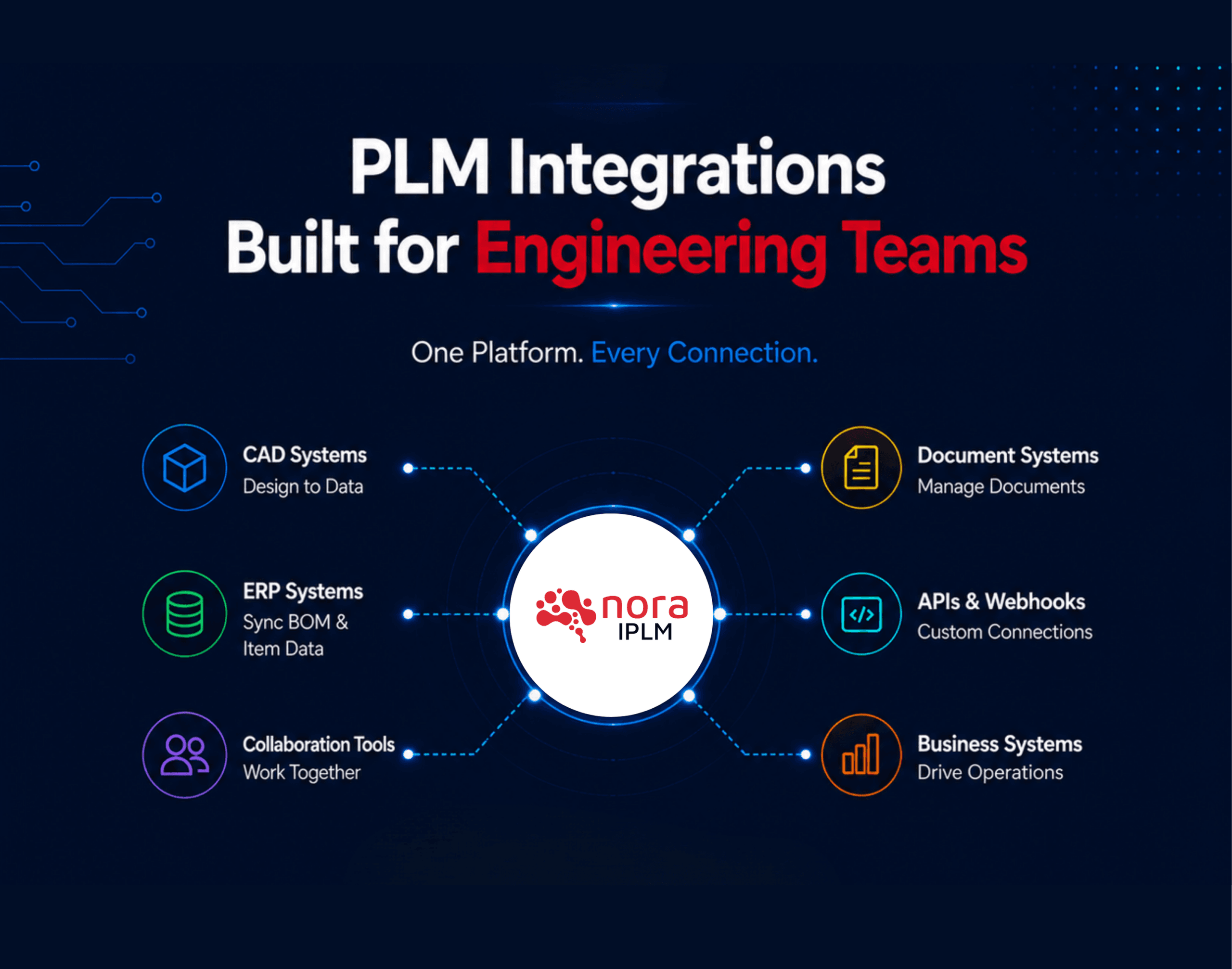
Each integration connects a different part of the product lifecycle. Nora IPLM keeps the engineering information around files and tasks connected to the product record, so teams can work with the right structure, revision, BOM, change, and release context.
| Integration area | Supported examples | Data connected or synchronized | Why it matters |
|---|---|---|---|
| CAD | SolidWorks, CATIA V5, Solid Edge, Creo | Parts, assemblies, drawings, references, product structures, iterations, revisions, and lifecycle context. | Keep design data connected to controlled product records and downstream engineering workflows. |
| Microsoft Office | Word, Excel, PowerPoint | Specifications, requirements, calculations, cost breakdowns, supplier data, test plans, review decks, versions, and history. | Keep working documents tied to products, projects, workflows, and decisions instead of disconnected folders. |
| Project & software work | Jira, GitHub | Ideas, requirements, BOM-related work, issues, tasks, engineering changes, pull requests, and commits. | Connect execution work to the product decisions and engineering changes that created it. |
| ERP | SAP, Oracle NetSuite, Custom ERP | Approved part and item data, released BOM information, costed BOM context, and downstream production data according to the configured connector. | Hand approved product definitions from engineering into manufacturing and operational systems. |
| Custom systems | REST API, webhooks | Nora events, workflow triggers, and selected product or lifecycle data exposed through configured API workflows. | Automate company-specific handoffs and reduce repetitive manual entry. |
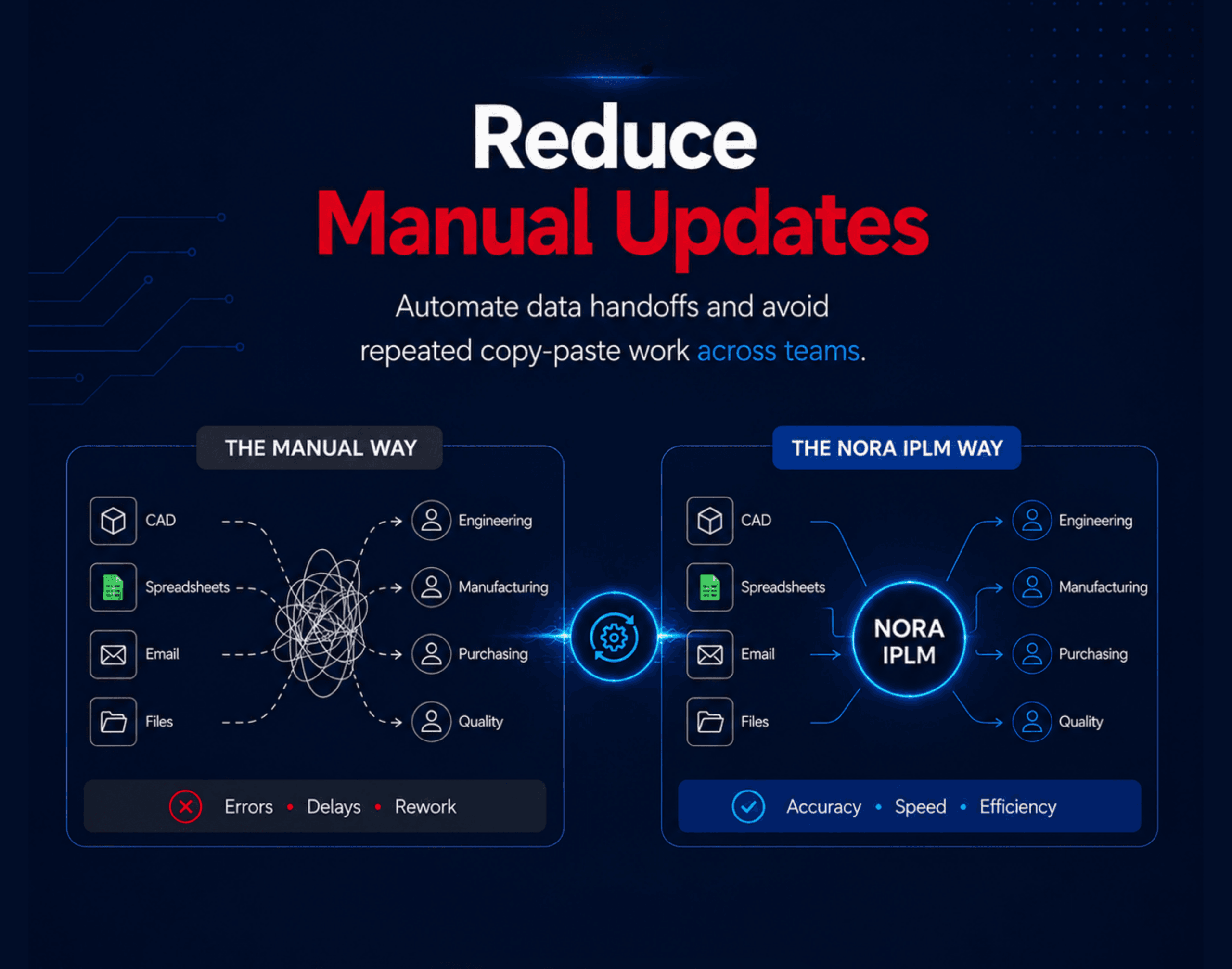
Less manual work.
More connected engineering.

- Connected files and objects across your entire lifecycle.
- Faster engineering workflows with fewer manual steps.
- Consistent and accurate product data linked to tasks and changes.
- Clear version history for CAD, Office files, and documents.
- Shared visibility for mechanical, electrical, software, and documentation teams.
- Unified workflows that reduce tool switching and rework.
From CAD to release.
Keep the lifecycle context.
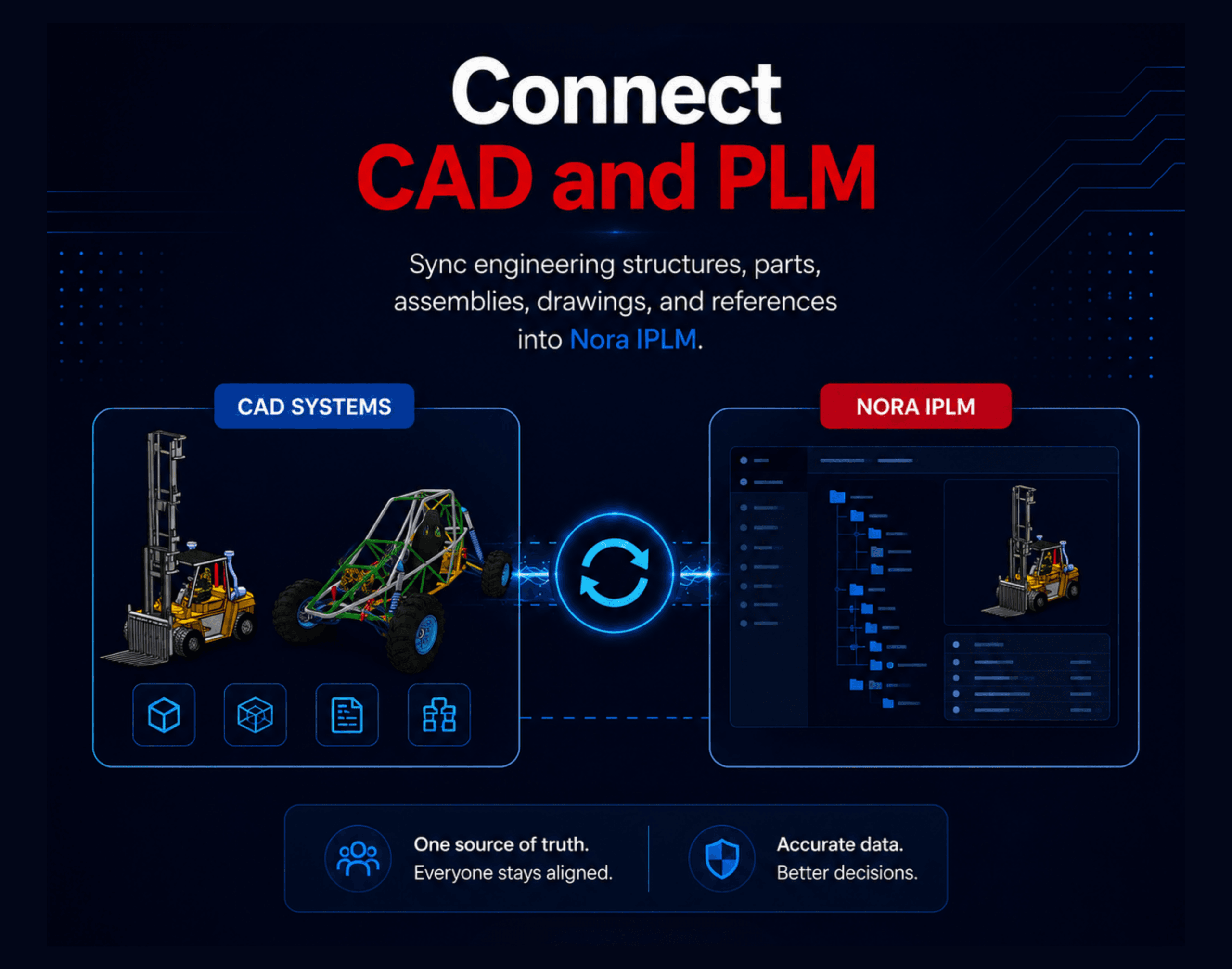
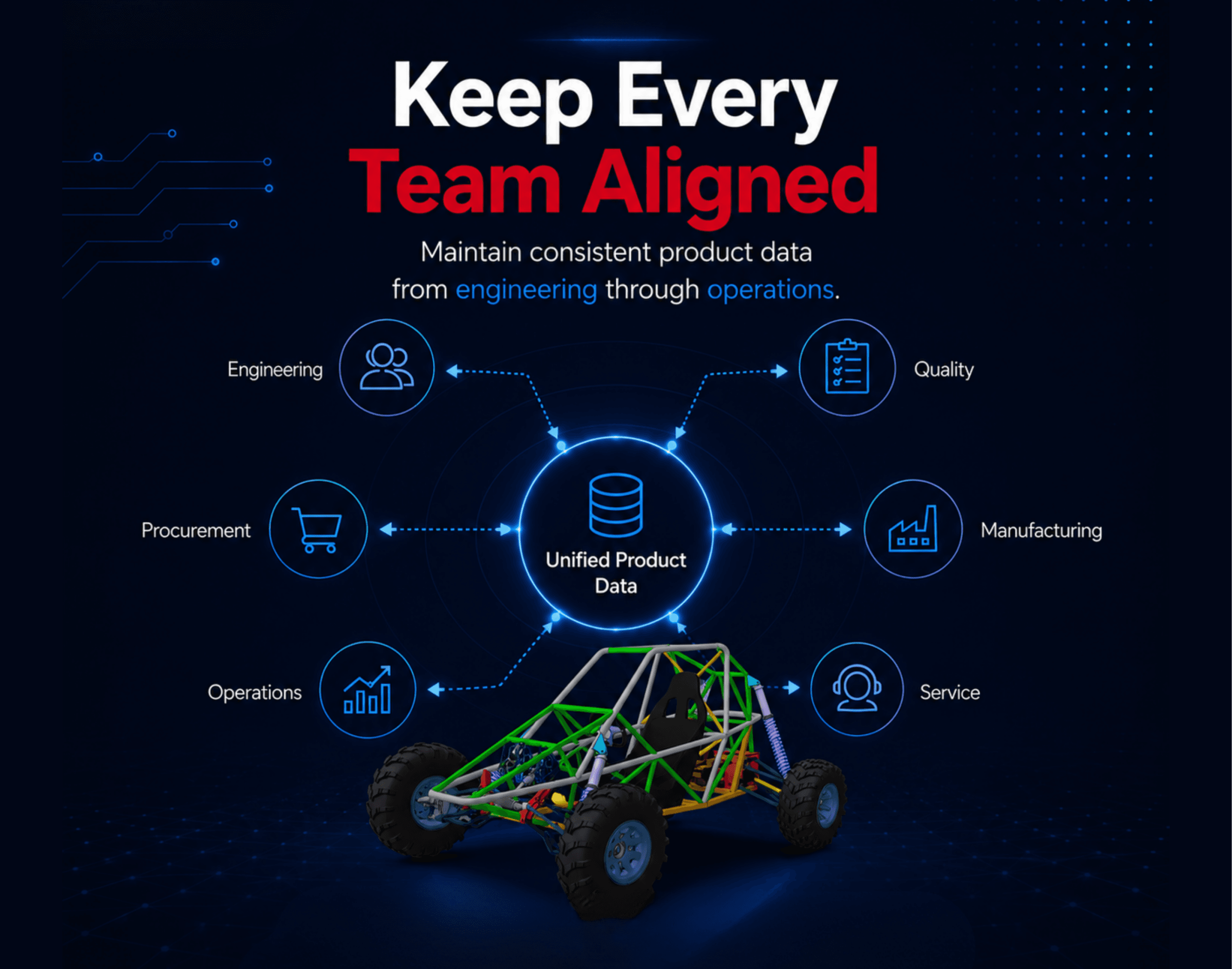
A CAD–PLM integration should do more than upload a design file. Nora IPLM keeps design data connected to the product structure and carries controlled information forward as the product is reviewed, changed, and released.
Files, references, item relationships, revisions, BOM context, approvals, and lifecycle decisions remain connected as engineering work moves into downstream teams.
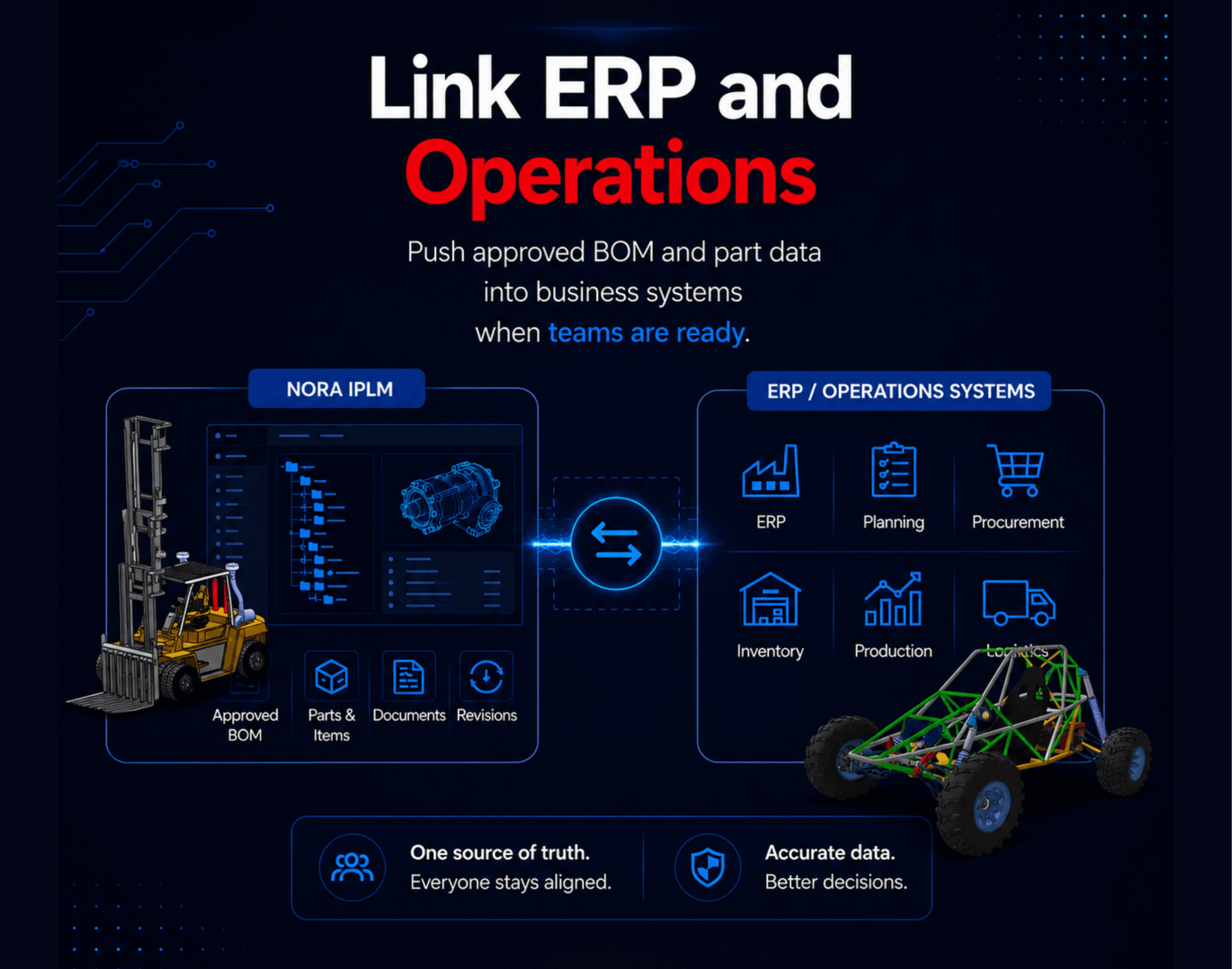
The workflow images show how connected systems can preserve product context while reducing duplicate entry and disconnected handoffs.
Engineering data.
A controlled path downstream.
The exact objects depend on the connected CAD system and your configured process, but the lifecycle path stays clear: engineering data enters PLM, becomes part of the controlled product structure, moves through change and approval, and is released for downstream use.
- CAD Design & References
- Product Data in Nora IPLM
- BOM & Product Structure
- Engineering Change & Approval
- Approved Release
Install. Configure. Connect.
Guides for your engineering tools.
Install, configure, and use Nora IPLM across CAD Connector, SOLIDWORKS, Solid Edge, CATIA, and connected ECAD review workflows.
How to Install the Nora IPLM CAD Connector
Install Desktop Services, connect supported CAD applications, and prepare engineering teams to synchronize files, metadata, and product structures with Nora IPLM.
ExploreReview KiCad, Gerber & STEP Data in Product Context
Inspect PCB layouts, manufacturing layers, and STEP 3D models in the browser while keeping the review connected to product information.
ExploreHow to Configure the Nora IPLM CAD Connector
Configure Desktop Services, tenant connection settings, CAD application selections, and connector options for a controlled PLM workflow.
ExploreHow to Use the Nora IPLM CAD Connector
Launch Desktop Services, confirm the connector is running, update the tenant URL, and use the connected desktop workflow.
ExploreHow to Install the Nora IPLM SOLIDWORKS Add-In
Install the Nora IPLM Add-In for SOLIDWORKS and connect CAD data with product lifecycle actions inside the design environment.
ExploreHow to Use the Nora IPLM SOLIDWORKS Add-In
Upload CAD data, manage iterations and revisions, review relationships, and access product information directly from SOLIDWORKS.
ExploreHow to Install the Nora IPLM Solid Edge Add-In
Install Desktop Services, enable the Solid Edge Add-In, and connect the CAD workspace with Nora IPLM.
ExploreHow to Use the Nora IPLM Solid Edge Add-In
Manage CAD uploads, BOM structures, lifecycle states, revisions, previews, and product data from the Solid Edge environment.
ExploreHow to Use the Nora IPLM CAD Connector with CATIA
Use CATIA with Nora IPLM to synchronize structures, create iterations and revisions, finalize releases, and compare design changes.
ExploreApproved engineering data.
Ready for the operational handoff.
PLM and ERP support different stages of the product lifecycle. Nora IPLM can manage the engineering definition, product structure, revisions, and controlled changes before approved information is handed to ERP for planning, procurement, costing, and production execution.
A manufacturer updates a product assembly in engineering. The affected product structure and BOM are reviewed in Nora IPLM, the change is approved, and only the released definition is passed downstream for operational use.
Engineering
CAD, items, references, and the product structure are updated.
PLM Control
The BOM, revision, and related engineering change are reviewed and approved in Nora IPLM.
ERP Handoff
Approved item and BOM data is transferred through the configured ERP integration.
Operations
ERP teams use the released definition for procurement, costing, planning, inventory, and production.
Connected integrations.
Connected product decisions.
Integration is most useful when the connected engineering data stays tied to the lifecycle processes that control product structures, BOMs, engineering changes, configurations, and design reviews.
Product Lifecycle Management
Connect product data, lifecycle states, documents, and decisions in one controlled product environment.
ExploreBOM Management
Keep engineering structures and BOM relationships connected as product data changes.
ExploreChange Management
Control engineering change reviews, approvals, implementation, and release across connected data.
ExploreConfiguration & Variant Management
Keep options, rules, variants, and configured BOMs connected to lifecycle decisions.
ExploreECAD Design Review
Review KiCad PCB layouts, Gerber and Excellon manufacturing files, and STEP 3D models in product context.
ExploreGood questions.
Clear answers.
Which integrations are available today?
Nora IPLM supports live integrations across CAD, Microsoft Office, project management, API, and webhook workflows, with ERP connectors available on request.
Can Nora IPLM preserve CAD relationships?
Yes. Nora IPLM is designed to keep parts, assemblies, drawings, references, revisions, and product structures connected as data moves from CAD into PLM workflows.
How do Office integrations help product teams?
Word, Excel, and PowerPoint files can stay connected to product objects, workflows, projects, and version history instead of living in disconnected folders.
Does the Jira integration keep lifecycle context?
Yes. Nora IPLM connects ideas, requirements, BOMs, issues, tasks, and engineering changes with Jira work management while preserving product context.
Can teams request a custom integration?
Yes. Nora's API, webhooks, and integration team can help scope custom connectors for business systems, ERP environments, and internal workflow tools.
Do integrations replace existing engineering tools?
No. Nora IPLM connects the tools teams already use so product data, files, tasks, and changes stay synchronized across the lifecycle.
What data can CAD integrations connect to Nora IPLM?
Depending on the CAD integration, teams can connect parts, assemblies, drawings, references, product structures, iterations, revisions, and lifecycle context so design data remains tied to the controlled product record.
How does PLM–ERP integration work?
Nora IPLM can control the engineering definition and approval process before approved item and BOM data is handed downstream to ERP. The exact data flow depends on the ERP connector and the organization's configured process.
Can Nora IPLM support ECAD design review?
Yes. ECAD Design Review supports browser-based inspection of KiCad PCB layouts, Gerber and Excellon manufacturing files, and STEP 3D models while keeping the review connected to product context.
Need a custom integration?
Start with your team’s workflow.
Nora's open API and partner program let your team connect any tool in your stack. Our integration team can scope and build it with you.
Connect the tools your team relies on.
Your tools. Connected product context.
Nora IPLM unifies your product data across CAD, office, and business applications so teams can automate handoffs, eliminate manual updates, and keep every file, task, and decision aligned from engineering through operations.
Discuss your workflow ↗