SolidWorks Integration for Nora IPLM
Keep engineers working with familiar CAD processes while Nora IPLM maintains the product context, traceability, and lifecycle control needed across engineering and downstream teams.
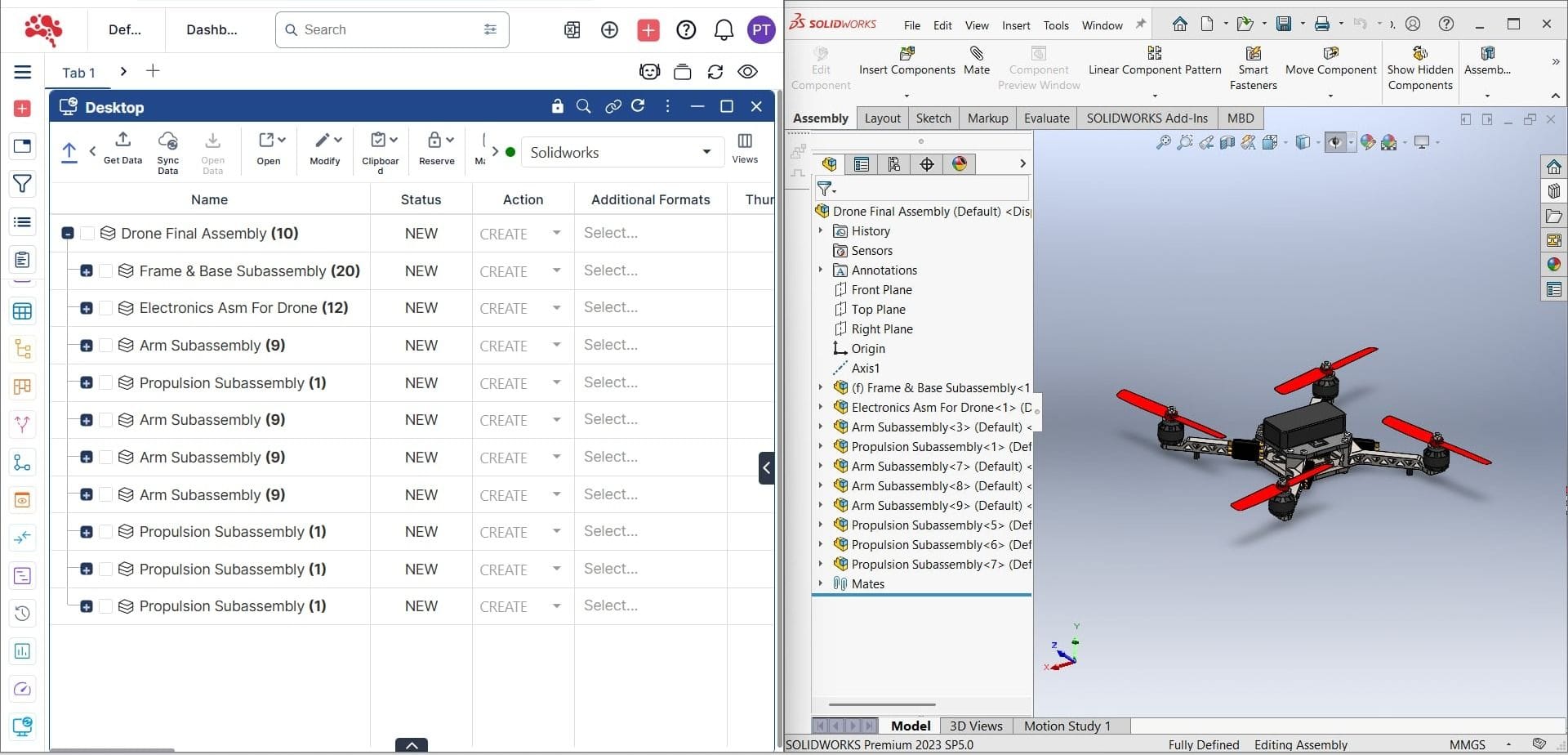
Unite CAD and PLM for a Smarter Product Workflow
Connect design work directly to product data, BOM structures, revisions, approvals, and engineering changes so CAD information stays controlled from design through release.
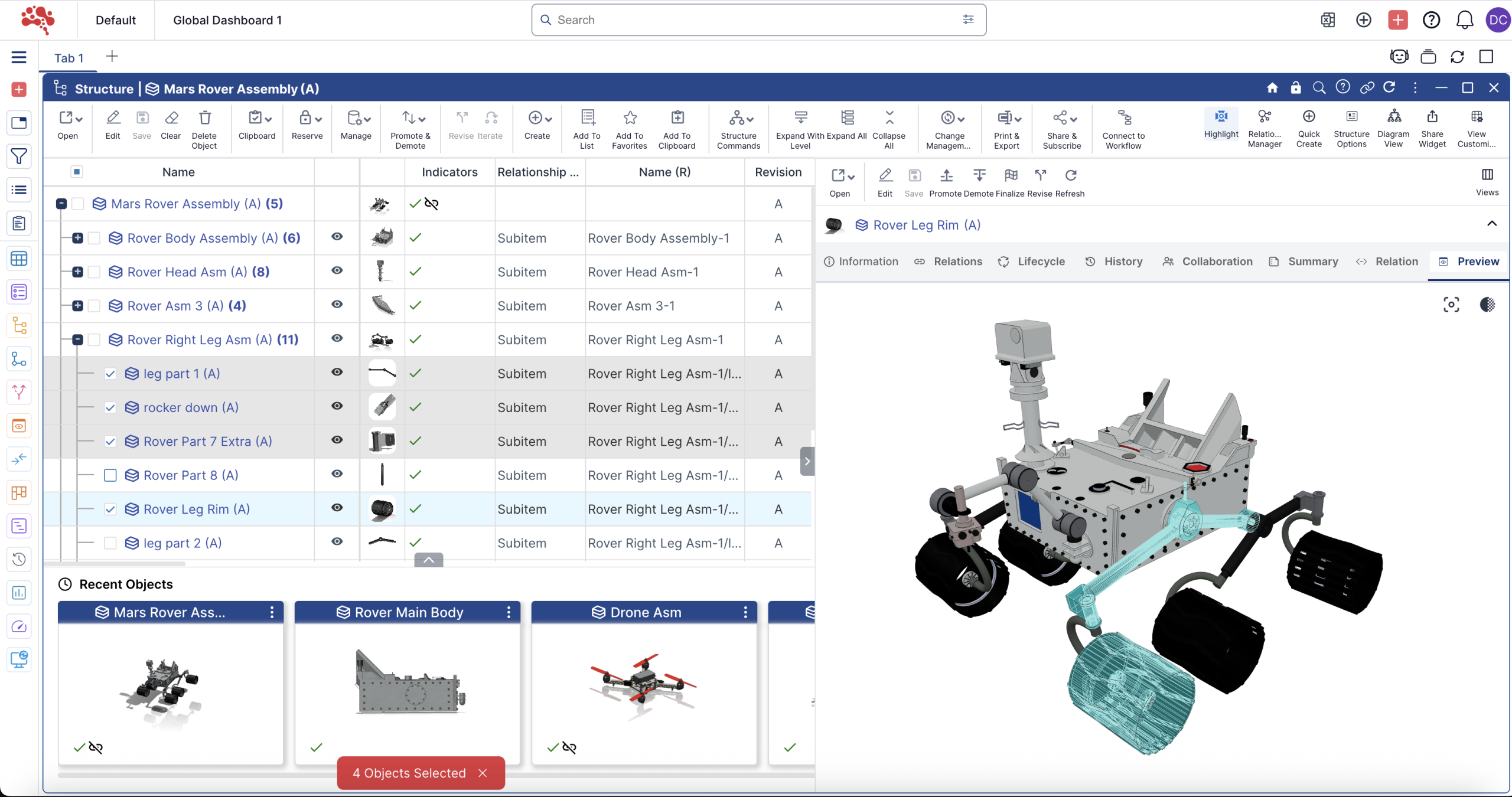
Automated BOMs with Full Change and Revision Control
Capture assembly structures from SolidWorks and connect them to controlled BOMs in Nora IPLM. Track revisions, compare structures, manage affected items, and keep BOM changes connected to approval and release workflows.
Direct CAD-to-PLM Sync Without File Duplication
Sync SolidWorks files, metadata, references, and structures directly to Nora IPLM without relying on manual file copies. Keep linked CAD data connected to the correct product record and revision.
Key Benefits of SolidWorks Integration
Centralized CAD File Management
Store and manage SolidWorks part and assembly files directly in Nora IPLM. Link them to items, projects, and change processes for full traceability.
Built-In Version and Revision Control
Check-in and check-out files with automatic version tracking. Every design change is recorded, reviewed, and accessible when you need it.
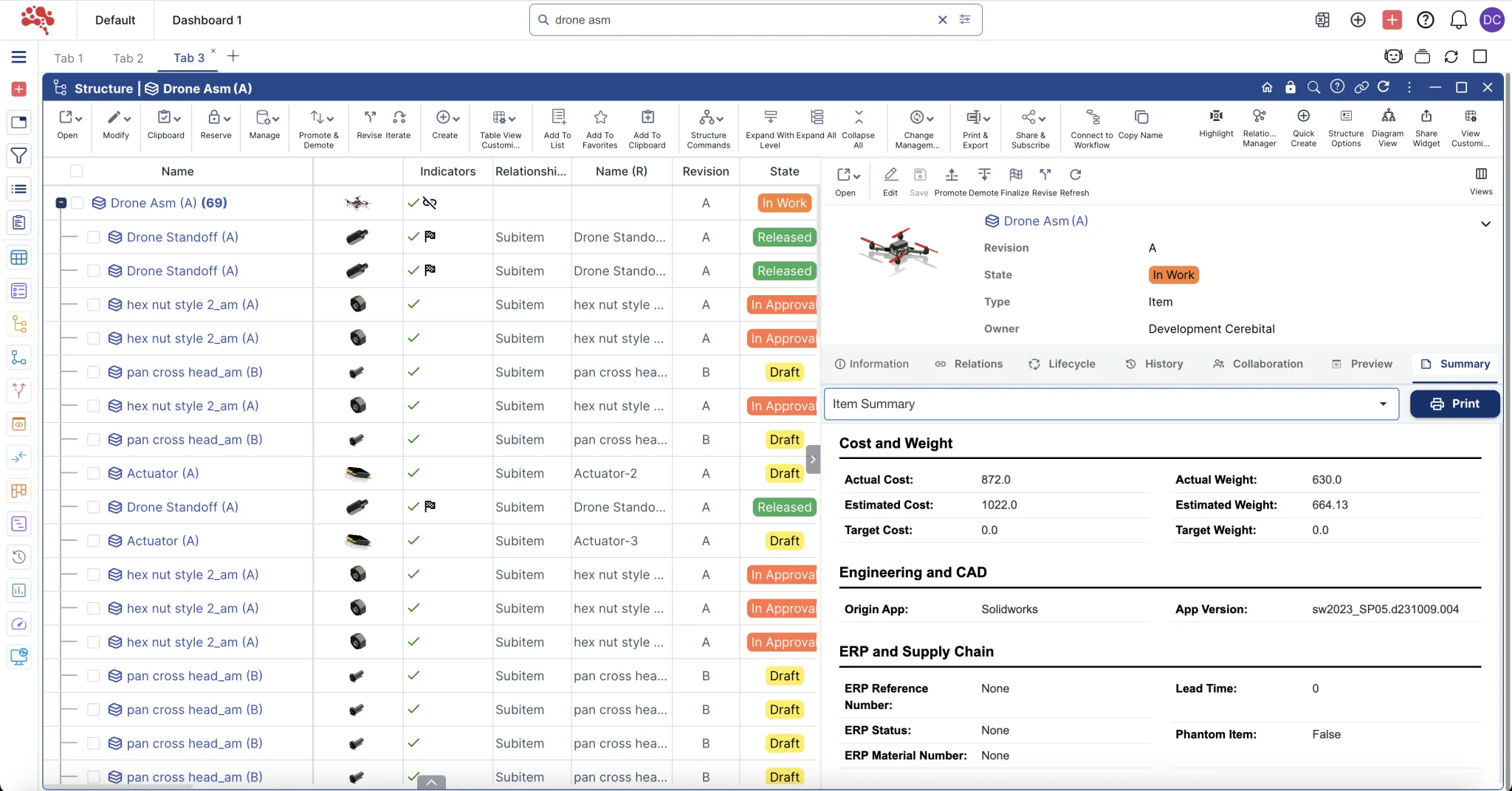
One-Click BOM Sync
Pull Bills of Materials directly from SolidWorks assemblies and sync them with Nora IPLM items. Avoid manual entry and reduce costly mistakes.
Collaborate on Designs Without CAD Tools
View and comment on SolidWorks data within the Nora IPLM platform. Share controlled access with project stakeholders who do not use CAD.
Integrated Change Management
Attach items synced from SolidWorks to engineering change requests and change orders. Monitor progress and approval in real time across teams.
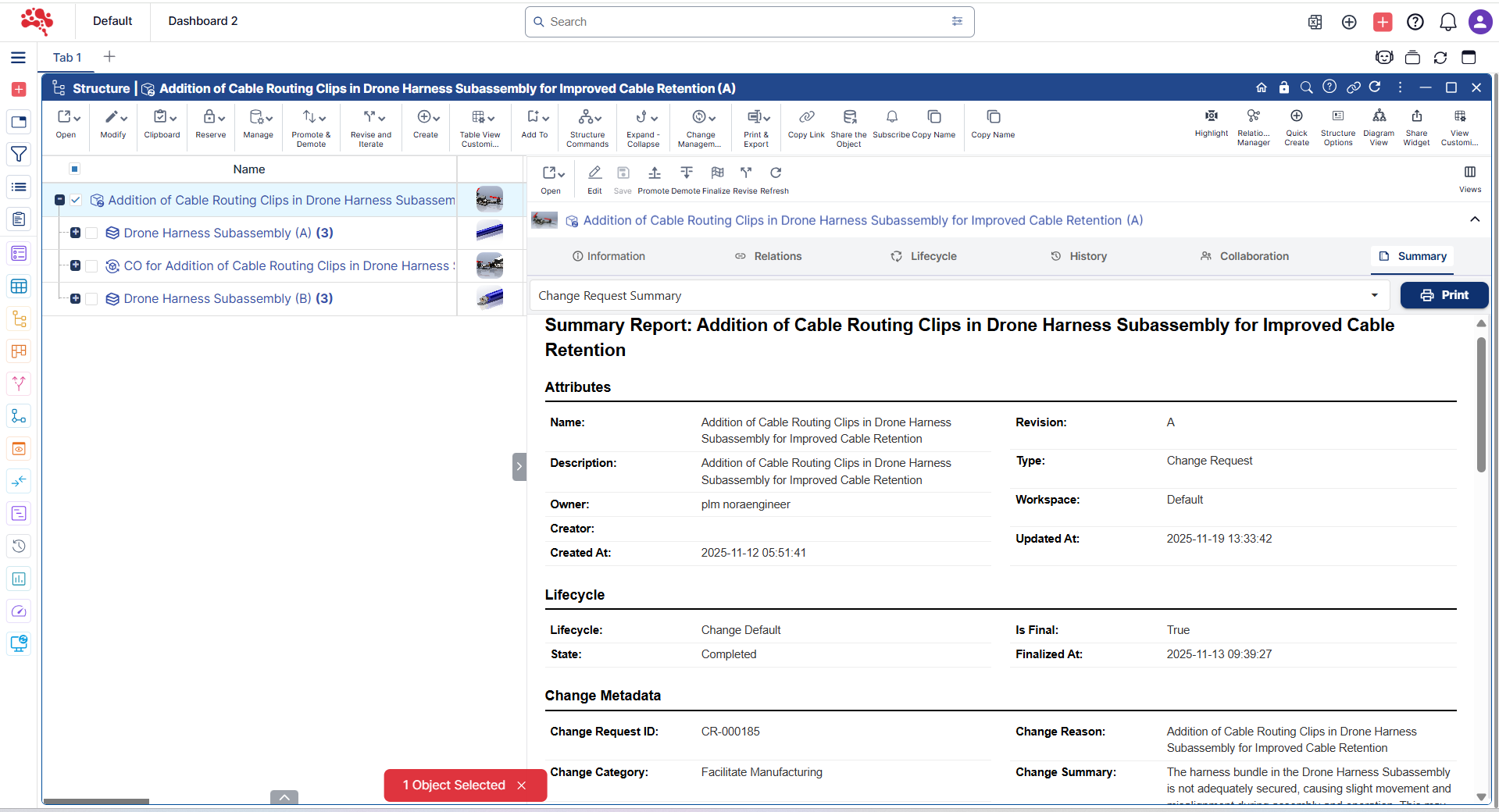
Move SolidWorks Data into Nora IPLM in a Controlled Workflow
Step-by-Step Guide: Uploading a SolidWorks Model to Nora IPLM
Use the SolidWorks integration workflow to bring the active design into Nora IPLM while preserving the product structure and engineering context.
- Open the SolidWorks assembly you want to manage.
- Retrieve assembly metadata and referenced files.
- Review the detected structure before upload.
- Map or create the corresponding Nora IPLM items.
- Upload the design data and establish the linked product record.
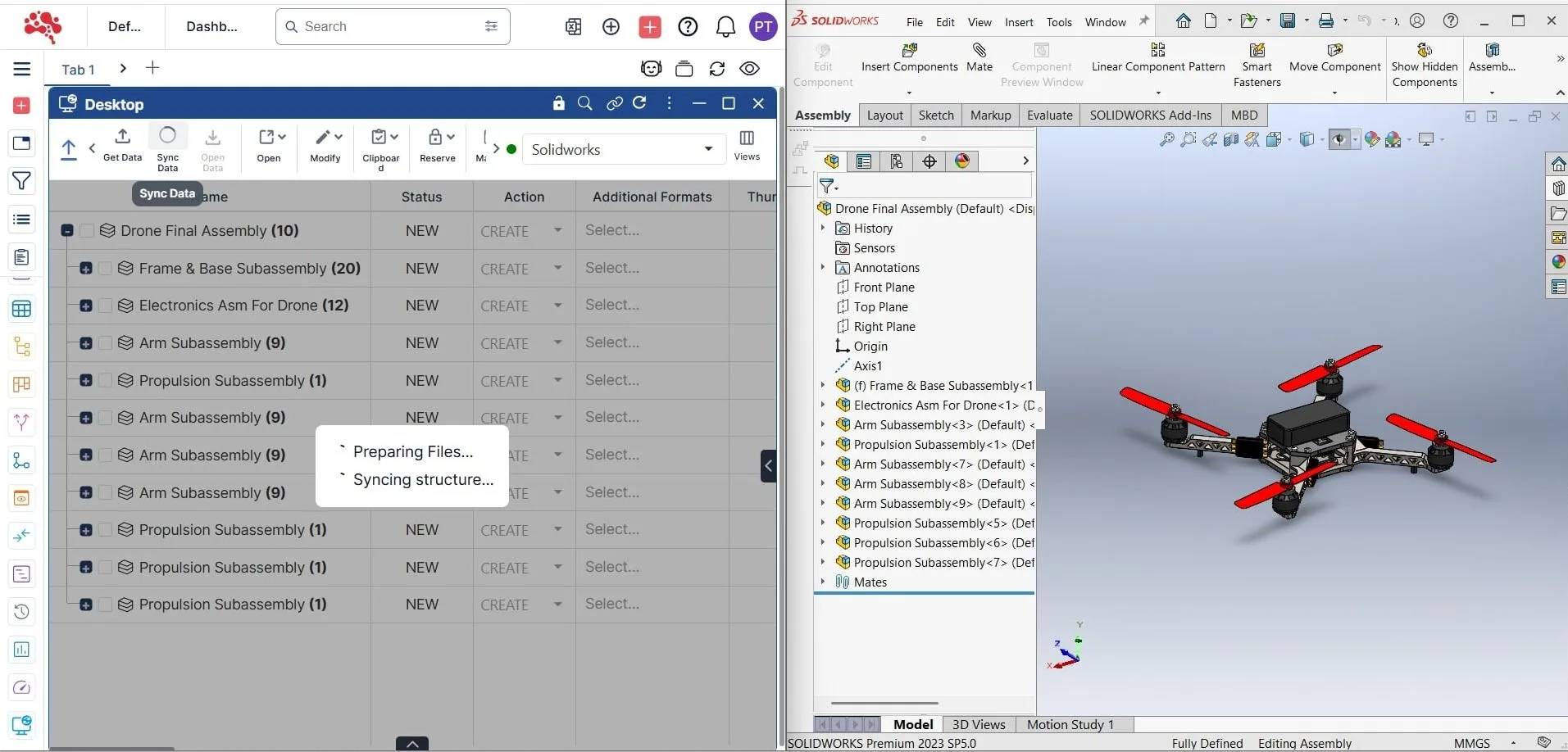
Retrieve, Sync, and Review Your Model
After the CAD structure is connected, teams can continue working with the model while Nora IPLM manages the linked lifecycle data.
- Retrieve the current product structure and revision context.
- Sync updated SolidWorks metadata and assembly changes.
- Review BOM differences and impacted components.
- Validate linked documents and product relationships.
- Route changes through controlled approval and release workflows.
Where SolidWorks Integration Helps Engineering Teams Most
Use connected CAD and PLM workflows across design management, BOM control, documentation, and cloud collaboration.

Manage CAD Data in One Place
Centralize assemblies, parts, drawings, revisions, and related records instead of managing them across disconnected folders.

Keep BOMs Connected to Design
Maintain clear links between the SolidWorks assembly and the product BOM used for engineering, procurement, and downstream processes.

Support Traceability and Compliance
Keep design revisions, approvals, documents, and engineering changes connected for audit-ready product history.

Enable Cloud Collaboration
Give distributed teams controlled access to product data and design context without relying on shared drives or manual file transfers.
Benefits of Nora IPLM
Nora IPLM simplifies CAD management by centralizing design files, BOMs, and lifecycle data in one secure platform. Teams get real-time visibility, reduce errors, and streamline collaboration across product development. With Multi-CAD support, intelligent revision control, and direct PLM integration, Nora ensures consistency from design to delivery, without the inefficiencies of disconnected systems.

Bi-Directional Data Flow Between Your CAD Software and Nora IPLM Platform
Keep your design and BOM data in sync at all times. Changes in the CAD software or in Nora IPLM are automatically reflected across both systems, reducing manual updates and misalignment.
Hybrid-BOM Support
Manage mechanical, electrical, and software components in one unified BOM. CAD and non-CAD items are handled seamlessly within the platform, giving you a complete view of your product structure.
Revisioning and Version Control
Track every design change with automatic versioning. Each update is saved with a timestamp, user info, and optional version comments for full traceability.
Streamlined workflows that accelerate time to market
Automate and optimize workflows to reduce delays and speed up product launches.
Why Choose Nora IPLM?
Nora IPLM delivers the speed, flexibility, and control that modern product teams need, without the complexity of traditional PLM systems. Our cloud-first platform is easy to deploy, simple to use, and built for teams working with SolidWorks and other desktop design tools.

No vendor lock-in
Keep full control over your tools, data, and integrations. Nora IPLM fits into your existing ecosystem without forcing platform dependencies.

No CAD file duplication
Avoid unnecessary copies and confusion. Nora IPLM connects directly to your design files, maintaining a single source of truth.
No complicated deployment
Get started quickly with a browser-based setup. No IT support or long implementation cycles required.

Scales with Your Business
From startups to scaling teams, Nora IPLM adapts to your product development needs without adding overhead or cost.
Extend SolidWorks Integration Across Connected PLM Workflows
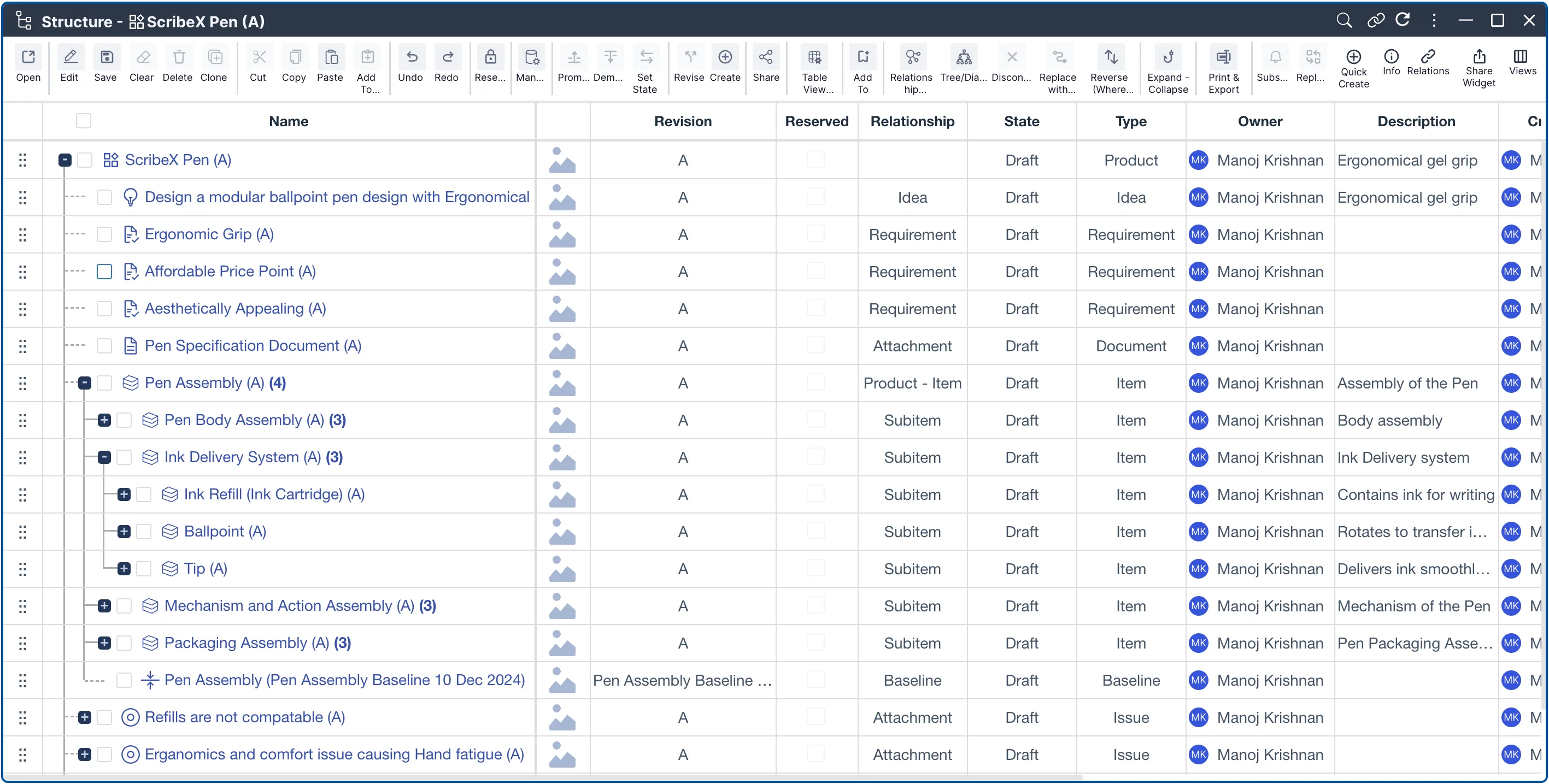
Product Lifecycle Management
Manage product data, revisions, documents, workflows, and lifecycle states in one connected environment.
Discover More
BOM Management
Control product structures, compare revisions, manage multi-level BOMs, and keep downstream teams aligned.
Discover More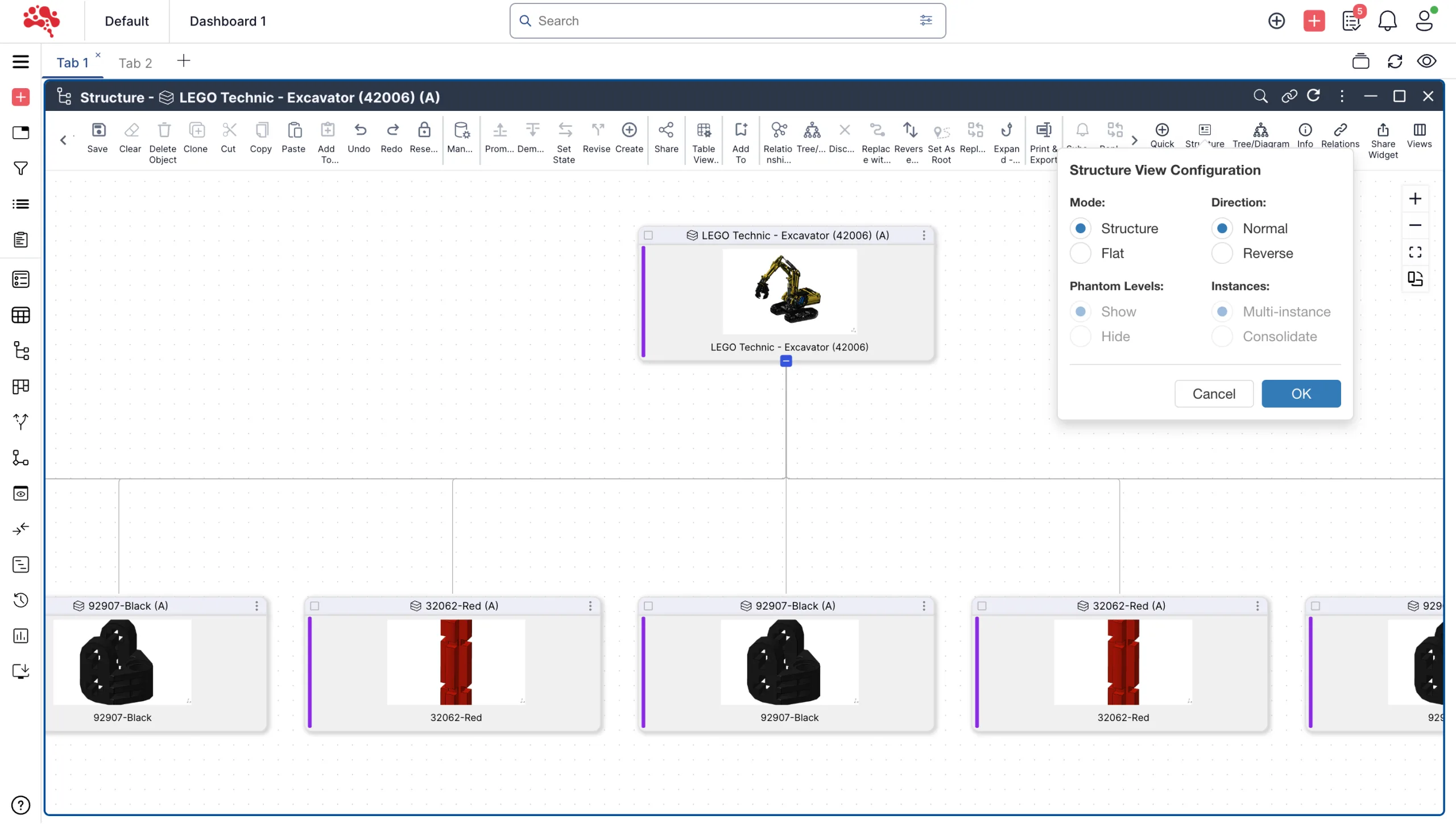
Structure Widget
Visualize connected product structures, assemblies, BOMs, and relationships through an interactive hierarchical view.
Discover MoreConnect SolidWorks to a Modern PLM Workflow
Bring CAD files, BOMs, revisions, changes, documents, and product data together in Nora IPLM and give engineering teams a controlled workflow from design through release.