Project Summary Report
From Project Scope to Delivery Progress
Use the Nora IPLM Project Summary Report to review project ownership, schedules, delivery progress, tasks and related product records in one connected PLM view.
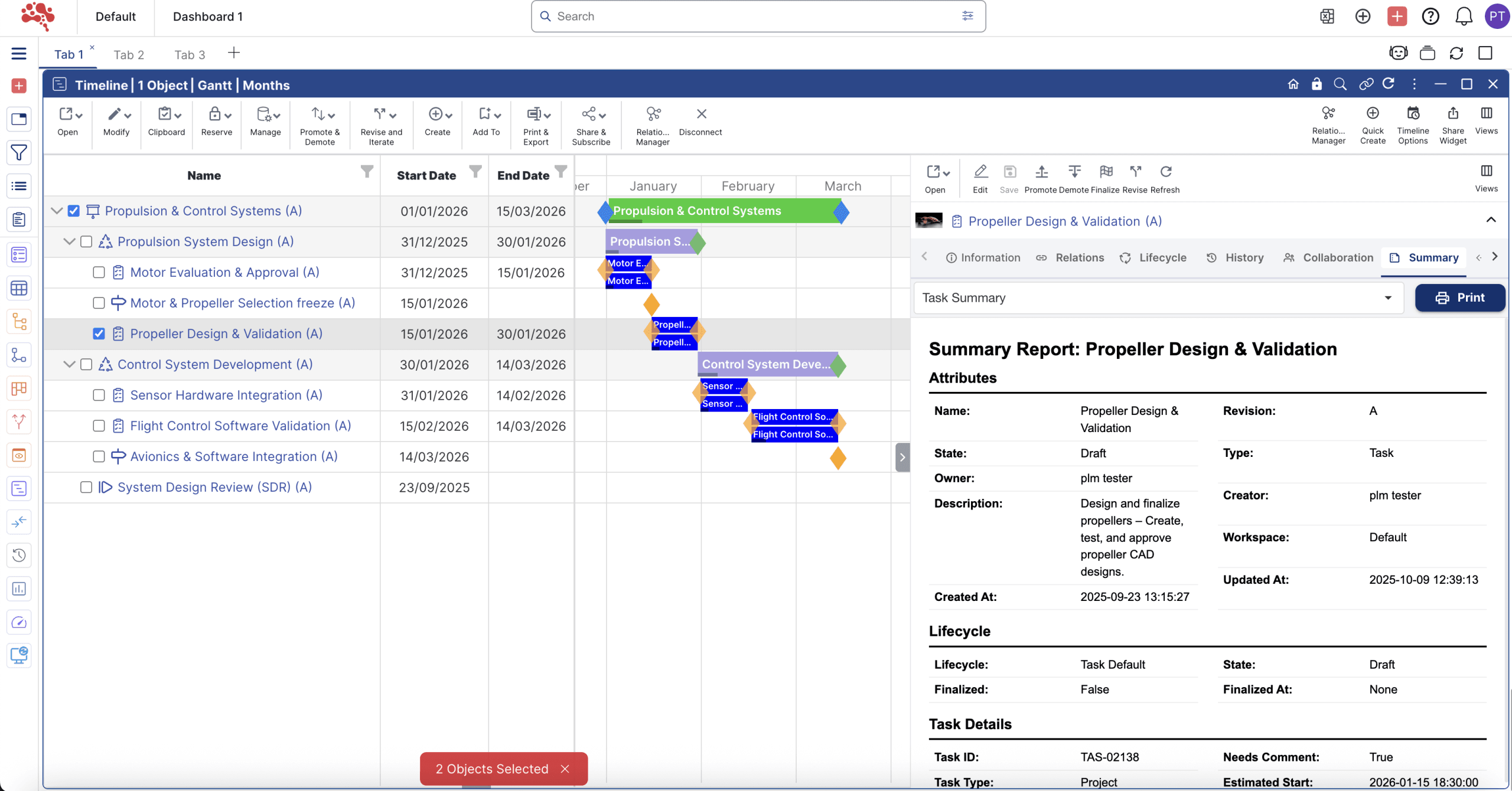
One connected view of project health and execution.
Review project identity, lifecycle state, owners, schedules and progress in one place, with context from PLM project management.
See products, programs, phases, tasks, ideas and approval gates connected to the project. For deeper execution detail, compare progress with the Task Summary Report and Workflow Summary Report.

Get the project context needed for confident delivery
Give project managers and cross-functional teams a clear view of responsibility, timing, scope and dependencies.
Understand Project Identity
See the project name, revision, creator, workspace and lifecycle state in one place.
Track Schedule and Progress
Compare estimated and actual dates, durations and completion status.
Clarify Project Ownership
Review members, managers, assignees and their responsibilities.
See Connected Execution
Access relevant products, programs, phases, tasks, ideas and gates.
Explore the complete project picture.
Schedule, ownership and connected structure.
Select a reporting view to explore the original Nora IPLM project and task summary screenshots.
Understand delivery timing
Compare planned and actual work dates, duration and completion progress.
Explore the full workflowKnow who is responsible
Review project contributors, managers and assigned execution responsibilities.
Explore the full workflow
Follow project dependencies
Use the navigator to see project relationships and linked execution objects.
Explore the full workflow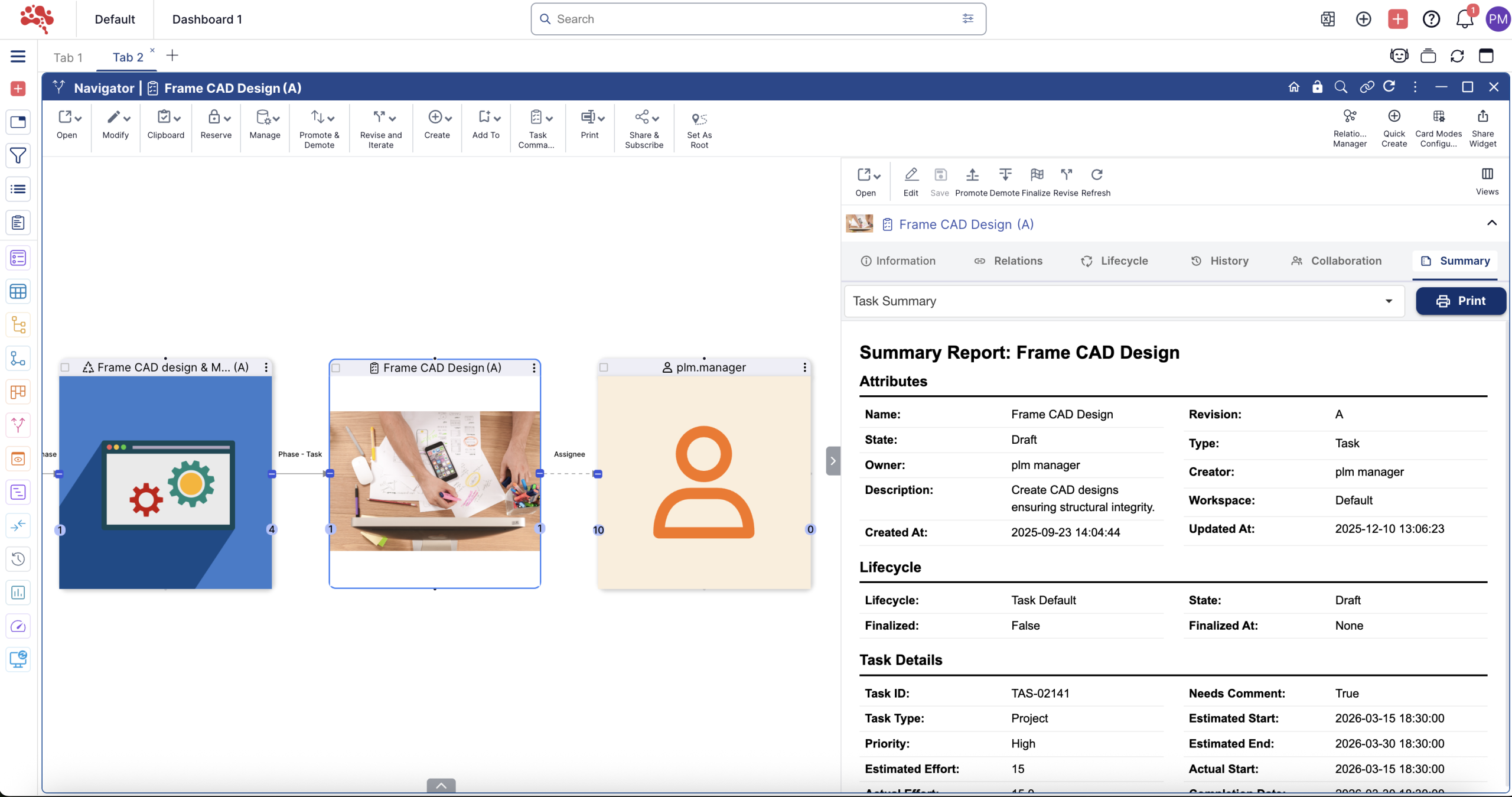
How to use the Project Summary Report
Five stages, from project to export.
Follow project information from the Summary tab through identity, schedule, people and connected execution records with one natural page scroll.
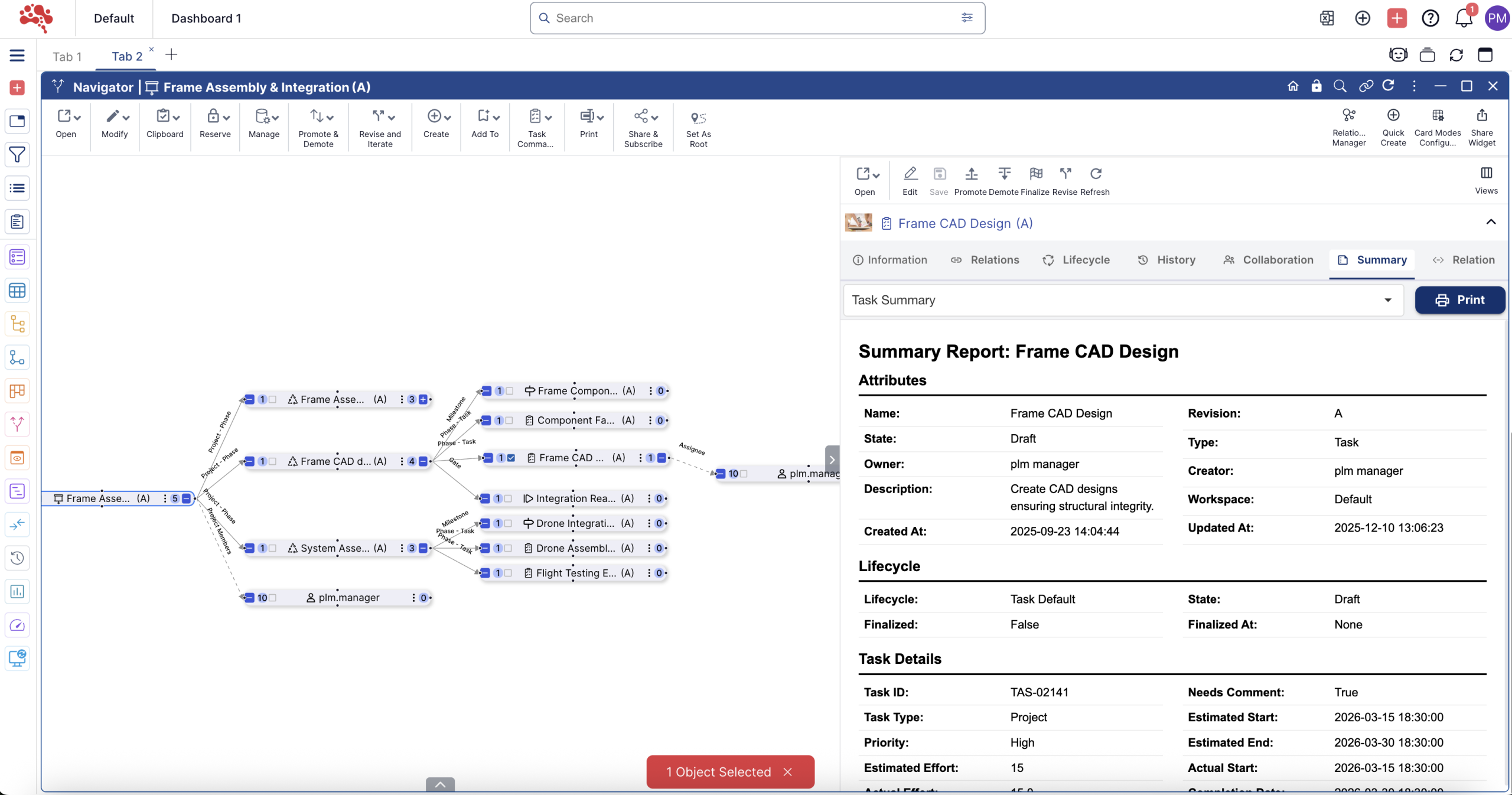
Open the project Summary tab
Navigate to the relevant project and open its Summary tab.
- Confirm the project name, state and revision.
- Check workspace, owner and core identity fields.
Choose Project Summary Report
Select the consolidated report for the current project.
- Review the lifecycle state and project scope.
- Keep the current project as the reporting context.
Review schedule and progress
Compare delivery estimates with actual progress.
- Check planned and actual start and end dates.
- Review duration and completion percentage.
Inspect ownership and connected work
Understand responsibilities and execution relationships.
- Review members, managers and assignees.
- Trace products, phases, programs, tasks, ideas and gates.
Export and share the report
Use the available export action to share a consistent project overview.
- Confirm the project scope, schedule and related records.
- Share the consolidated view with stakeholders.
Project information that stays connected
The Project Summary Report brings together project governance, schedules, responsibilities and connected execution records for consistent delivery reviews.
Project Identity and Lifecycle
Review the project name, revision, state, creator, owner and workspace.
Schedule and Completion
See estimated and actual dates, duration and progress percentage together.
Members and Managers
Understand team ownership, assigned responsibilities and current states.
Products and Programs
Identify the product scope and broader programs linked to the project.
Phases, Tasks and Gates
Track work breakdown, delivery tasks, phases and approval gates.
Ideas and Related Projects
Trace initiating ideas, related work and associated project context.
Explore related Nora IPLM modules: Project Management, Workflow Management and Item Management.
Project Summary Report: information at a glance
Seven connected information areas make the Project Summary Report useful for reviewing project health, governance, dependencies and delivery readiness.
| Report area | Information available | Why it matters |
|---|---|---|
| Project identity | Project name, ID, revision, creator, workspace and state | Confirm the correct project and approved context. |
| Lifecycle governance | Lifecycle information, ownership and status | Understand who controls the project and its current phase. |
| Scheduling | Estimated and actual start and end dates, planned and actual duration | Identify alignment or differences between the plan and execution. |
| Completion progress | Completion percentage and current delivery state | Review how far project execution has progressed. |
| Team responsibility | Assigned members, assignees and managers | Clarify accountability for planned and active work. |
| Product and program context | Related products, phases and programs | Understand project scope and strategic alignment. |
| Execution dependencies | Connected tasks, ideas, gates and related records | See the work, inputs and decisions shaping delivery. |
Example: review project progress and responsibilities
Use the original project reporting views to bring timing, ownership and linked tasks into a consistent delivery review.
Compare planned and actual delivery
Review the project timeline, completion percentage, planned dates and actual task execution. Use PLM metrics and KPIs to explore wider engineering performance trends.
Confirm ownership and execution context
See connected execution and review processes in Nora IPLM Project Management.
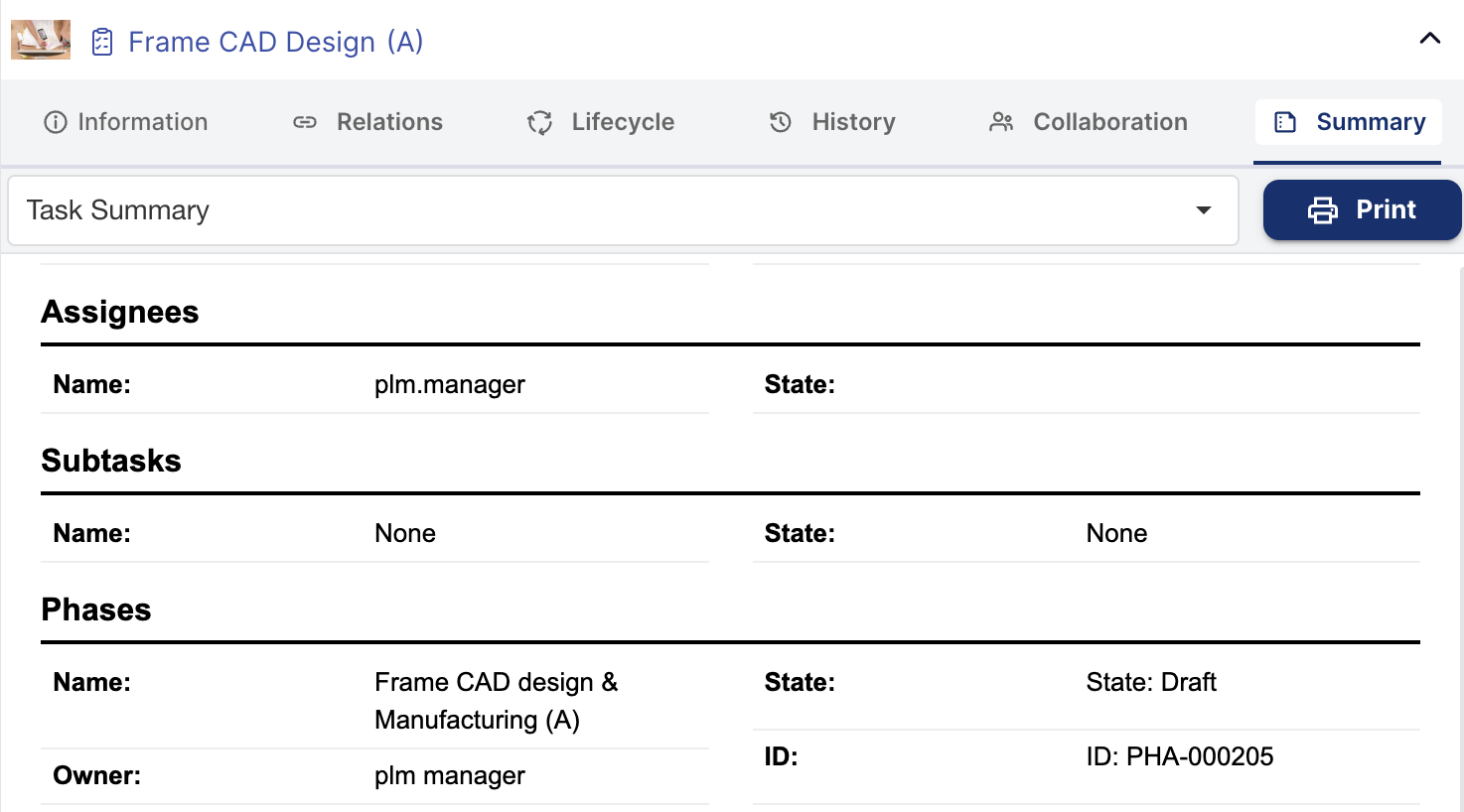
Explore Project Summary Report screenshots
Browse the seven original Nora IPLM views of project timing, responsibility, linked records and the product structure.
Schedule, Progress and Delivery Insight
Everything About a Project, In One Place
Clear Responsibility and Leadership Visibility
Context Beyond the Project Itself
Project and Task Relationship Navigator
Phase and Assignee Details

Product Structure and 3D Viewer
Project clarity for every delivery stakeholder
Managers, project owners and delivery teams share the same view of scope, timing, progress and responsibilities.
Project Managers
Monitor timelines, progress, ownership and connected tasks.
Program Leaders
Review alignment across related programs, phases and products.
Engineering Teams
Understand assigned work and the product context of delivery.
Executives and Reviewers
Assess project status, governance and dependencies at a glance.
Cross-functional Teams
Work from one shared overview of the project and its execution.
- Project scope
- Timeline and progress
- Team accountability
- Products and phases
- Tasks and decisions
- Gates and dependencies
Explore execution control in Nora IPLM Project Management.
Project Reporting Resource Library
Explore PLM summary reporting, project planning, workflow execution and connected product management. See the Change Order Summary Report when project delivery depends on engineering changes.
Summary Reports
Explore consolidated reports across product and project lifecycle records.
Explore resourceProject Management
Plan, coordinate and track project work and delivery information.
Explore resourceWorkflow Management
Support structured activities, approvals and execution workflows.
Explore resourceItem Management
Connect project delivery with product and item records.
Explore resourceFrequently
Asked
Questions
Answers about project schedules, ownership, linked work, progress and reporting.
What does the Project Summary Report show in Nora IPLM?
It consolidates project identity, lifecycle, ownership, scheduling, progress and the related products, phases, programs, tasks, ideas and gates in one view.
Can I compare estimated and actual project dates?
Yes. The report includes estimated and actual execution dates and duration, alongside completion percentage, to support progress review.
Does the report show project members and managers?
Yes. Member, manager and assignee information is available so project ownership and delivery responsibility are clear.
Which connected objects are included in the project report?
The source describes connected products, phases, programs, ideas, tasks, gates and associated project context, with identifying details such as state, owner and revision.
How can I access and share a Project Summary Report?
Open a project, select its Summary tab, choose Project Summary Report, review project scope and execution information, and use the available export action for stakeholder sharing.
Keep every project decision connected.
From planning to delivery.
See ownership, schedules, execution dependencies and project progress together in Nora IPLM.