Change Order Summary Report
A complete view of change execution, linked requests, tasks and resulting item outputs in one structured report.

Change Order Summary Report
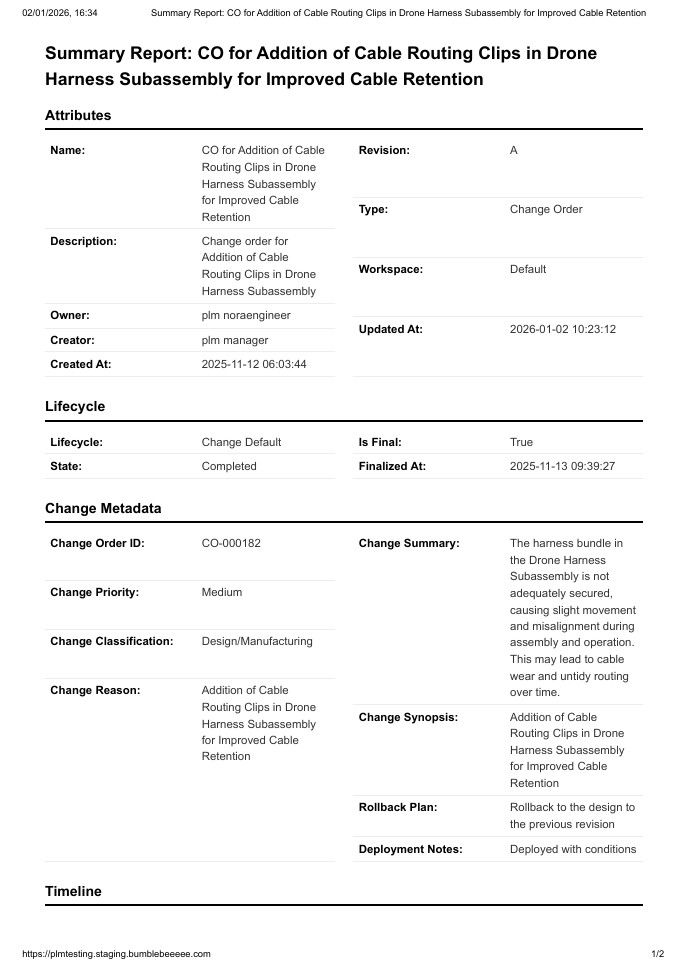
The Change Order Summary Report brings together the essential details required to review, track and execute changes through an organized and controlled process.
It consolidates change order identity, metadata, timeline, lifecycle state, ownership and downstream execution steps such as linked change tasks and resulting items. It also surfaces upstream inputs like connected change requests.
Everything needed to understand, approve or implement a change order appears clearly in one place.
This report supports disciplined execution, predictable releases and full traceability across engineering, quality and operations.
Everything About a Change Order, In One Place
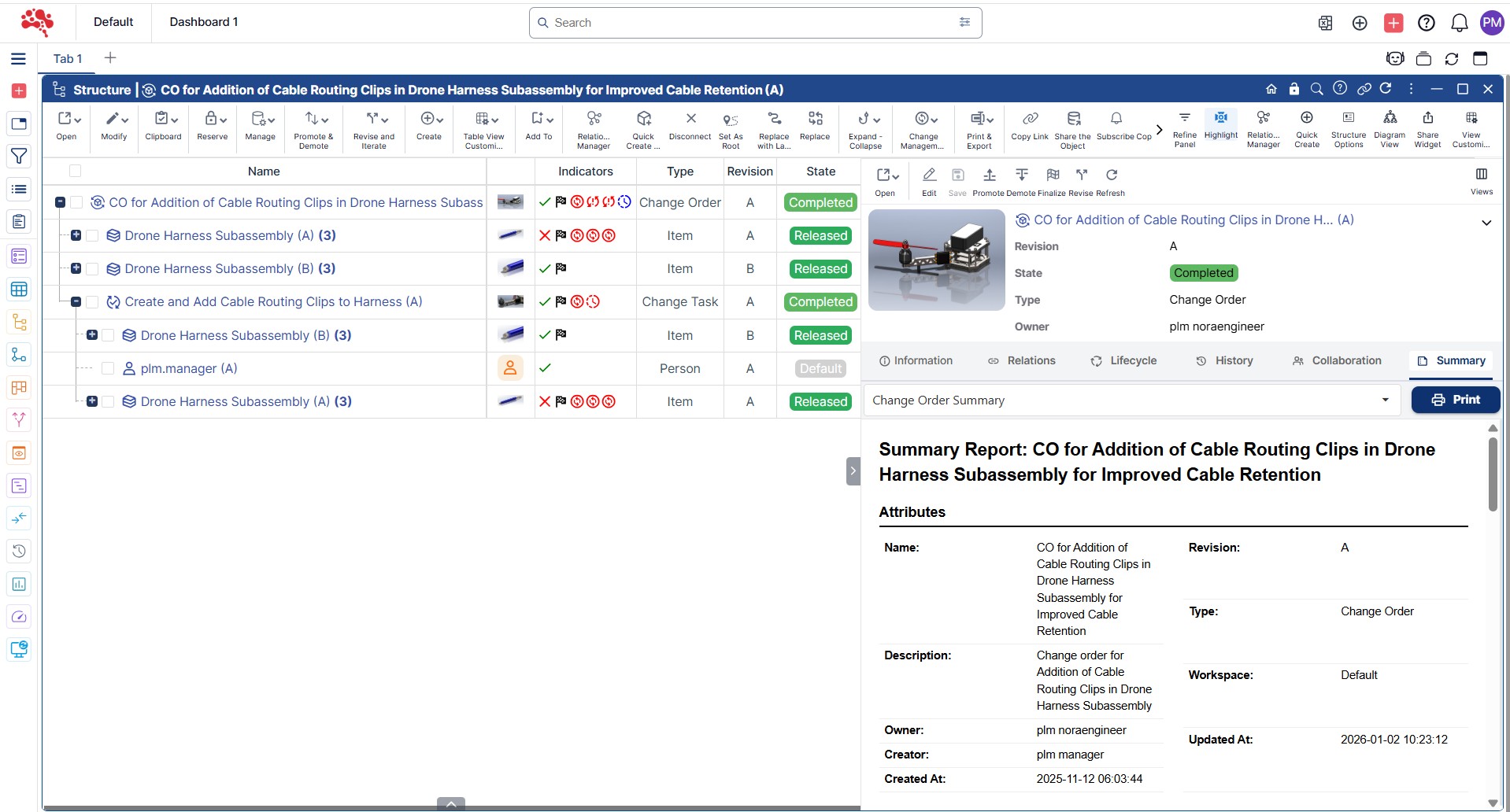
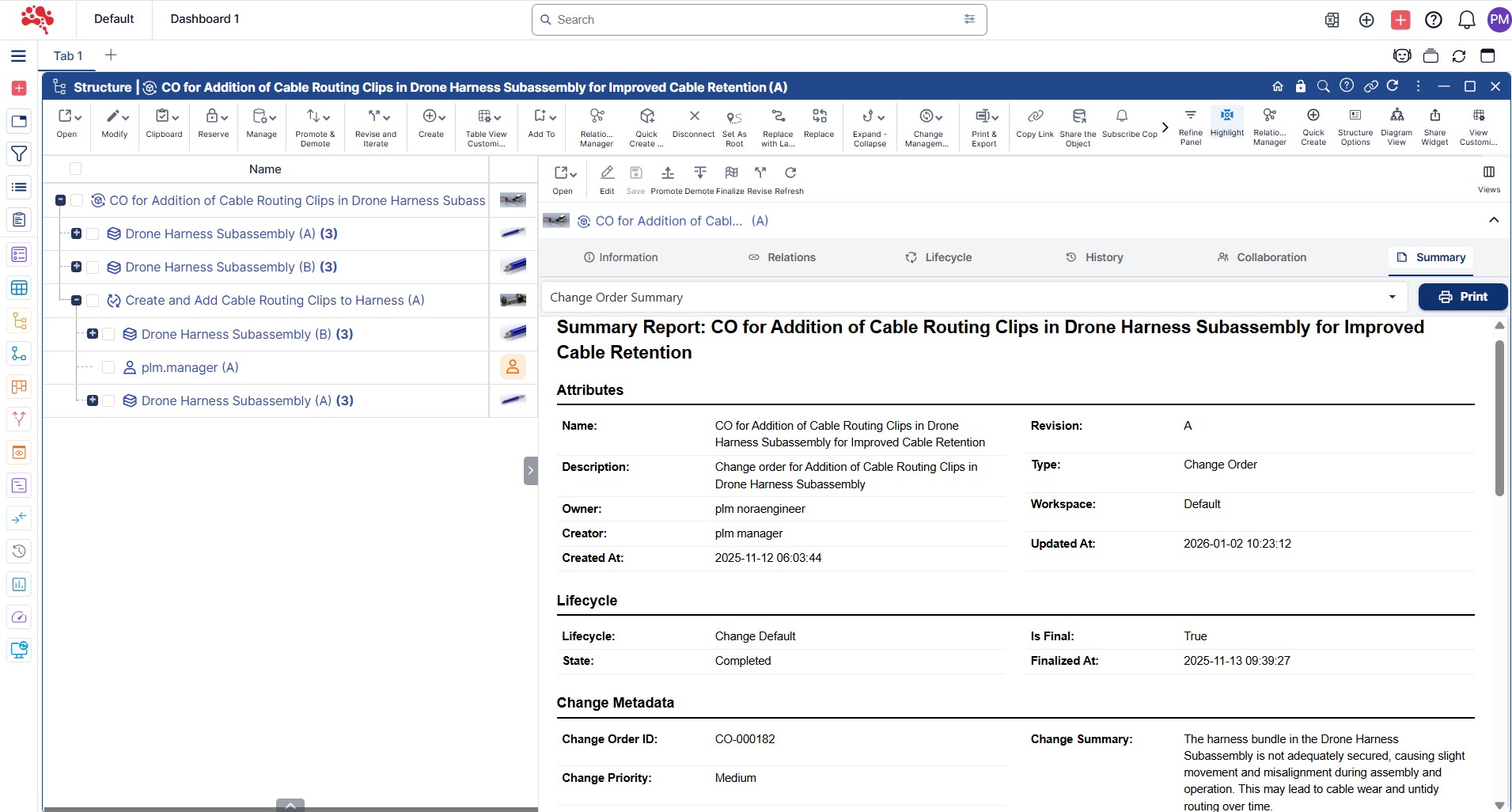
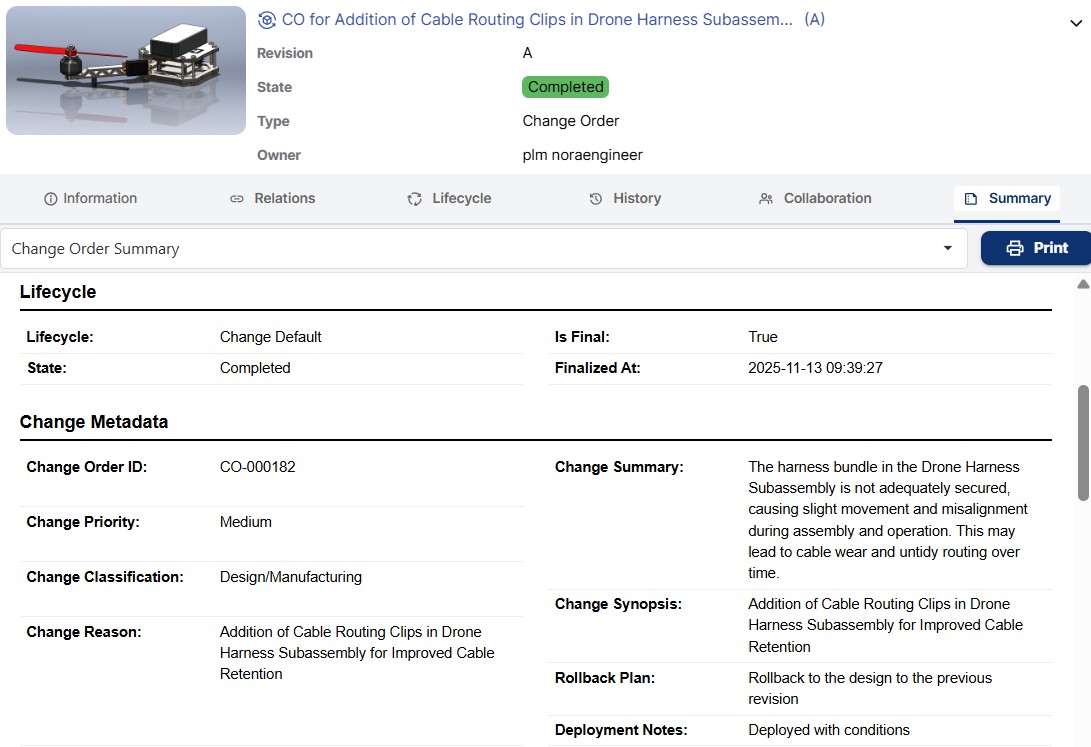
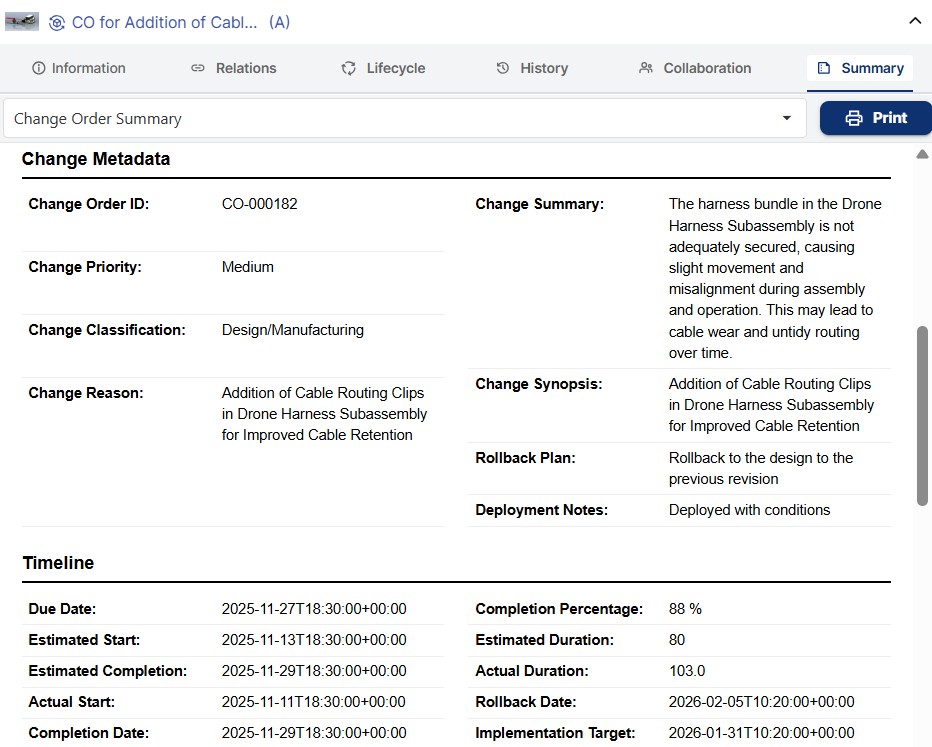
You see the complete change order profile at a glance: name, revision, state, owner, creator, timestamps and workspace. Governance attributes such as change priority, classification, reason, summary, synopsis, rollback plan and deployment notes appear in a structured layout.
No scattered information. No uncertainty. A single authoritative record of what the change order represents and why it exists.
Change Execution Metadata and Release Intent
The report displays the full change metadata associated with the change order including:
• Priority and classification
• Technical and business rationale
• High level summary and detailed synopsis
• Rollback plans and deployment notes
This gives reviewers and implementers the context needed to evaluate impact, risk and readiness before work begins.
Timeline, Duration and Rollout Planning
Estimated and actual dates appear side by side to reveal progress and readiness. Reviewers can quickly see the estimated start and completion dates, actual execution, target implementation dates and any rollback scheduling.
Gain confidence in planning, scheduling and operational readiness for release.
Context Beyond the Change Order Itself
Change orders are central points in the change management process. This report exposes everything connected to the change order.
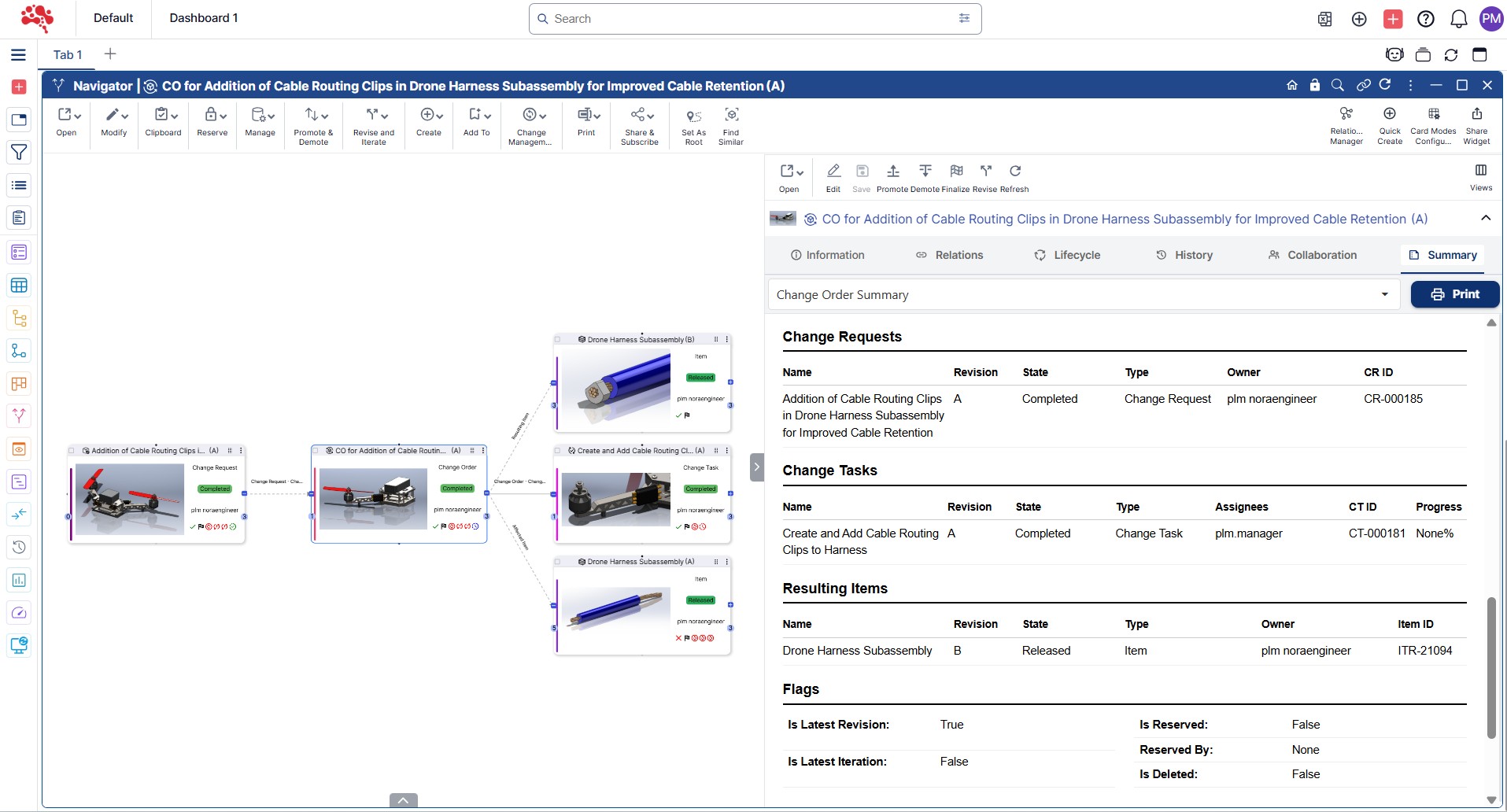
Change Requests linked to this order appear with full identity, owner, type, state and system ID.
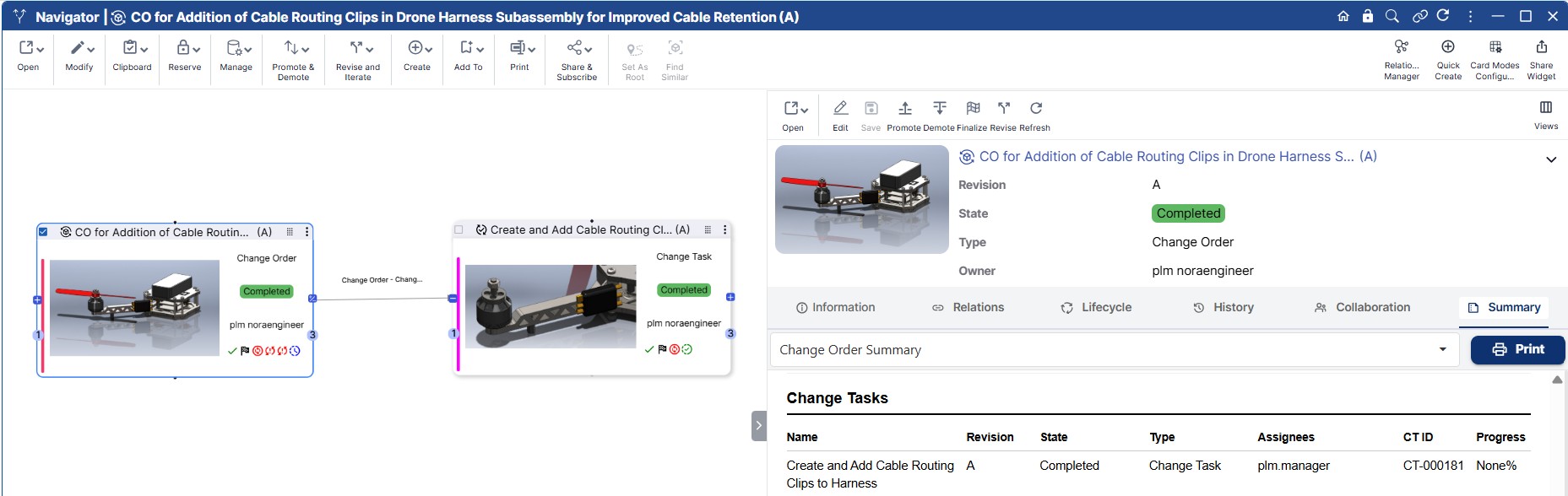
Change Tasks show all execution steps required to complete the order including assignees, task state and completion progress.
Resulting Items reveal what outputs, updates or revisions the change order will generate.
Nothing is hidden. All dependencies and outputs are visible in a single unified view.
Linked Change Requests
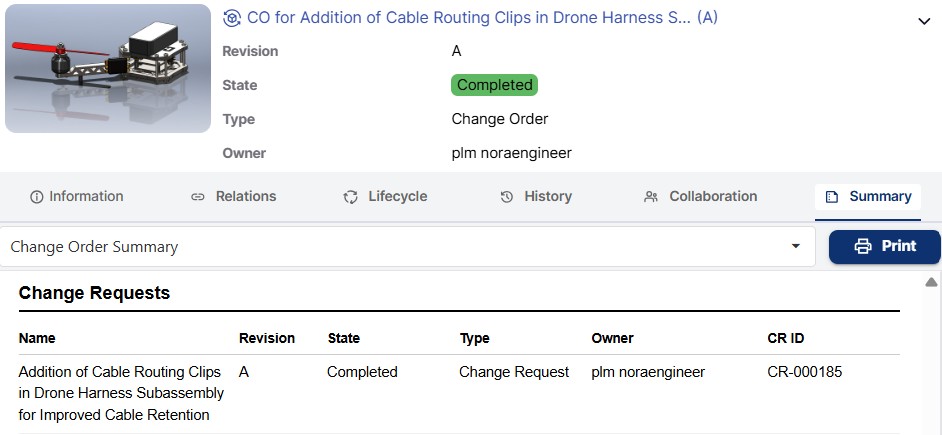
All related change requests appear with name, revision, owner, state, type and CR ID.
This lets reviewers see precisely which requests led to the creation of this change order, making the lineage of decisions fully traceable.
It becomes easy to confirm that the change order aligns with its originating requirement.
Change Tasks and Execution Progress
Each change task connected to the order appears clearly with:
• Task name and revision
• State and type
• Assignees
• Completion percentage
• Task identifier
This section shows whether implementation work is progressing, stalled or completed. Managers gain visibility into execution readiness without opening each task individually.
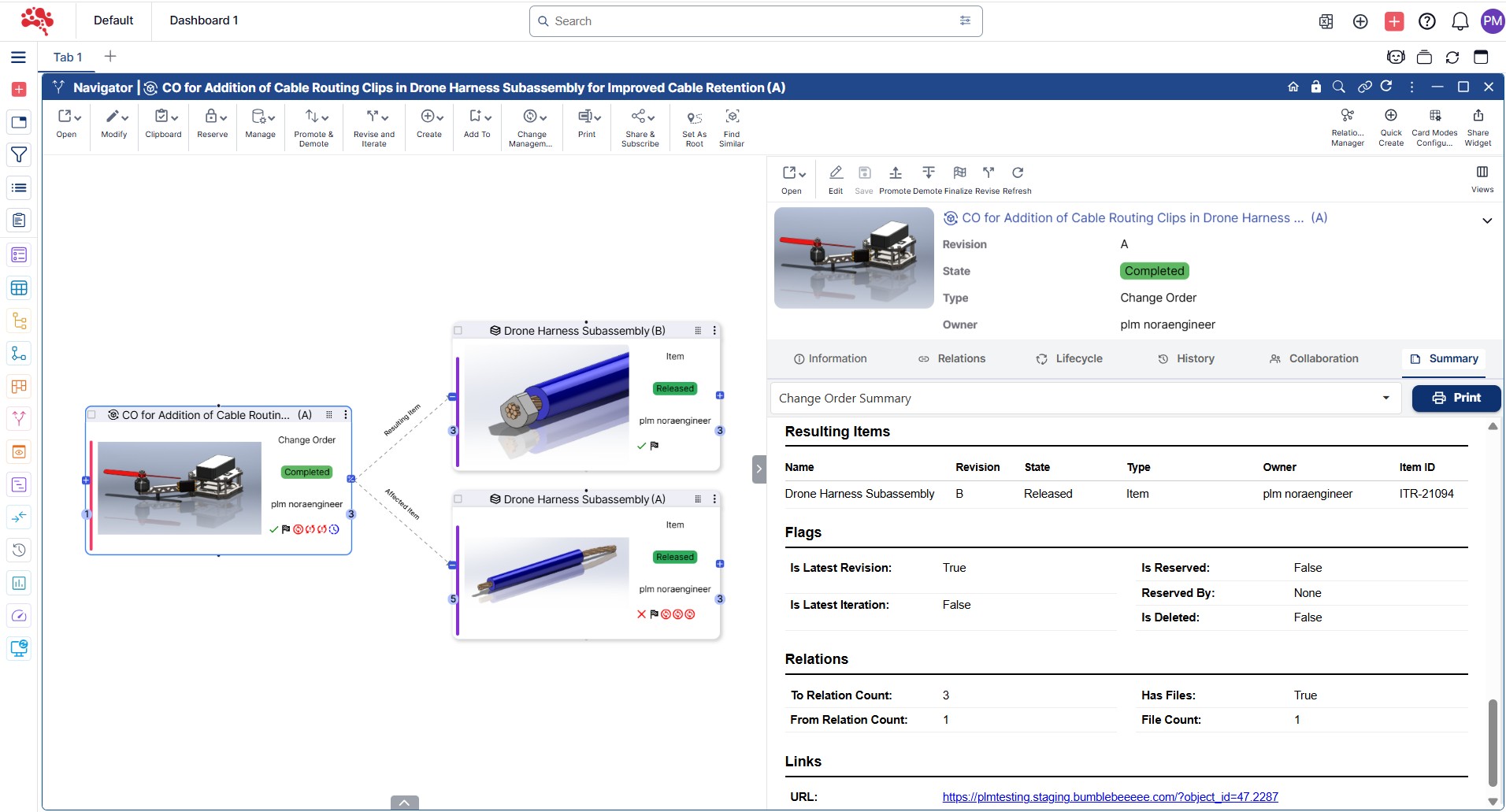
Resulting Items and Output Visibility
The report shows all items that will be produced, updated or affected as a result of this change order.
Each item appears with identity, revision, state, owner and item ID.
Teams gain clarity on what will change, what will be created and what will require additional validation.
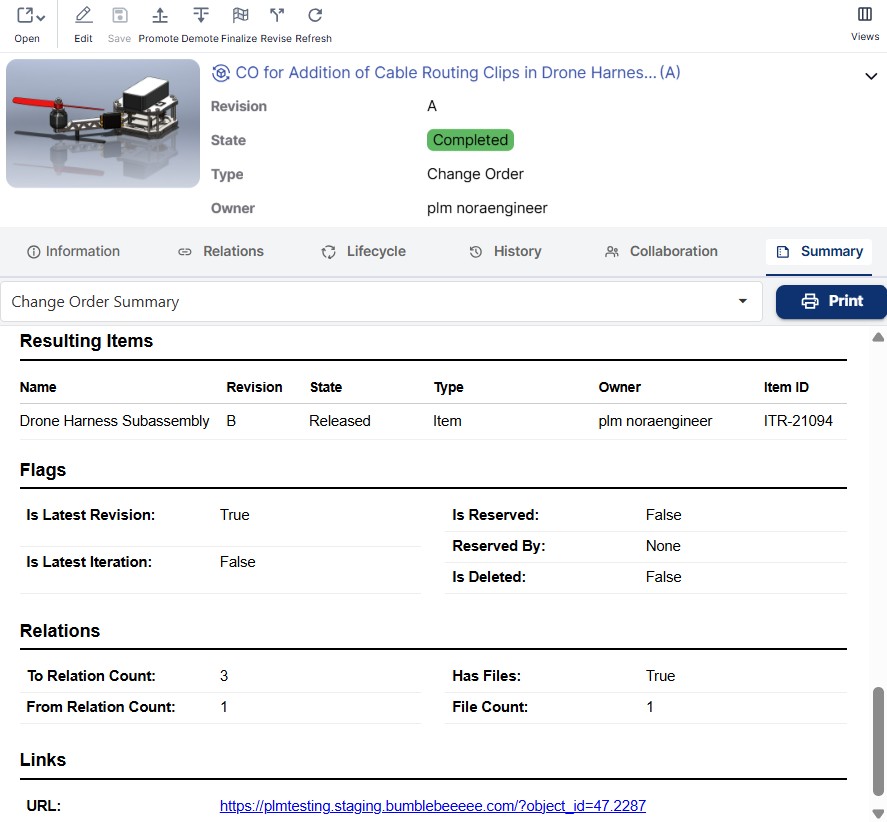
Flags, Files and Relation Overview
Operational indicators such as reserved status, revision and iteration flags, file counts and relation counts appear together.
These help teams understand data integrity, whether the object is latest, and whether supporting documentation is attached.
This supports audit requirements and ensures readiness for downstream release gates.
How to Use the Change Order Summary Report
Access a complete understanding of a change order and a change process in general, in seconds.
01
02
03
04
For Teams That Need Reliable and Controlled Change Execution
- Engineering teams see task readiness and order impact instantly.
- Quality teams validate that required items and documentation exist before approval.
- Operations teams gain visibility into deployment and rollback planning.
- Managers and reviewers track execution and risk without opening multiple objects.
Change becomes a predictable, controlled process.
Complete Change Order Insight That Drives Confident Execution
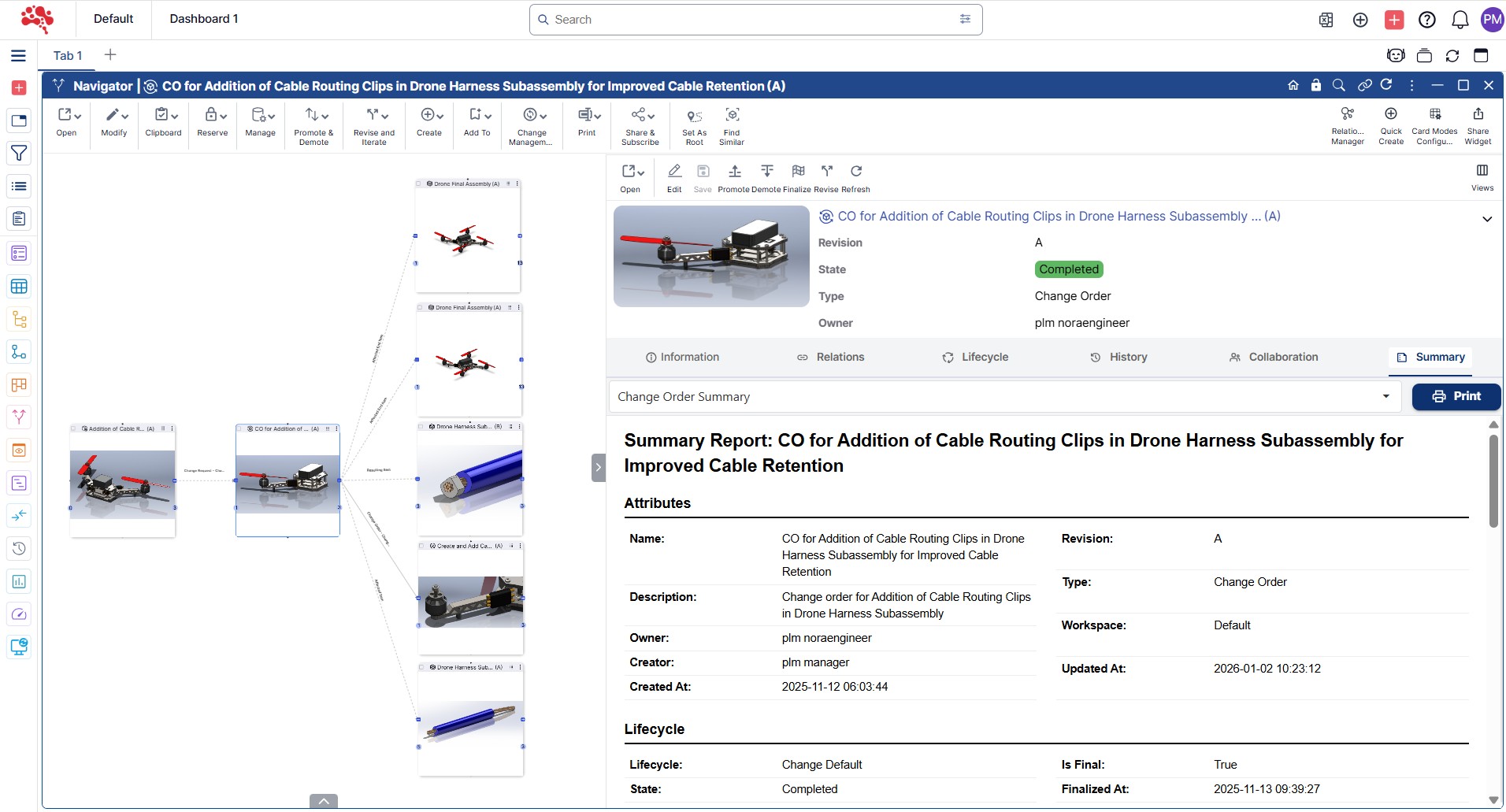
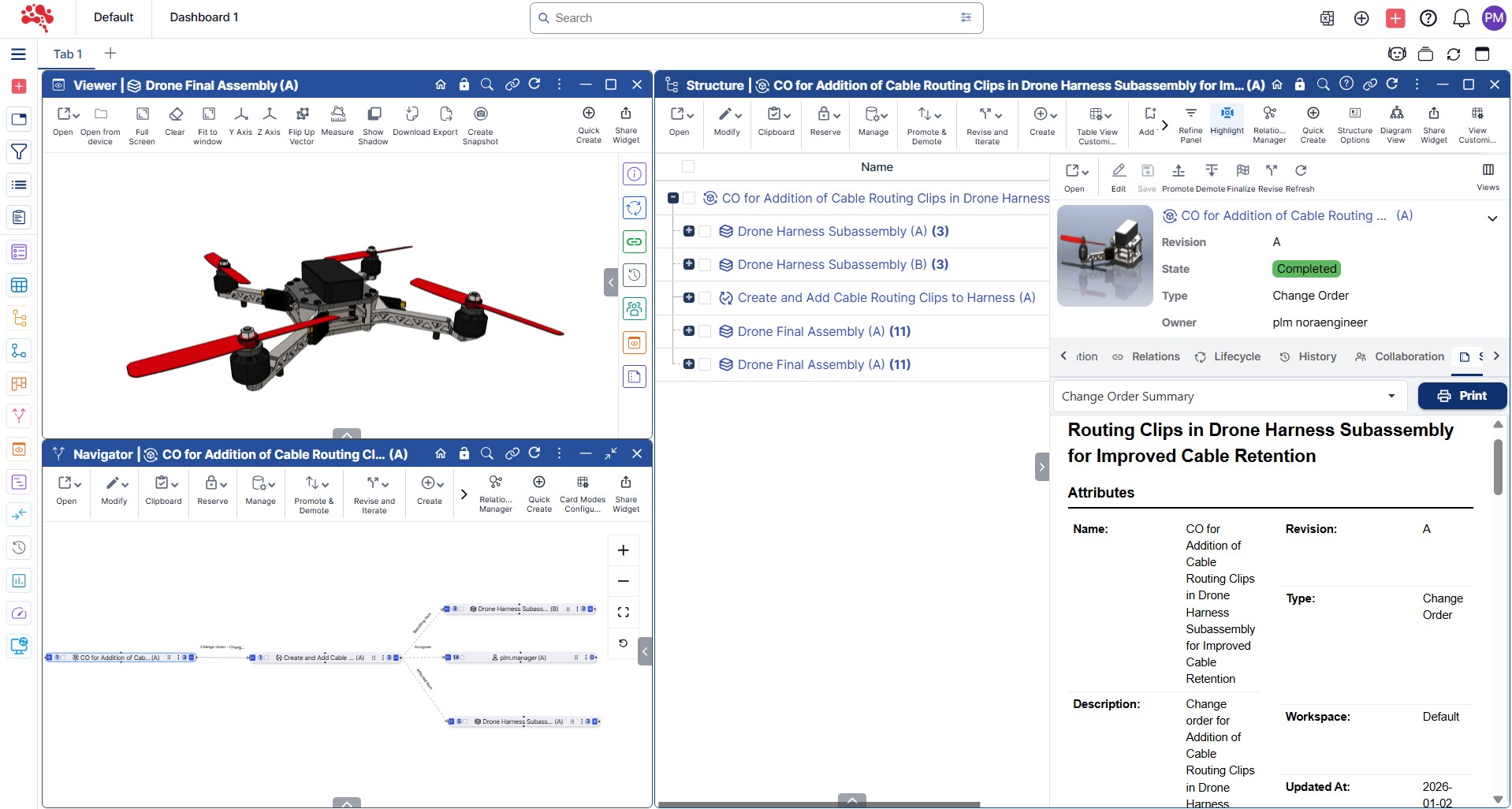
The Change Order Summary Report consolidates everything that defines a change order including origin requests, execution tasks, resulting items, metadata, lifecycle, timeline and operational flags.
Teams execute faster with clarity. Reviewers approve with confidence.
Changes become structured, traceable and auditable.
- It replaces fragmented execution with unified control.
- It transforms release management into a disciplined workflow.
- It makes change accountability visible to everyone.
Change Order Summary at a Glance
Complete Change Order Snapshot
Core change order details, metadata and lifecycle in one view.
Linked Requests and Tasks
All connected change requests and execution tasks clearly shown.
Resulting Item Visibility
Outputs and updated items listed with full traceability.
Execution Progress and Timeline
Start, completion, duration and readiness displayed at a glance.