3D Similarity Search
Find the part you need.
Start with the shape you have.
Discover geometrically similar parts in your Nora IPLM library using an existing CAD part as your reference. Compare shape, proportions, and design features to uncover opportunities for reuse and reduce duplicate design work.
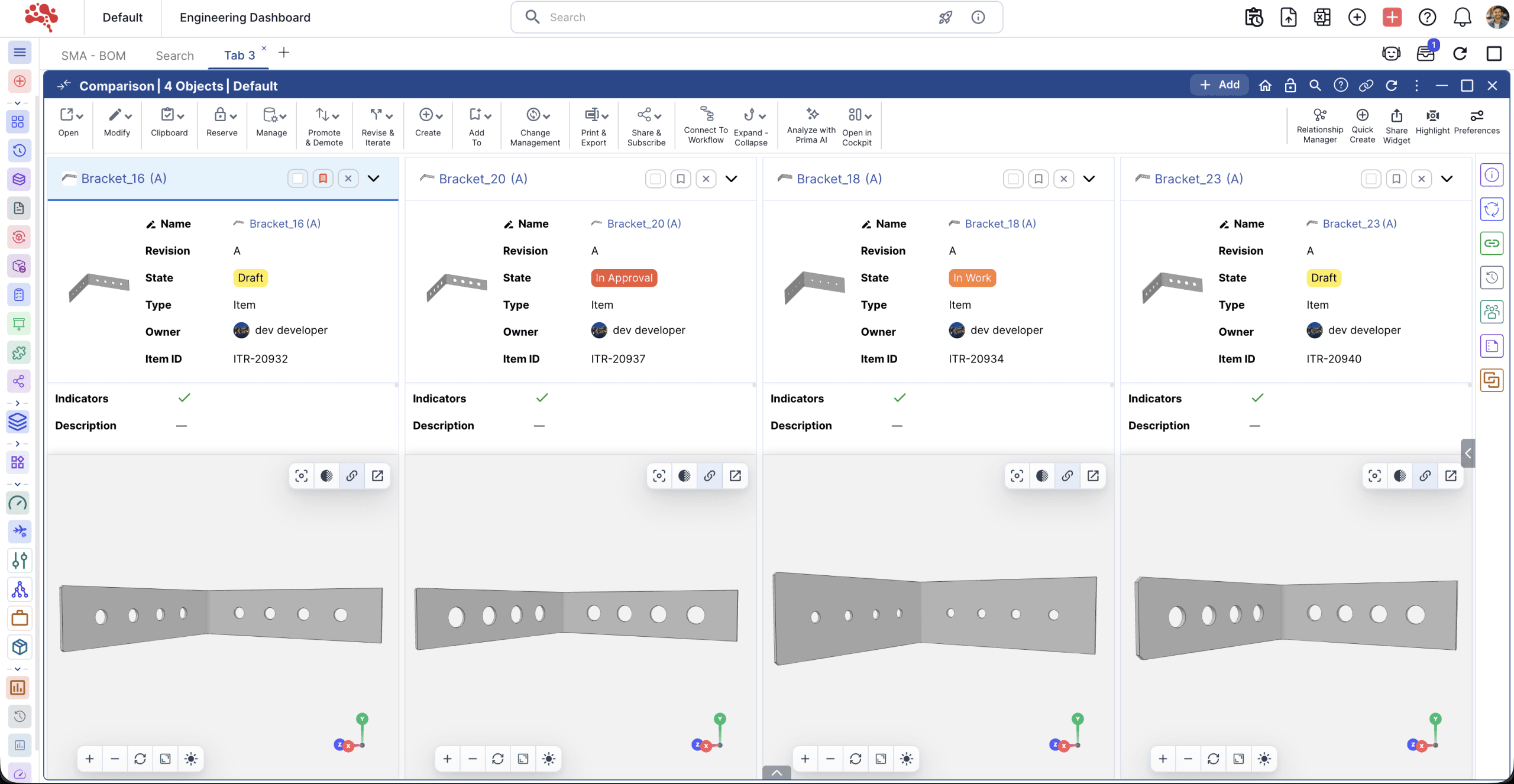 Compare similar partsEnlarge image ↗
 Turn existing designs into a head start
Find parts when names aren’t enough.
Search by geometric characteristics when you don’t know the part number or description.
Explore reuse before creating something new.
Find existing designs worth evaluating for your next project.
Identify potential duplicates.
Surface similar parts for review and support a more consistent component library.
Narrow your results.
Refine matches by type, owner, lifecycle, and state.
From reference part to relevant matches
Capture the geometry.
With similarity enabled, Nora IPLM Desktop Services extracts a shape signature from supported SolidWorks and CATIA parts.
Find similar parts.
Select a part in Nora IPLM and search for objects with comparable shape signatures.
Review the candidates.
Explore ranked results with thumbnails and object details to assess which parts fit your requirements.
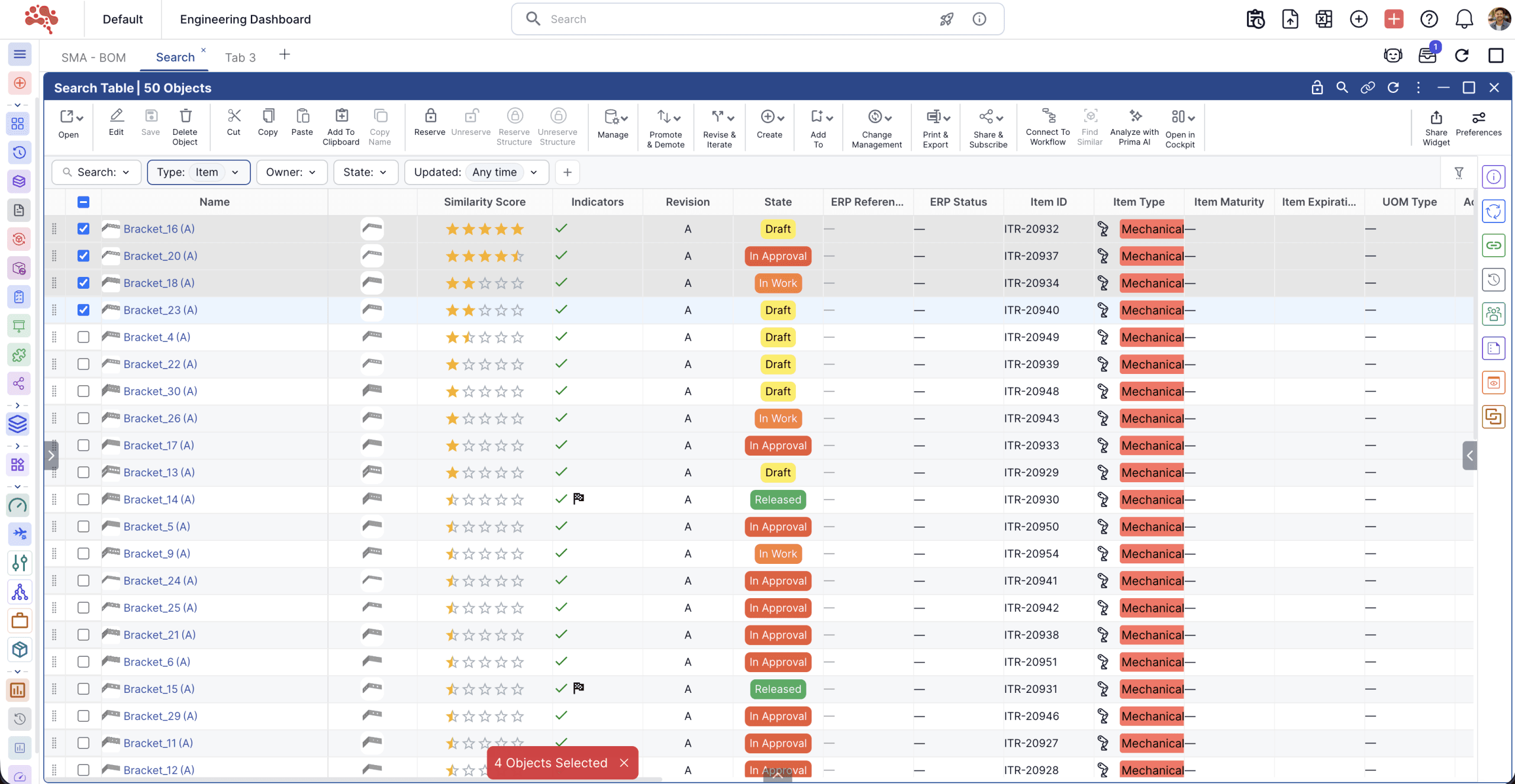 Explore results in table viewEnlarge image ↗
 A closer look at shape
Nora IPLM compares geometric proportions, volume and surface characteristics, and CAD features such as holes, fillets, chamfers, shells, and sheet-metal thickness. The results give engineers a starting point for evaluating existing designs.
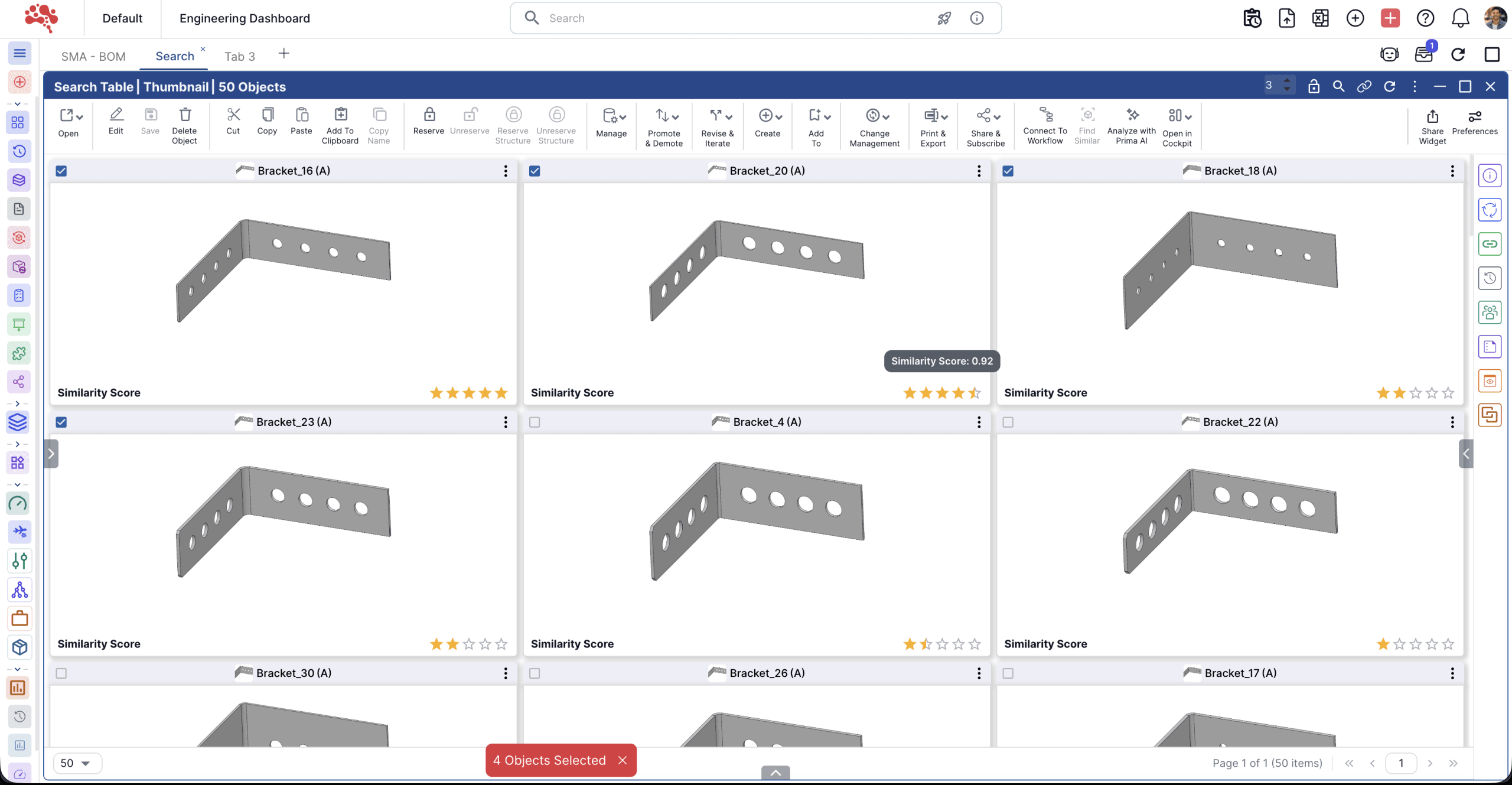
Bring shape-based discovery to Nora Prima
Nora Prima can also utilize 3D Similarity Search to help users discover related parts and explore reuse opportunities through an assisted workflow.
Put your existing designs to work.
See how 3D Similarity Search can help your team discover reusable parts across your product library.