Product Configuration Management Software
Manage product families, options, engineering rules, revision effectivity, and 100% configured BOMs in one connected PLM workspace.
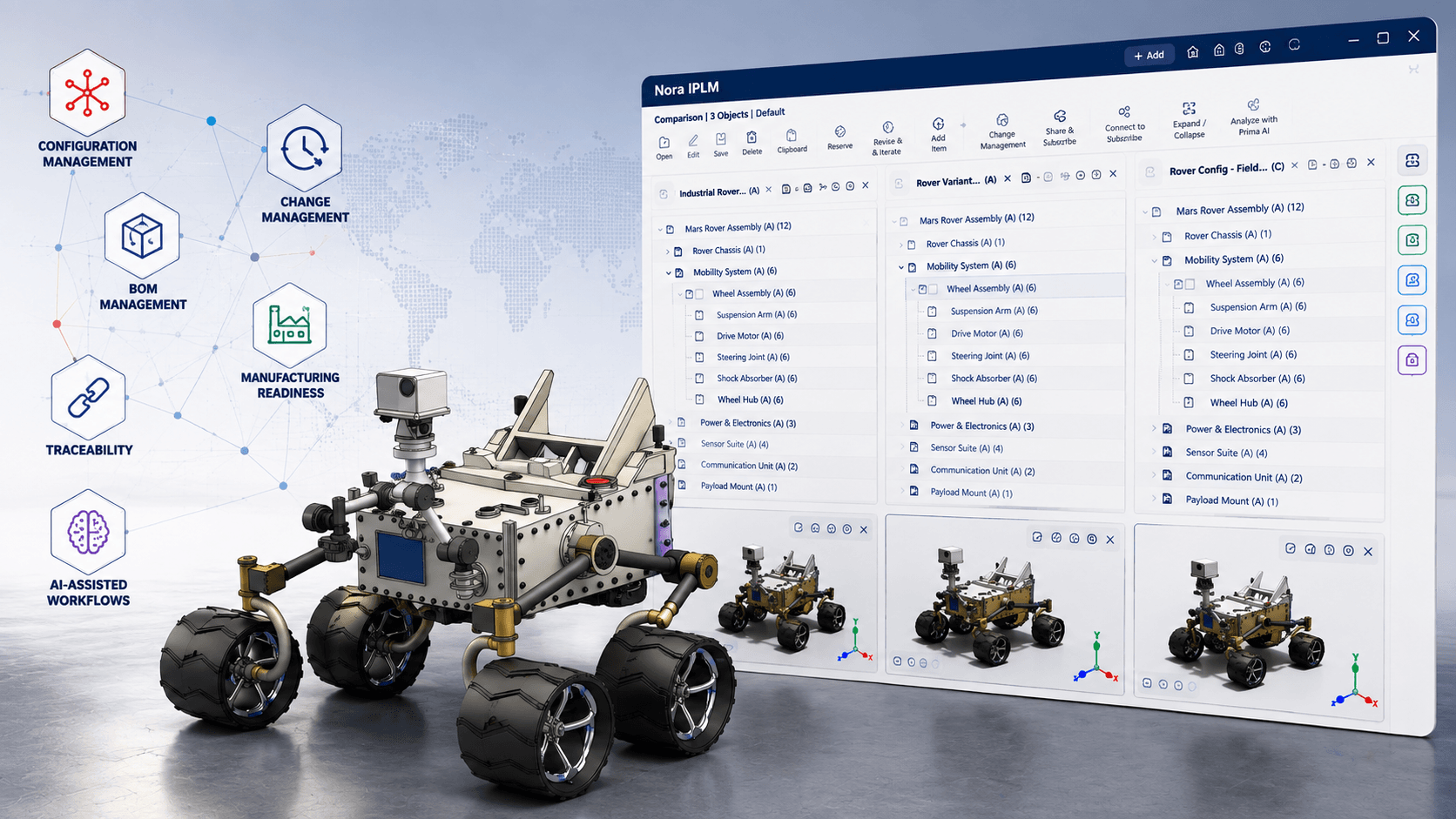
Control product configurations from one connected PLM workspace.
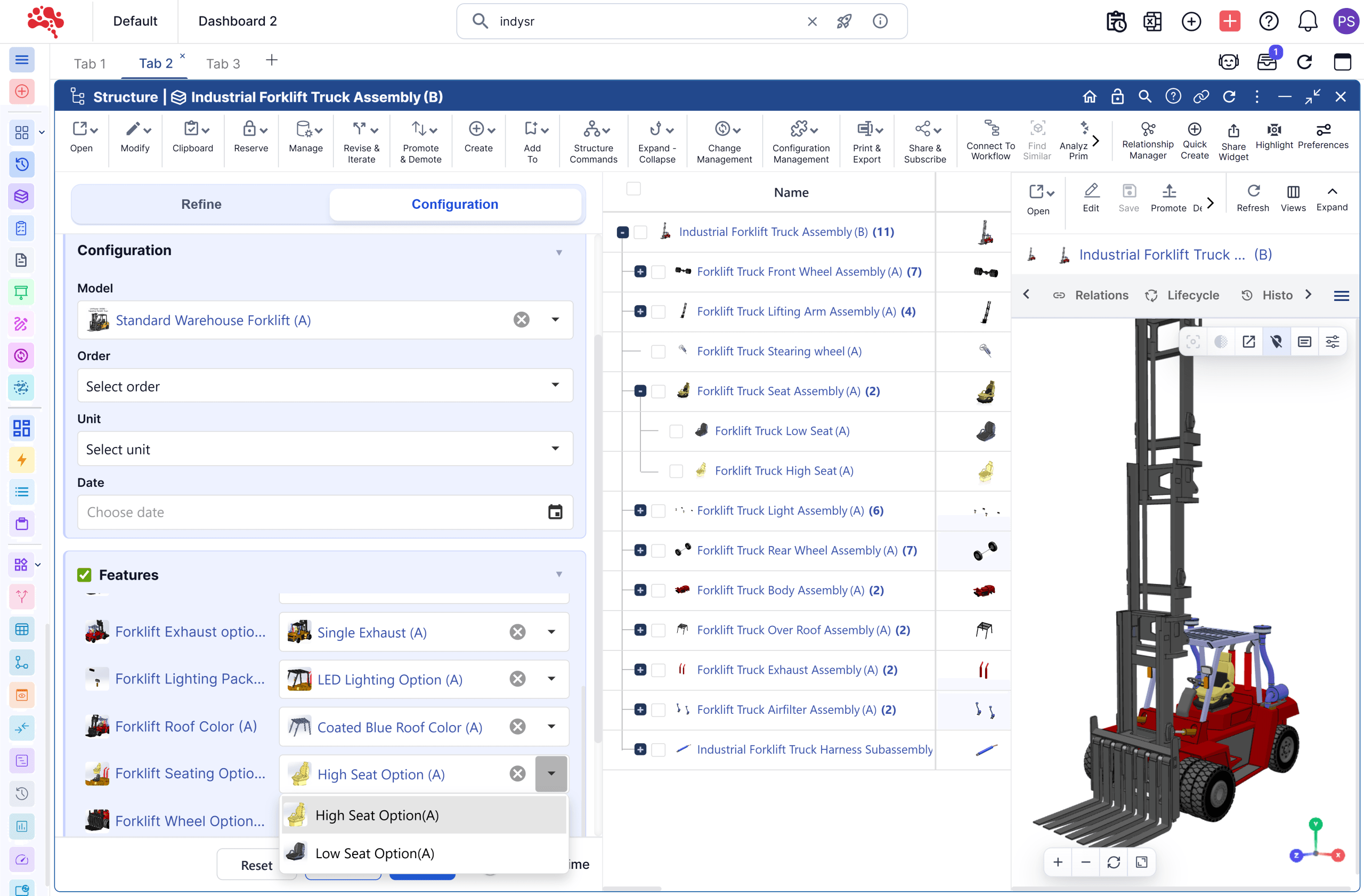
Nora IPLM helps teams define product options, manage variant logic, validate rules, and generate the exact product structure needed for a customer, order, market, or model.
Keep engineering, manufacturing, procurement, quality, and operations aligned without duplicating BOMs or maintaining scattered option spreadsheets.
Why product variety becomes harder to manage
As product families expand, disconnected options, structures, rules and revisions create avoidable risk.
Variant Complexity
Product families grow across options, features, models, markets, customers, and lifecycle revisions.
Duplicate Product Structures
Teams create and maintain separate BOMs for similar product variations.
Manual Rule Checking
Option dependencies, exclusions, and requirements are reviewed manually, increasing risk.
Disconnected Changes
Product changes may not update every affected variant, document, or downstream process.
Unclear BOM Output
Manufacturing and procurement may not receive the exact structure needed for a specific configuration.
Poor Traceability
Teams struggle to connect final products back to selected options, rules, revisions, and approvals.
From product family to configured BOM.
One connected configuration workflow.
Explore the three controls that turn reusable product logic into an accurate, traceable downstream structure.
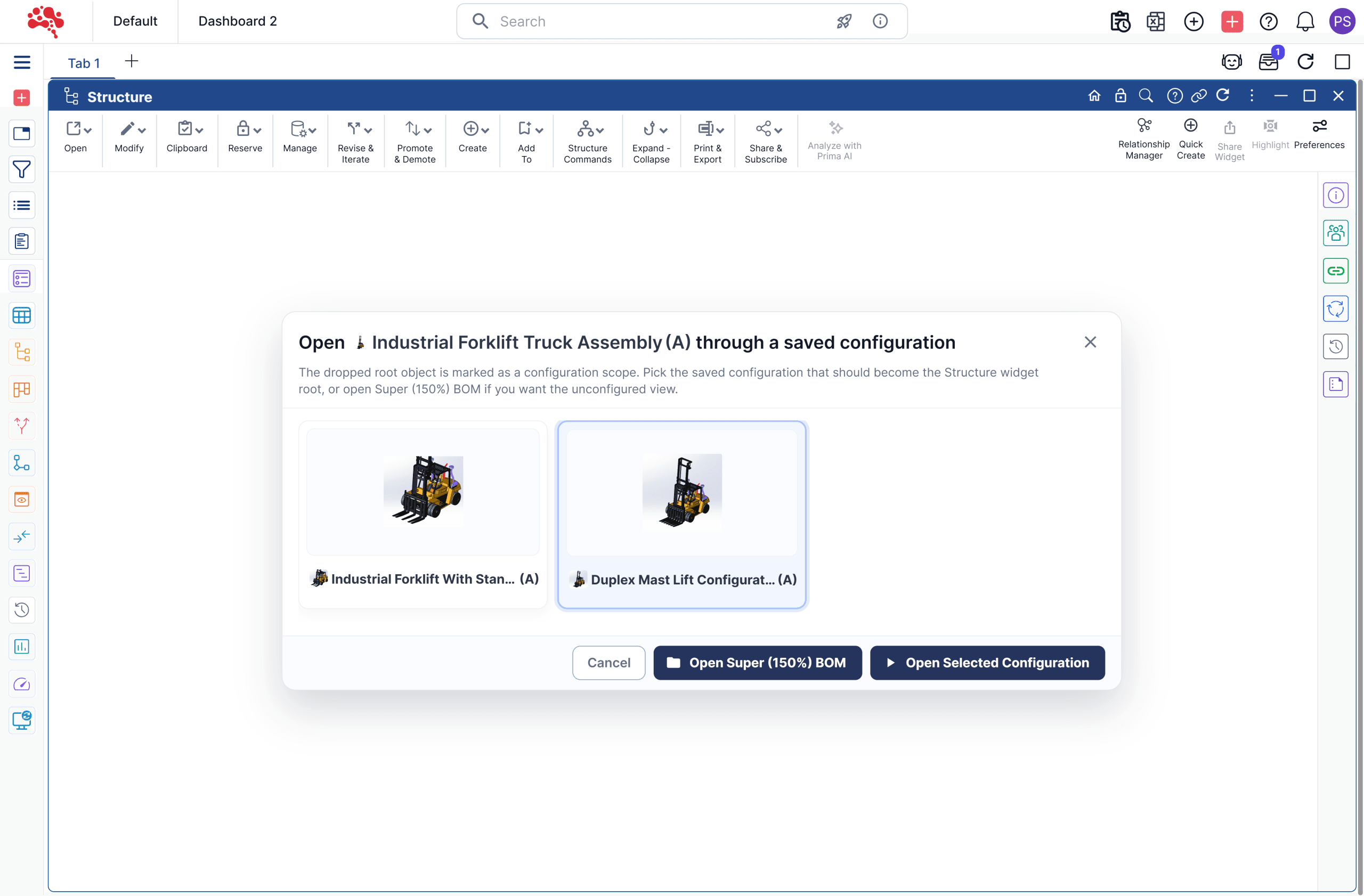
Define a reusable product family
Group shared models, options and components into one controlled family structure instead of maintaining a separate definition for every variant.
Explore the configuration workflowValidate options, rules and effectivity
Check compatibility, dependencies, exclusions and applicability before approving a customer- or market-specific combination.
See how rule validation works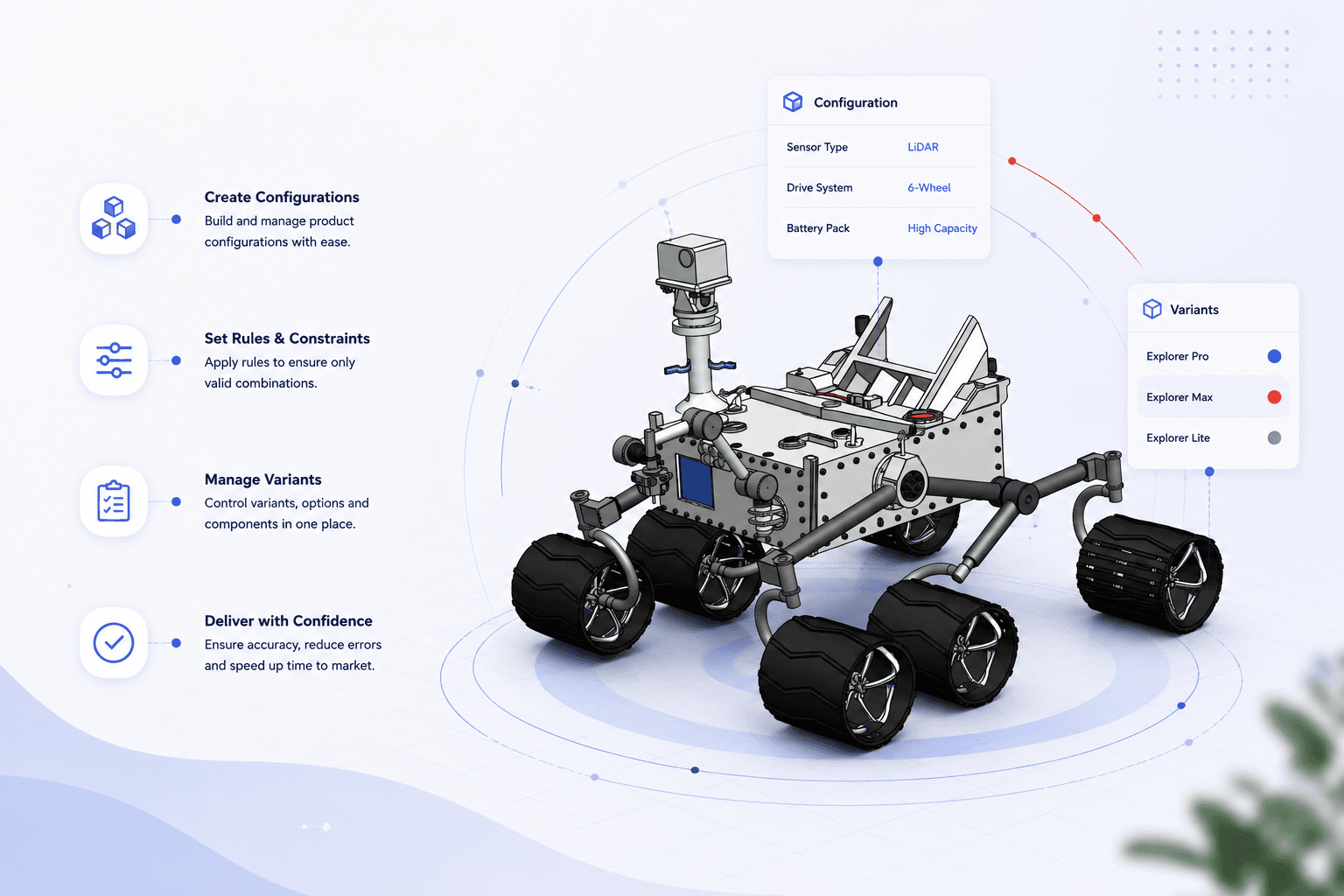
Release a configured 100% BOM
Generate only the parts required by the selected configuration while preserving the approved rules, revisions and lifecycle context.
See the configured BOM process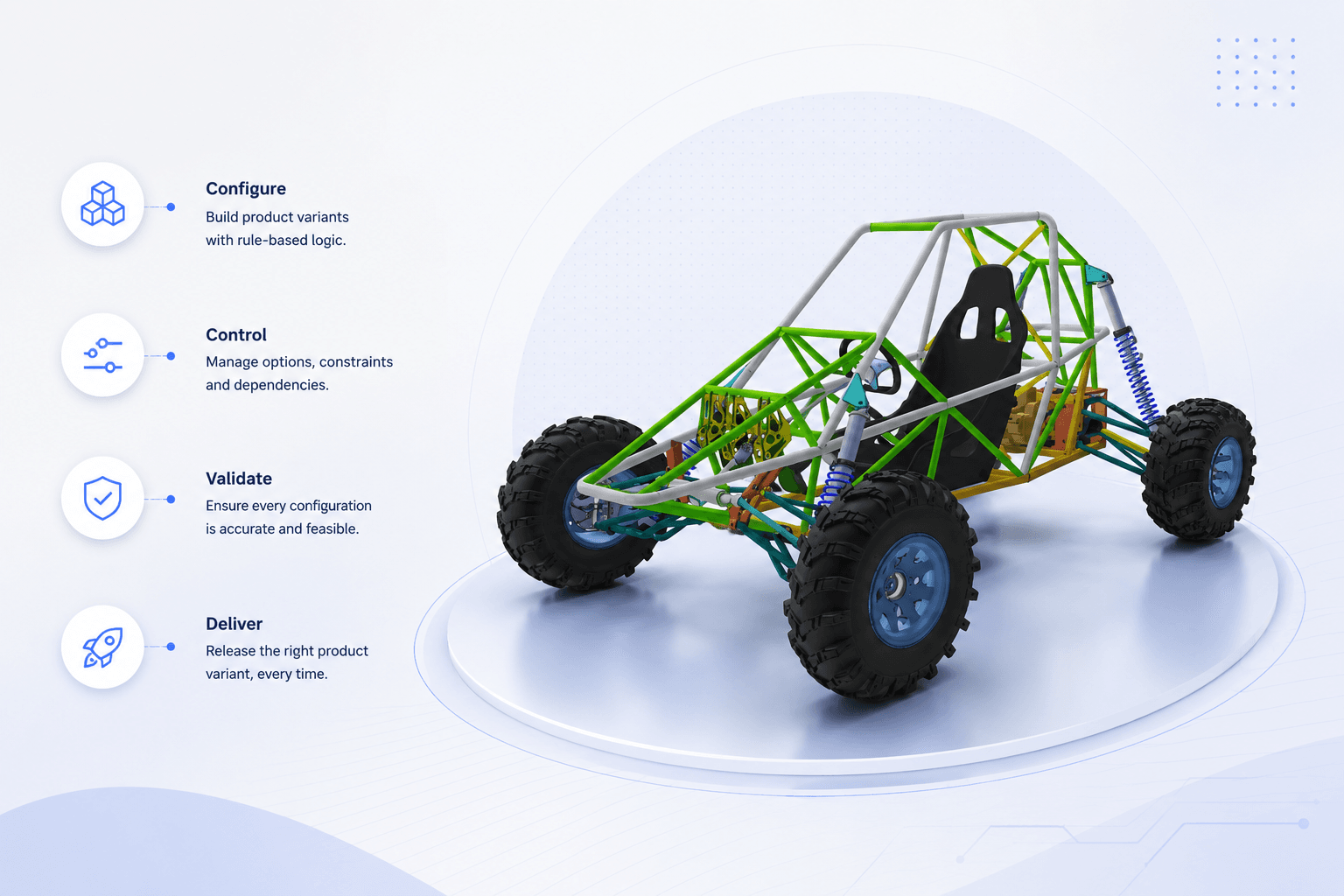
How product configuration works
Five steps from family to released BOM.
Define a reusable product family, select only valid options, and deliver the exact configured product structure to downstream teams.
Define the product family
Organize product platforms, models, modules, features, and shared structures.
- Organize shared product platforms, models, modules and features.
- Define the reusable product family structure before selecting variants.
Build the 150% BOM
Maintain all possible parts, assemblies, modules, and product options in one Super BOM.
- Maintain every applicable part and option in one 150% Super BOM.
- Keep shared assemblies and optional modules connected to the family.
Apply rules and effectivity
Use dependencies, exclusions, requirements, compatibility, and effectivity logic.
- Validate dependencies, exclusions and compatibility requirements.
- Use effectivity rules to identify where a configuration applies.
Select configuration parameters
Choose customer, order, market, model, feature, or application requirements.
- Select options for the customer, order, market or target model.
- Check the selected combination against current engineering rules.
Generate the 100% configured BOM
Release the exact product structure needed by manufacturing and downstream teams.
- Generate the exact 100% configured BOM for downstream teams.
- Link the released output to the approved options, revisions and changes.
Product configuration rules, baselines and variant control
Bring product options, BOM structures, release decisions and engineering changes together in one governed process.
Centralized Product Option Control
Manage options, features, attributes, modules, and product logic in one controlled PLM environment.
150% BOM / Super BOM Management
Maintain all possible components and options in a single product family structure.
Rule-Driven Configuration
Use dependencies, exclusions, requirements, and effectivity logic to validate product configurations.
Automatic Configured BOM Generation
Generate accurate 100% BOMs for specific orders, models, markets, or customer needs.
Variant and Revision Traceability
Trace each configured product back to selected options, source BOMs, rules, changes, approvals, and revisions.
Engineering Change Control
Apply changes once to shared structures and identify affected configurations before release.
Manufacturing-Ready Output
Give downstream teams the exact product data they need for production, procurement, planning, and service.
Connected PLM Workflow
Link product configuration logic with parts, BOMs, documents, CAD, change requests, approvals, and lifecycle states.
Move beyond manual product configuration
Replace duplicated BOMs and manual checks with reusable, controlled configuration logic.
Manual product configuration
- One BOM per variant
- Repeated product data
- Spreadsheet option lists
- Manual validation of combinations
- Hard to track change impact
- Limited lifecycle traceability
- Higher risk of downstream errors
With Nora IPLM
- One Super BOM for the product family
- Reusable modules, options and rules
- Controlled configuration logic in PLM
- Rules validate valid configurations
- Change impact visible across variants
- Traceability from option to final BOM
- Accurate output for downstream teams
Product configuration baseline: from approved options to released BOM
A baseline connects the selected features, valid rules, approved revisions and release decision so teams can identify exactly what was approved.
Practical example: configurable pump family
A pump family offers multiple motor voltages and seal materials. Engineering selects a 400 V motor and a seal suitable for the chosen fluid. Compatibility rules rule out mismatched combinations. The selected structure is reviewed against the current revision before its configured BOM is released.
What engineering should verify
Keep the configured BOM connected to the product family and applicable lifecycle information so future engineering changes remain traceable.
Built for teams managing configurable products
Each team works from a connected product definition instead of maintaining conflicting structures and spreadsheets.
Engineering Teams
Manage product logic, BOMs, rules, and changes in one controlled environment.
Manufacturing Teams
Receive accurate configured BOMs for each order, model, or variant.
Product Managers
Control product families, option availability, platform strategies, and market variants.
Procurement Teams
Source parts based on released, configuration-specific product data.
Quality and Compliance Teams
Trace configurations, changes, approvals, and released product structures.
Leadership Teams
Scale product variety while reducing rework, errors, and operational complexity.
- Configurable products
- Complex product families
- Engineer-to-order products
- Manufacturing handoff
- Frequent product changes
- Excel replacement
Configuration Management Resource Library
Explore related Nora IPLM modules covering configurable product families, BOMs, revisions, and engineering changes.
Configuration and Variant Management
Define configurable product families, manage options, and control variants through the product lifecycle.
Explore resourceBOM Management
Keep 150% family structures and configured BOM information connected to engineering product data.
Explore resourceRevision and Iteration Management
Trace selected product options, effective revisions, and release decisions over time.
Explore resourceEngineering Change Management
Assess change impact across configurations, record approvals, and maintain downstream traceability.
Explore resourceFrequently
Asked
Questions
Common questions about product configuration management and Nora IPLM.
What is product configuration management?
Product configuration management is the process of controlling product options, variants, rules, BOMs, revisions, and configured outputs so teams can create accurate products without duplicating structures or relying on manual validation.
What is the difference between product configuration management and variant management?
Product configuration management focuses on selecting and validating valid product combinations. Variant management focuses on controlling the different product versions created from those combinations. In PLM, both work together.
What is a 150% BOM in product configuration management?
A 150% BOM, or Super BOM, contains all possible components, modules, and options for a product family. Rules filter that structure to create the correct 100% configured BOM.
How does Nora IPLM generate configured BOMs?
Nora IPLM uses selected options, rules, dependencies, exclusions, and effectivity logic to produce the exact 100% BOM needed for a specific order, market, model, or customer requirement.
Why move product configuration management out of Excel?
Excel becomes risky as variants, rules, revisions, and changes grow. PLM provides controlled data, traceability, approvals, and connected BOM output.
What is a product configuration baseline in PLM?
A configuration baseline identifies the selected product options, approved item and BOM revisions, applicable rules, and lifecycle state at a defined point. It provides a reference for engineering reviews, release and later changes.
How is PLM product configuration different from a sales configurator?
A sales configurator typically helps select or quote a commercial offering. PLM configuration management governs the engineering product definition, rule applicability, BOMs, revisions, and release evidence. Integration between these processes depends on the organization’s systems.
How does effectivity help control product configurations?
Effectivity indicates when or where a configuration choice applies, such as by date, revision, market or product variant. Teams can use it to distinguish approved combinations and reduce the risk of applying the wrong BOM to an order.
Ready to simplify product configuration?
Build every variant with control.
Define options once, validate configurations using engineering rules, and generate accurate BOMs with Nora IPLM.