Engineering BOM management.
Every part connected.
Build a clear engineering bill of materials (EBOM), from the first assembly to the released design. Keep parts, revisions, and changes connected in Nora IPLM.
Complex products.
Clear structures.
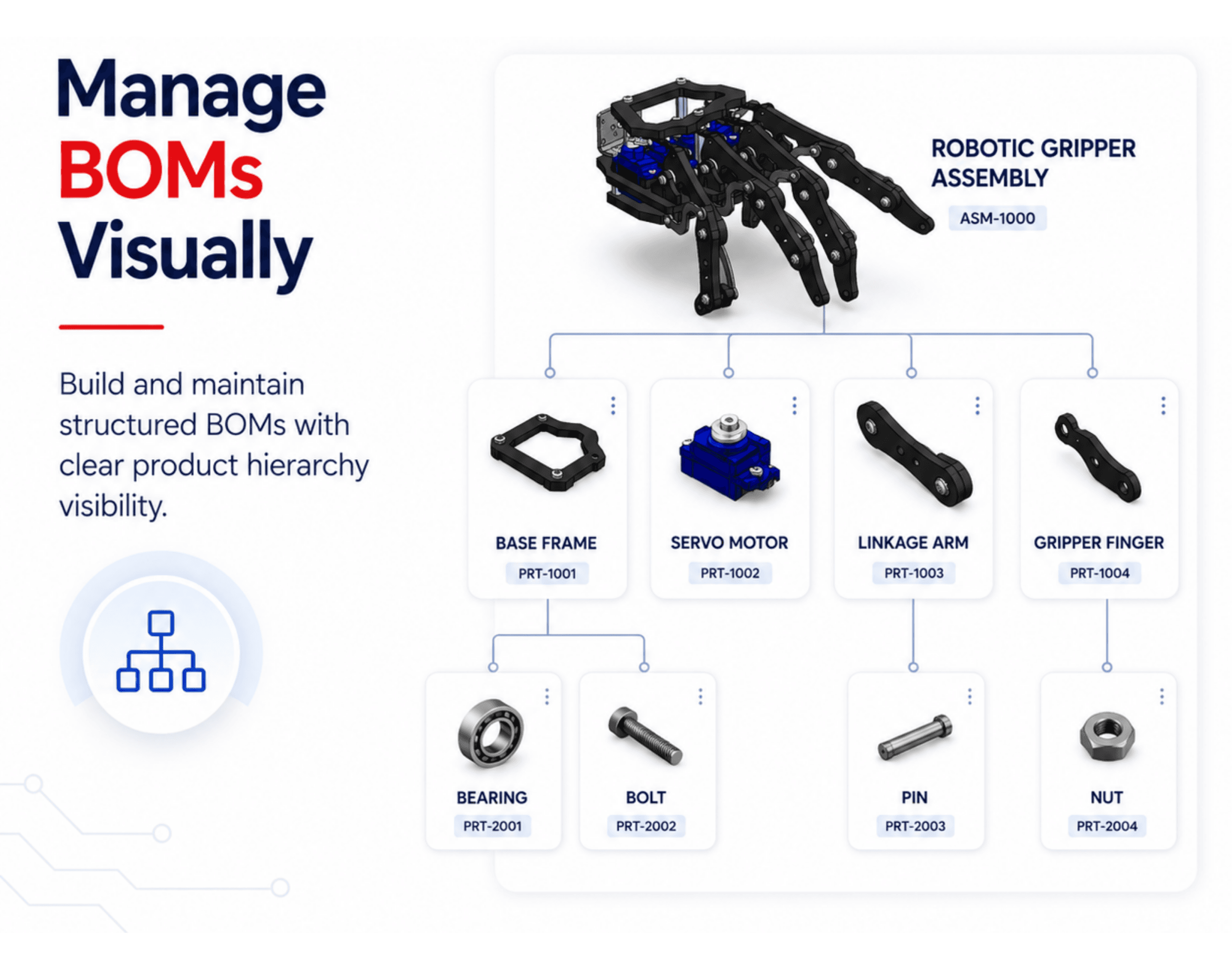
Organize mechanical, electrical, and software components in one multi-level engineering structure. Keep the design context close to the parts your team works on.
For product families with multiple models, options, or variants, connect the EBOM with configuration and variant management so teams can reuse shared product structures without maintaining duplicate BOMs.
In a broader IPLM approach, the EBOM stays connected to product data, workflows, revisions, and downstream lifecycle decisions.
- Connect parts, quantities, CAD files, and documents.
- Track revisions and capture reference baselines.
- Link engineering updates to change workflows.
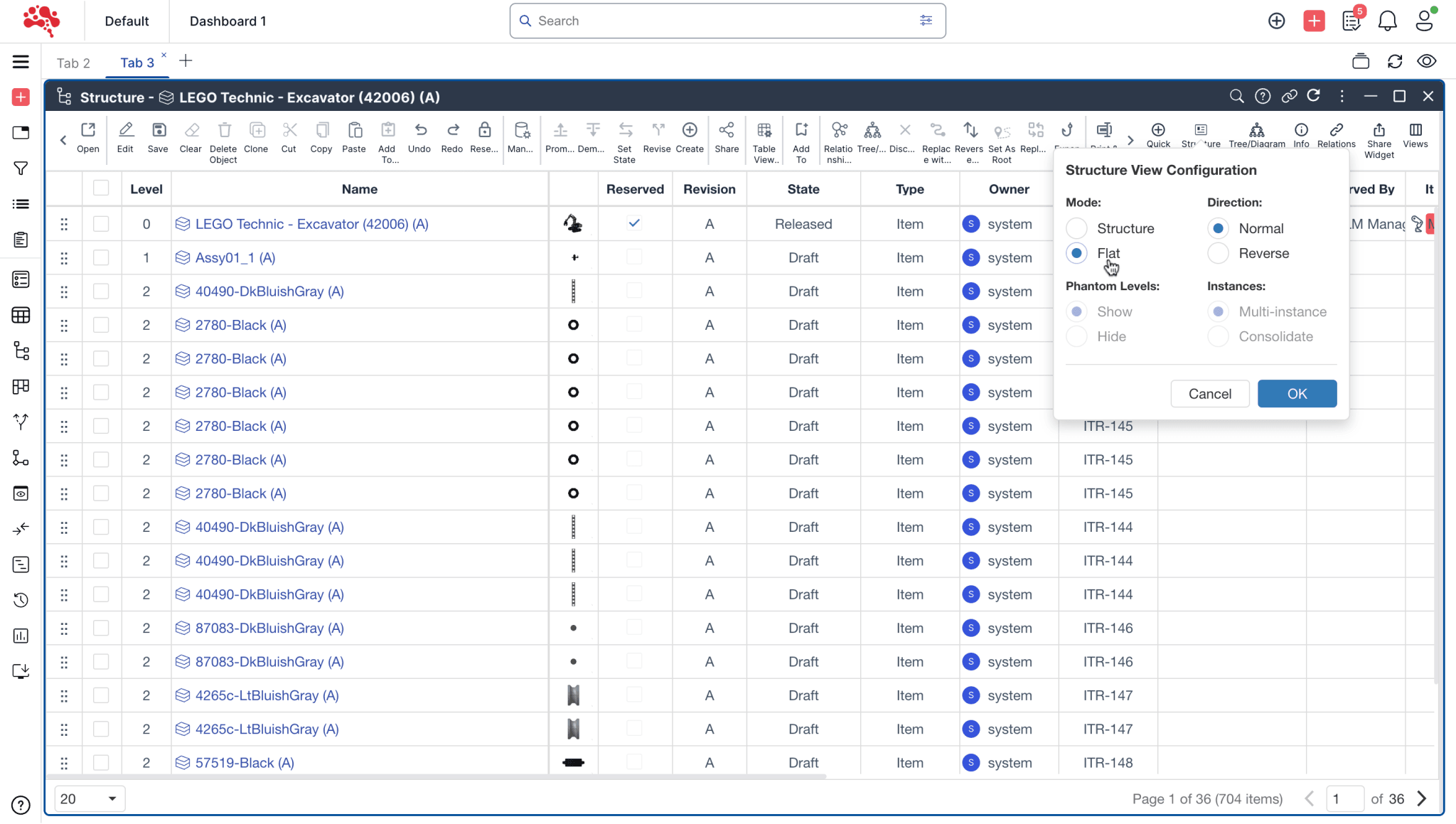
Build with context
Work through assemblies and linked items without losing sight of the full product.
See what changed
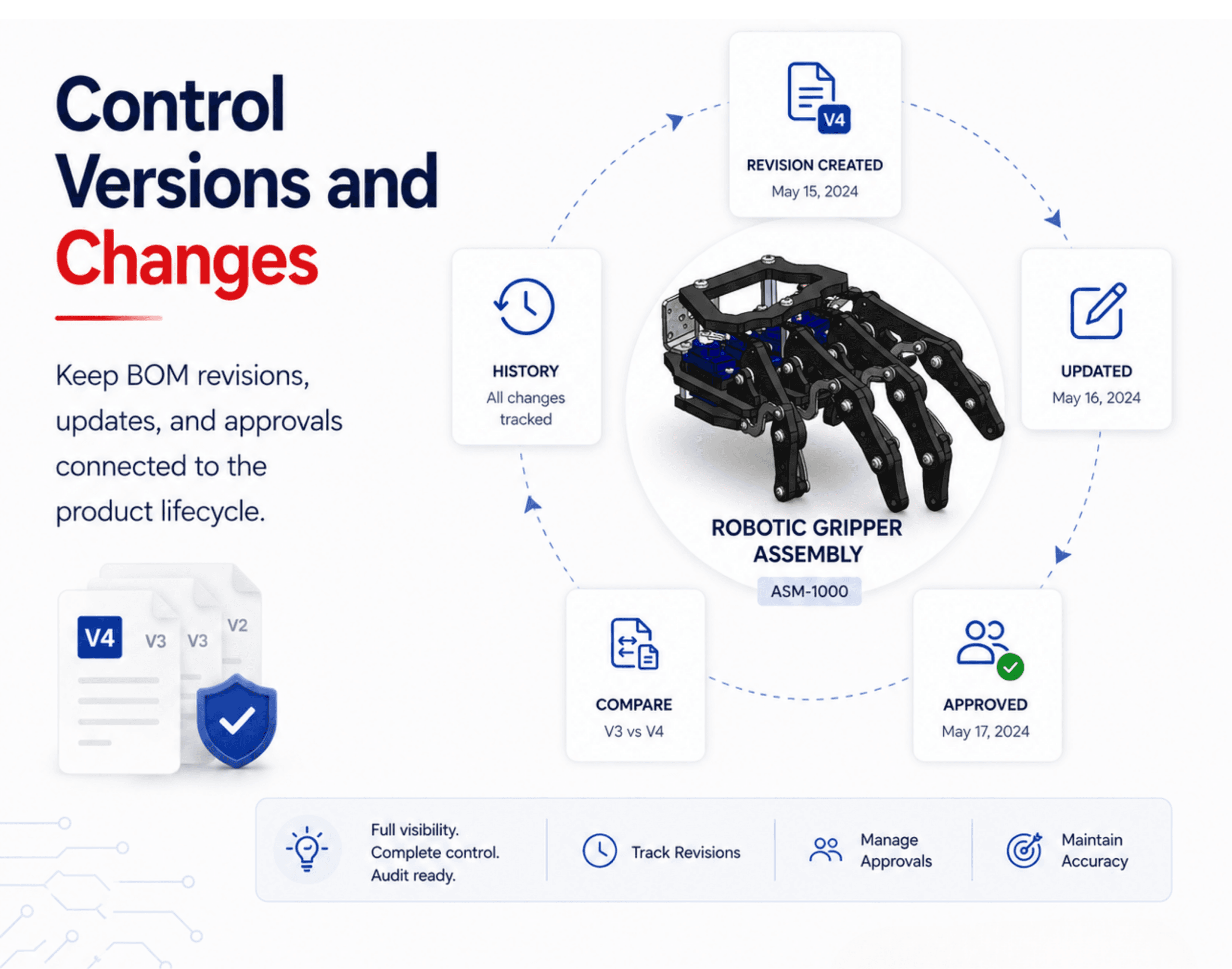
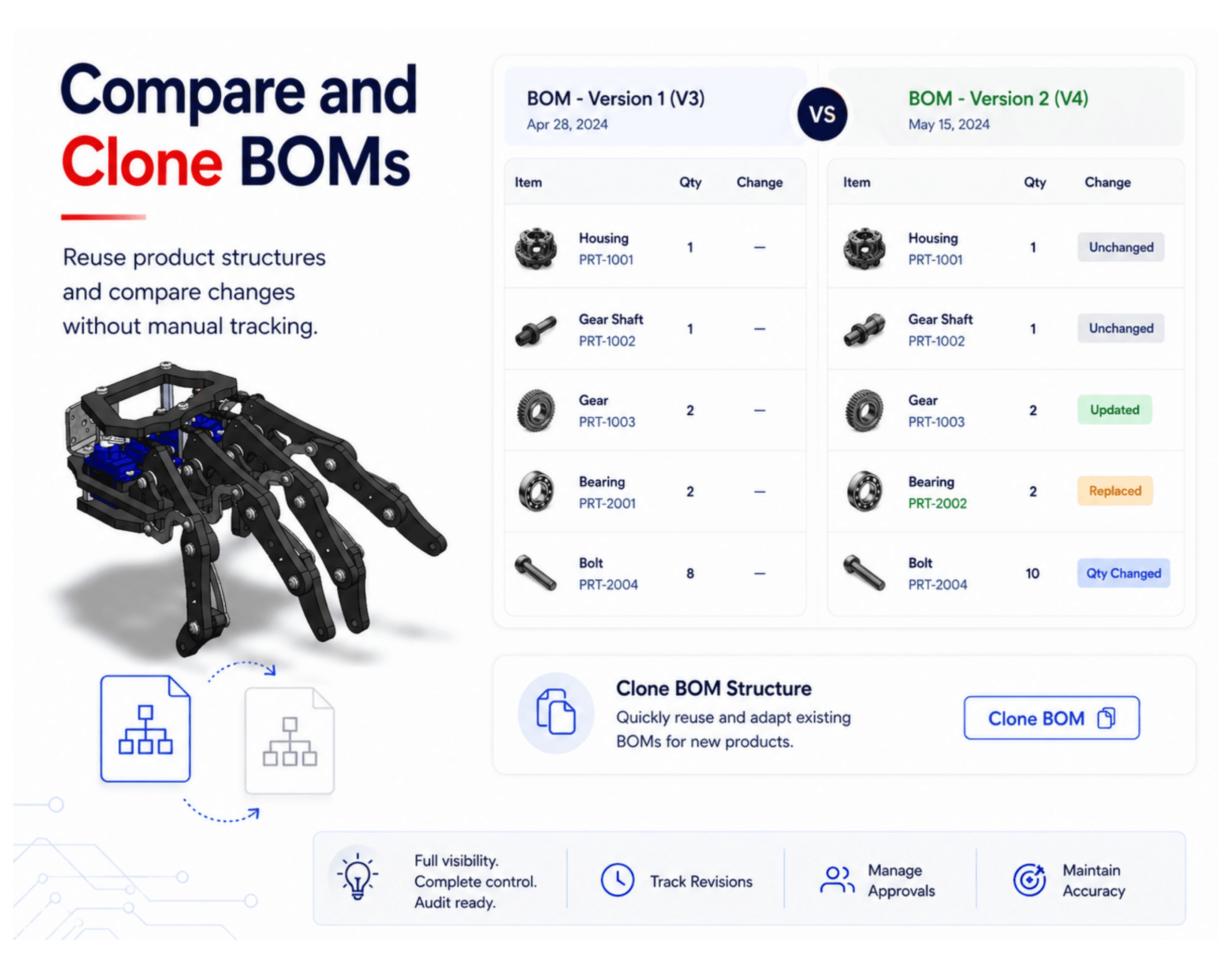
Compare EBOMs and revisions to identify additions, removals, and modifications.
Keep a reference
Capture baselines so teams can return to a known engineering configuration.
From product structure
to a controlled release.
Bring everyday engineering work into one connected view, with the history and relationships needed to assess the next change.
Build the structure
Create assemblies, add parts, and define quantities and relationships.
Review the detail
Explore levels, inspect linked items, and check completeness.
Compare & assess
Review differences and trace where a changed part is used.
Baseline & release
Capture the reference configuration and follow your approval workflow.
Engineering structure concepts · Illustrations
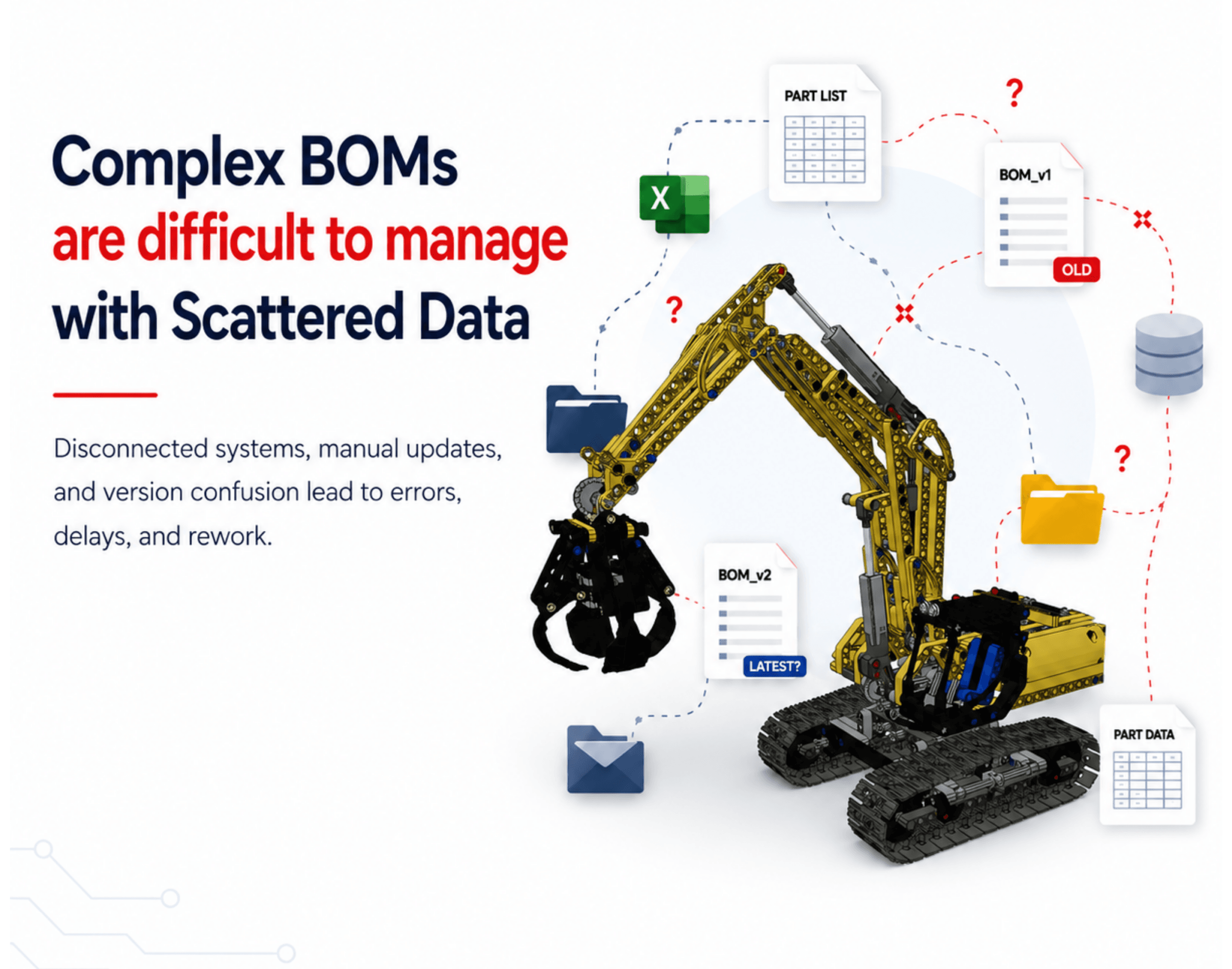
The tools behind
a dependable EBOM.
From structure editing to assembly-level rollups, explore the capabilities that support your engineering workflow.
01 Structure & configuration Build and compare multi-level engineering structures.
Multi-level EBOM management
Create root items, add subitems, and connect parts and revisions in a multi-level engineering structure.
EBOM structure editor
Reorder and reuse structure rows with copy, cut, paste, and drag-and-drop.
Compare multiple EBOMs
Compare engineering structures to identify added, removed, and changed items.
Accuracy & completeness checks
Review EBOM data for missing information and inconsistencies before a design moves forward.
Create & maintain baselines
Capture reference configurations of an EBOM to compare different stages of development.
Phantom assembly levels
Represent logical assembly groupings in the product structure without treating them as separately stocked assemblies.
Flat views & revision resolution
Flatten an EBOM for review, pin specific revisions in a precise structure, or use revision-resolution rules in an imprecise structure.
Function- and context-specific views
Create views of the engineering structure for a specific function or project context.
02 Lifecycle & reuse Keep part history visible and reuse existing engineering work.
EBOM cloning & reuse
Clone an existing engineering structure as a starting point for a new project or product variation.
EBOM history
Review the history of structure connections and disconnections to understand how the design evolved.
Where-used & quantities
Trace the assemblies that use a component and review the quantities in each relationship.
Part history & types
Track part history and organize items by type to support engineering traceability.
Remove items from the EBOM structure
Disconnect obsolete item relationships when updating the engineering structure. Review the impact and follow your change-control process before removal.
Part numbering & naming
Identify and track engineering items through consistent part numbers and names.
Mass updates
Update attributes across multiple items to apply a consistent engineering change.
Object classification
Organize EBOM items into predefined categories for navigation and review.
03 Visualization & relationships Explore assemblies, dependencies, and the views your team needs.
Drill into assembly levels
Navigate from the product structure to the parts and relationships within an assembly.
EBOM structures in 3D
Explore components and assembly context in the interactive 3D viewer.
Create item relationships
Connect existing and new items within the engineering structure.
Relationship & hierarchy control
Define parent-child relationships and manage the hierarchy between engineering parts.
Create & Quick Create
Add new items through Create and Quick Create menus, then connect them to the engineering structure.
Multiple display options
Review the structure in standard, reverse, flat, or end-object (leaf-node) views.
04 Collaboration & integration Connect engineering data with people, documents, and systems.
Alerts & notifications
Keep teams informed about EBOM changes, updates, and issues through alerts and notifications.
Application integration
Connect engineering data to other applications through the integrations configured for your environment.
EBOM import & export
Import engineering structure data from external sources and export it for use in other systems or formats.
Product document management
Link supporting product documents to the parts and assemblies they describe.
05 Analytics & rollups Understand product metrics using the attributes in your EBOM.
EBOM analytics & reporting
Generate reports from engineering structure data to review product metrics and support design decisions.
Cost, weight & carbon rollups
Aggregate available cost, weight, and carbon-footprint attributes through the EBOM. Results depend on the completeness, units, and quality of your input data.
Review assembly-level metrics
Review rolled-up attributes at each assembly level to identify where a design needs closer analysis.
Keep the work around
your EBOM connected.
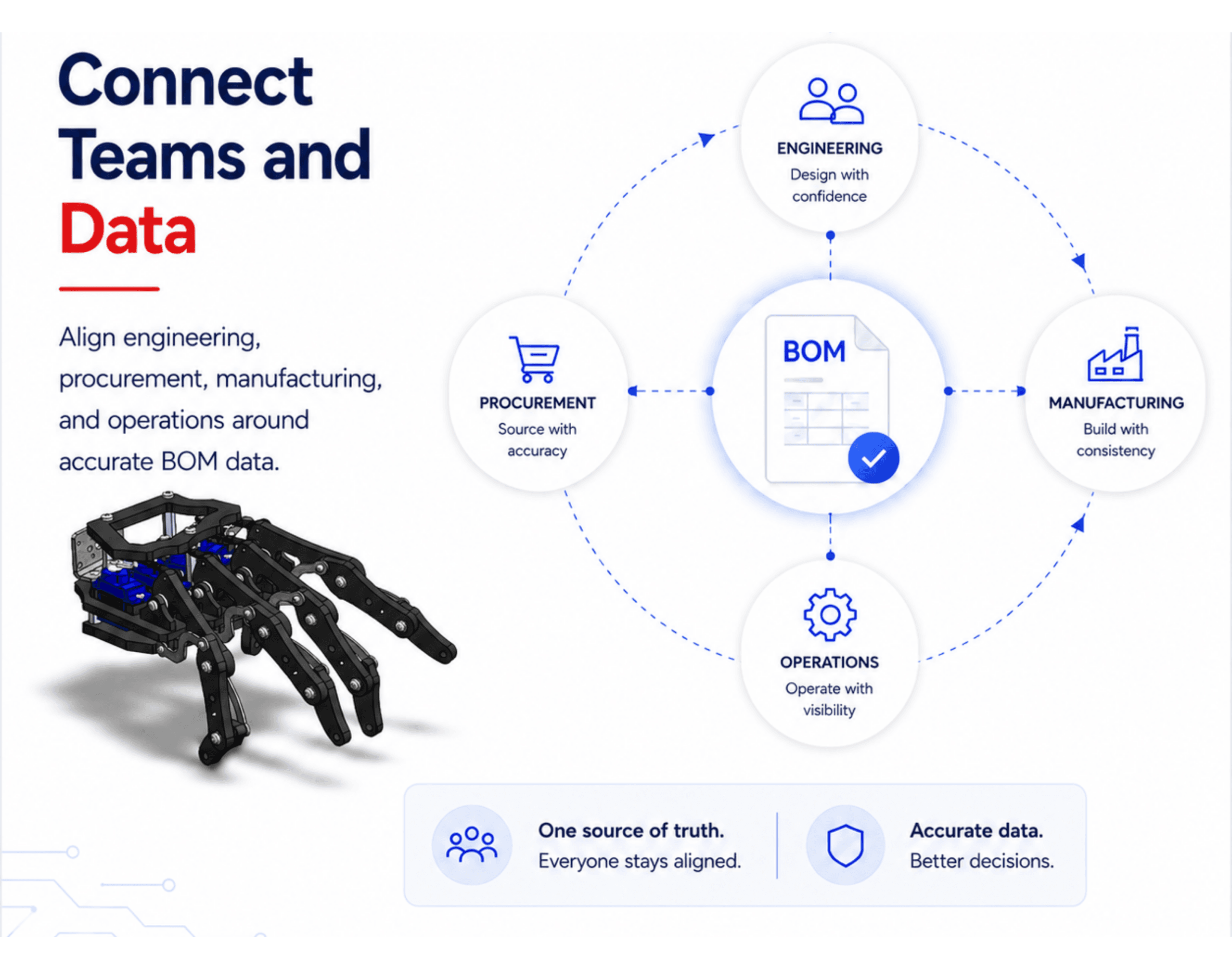
Connect your EBOM to manufacturing structures, engineering changes, and detailed product views.

MBOM Management
Build manufacturing-ready MBOMs while maintaining traceability to your EBOM. Adapt structures to how each plant builds the product.
Explore module
Streamline Engineering Change Management
Connect engineering updates, document revisions, and approvals in one place to keep every change controlled, traceable, and aligned across the product lifecycle.
Explore module
Structure Widget
Explore multi-level product structures and the relationships between parts. Review your EBOM with the detail and context your engineering team needs.
Explore module Build your next step
on a clearer understanding.
Move beyond spreadsheets
Explore the move from Excel-based product data to a connected PLM workspace.
Read the guide →Understand the change process
Learn how engineering changes are organized and managed in Nora IPLM.
Explore the guide →Explore Nora IPLM
Open the sandbox to get familiar with the platform and its connected workspace.
Open the sandbox → A little more clarity
before you start.
Engineering structures, revision control, and the handoff to manufacturing.
Talk to the Nora team →What is an engineering bill of materials (EBOM)?
An EBOM describes a product as designed by engineering: its parts, assemblies, quantities, and related design information. Effective BOM management keeps that structure controlled as the design evolves and provides a structured basis for reviewing and releasing the engineering definition.
How is an EBOM different from an MBOM?
An EBOM represents the engineering design. A manufacturing bill of materials (MBOM) organizes what is needed to build the product, including manufacturing-specific groupings and materials. The two structures serve different purposes and need a controlled handoff.
What can I include in an EBOM?
Manage parts, components, assemblies, and subassemblies with quantities and revisions. Link CAD files and supporting documents to the relevant items so the engineering context stays accessible.
How do revisions and baselines help control an EBOM?
Revisions track changes to items. Baselines capture a reference configuration for comparison. A released baseline should remain a stable record; it should not silently update whenever a newer item revision becomes available.
Can I create EBOMs from CAD data?
Nora IPLM supports CAD-connected product structures. The available import and synchronization workflow depends on your CAD integration and configuration. Contact the team to confirm the workflow for your CAD environment.
Can I compare EBOMs and review changes?
Compare engineering structures or revisions to identify additions, removals, and modifications. Use those differences alongside where-used information and change workflows to review the impact before release.
Take control of your next EBOM.
Connect the structure, the history, and the people behind your product.