
A Bill of Materials is more than a list of parts. It is the structured product definition that connects assemblies, components, quantities, revisions, documents, and downstream decisions. As a product becomes more complex, BOM accuracy affects engineering, sourcing, manufacturing, quality, change control, and release readiness.
Nora IPLM provides a connected environment for building and maintaining multi-level product structures, reviewing relationships, controlling revisions, comparing BOMs, creating baselines, analyzing where-used relationships, and connecting BOM information to changes, documents, CAD data, configurations, suppliers, and manufacturing structures.
What Does BOM Management Actually Include?
A Bill of Materials is more than a list of parts. In PLM, BOM management also includes the product hierarchy, quantities, revisions, relationships, documents, configuration context, and the history of changes made to the structure.
For engineering teams, the challenge is keeping that information synchronized with the CAD source while making the same controlled structure available to manufacturing, sourcing, quality, and other downstream functions. Nora IPLM addresses this by connecting CAD-derived structures with governed PLM data rather than treating the BOM as a static export.
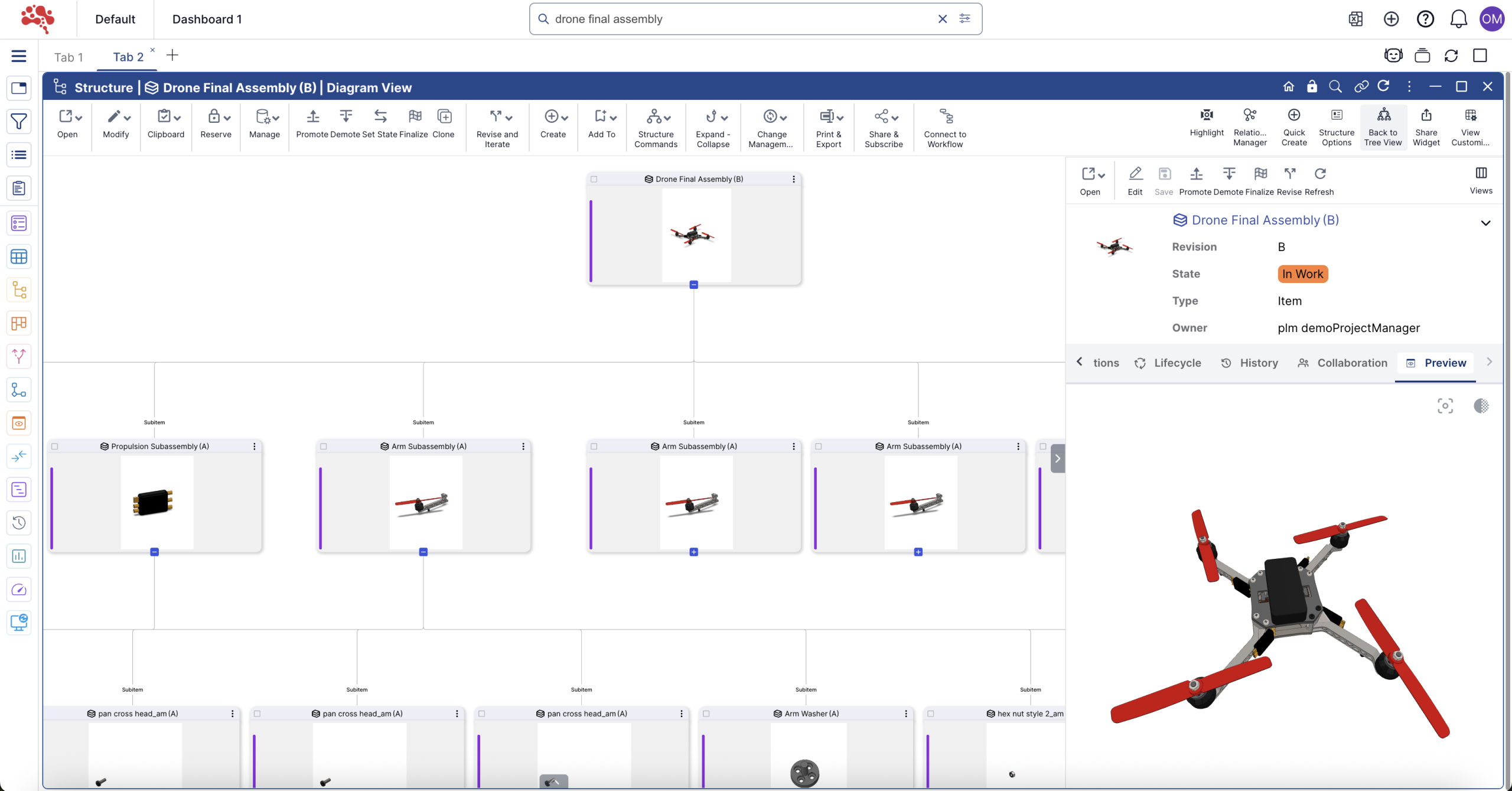
How to Create a BOM in Nora IPLM
- Create or open the root item that represents the product, assembly, or top-level structure.
- Open the item in the Structure view so the product hierarchy can be built and reviewed in context.
- Add existing child items or create new components and subassemblies directly within the structure.
- Define quantities, relationships, item information, and other attributes required for the product definition.
- Continue building lower levels until the complete engineering structure is represented.
- Connect relevant documents, drawings, CAD data, requirements, suppliers, projects, or other lifecycle records to the appropriate product objects.
- Review revision and lifecycle status before the BOM is used for downstream decisions or release.
- How to Manage and Maintain a BOM
BOM task | How it supports control |
Structure editing | Add, remove, move, copy, reuse, or reorganize items while preserving the product hierarchy. |
Revision control | Track formal product evolution so teams know which item and structure revisions are current. |
Compare structures or revisions to identify additions, removals, quantity changes, and other differences. | |
Capture a controlled reference point for a product structure at a specific stage. | |
Where-used analysis | Identify the assemblies and products in which a part or component is used. |
Rollups | Aggregate attributes such as cost, weight, or carbon values across the structure where configured. |
Review product structure together with available visual/3D context to understand assemblies and relationships. | |
History and traceability | Retain a record of structural and lifecycle changes instead of relying on overwritten spreadsheets. |
Manual BOM Upload vs. Connected CAD-to-PLM BOM Management
Area | Manual approach | Connected CAD-to-PLM workflow |
Data entry | Re-enter or export/import structure data | Retrieve and synchronize the CAD structure |
Updates | Repeat manual changes after design revisions | Resynchronize updated design and structure data |
Version control | Often spread across folders/files | Managed with product revisions and iterations |
Traceability | Limited connection to the source design | BOM stays connected to CAD and lifecycle records |
Collaboration | Static files shared between teams | Controlled structure available in PLM |
Change analysis | Manual comparison of files or spreadsheets | Use BOM comparison, history, relationships, and baselines b |
How BOMs Connect to the Rest of the Product Lifecycle
BOM management becomes more valuable when the structure is not isolated. In Nora IPLM, the product structure can remain connected to the lifecycle records that explain why it exists and how it changes.
- CAD data: keep engineering design records and product structures aligned.
- Documents: connect drawings, specifications, reports, and controlled files to the relevant product context.
- Change management: link affected parts and BOMs to formal review, approval, and implementation processes.
- Configuration and variants: manage product options, rules, effectivity, and configured structures.
- MBOM management: transform the engineering definition into manufacturing-ready structures while maintaining traceability.
- Supplier collaboration: share controlled product information and relevant structures with external collaborators.
- Projects and workflows: connect BOM-related work to ownership, tasks, reviews, and release activities.
Before You Create or Sync a BOM
- Confirm Nora IPLM Desktop Services is installed and running on the workstation.
- Open the correct CAD model or assembly and verify that referenced files are available.
- Check that part numbers, names, and key metadata are populated consistently before synchronization.
- Review the expected parent-child assembly structure so unusual relationships can be identified before upload.
- Confirm that the correct Nora IPLM tenant and user account are connected in the Desktop Widget.
How to Use the Desktop Widget for BOM Management
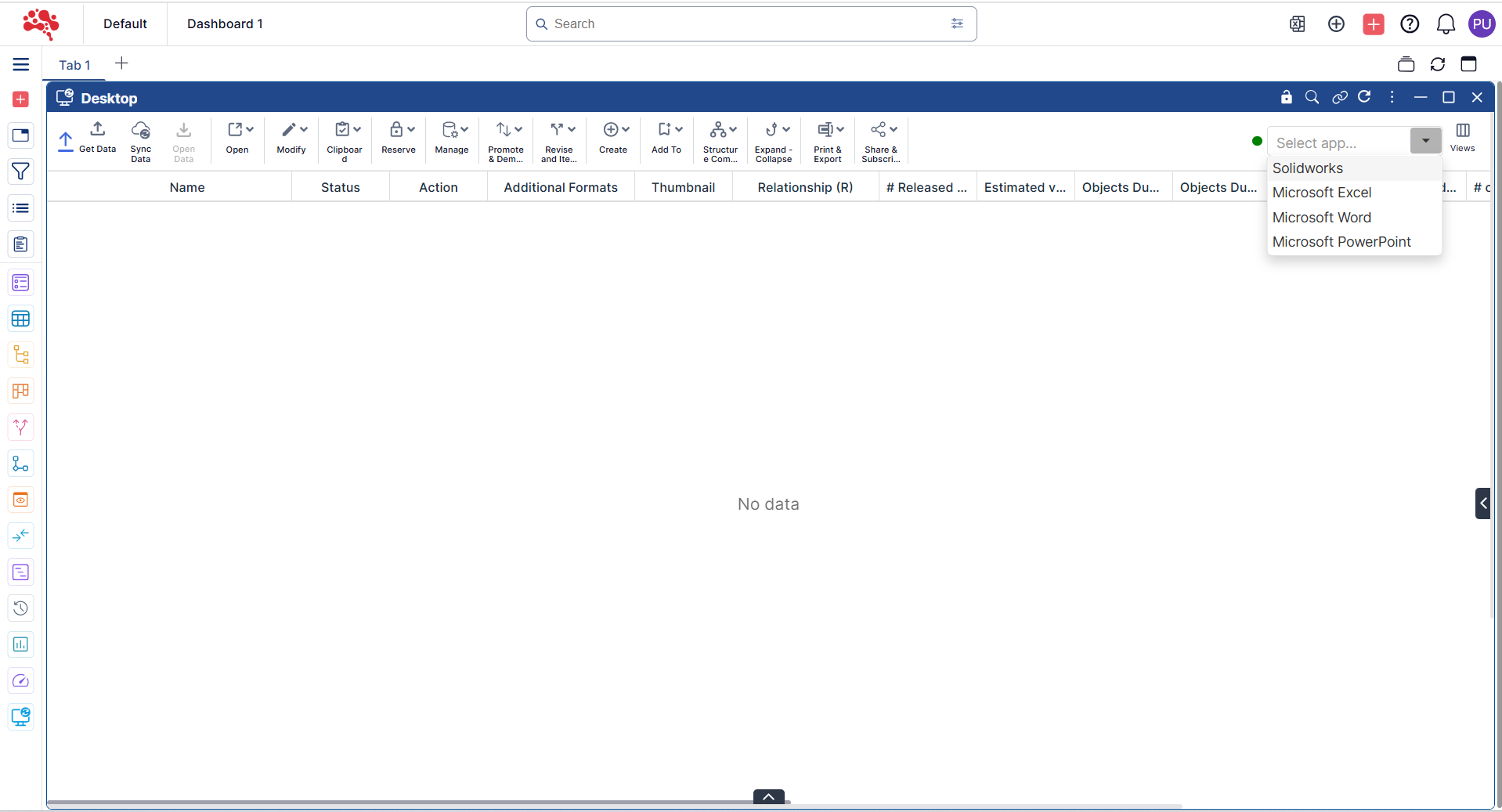
You can easily follow these steps to upload your BOM from SolidWorks in just a few moments.
- Launch the Desktop Widget and open the required SolidWorks model.
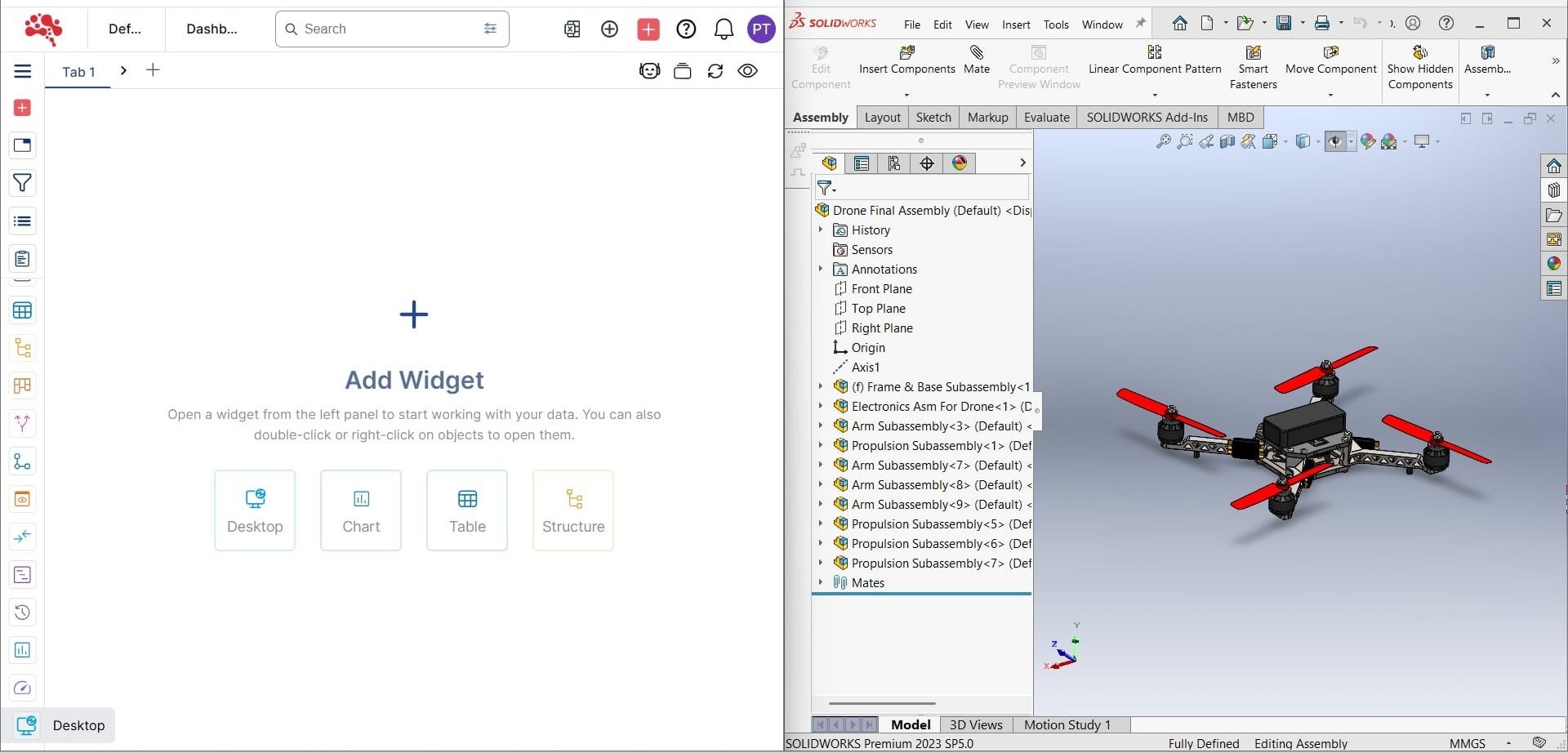
2. The connected application (in this case, SolidWorks) is automatically detected. You can switch to other available applications using the dropdown menu in the top-right corner of the widget.
3. Click Get Data to fetch BOM details from SolidWorks.
4. Nora IPLM retrieves the BOM and structure data from SolidWorks.
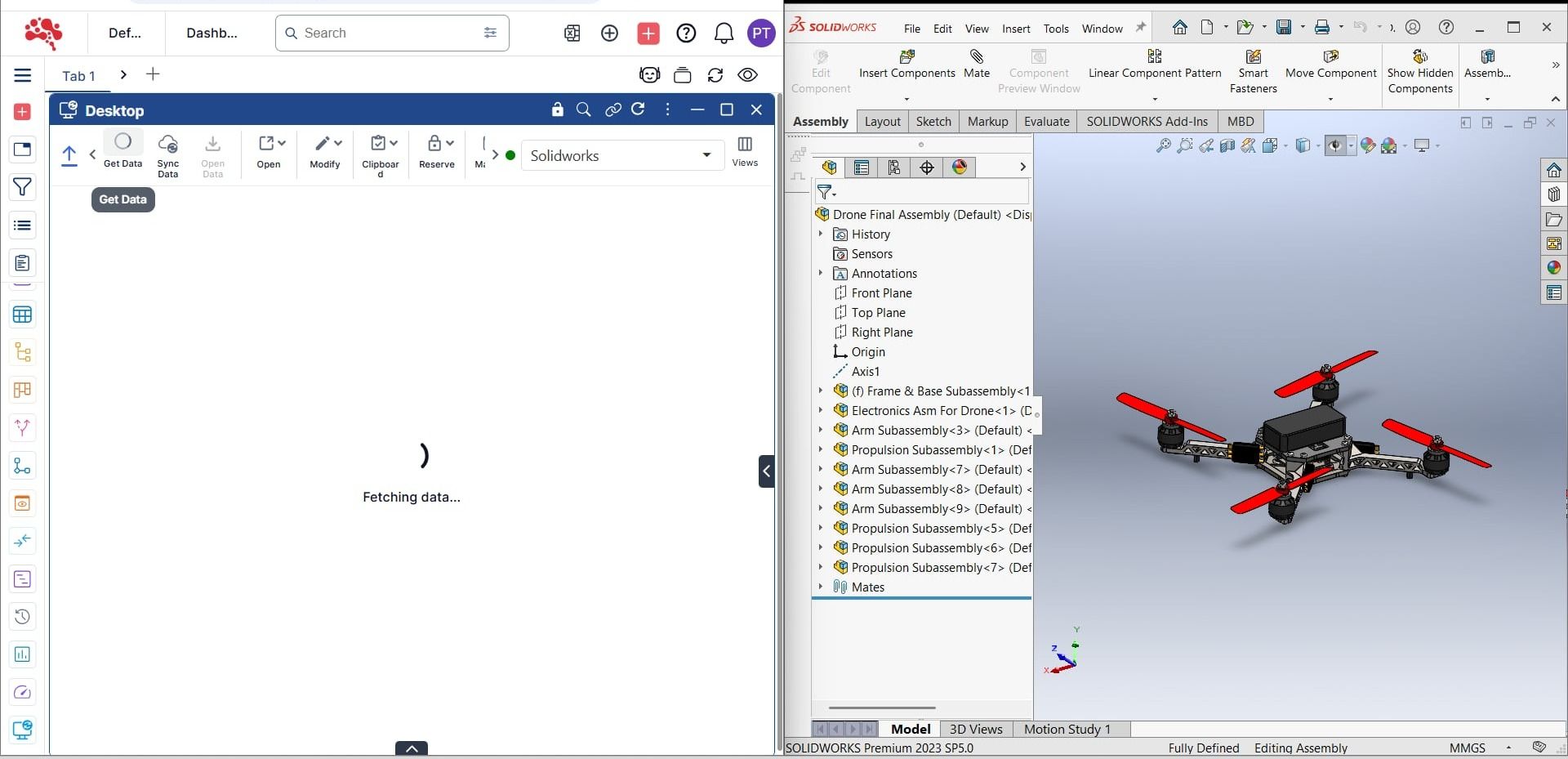
5. Once fetched, the “Drone Final Assembly” BOM appears and is ready for upload.
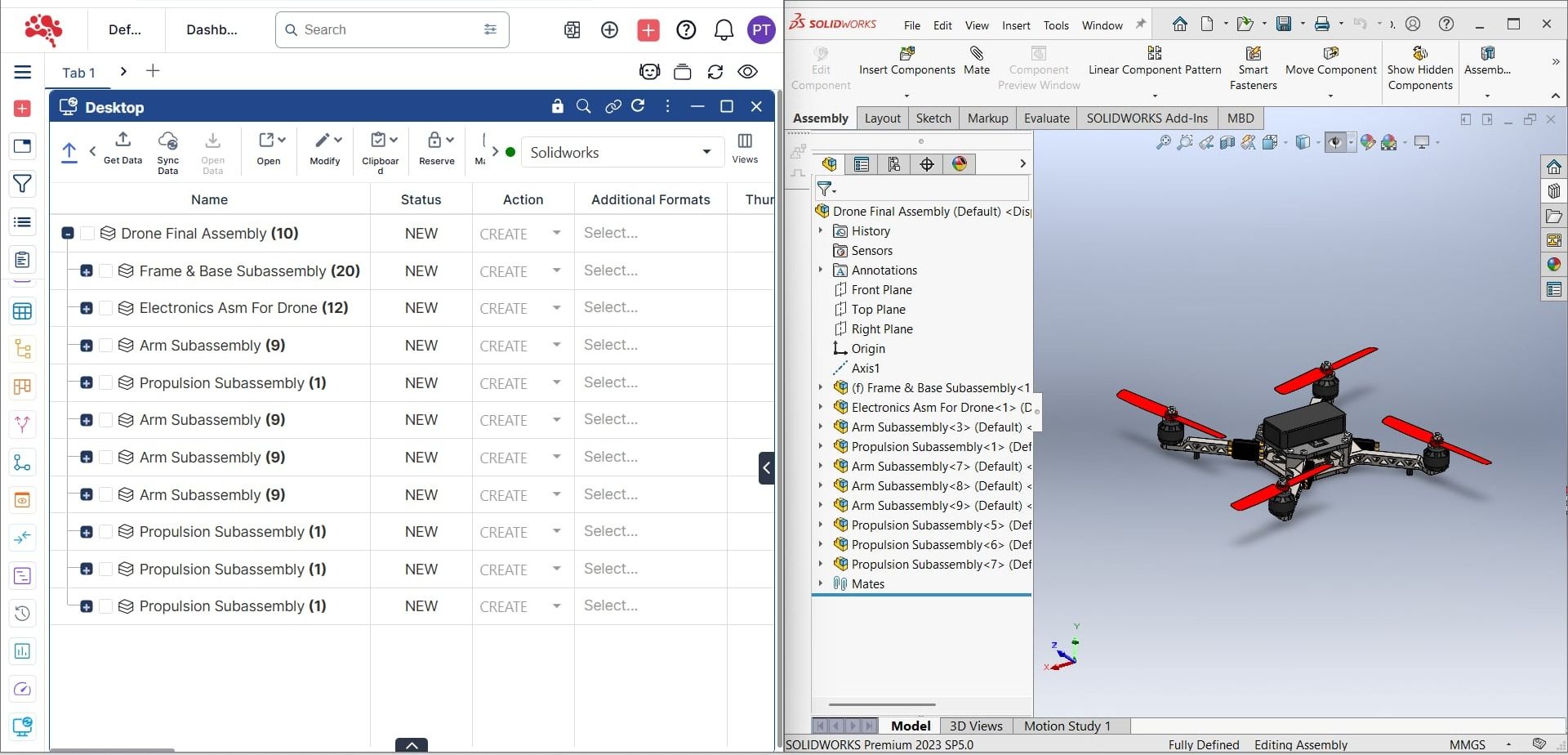
6. Click Sync Data to upload the structure to Nora IPLM.
7. Nora IPLM processes and synchronizes the structure from SolidWorks.
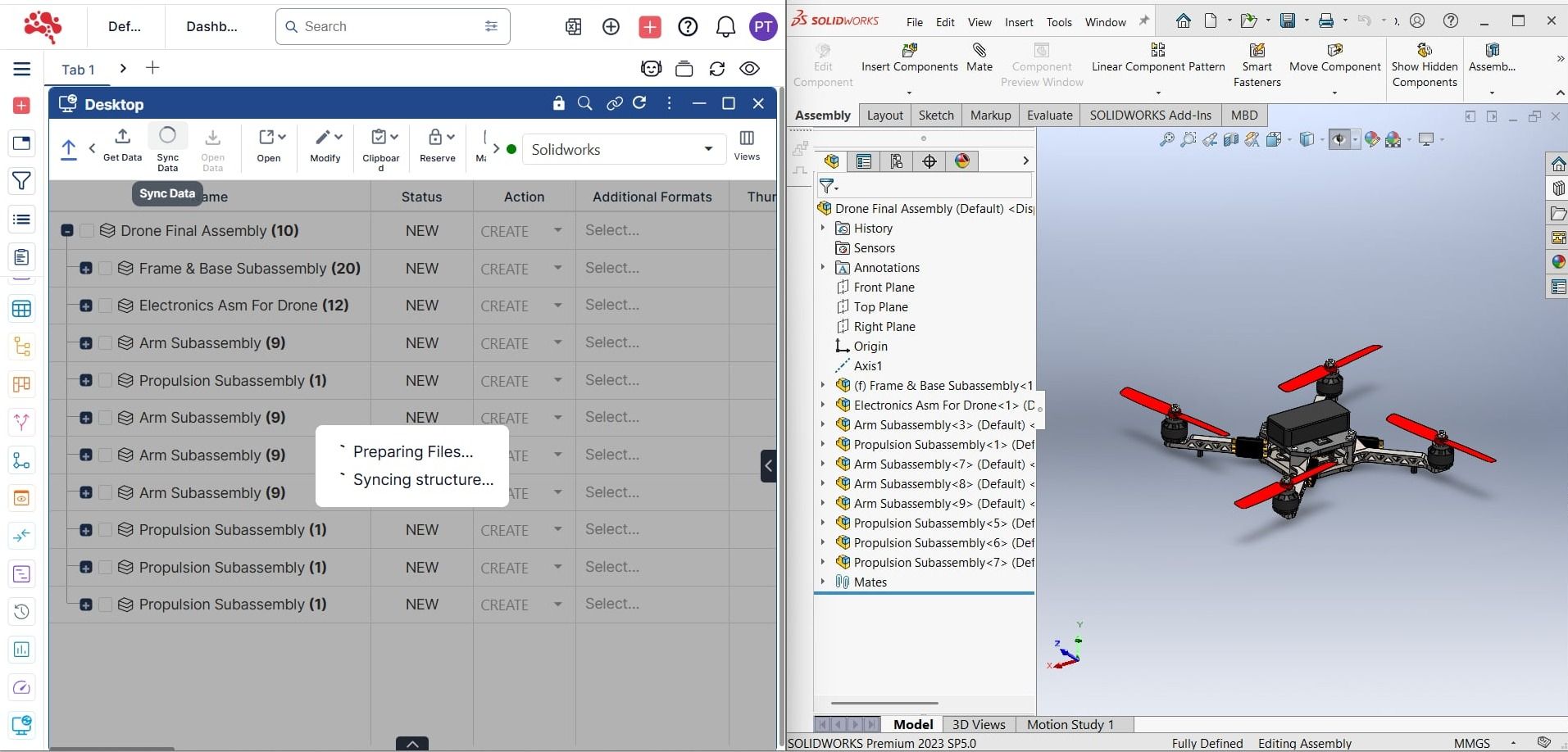
8. The “Drone Final Assembly” structure is now successfully synced to the PLM platform.
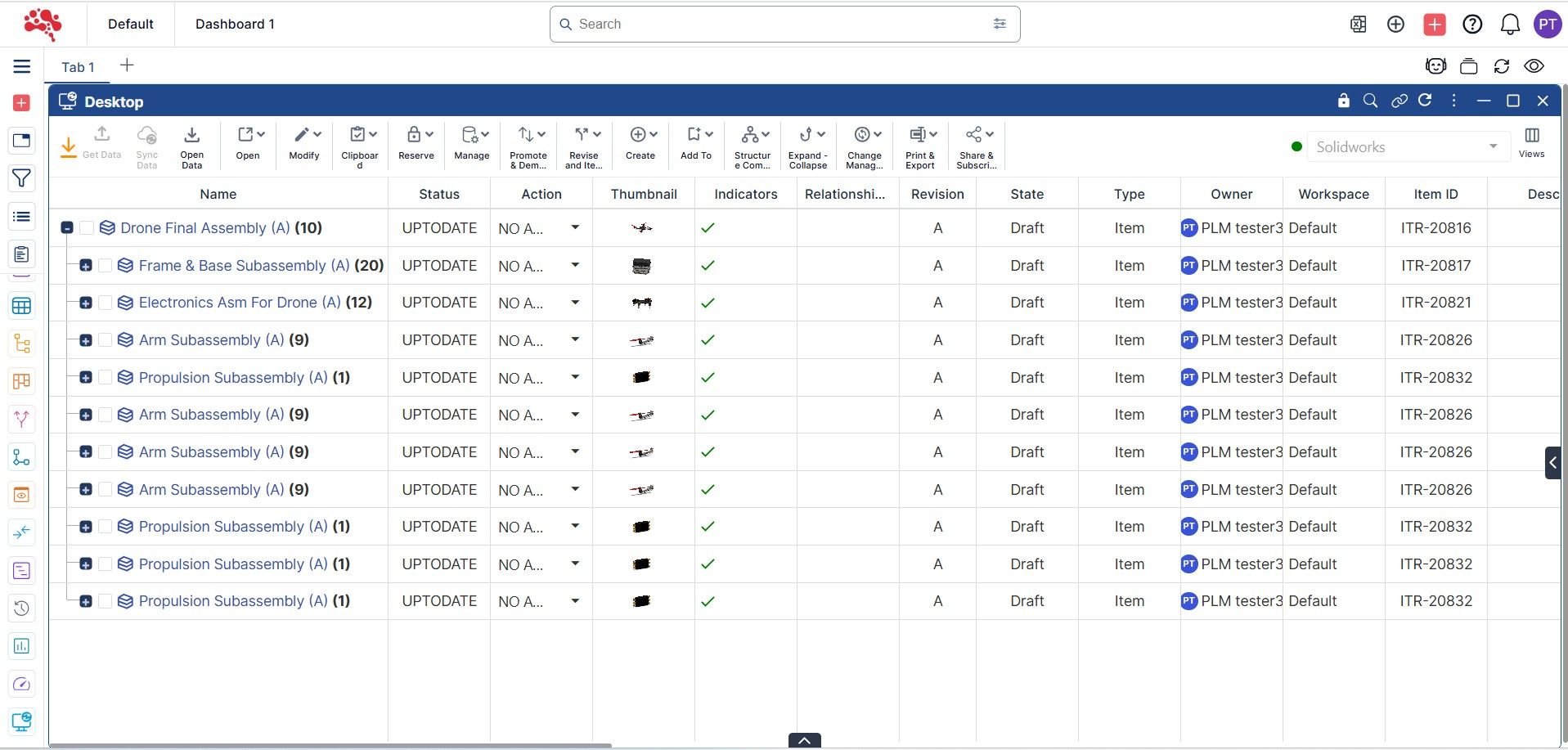
Ways to Review and Analyze a BOM in Nora IPLM
- Drill down through multiple BOM levels to inspect assemblies and subassemblies.
- Use standard, reverse (where-used), flat, and other available display modes depending on the analysis needed.
- Compare BOM structures or revisions to identify additions, removals, and changes.
- Create baselines at important milestones so product structures can be compared over time.
- Use 3D visualization where supported to connect the product structure with the corresponding model context.
- Review object relationships and related documents to understand dependencies beyond the basic parent-child structure.
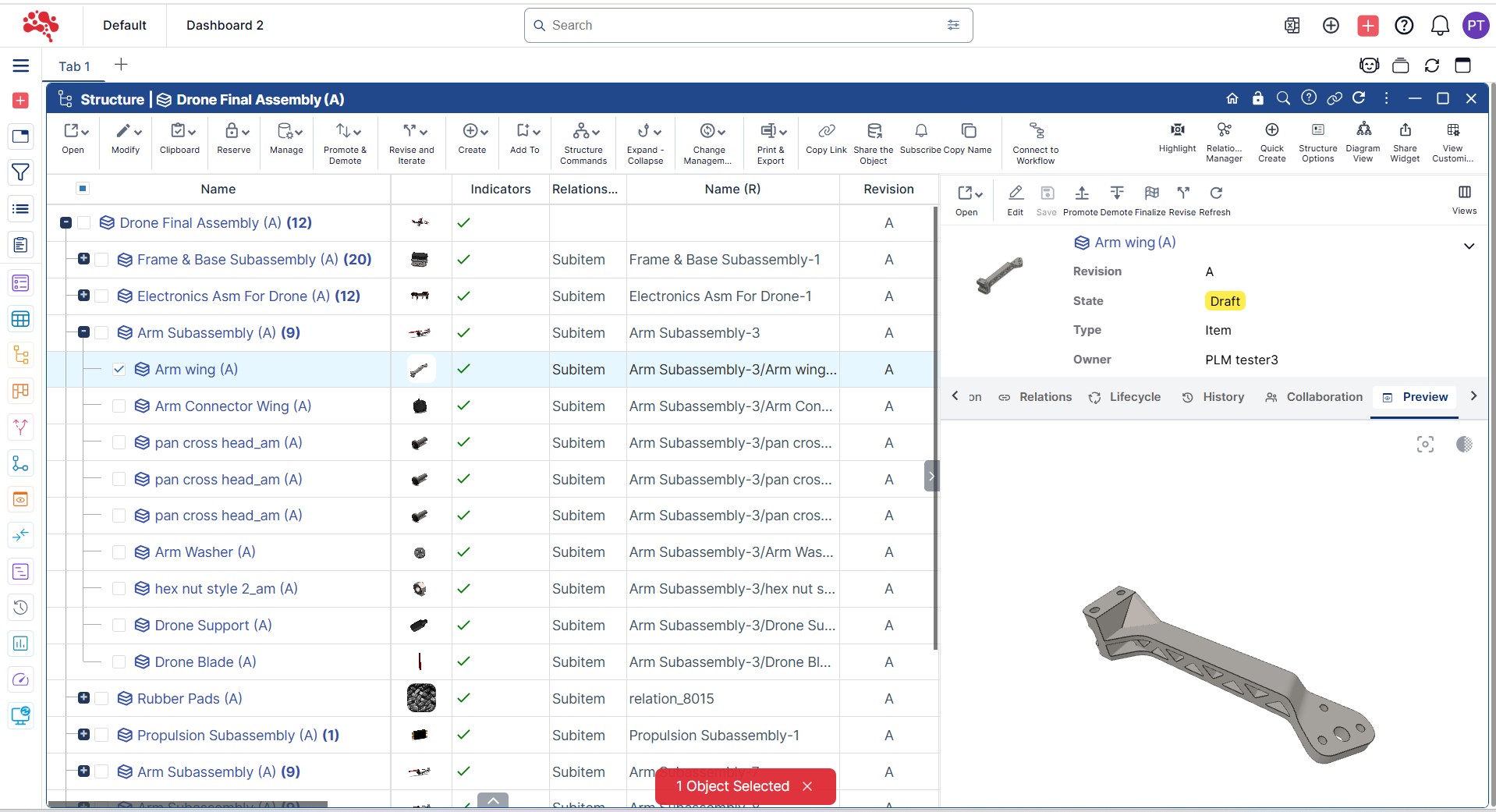
Viewing the Uploaded BOM in Structure Widget
1. Right-click on the uploaded item and select Open in Structure.
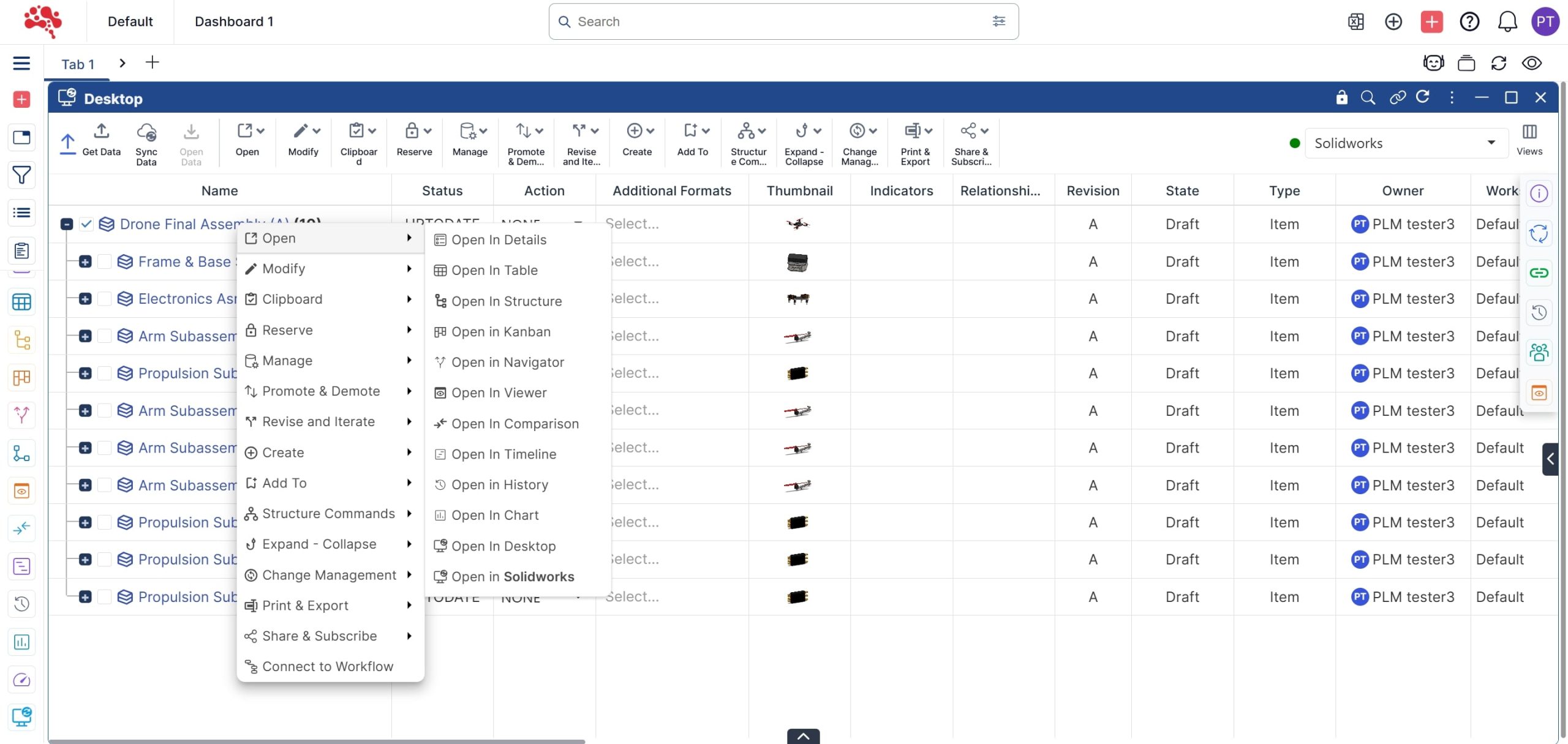
2. Hover over the thumbnail area to preview component images and click to open them.
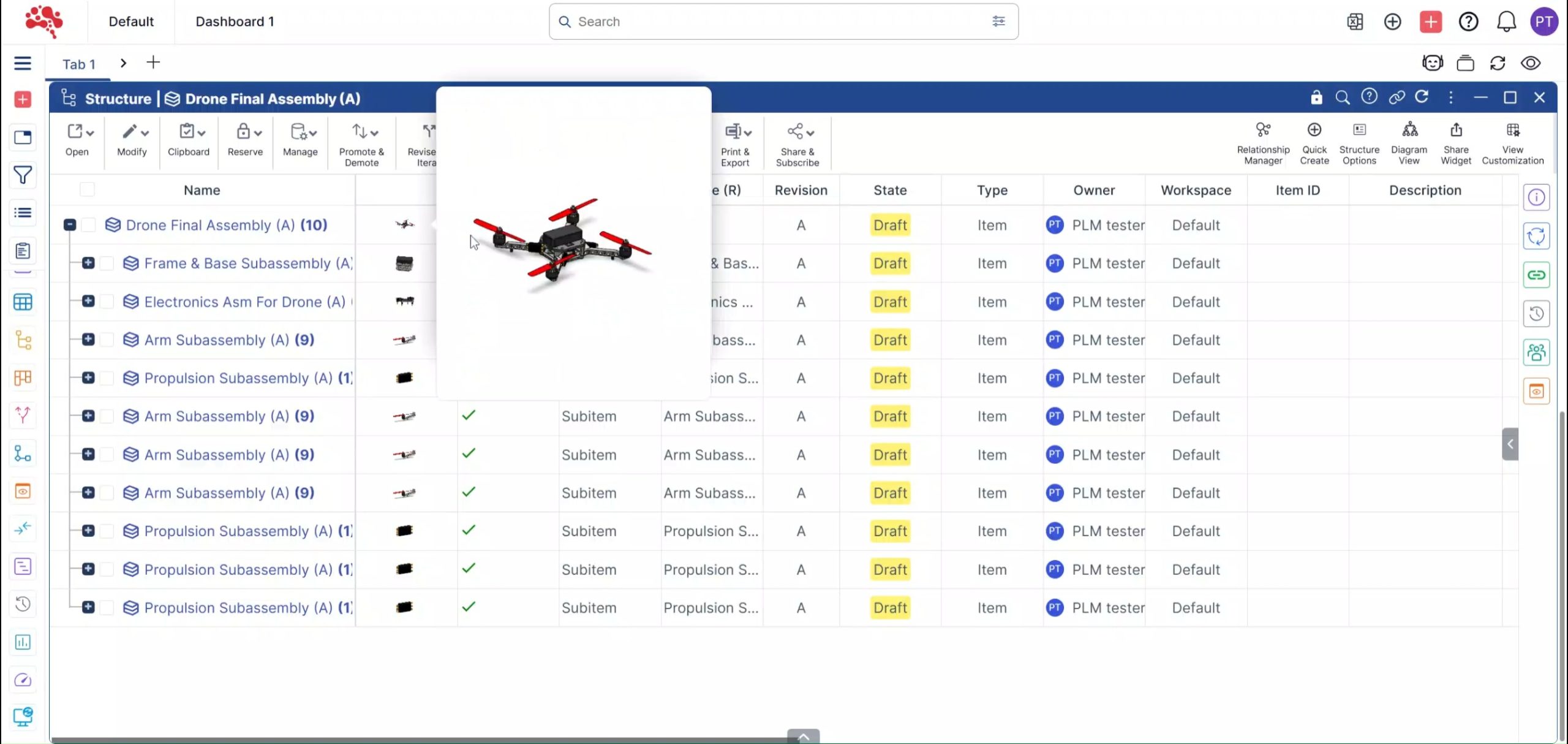
3. Switch between Preview Mode and Thumbnail View for faster navigation.
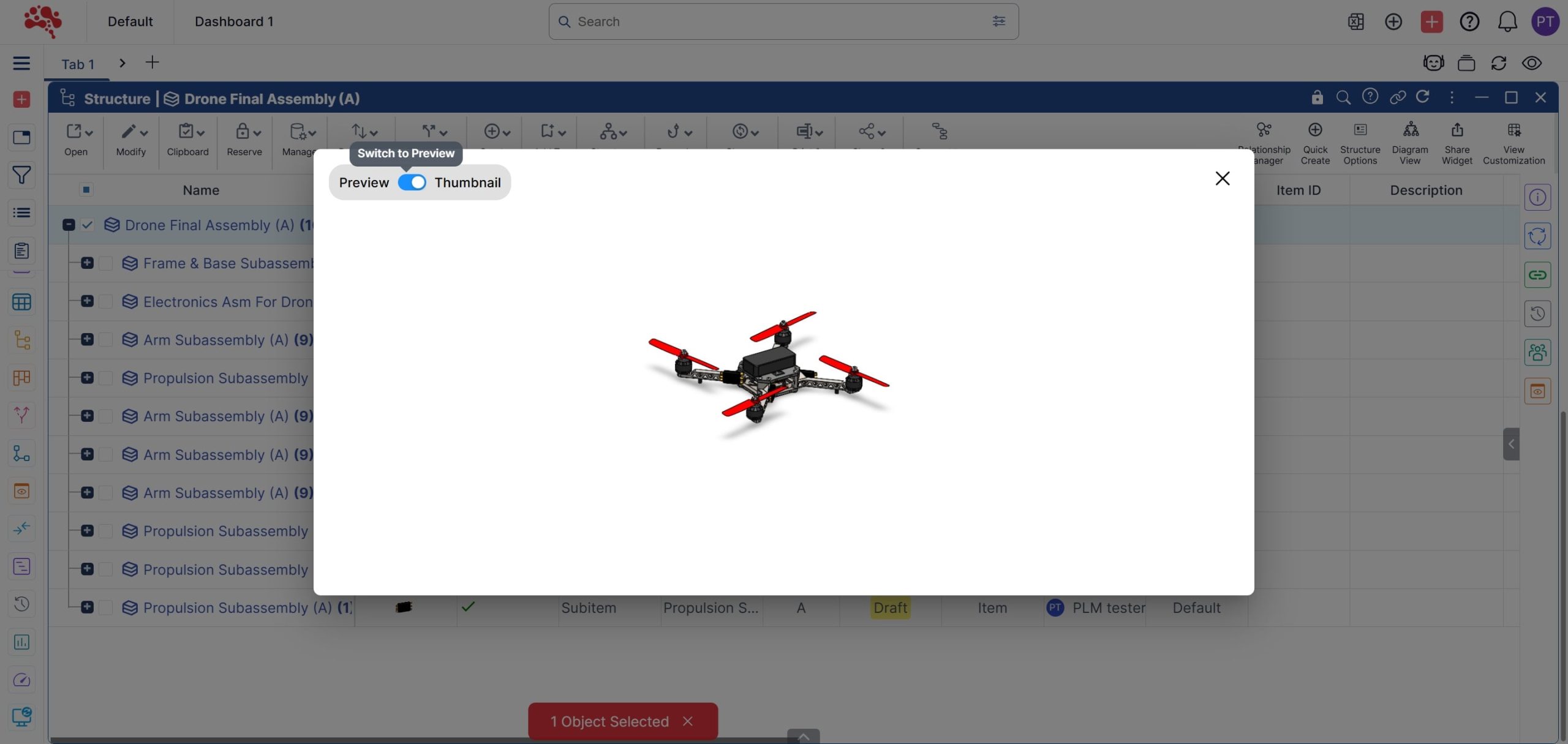
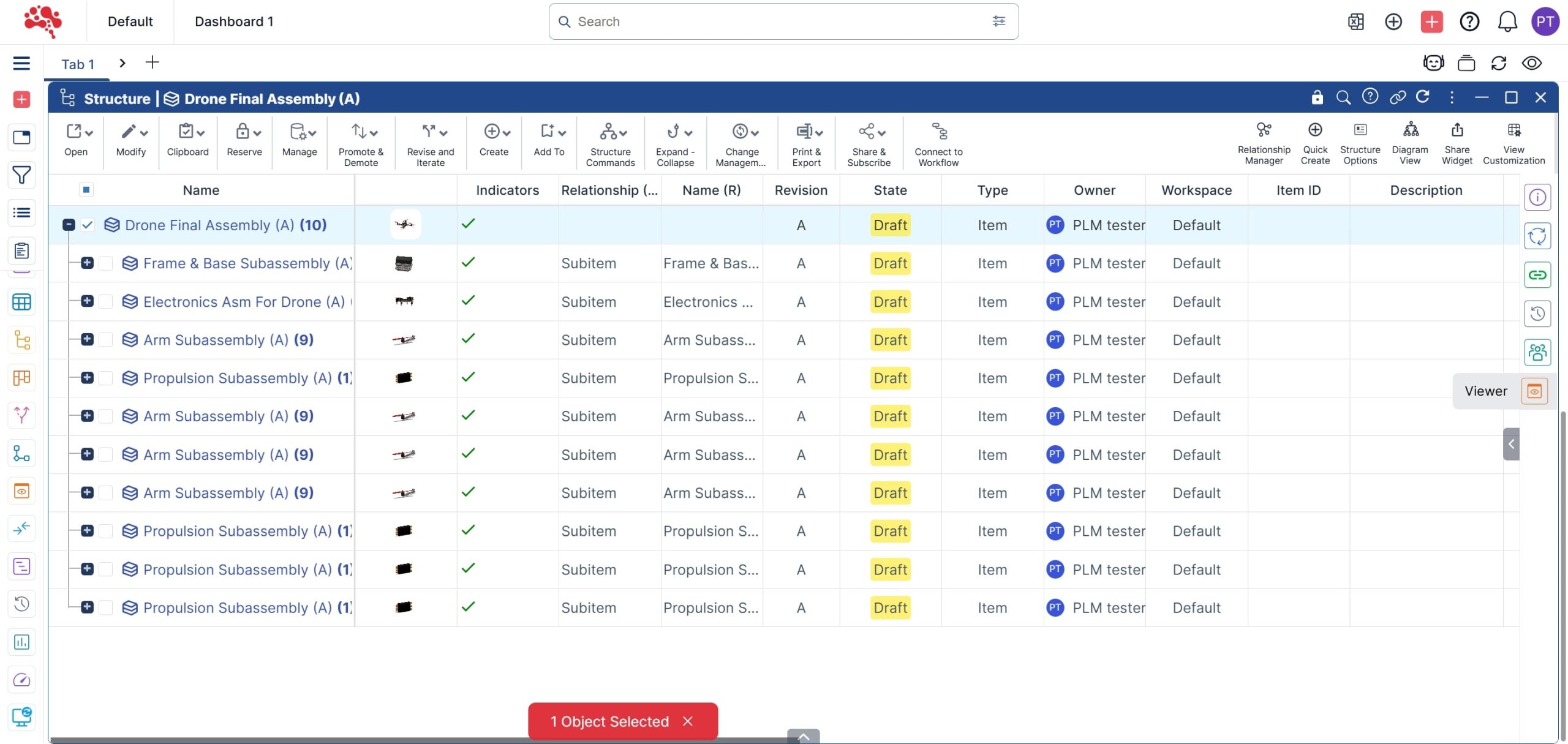
4. Click the Viewer icon for a detailed 3D model preview.
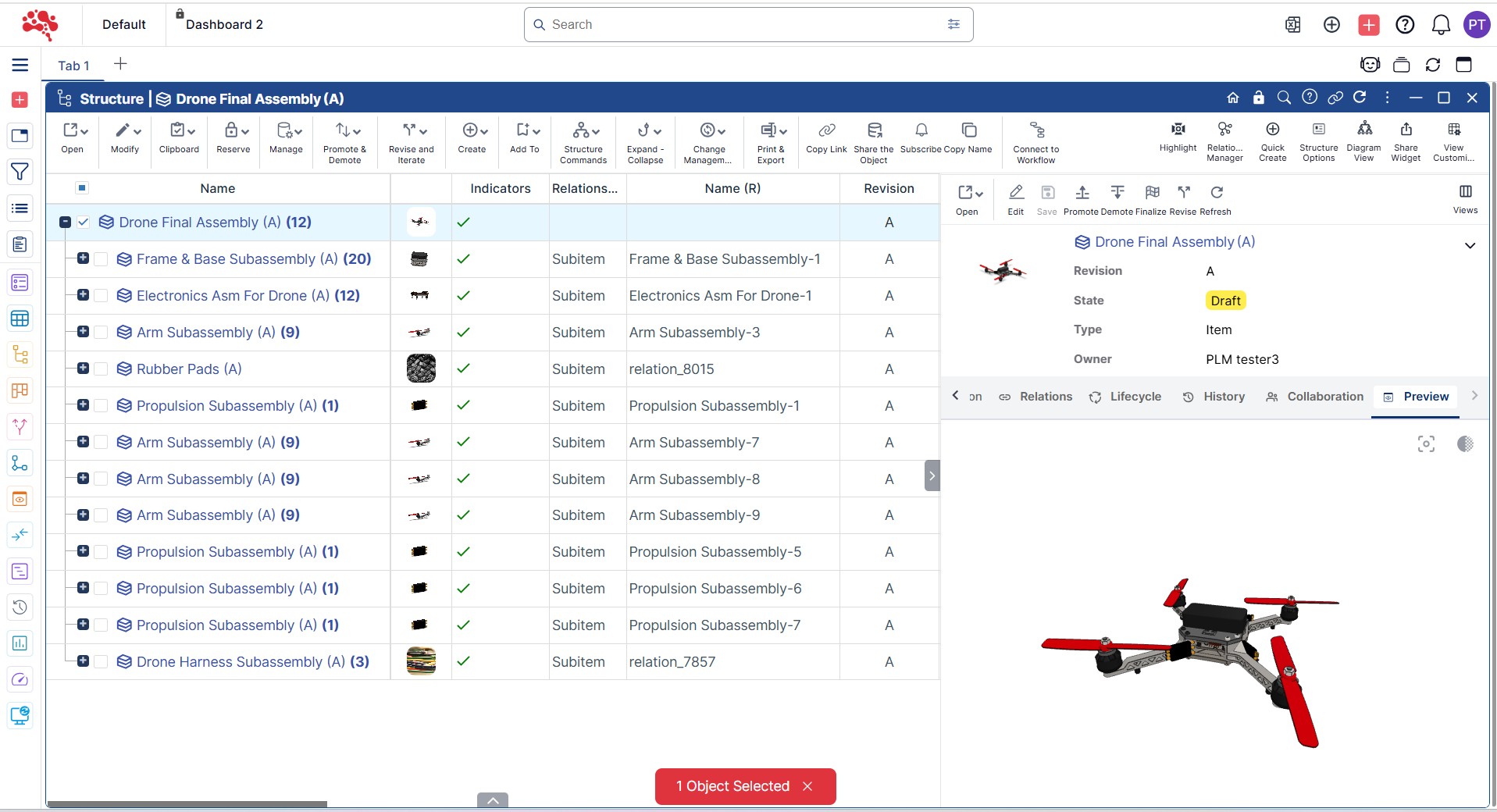
5. Toggle between objects to view corresponding 3D models directly in the viewer.
Editing and Updating
1. To modify or update a BOM, select Open in SolidWorks from the menu.
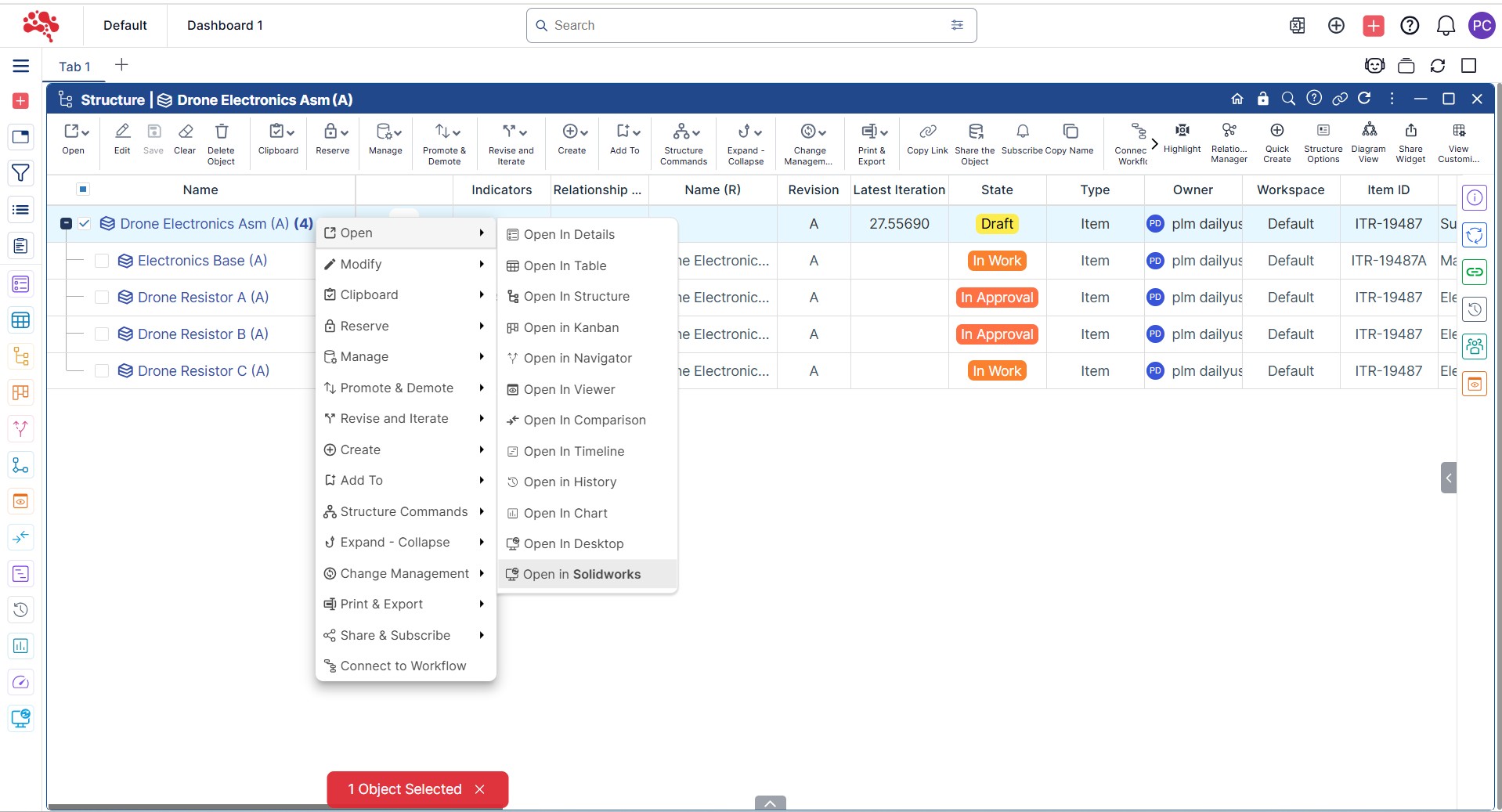
2. Nora IPLM automatically fetches and loads the structure into SolidWorks.
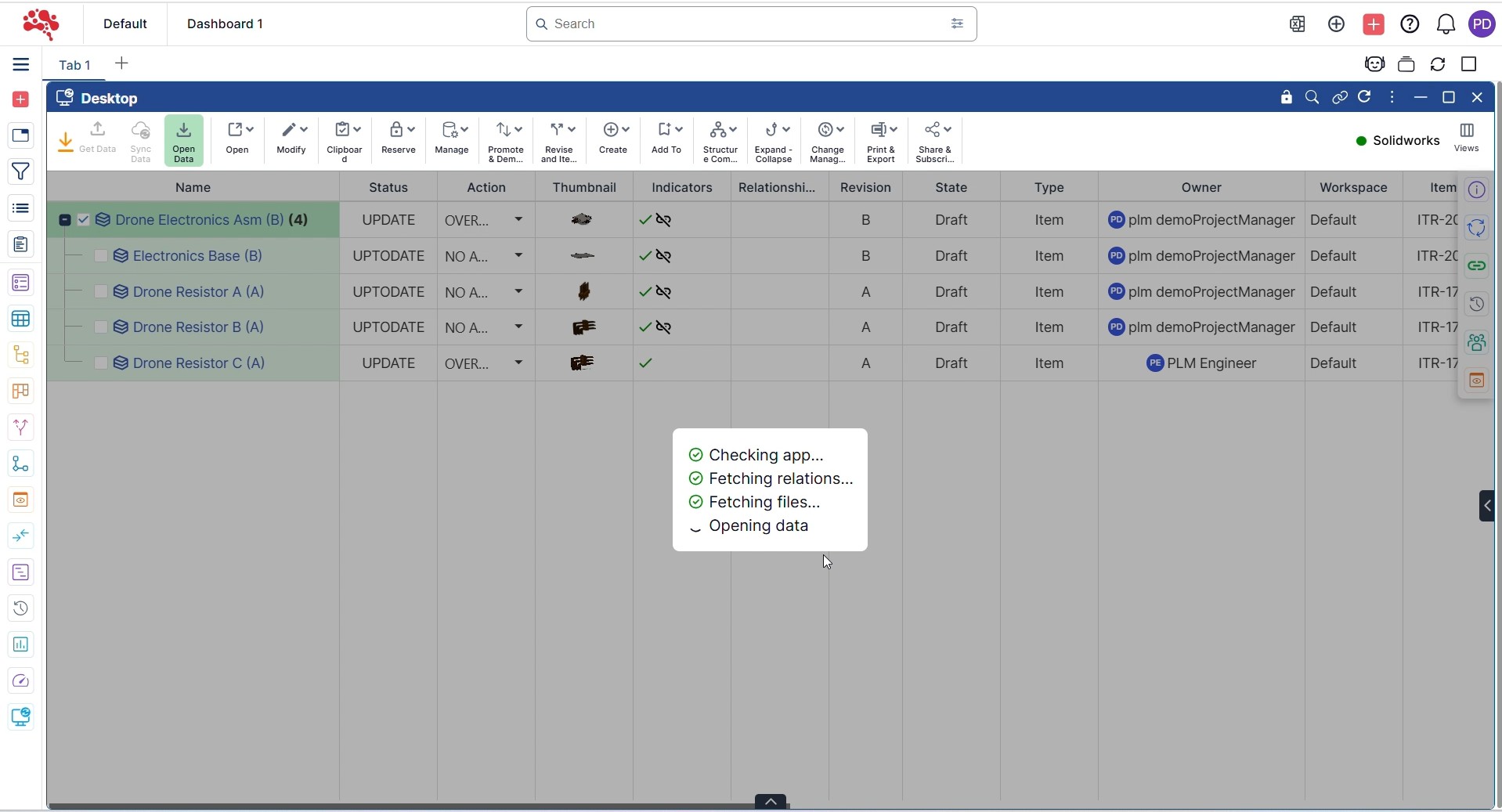
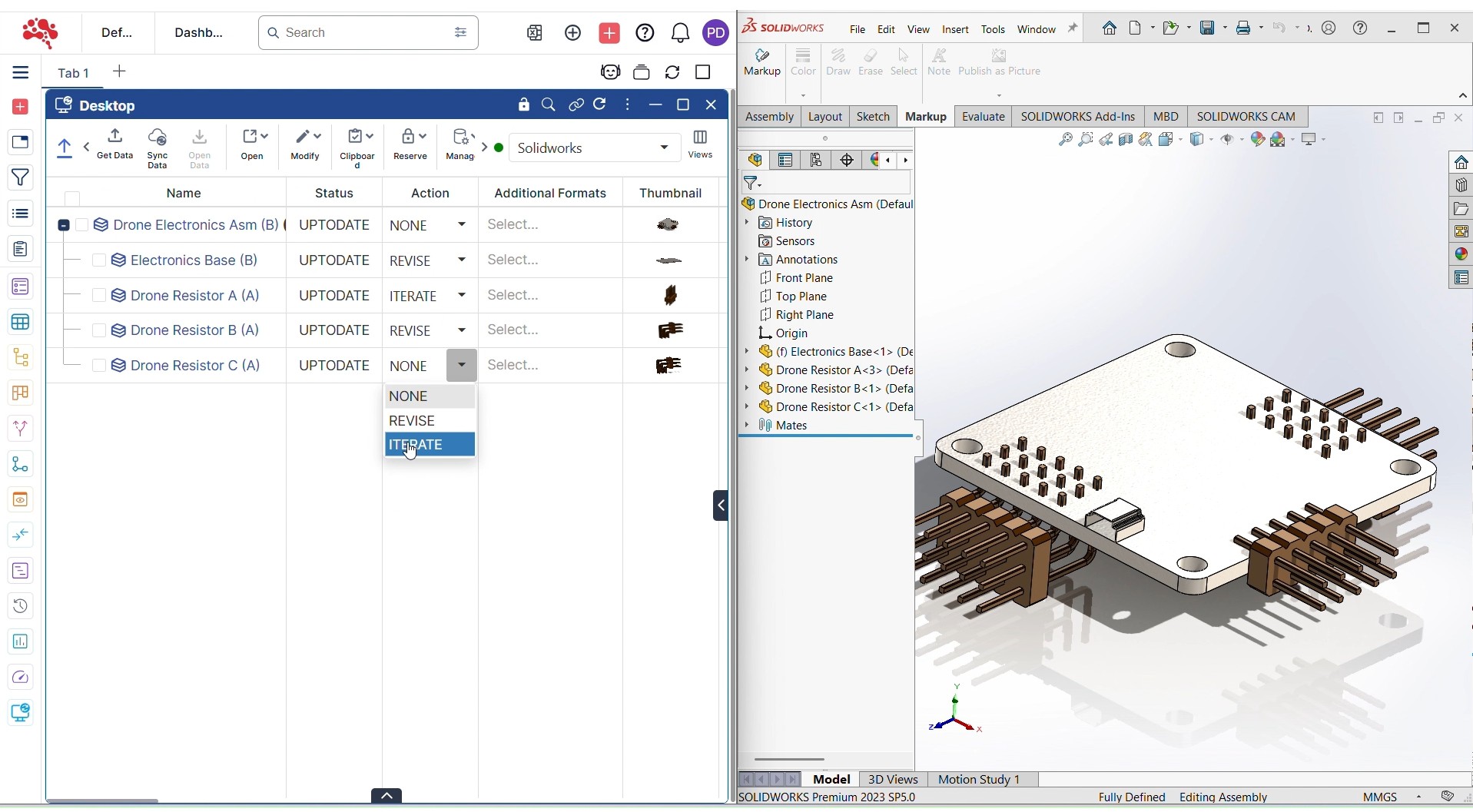
3. Make your design or structural changes in SolidWorks.
4. Once updated, upload the revised 3D models back to Nora IPLM using the Desktop Widget to keep all BOM data synchronized within the PLM system.
Why Use Nora IPLM for BOM Management
Nora IPLM transforms how teams manage their Bill of Materials by connecting design, engineering, and manufacturing data in one unified workspace. Every update made in SolidWorks or other CAD tools can be instantly synchronized, keeping your product data accurate and your workflows consistent.
With Nora IPLM, teams can:
Eliminate duplicate data entry between CAD and PLM.
Reduce manual errors by automating BOM synchronization and updates.
Improve collaboration between design, engineering, and manufacturing teams.
Maintain version control and traceability across every iteration and release.
Increase productivity with direct CAD-to-PLM connectivity.
The result is a more connected workflow where product data, revisions, and documentation remain consistent and accessible, improving overall design quality and reducing time to market.
How to Control BOM Revisions and Changes
As a product evolves, BOM management should preserve both the latest structure and the history behind it. Nora IPLM can keep revisions, iterations, and relationships connected so teams can understand what changed between product states instead of overwriting the previous definition.
For controlled changes, BOM updates can also be connected with engineering change workflows and approval processes. This helps teams validate affected items before release and reduces the risk of downstream teams working from an unapproved structure.
Best Practices for Managing BOMs from CAD to PLM
- Use consistent part numbering and naming conventions before creating large structures.
- Keep CAD metadata clean because inconsistent source attributes create inconsistent PLM data.
- Synchronize changes regularly instead of allowing CAD and PLM structures to drift apart.
- Use revisions and baselines for meaningful milestones rather than relying only on the latest state.
- Use where-used and relationship views before replacing or removing shared components.
- Connect BOM updates to change workflows when the modification affects released product data.
- Review generated neutral formats and related documents so non-CAD stakeholders can collaborate using the same controlled product context.
Updating a Multi-Level BOM After a Design Change
Consider a drive unit with a top-level assembly, motor subassembly, housing, cooling components, fasteners, and electrical parts. Engineering releases a revised cooling cover with a new mounting pattern. Instead of updating a spreadsheet manually, the affected item can be revised, the product structure updated, and the change connected to the relevant documents and approvals.
Where-used analysis helps identify other assemblies that use the same component. If manufacturing structures are already defined, the team can also review which MBOM implementations remain valid and which require manufacturing action. This keeps the product definition controlled as the change moves from engineering toward production.
BOM Management Checklist Before Release
- Correct item revisions are used.
- Required quantities and relationships are complete.
- Obsolete or unintended components are removed.
- Relevant drawings and documents are connected.
- Configuration or effectivity rules are correct where applicable.
- Affected changes are approved or resolved.
- Where-used impact has been reviewed for reused parts.
- Manufacturing teams have the correct engineering definition for downstream MBOM work.
Conclusion
Effective BOM management is essential for successful product lifecycle management. When teams can create, update, and synchronize Bills of Materials directly from their CAD tools within a unified PLM platform like Nora IPLM, they achieve full control over design data and eliminate the risk of outdated or inconsistent information.
As we just explained above, with Nora IPLM, you can easily build structured BOMs from SolidWorks, CATIA, or other supported tools, track revisions and iterations in real time, and maintain visibility across all product levels. The system keeps engineering, manufacturing, and quality teams aligned through continuous synchronization and automated updates.
Whether you manage large assemblies or complex multi-level structures, Nora IPLM provides the clarity, speed, and reliability needed to improve collaboration, strengthen data accuracy, and accelerate your BOM management workflow from design to production.
Start optimizing your BOM management process today with Nora IPLM and give your teams the tools they need to innovate with confidence.
See the consequence before you commit to the change
Discover how Nora IPLM Knowledge Thread turns connected product data into a traceable AI Change Impact Simulation, from qualified evidence and visual propagation to alternate-item, carbon, and AI-assisted analysis.


