
Introduction
In Part 1 of this guide, we explored the foundations of Nora IPLM change management, including how to create a change request, connect affected items, share it with stakeholders, and request approvals. Part 2 shifts the focus from initiating changes to executing and completing them.
As designs evolve, requirements shift, and reviews surface new insights, managing changes effectively becomes essential for product quality and delivery. Nora IPLM keeps every modification controlled, traceable, and aligned with your product goals.
In this part, you will learn how to approve a change request, generate a new change order, create and assign change tasks, work through required updates, and complete the full change process. With structured workflows, version control, and built-in traceability, teams can assess impact, collaborate with clarity, and execute changes with confidence.
Let’s walk through each step of the advanced change management workflow in Nora IPLM.
What Is an Engineering Change Order?
An Engineering Change Order (ECO) is the controlled record used to authorize and coordinate implementation of an approved product change. It connects approved scope to affected product data, implementation tasks, responsibilities, approvals, and resulting revisions.
How to Approve a Change Request and create a new Change order?
1. After reviewing the Change Request, click the state to approve it.
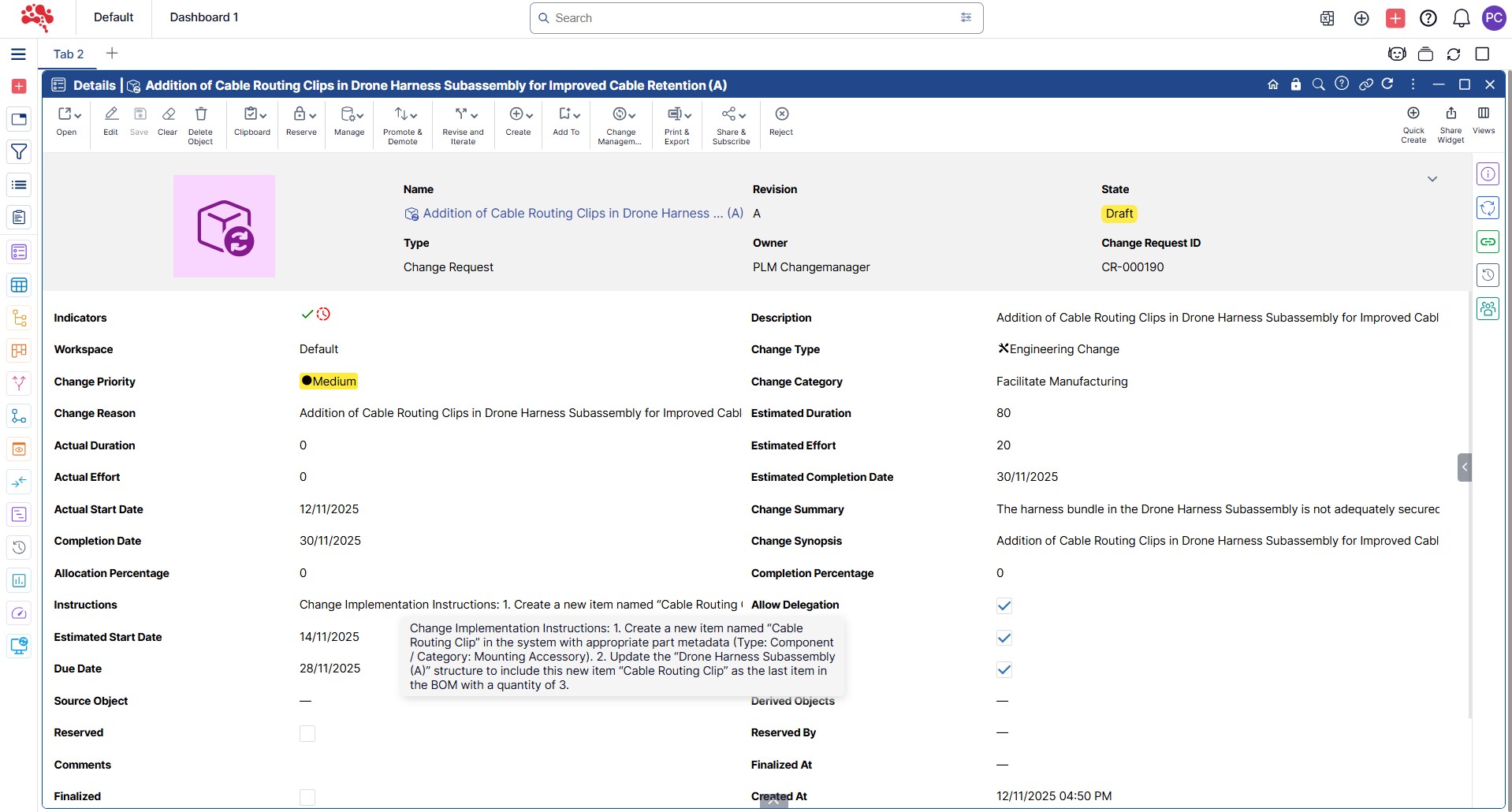
2. Select Approved from the dropdown to set the Change Request to the approved state.
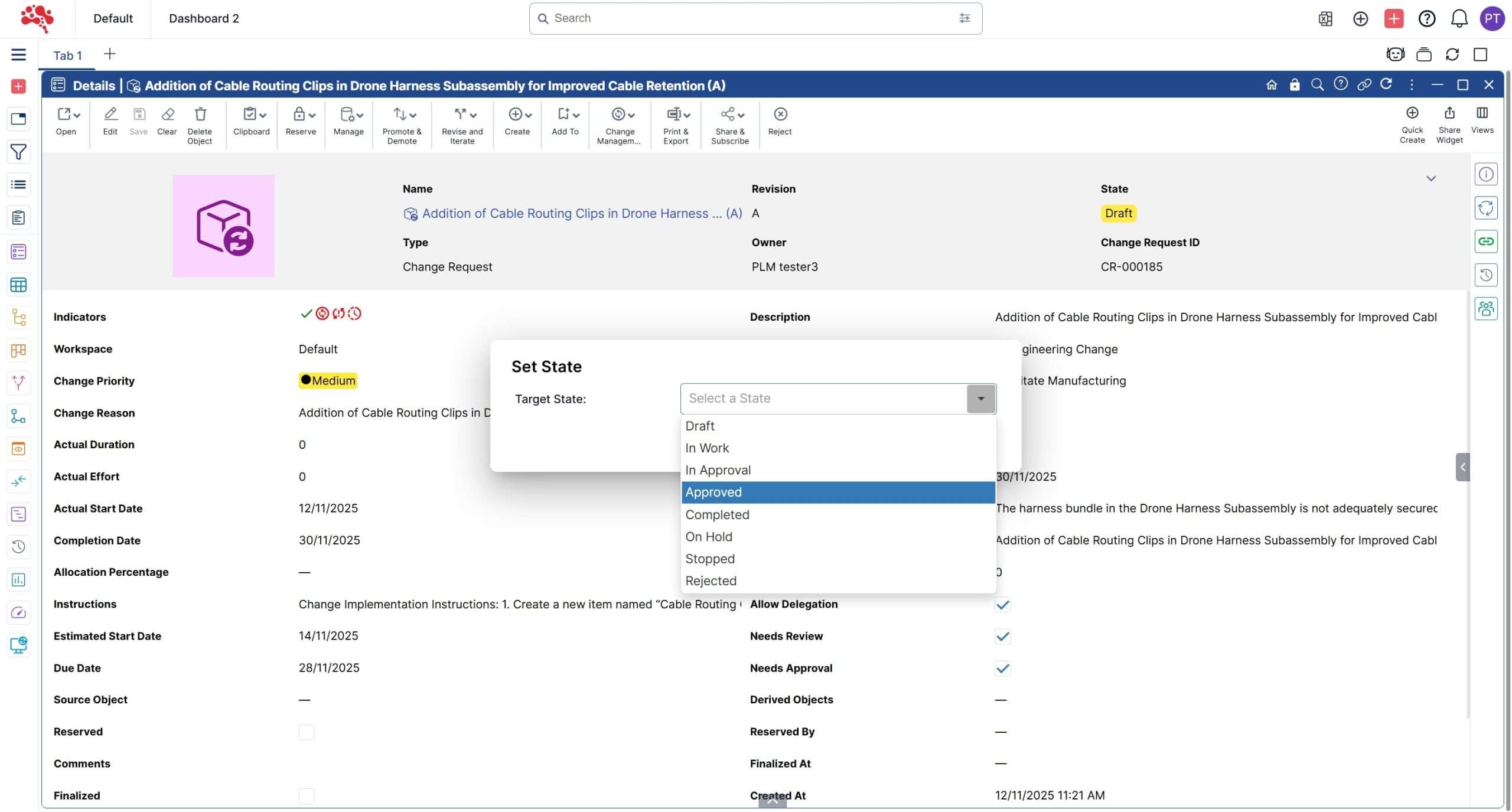
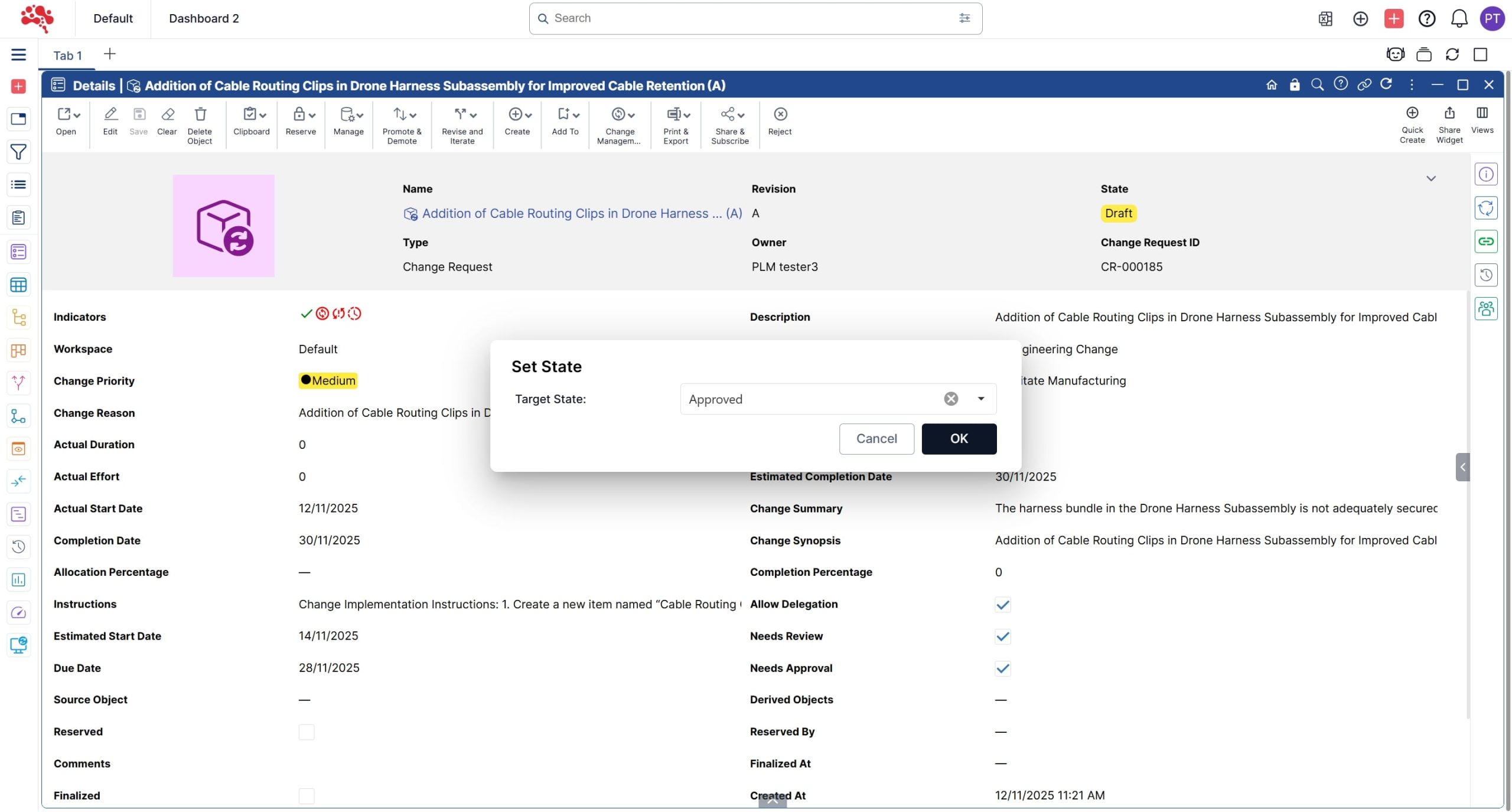
3. Click on “OK” to Approve the Change request.
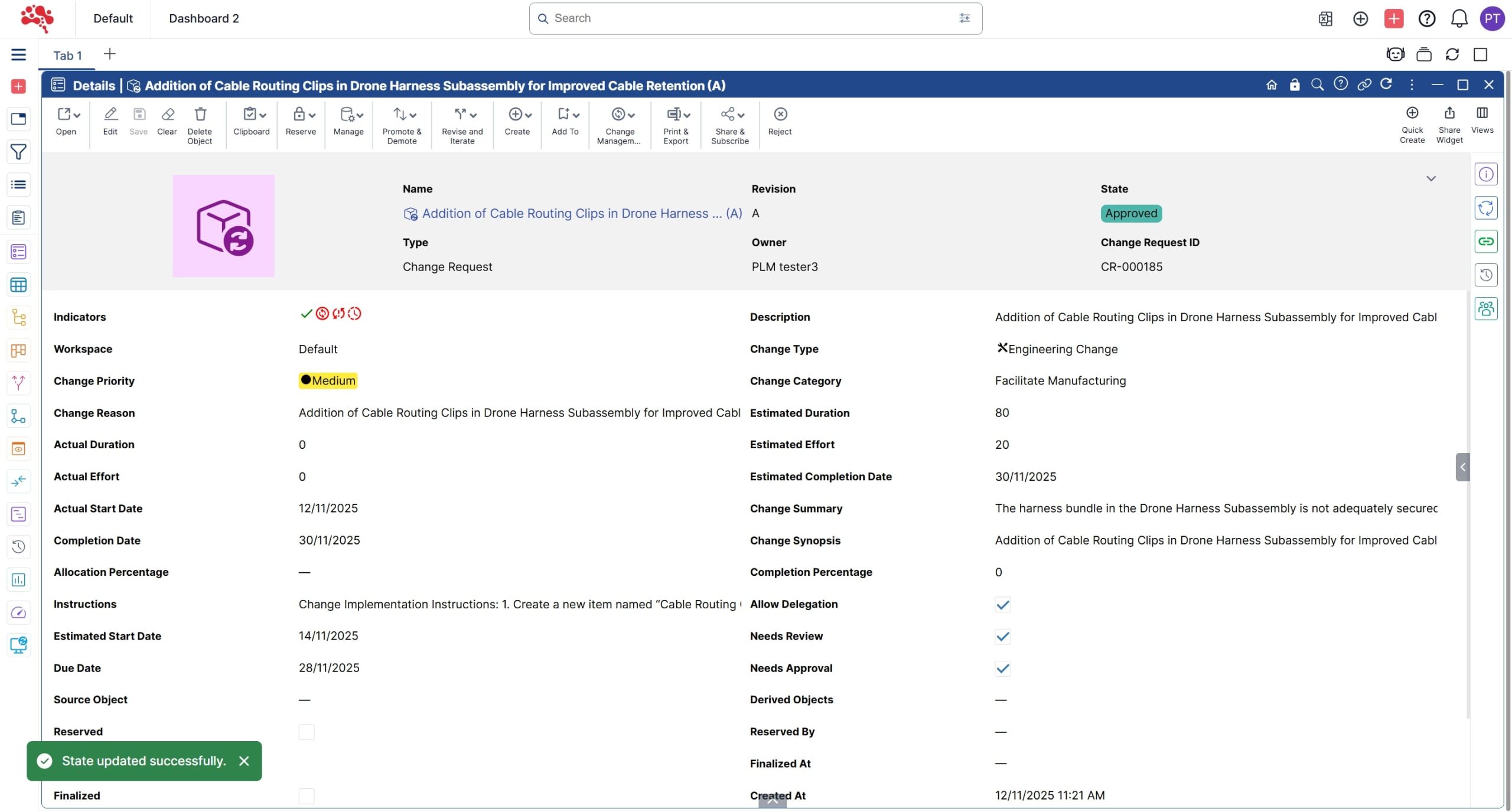
4. The Change Request has moved to the Approved state, triggering automatic creation of a new Change Order.
5. Open the “Change Request – Change Order” tab in the Relations pane to view the newly created Change Order.
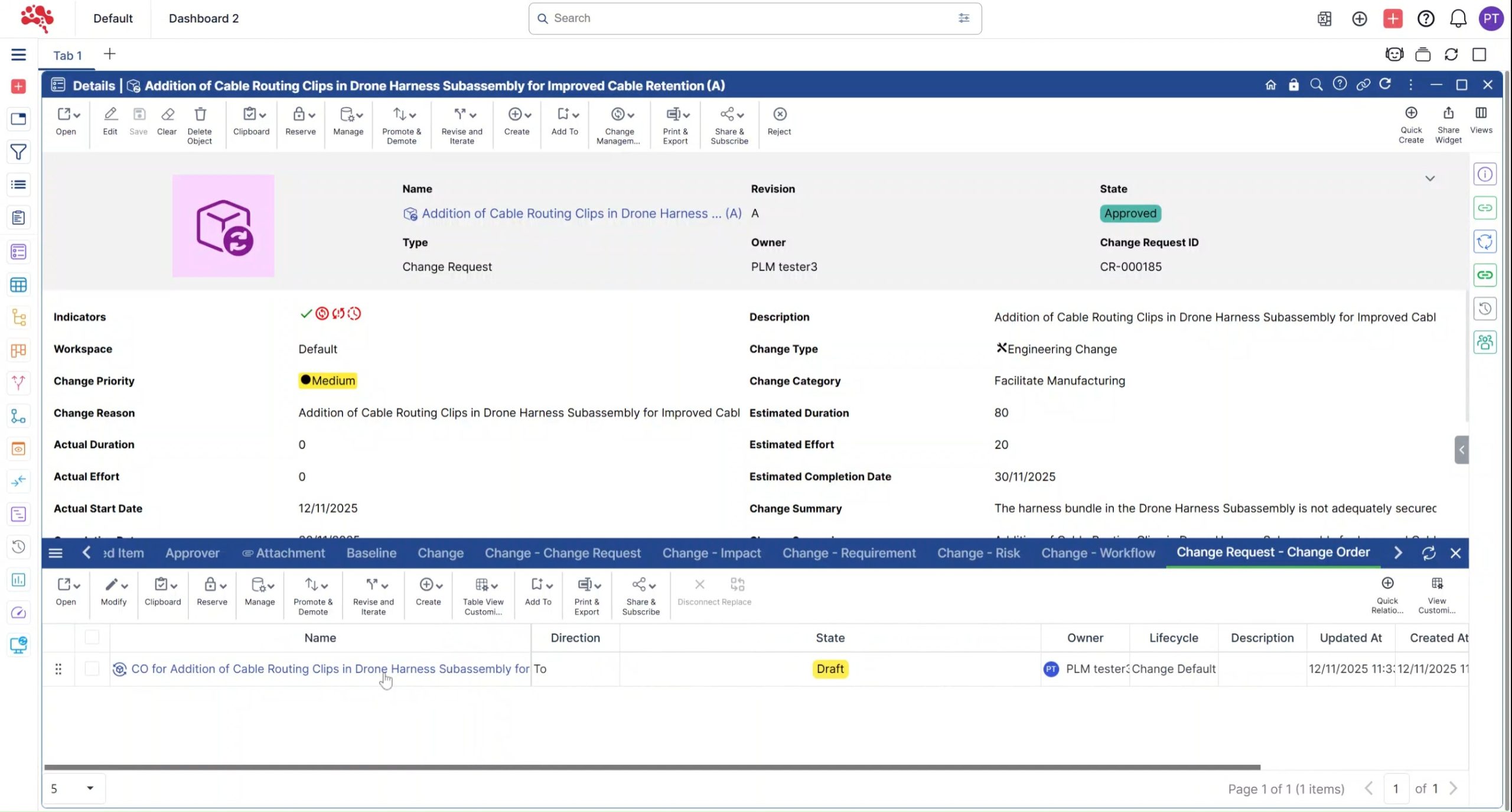
6. Right click on the Change Order and Click on “Open in Structure”.
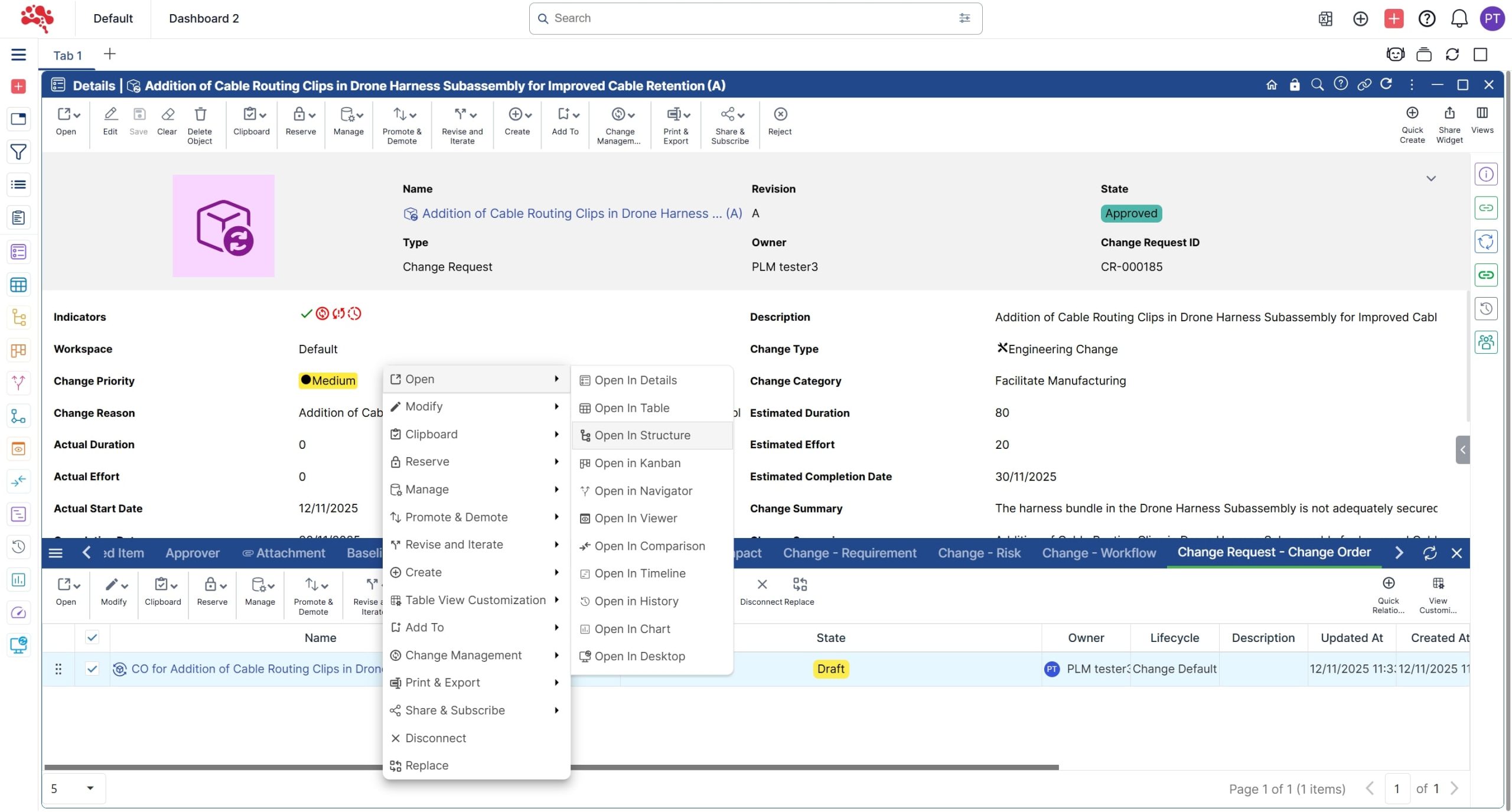
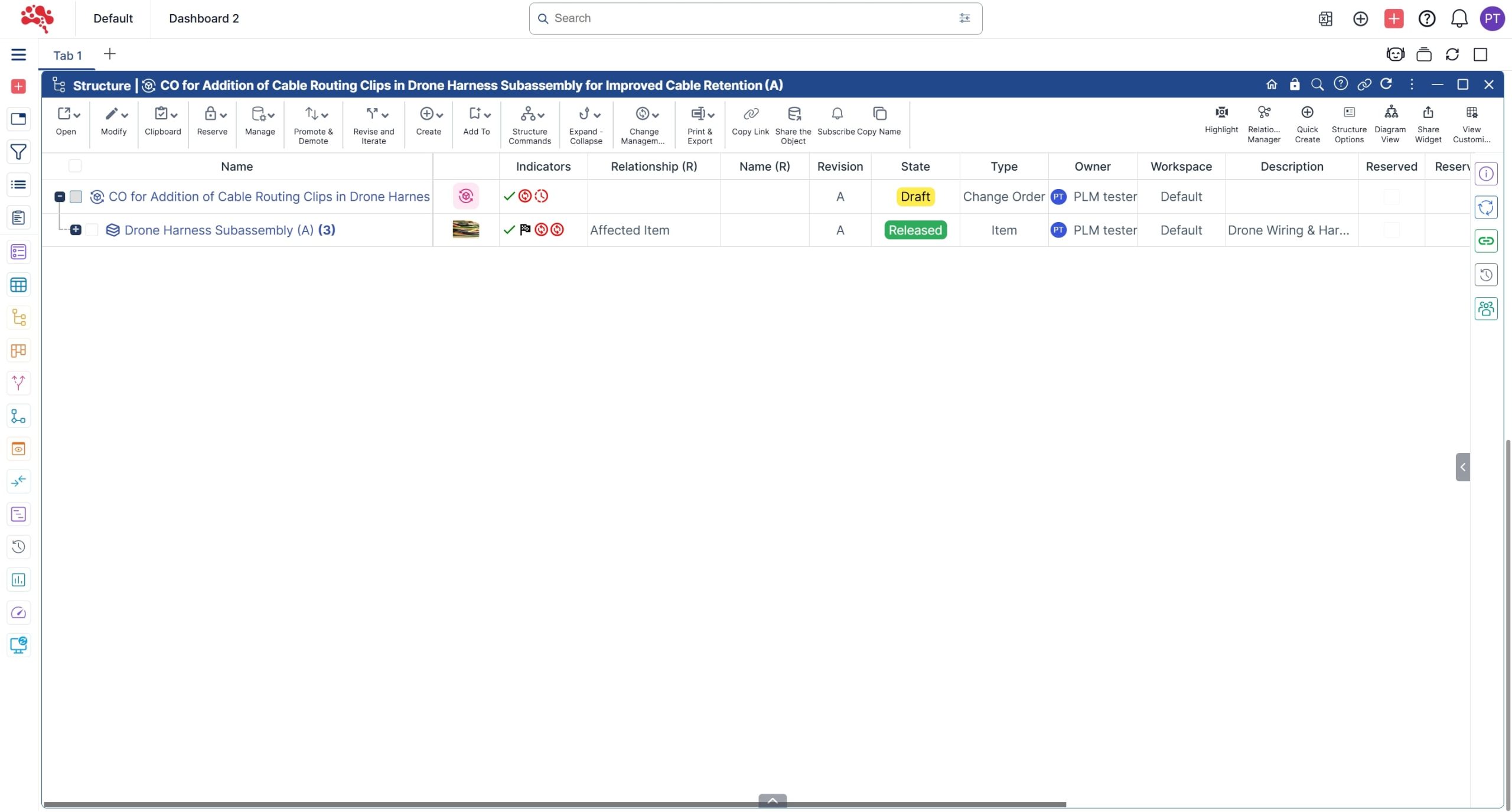
7. The new Change Order is displayed along with the corresponding affected item in the Structure widget.
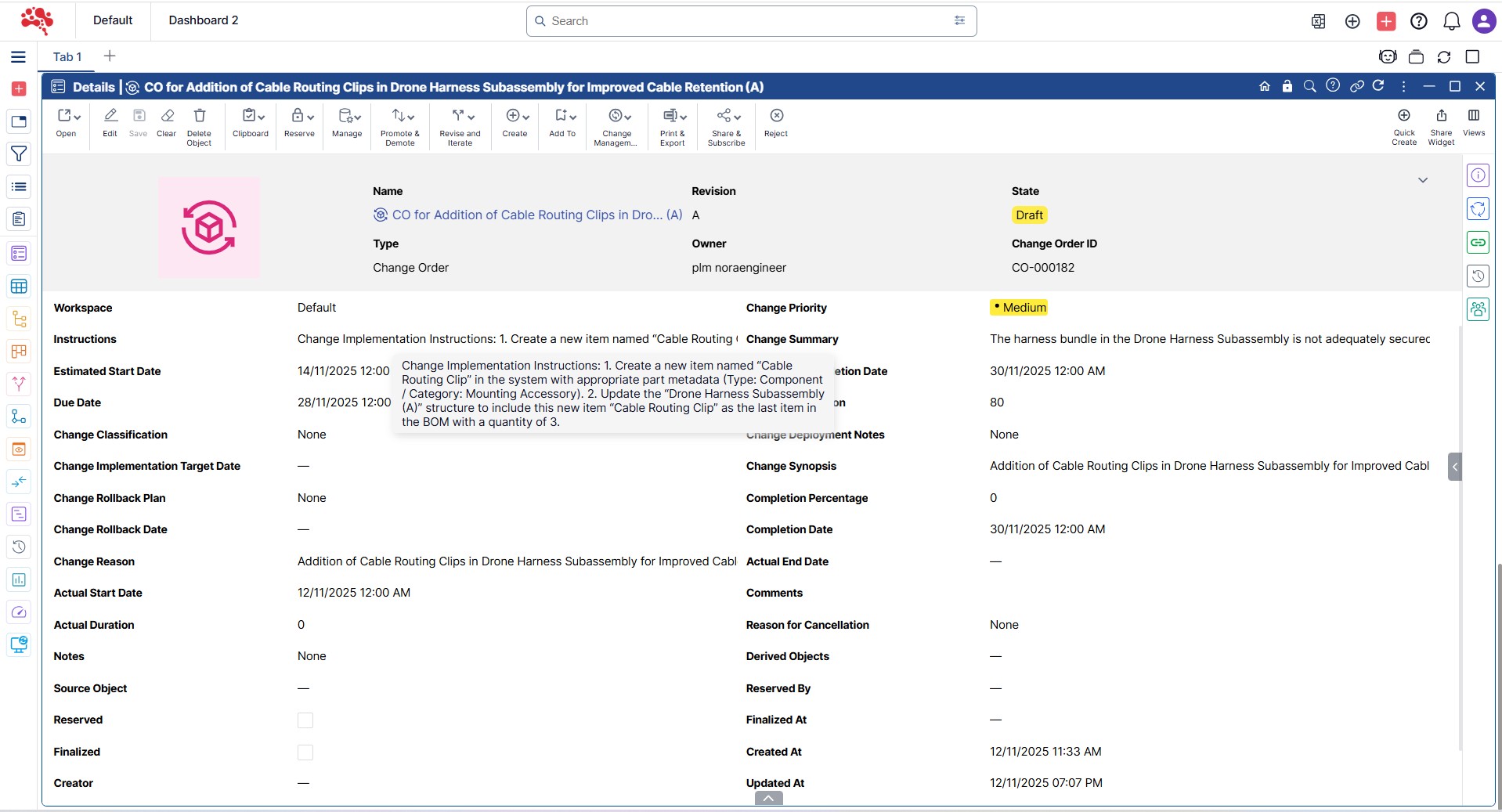
8. Open the Change Order in the Details widget and note that all the details are automatically transferred from the Change Request to the Change Order.
How to Create a Change Task from the Change Order?
- Open the Change Order in any Widget and Click on “Create Change Task”.
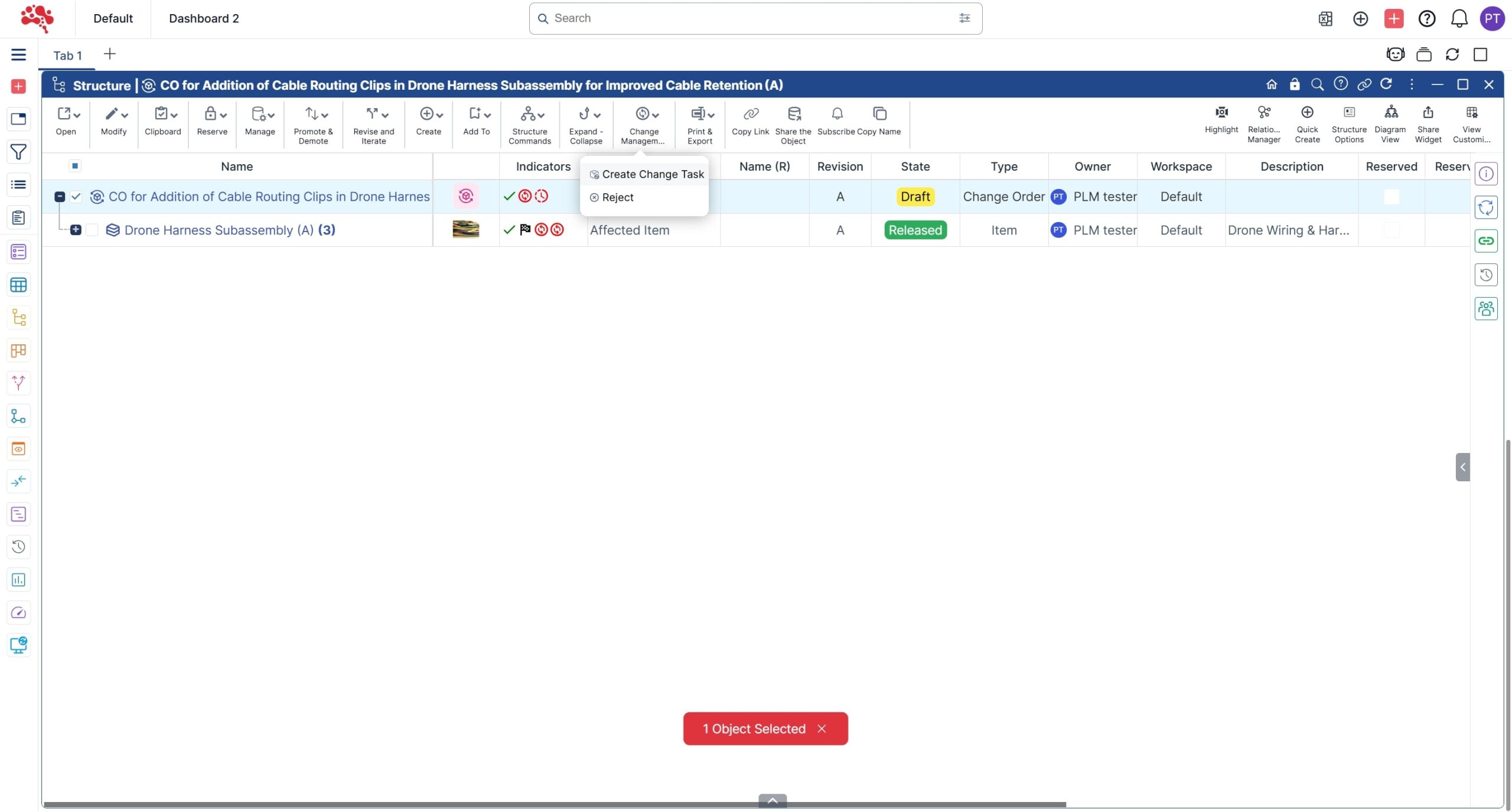
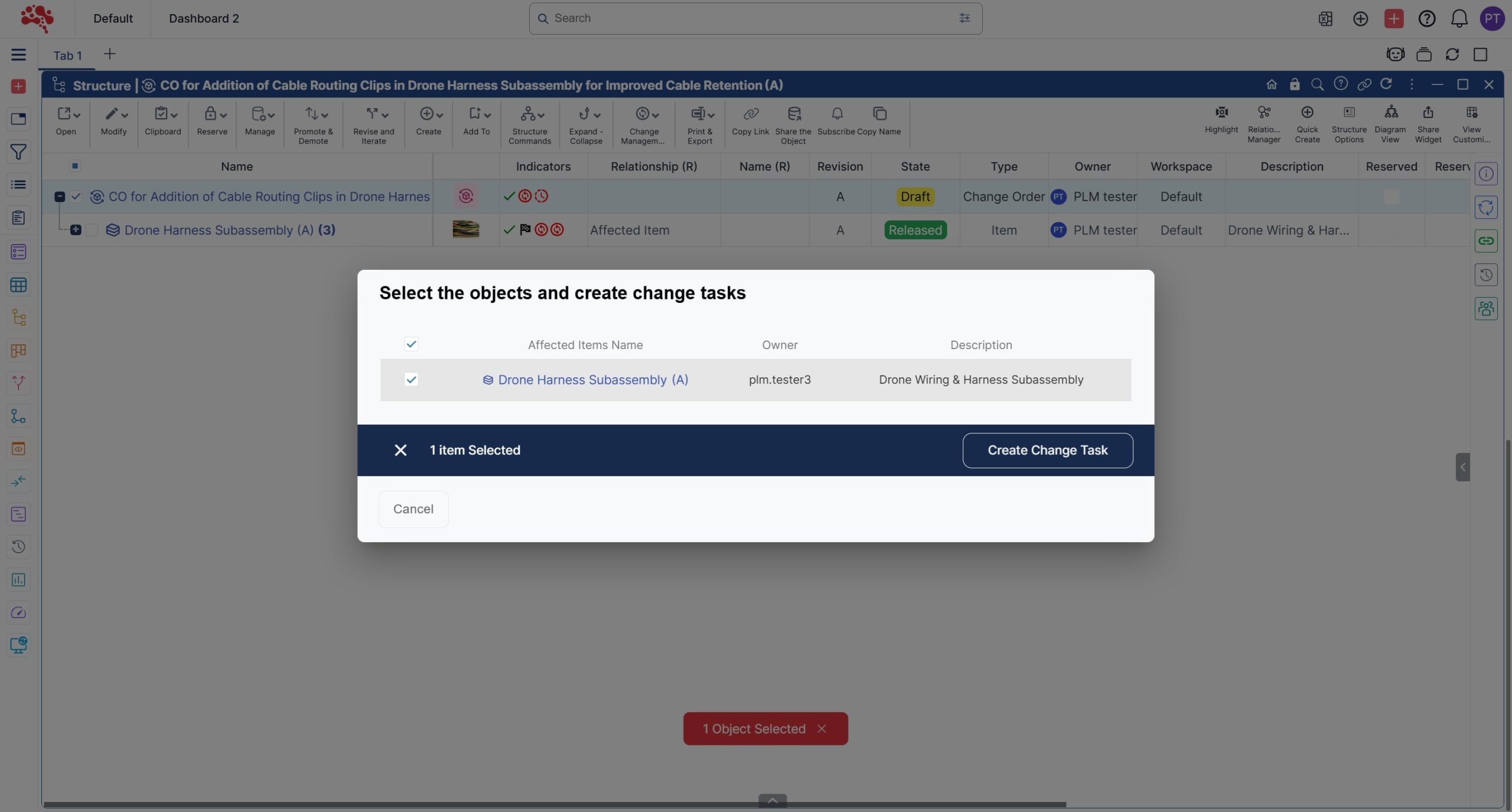
2. Select the affected items and click Create Change Task.
Note: If there are multiple affected items, they can either be added to a single Change Task or split into multiple Change Tasks based on the nature of the tasks and the assigned users.
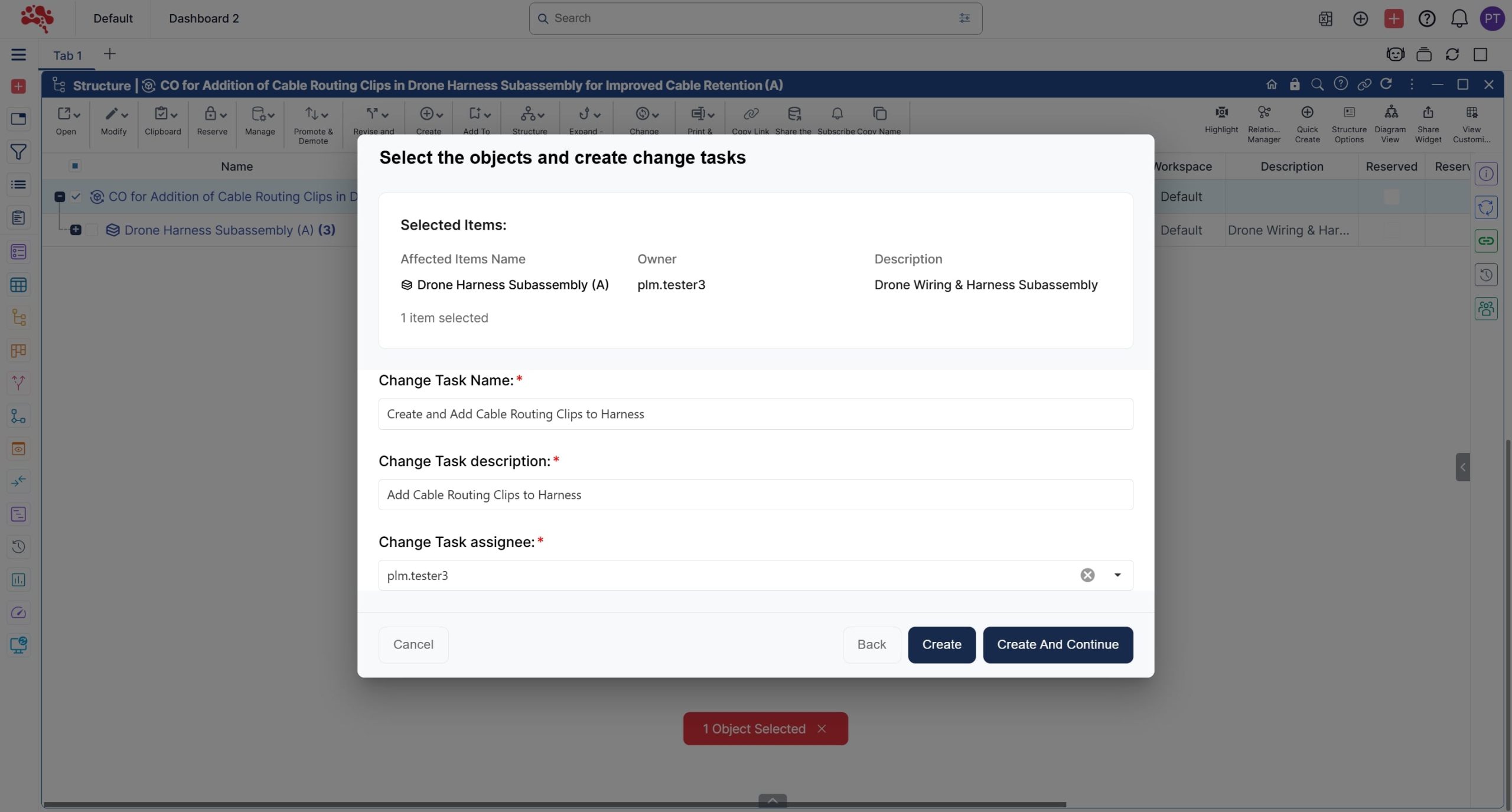
3. Add an appropriate Change Task name and description, select an assignee, and click Create to generate the Change Task.
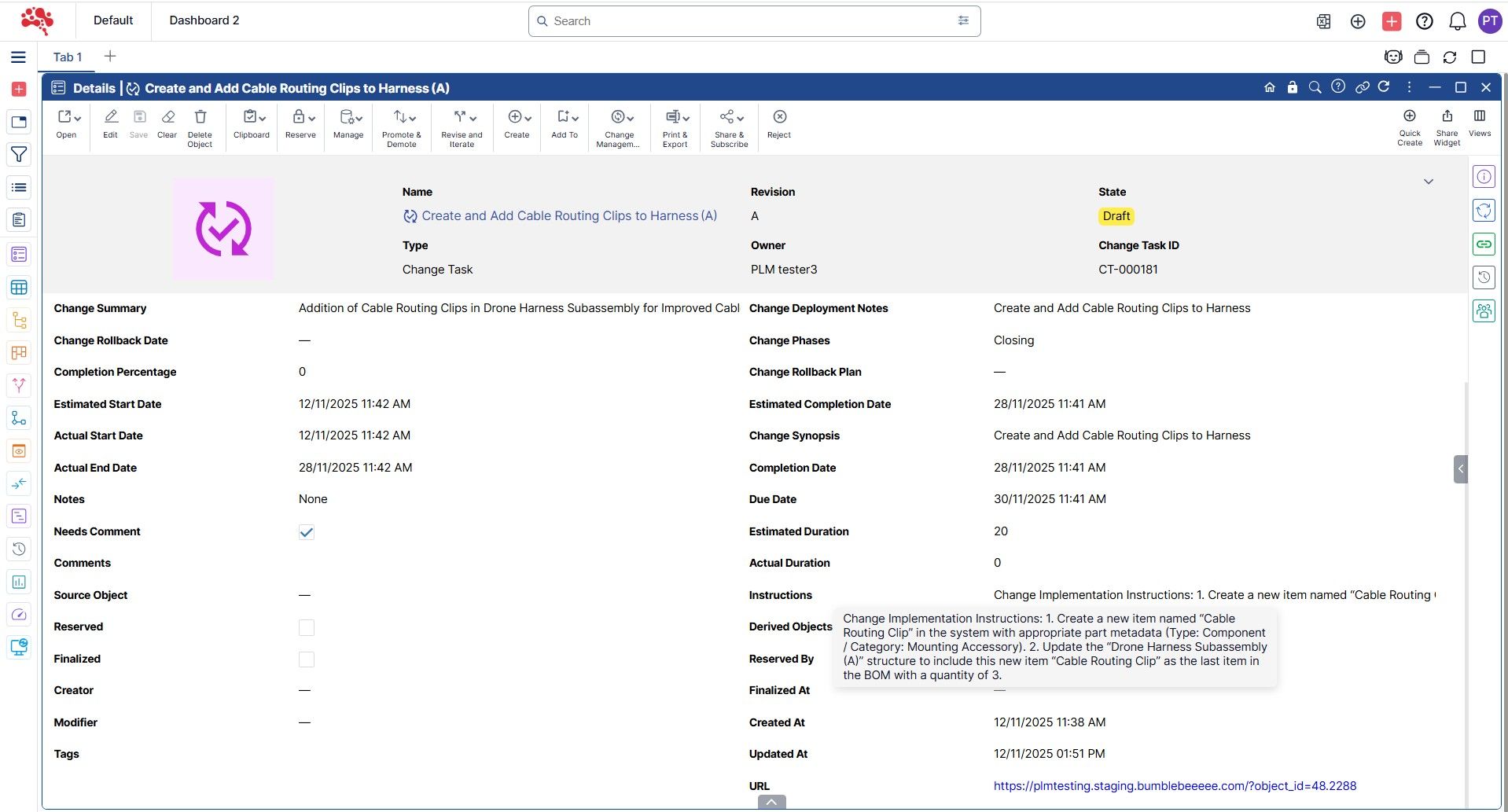
4. Change Task created successfully.

How to work on a Change Task?
- Open the Change Task in any Widget and Read the instructions carefully to understand and proceed with the next steps to complete the Change Task.
2. After reviewing the Change Task, promote it to “In Work” to automate the Operation Category selection.
For example, if the affected item is set to “Revise,” it will advance to the next revision, allowing the assignee to modify it.
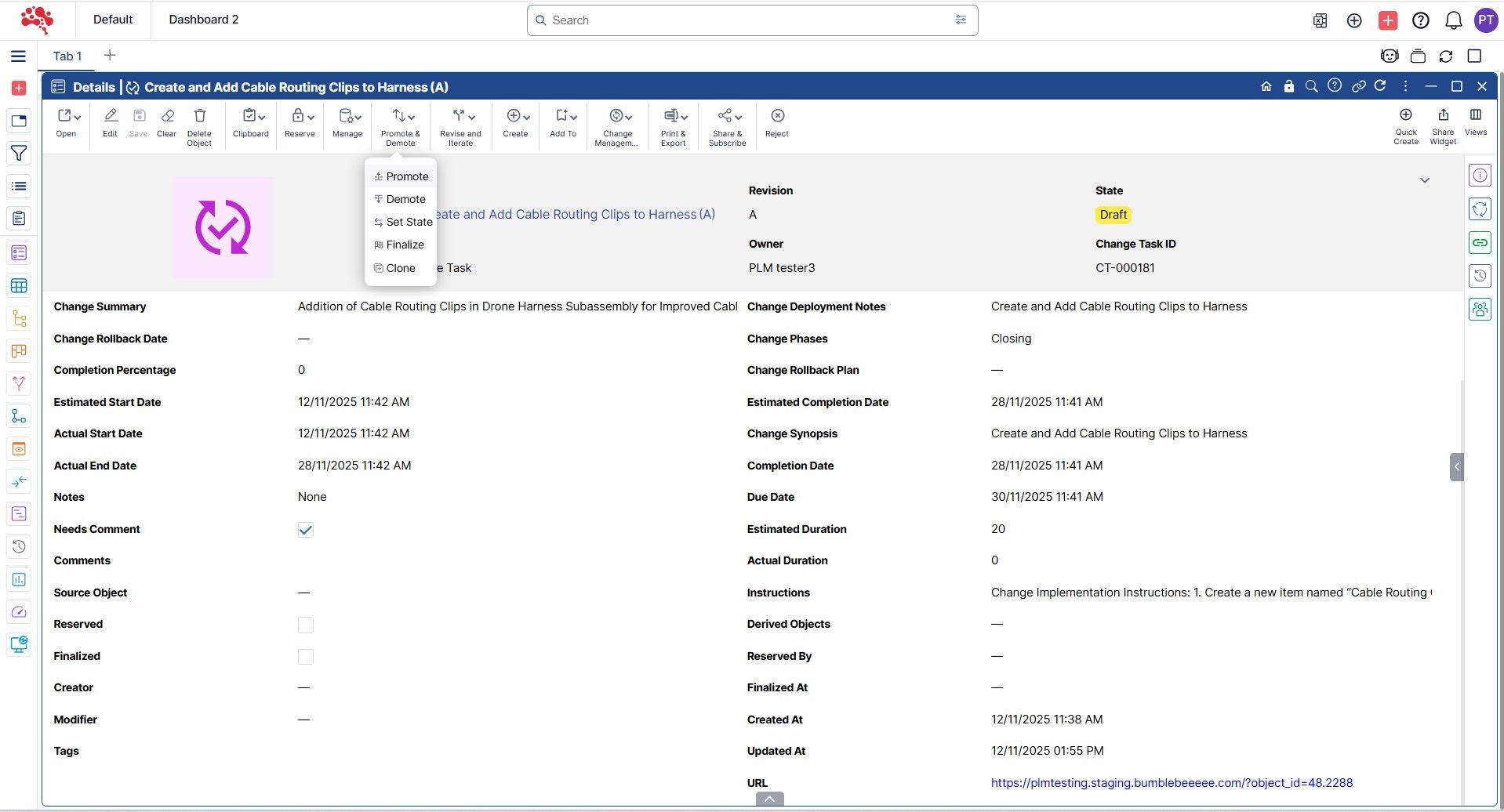
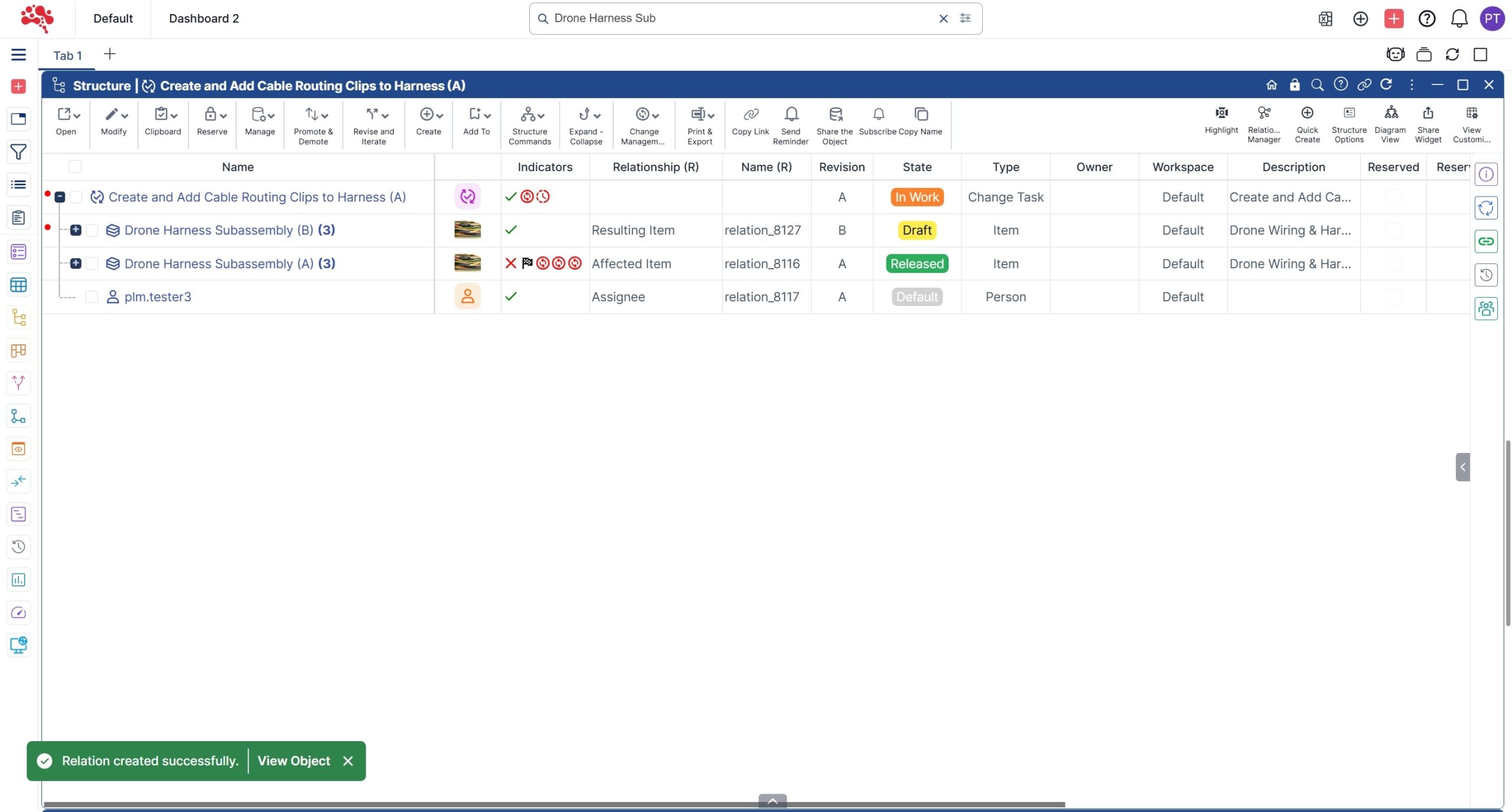
3. The affected item has been automatically revised and added as a Resulting Item.
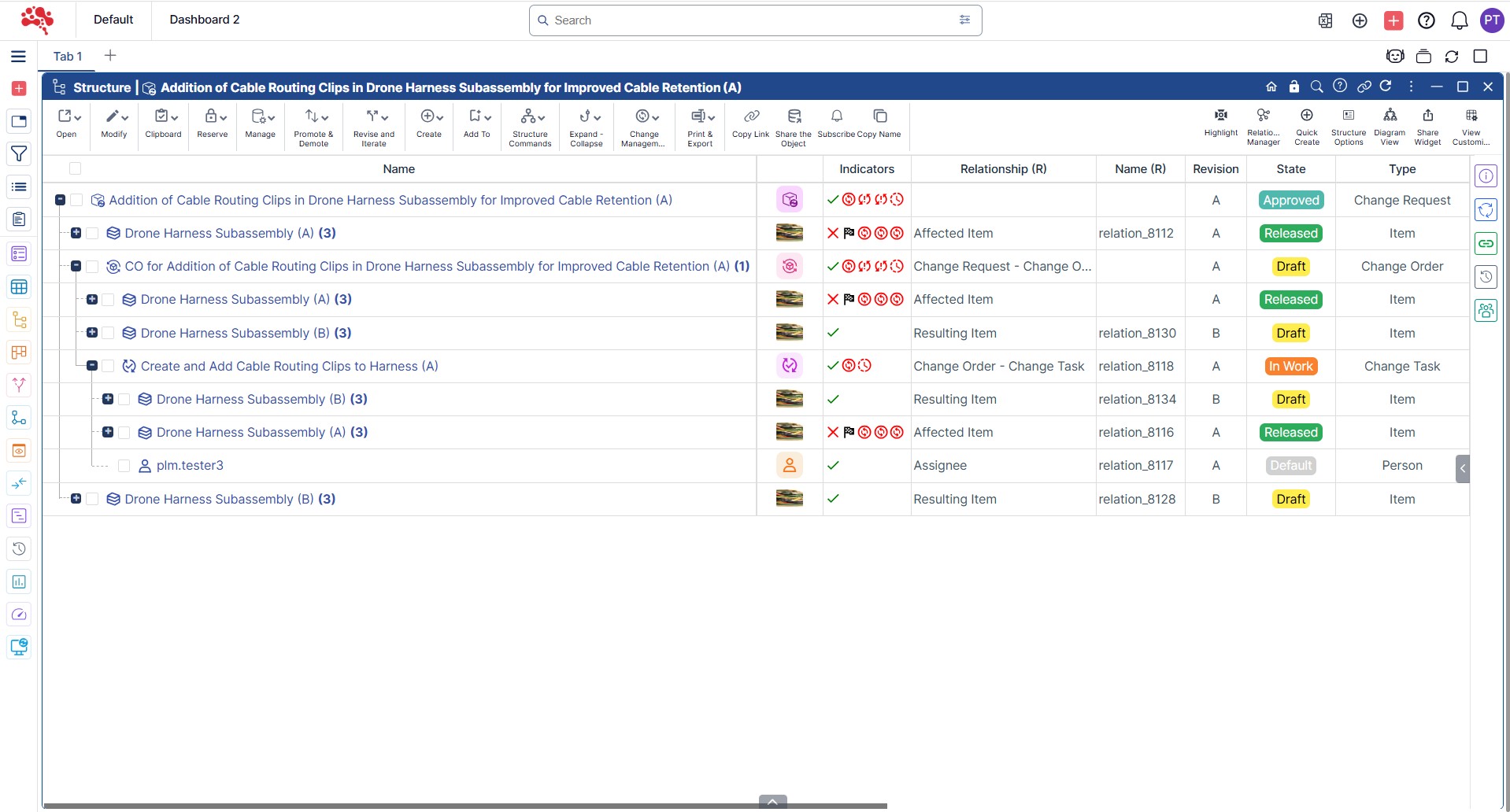
4. The Resulting Item is automatically added to the Change Request and Change Order as well.
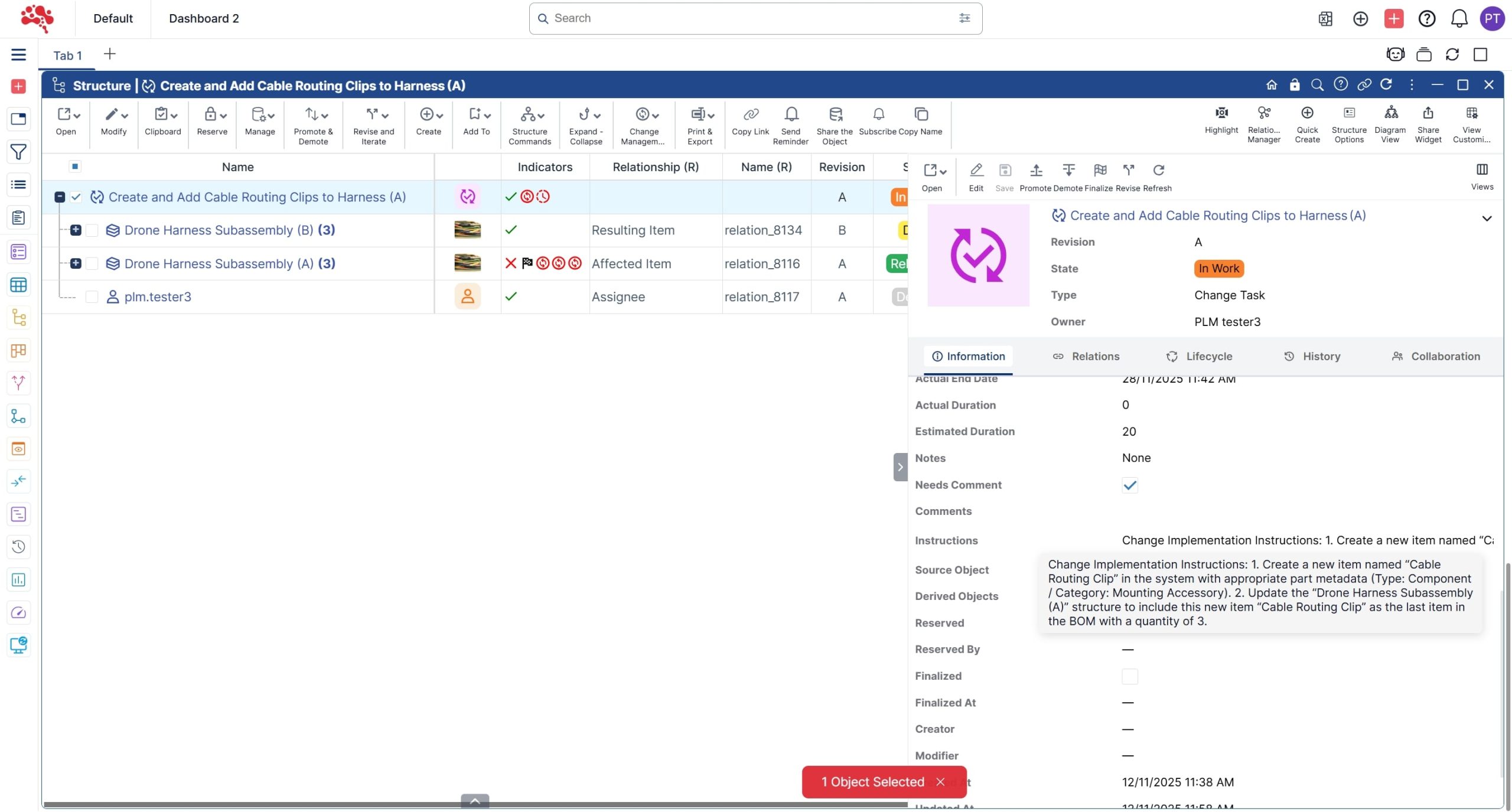
5. Review the change implementation instructions and perform the tasks to complete the Change Task.
How to Complete the Change Task and Change Process?
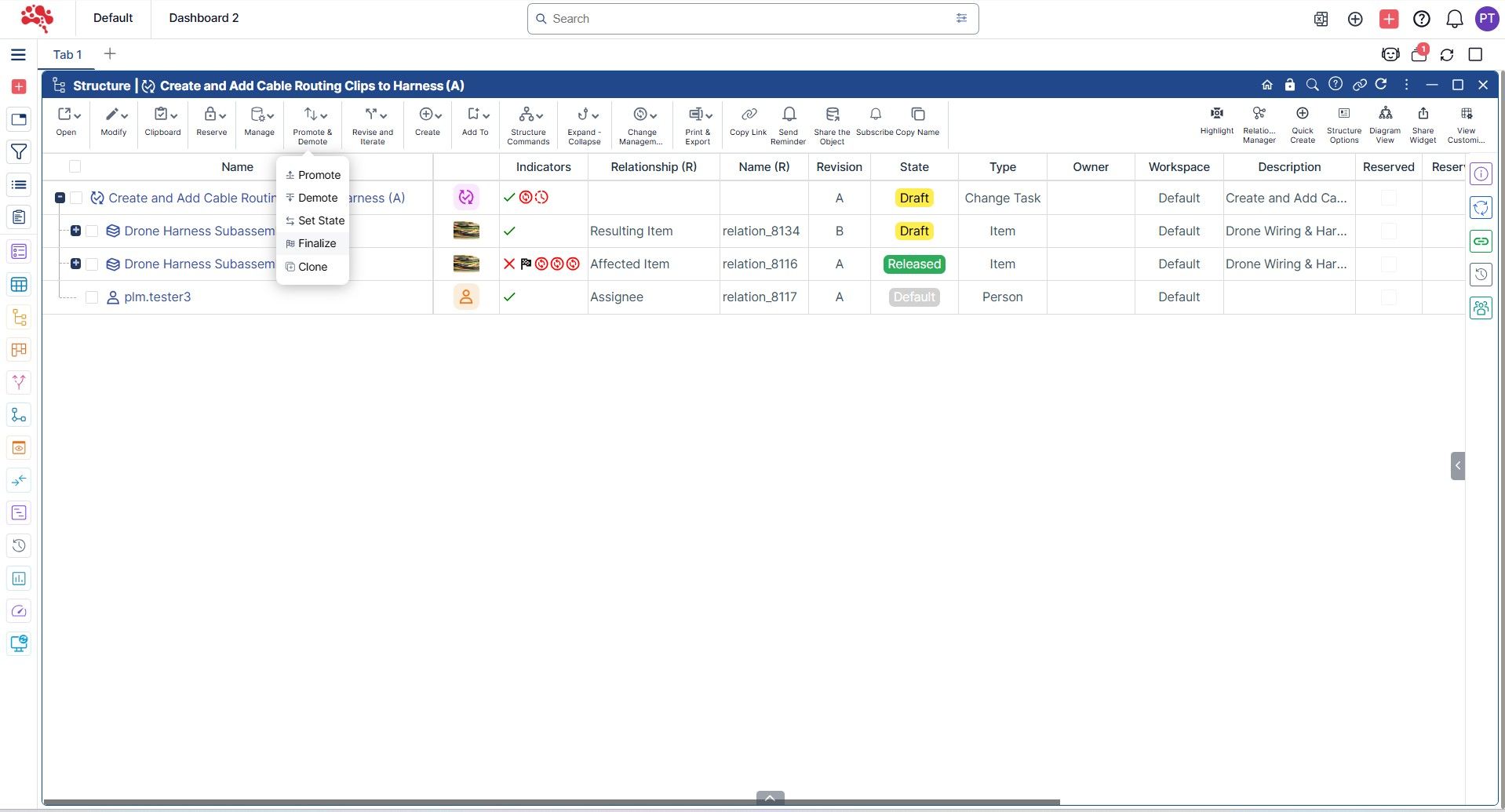
- After completing the Change task as per the instructions, Open the Change Task and click Finalize to complete the process.
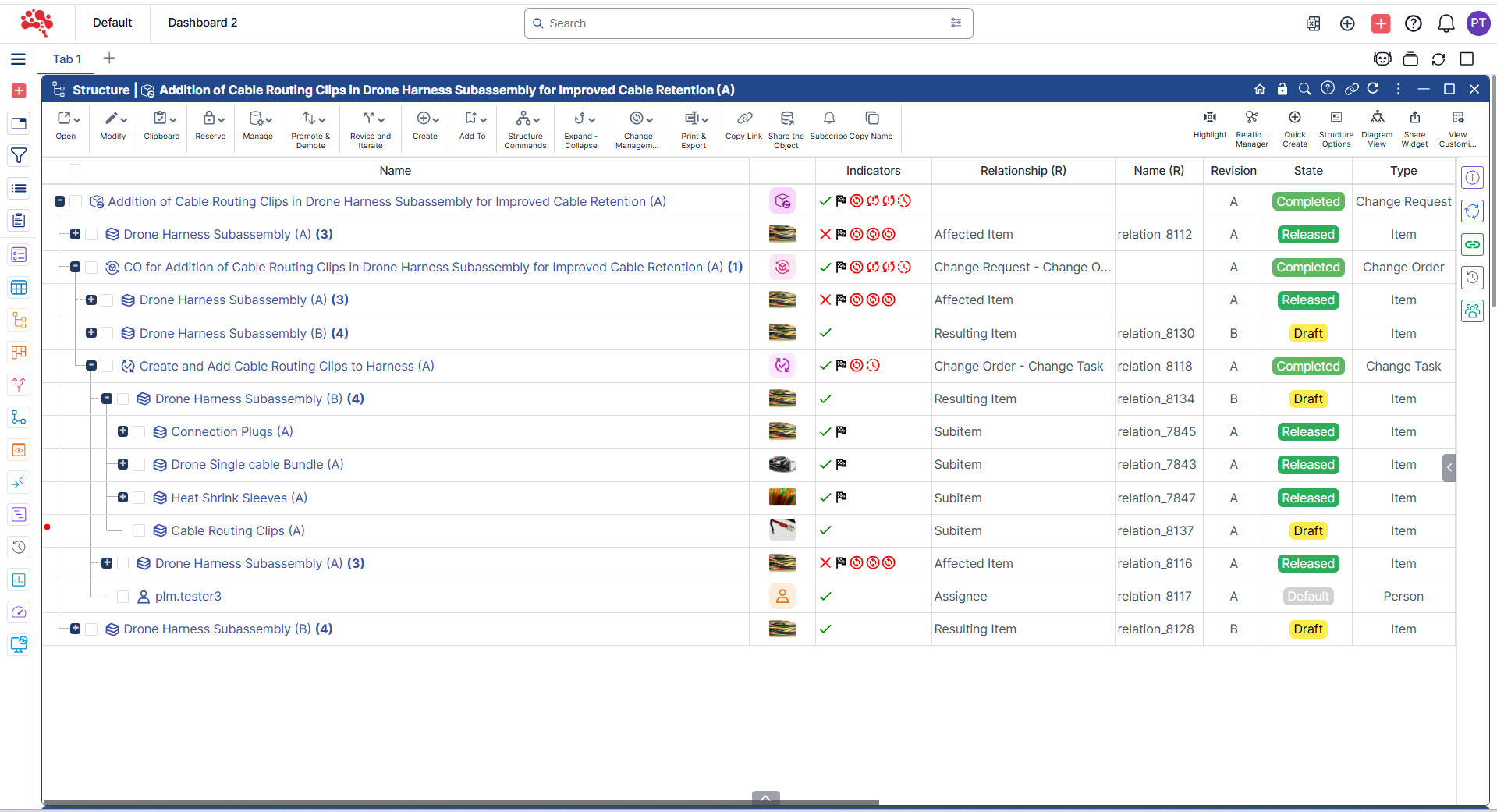
2. The Change Order and Change Request are all automatically completed upon Change Task completion there by completing the Change Process.
Conclusion
After completing the change approval, executing assigned tasks, and closing out the change order, you now have a clear view of how Nora IPLM brings structure and clarity to every stage of change management. A simple change request from Part 1 evolves into a fully guided workflow in Part 2, ensuring each update is reviewed, implemented, and documented with precision.
These steps help teams create a consistent and transparent process for managing product changes in Nora IPLM, from initiation through approval and full implementation. The outcome is a controlled environment where alignment is easier, decisions are traceable, and risks stay low.
With Nora IPLM, change management becomes a strategic advantage that enables faster innovation while protecting product quality and compliance.
Ready to bring more clarity and control to your product structure workflow?
Start with these steps and let Nora IPLM turn complexity into confidence.
See the consequence before you commit to the change
Discover how Nora IPLM Knowledge Thread turns connected product data into a traceable AI Change Impact Simulation, from qualified evidence and visual propagation to alternate-item, carbon, and AI-assisted analysis.


