Knowledge Thread: See what connects. Understand what changes.
Explore the relationships between parts, requirements, documents, suppliers, and changes. Knowledge Thread turns your product knowledge graph into a workspace for engineering decisions.

THE PRODUCT KNOWLEDGE GRAPH
Product knowledge lives in the connections
Objects tell only part of the product story. Knowledge Thread reveals the relationships between all object types, including items, products, assemblies, requirements, documents, suppliers, and changes, so teams can see the wider context behind a decision.
Use an item, assembly, change record, requirement, document, supplier-linked object, or another connected PLM record as the origin.
Explore objects, links, lifecycle states, attributes, structure levels, and relationship paths in one interactive workspace.
Qualify impact, simulate propagation, compare alternatives, investigate sustainability scenarios, and use Prima AI to explain evidence.
FOLLOW THE CONNECTIONS
One product record. The relationships behind it.
Start with an item, assembly, or change. Follow its upstream and downstream links to see where it is used, what it depends on, and which records support your decision.
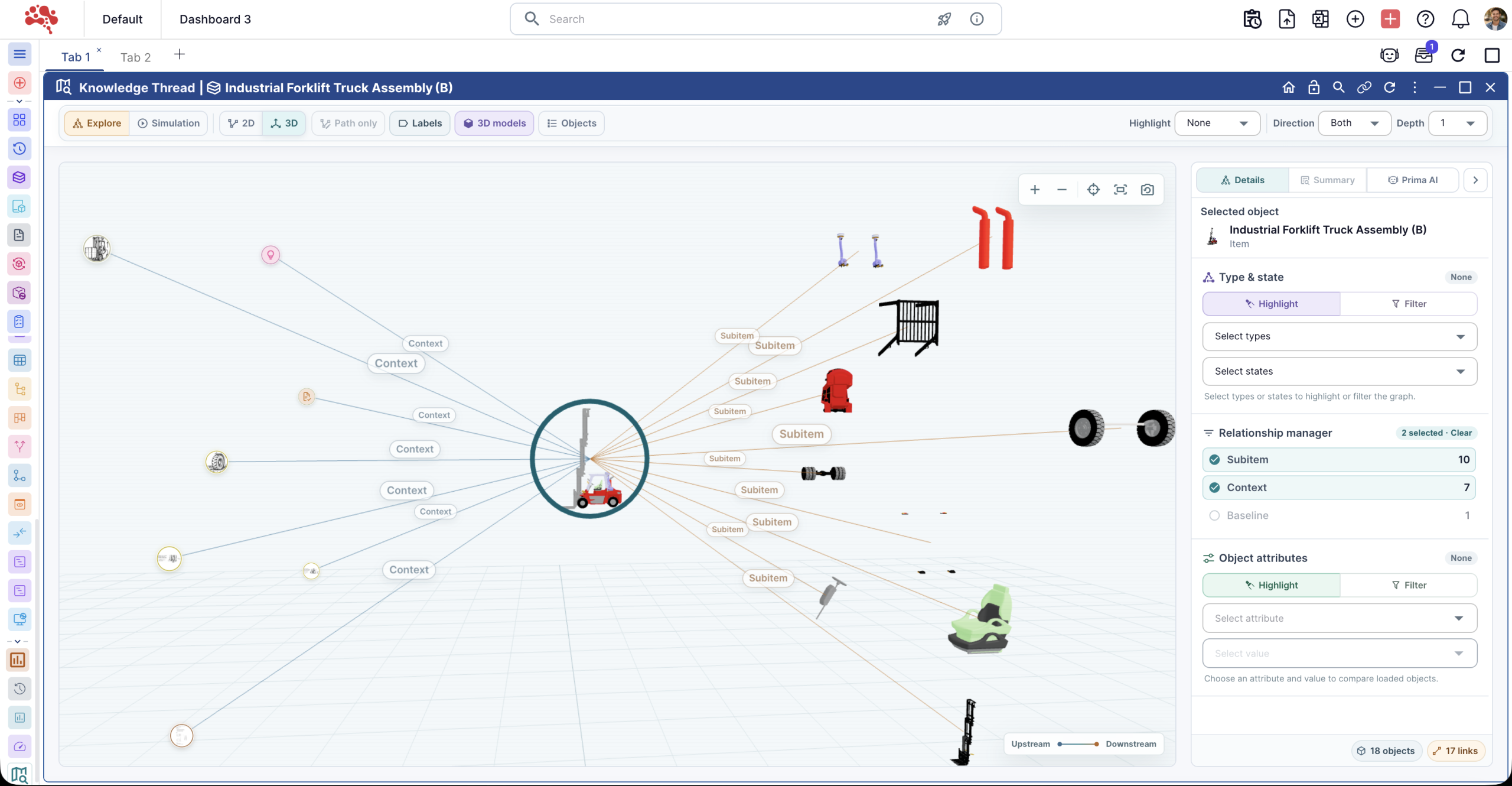
Where is this part used?
Follow its links into assemblies and related records without opening each one separately.
What could this change affect?
Check affected items and connected dependencies. Keep confirmed scope separate from potential impact.
What supports the decision?
Inspect relationship types, lifecycle states, and attributes before drawing a conclusion.
NETWORK GRAPH VIEW
See the network. Follow the connection.
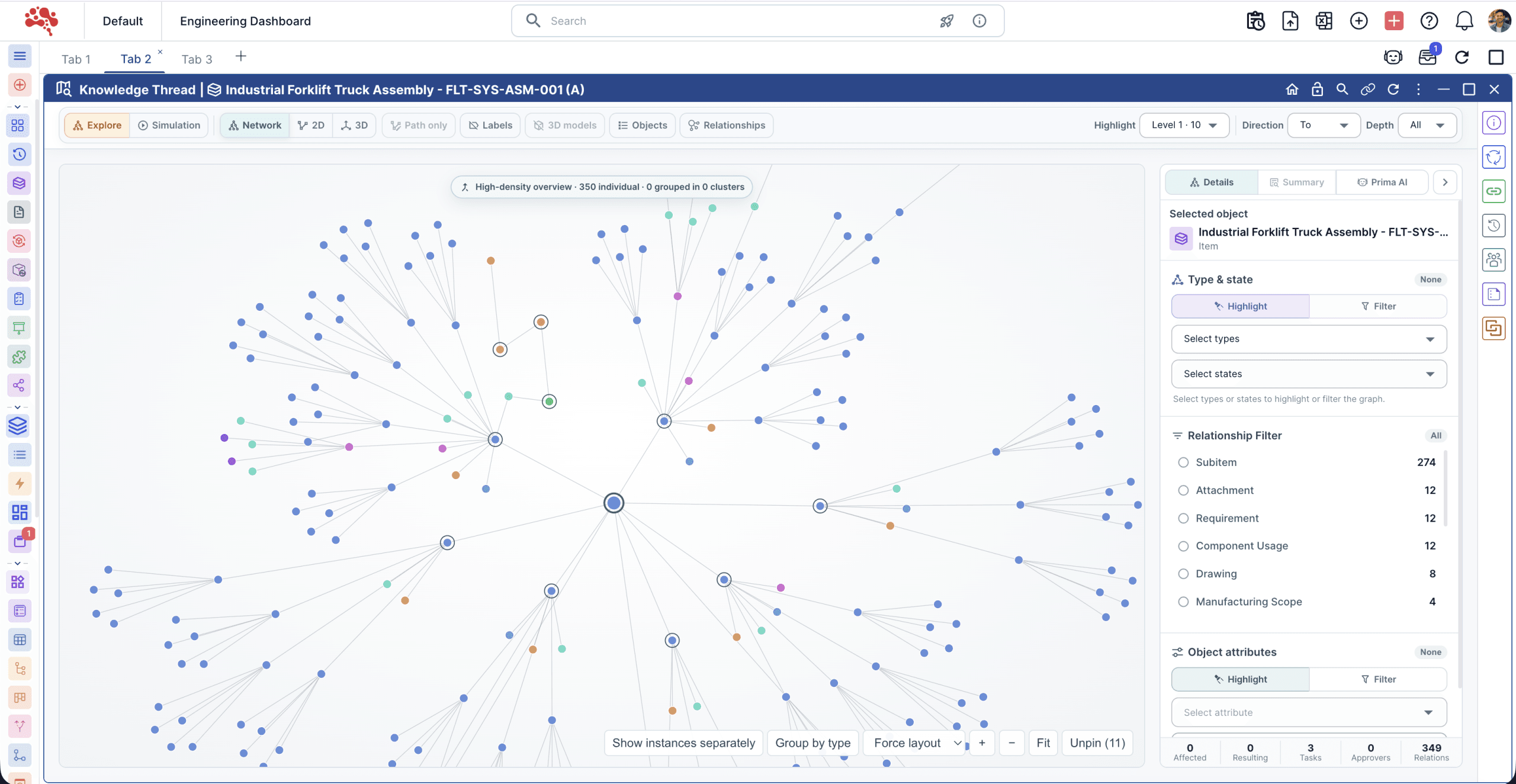
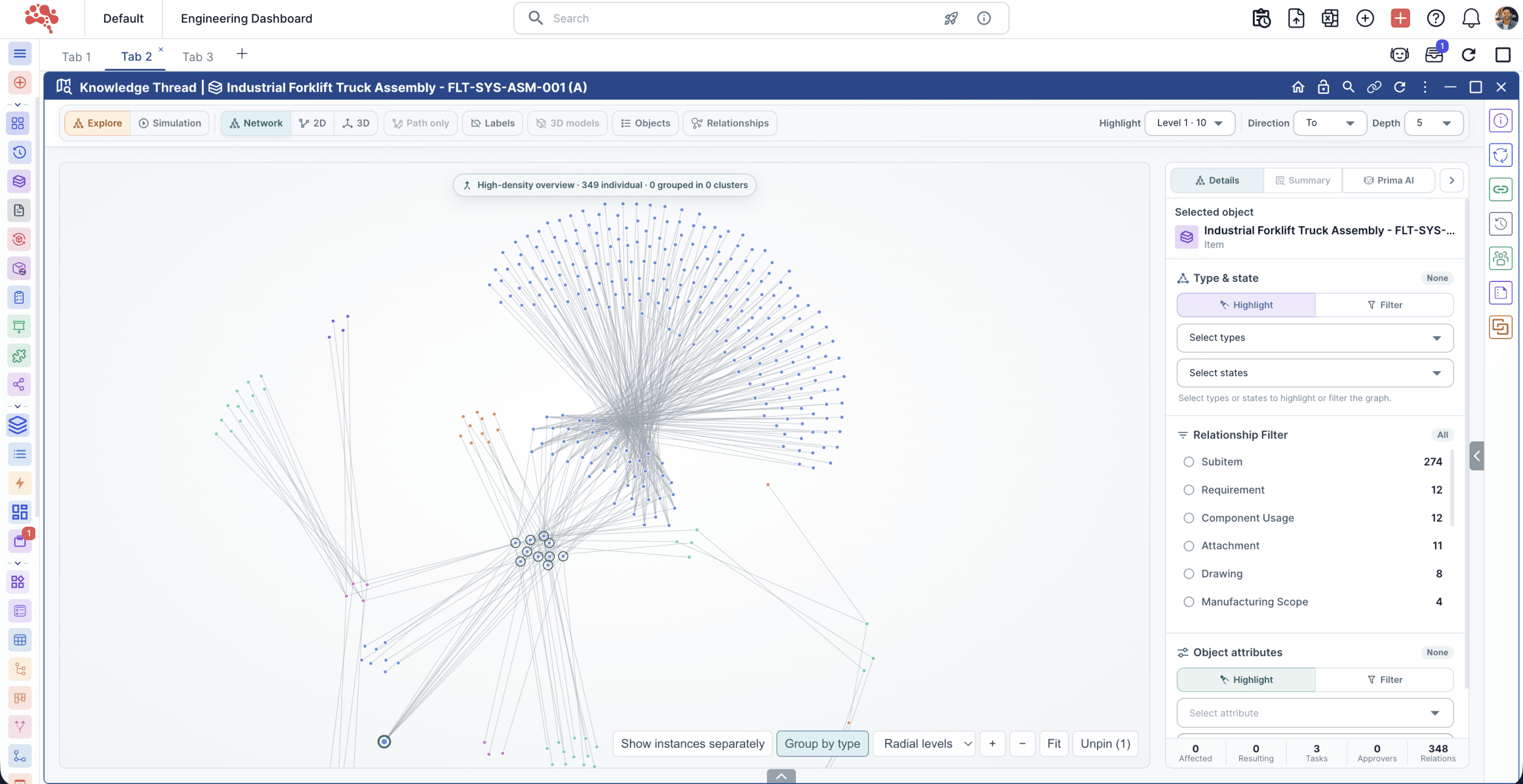
Explore product relationships in an interactive network. Switch between force and radial layouts, group objects by type, or isolate the shortest path from your starting object to a selected connection.

TOOLS FOR THE INVESTIGATION
From a dependency to a decision.
Explore, filter, simulate, and compare within the same product context.
Connected product context
Keep parts, documents, requirements, and changes connected to their identities and lifecycle states.
Network, 2D, and 3D exploration
Move upstream, downstream, or both; adjust depth, refocus the origin, and isolate the path between connected objects.
Focused relationship paths
Filter by relationship, lifecycle state, attribute, or level while preserving the connecting context behind every result.
Engineering impact simulation
Separate confirmed and potential impact, then visualize how a supported change may propagate through connected dependencies.
Read the impact simulation article.Alternate-item comparison
Compare weight, cost, supplier, lead time, structure roll-up, and target compliance while exposing missing evidence.
Prima AI analysis
Ask questions about the visible network. Review Prima’s interpretation alongside the underlying graph and evidence.
Watch a product change move through its connections
See how one engineering change can be traced from an assembly to drawings, BOMs, and supplier records. The walkthrough advances automatically, or you can explore each step.
Start with the assembly and use its relationships as the context for investigation.
Illustrative sample records and relationships, not live Nora IPLM data. Actual visibility and impact depend on your connected product data.
CHOOSE YOUR QUESTION
How would you investigate?
Preview five ways to work through an engineering question, from finding a dependency to comparing replacement parts.

ONE THREAD. SHARED UNDERSTANDING.
Different teams. Connected decisions.
Give each team a practical starting point for its next review.
Engineering managers
- See how decisions reach across structures, suppliers, requirements, and documents.
- Communicate confirmed scope and potential exposure with visible evidence.
Change managers
- Test whether proposed scope reflects the connected PLM context.
- Carry dependency intelligence into the Change Management Cockpit.
PLM users
- Navigate related objects without moving through multiple panes and pages.
- Search, filter, refocus, and isolate the path to a selected object.
Manufacturing managers
- See supplier, material, structure, quality, and schedule dependencies earlier.
- Compare alternate items using available supplier and lead-time evidence.
See your product question in context.
Bring a change, a supplier dependency, or an alternate-part decision. See how Knowledge Thread can help your team investigate it.
THE ESSENTIAL QUESTIONS
Good questions. Clear answers.
What to know before you explore.
It uses explicit affected-item relationships and qualified connected paths to distinguish confirmed, potential, contextual, and excluded objects. Read more in AI Engineering Change Impact Simulation for PLM.
Yes, when comparable relationships and attributes are available. Missing data is identified so you can see where a comparison needs more evidence.
No. Graph exploration, filters, paths, impact qualification, simulation, and evidence remain available without AI summarization.
Knowledge Thread explains connected product context; the Change Management Cockpit governs and executes the formal change process. Knowledge Thread can be embedded within that workflow.