PLM Baseline Management.
Capture. Compare. Control.
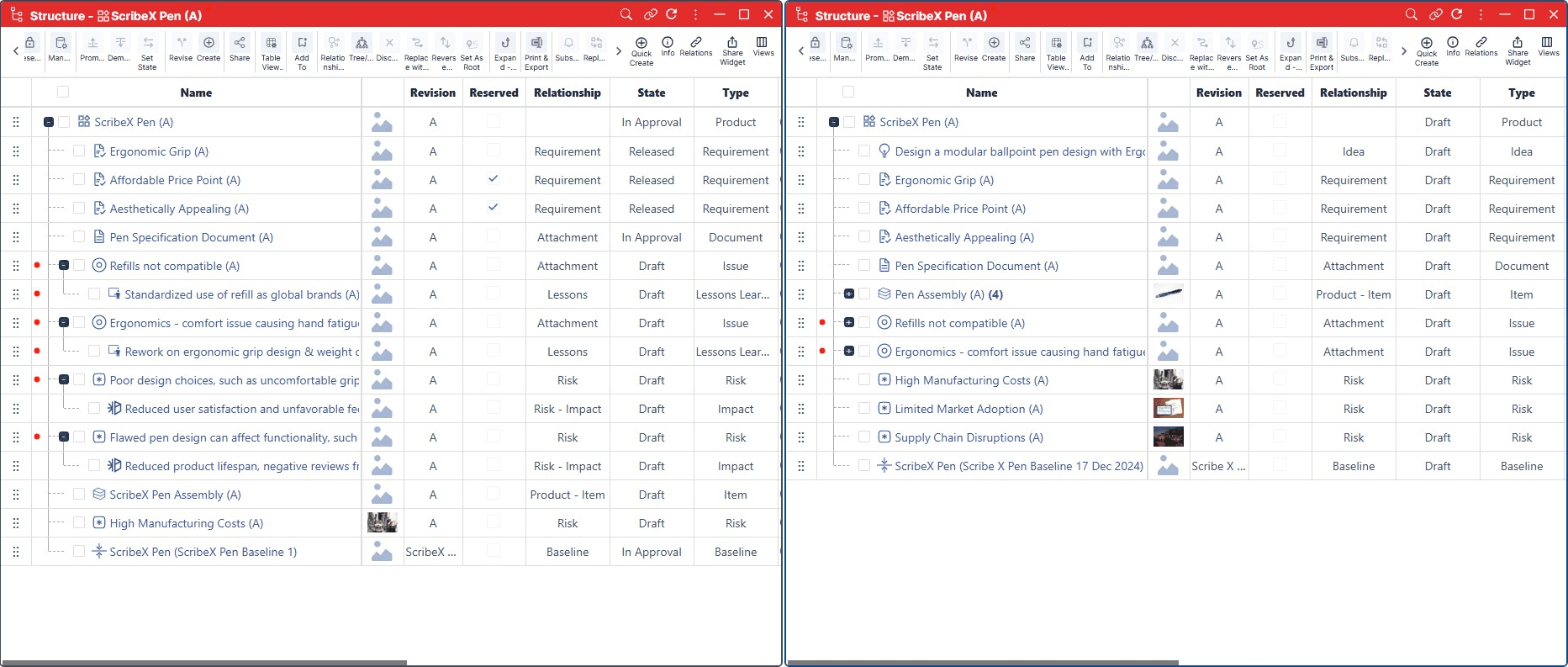
Capture controlled snapshots of BOMs, requirements, configurations, documents, and project data. Compare product states, evaluate engineering changes, and track development milestones in one connected Nora IPLM workspace.
Baseline management in PLM.
Every product state, in context.
Explore how Nora IPLM captures product snapshots, compares evolving structures, monitors progress, and supports scheduled baselines. Keep the reference state connected to BOMs, requirements, configurations, and engineering decisions.
Capture the product.
Preserve the reference.
Create baselines at key engineering milestones, including design reviews, BOM releases, requirements sign-offs, and configuration checkpoints. Record connected lifecycle information as a reliable reference for future comparison.
Compare product states.
Understand what changed.
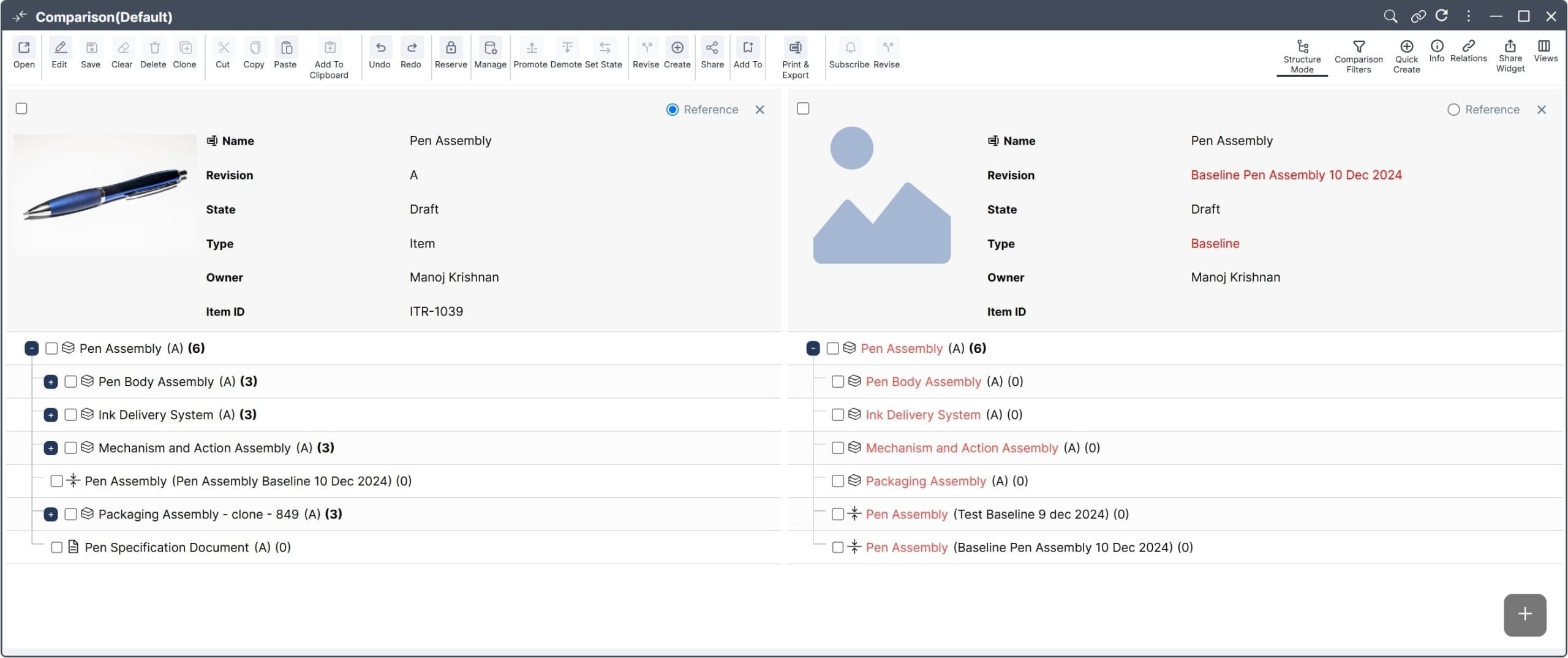
Review product data against earlier baselines to identify additions, removals, and modifications. Assess the effect of changes across BOMs, requirements, designs, and product configurations.
Track product maturity.
Stay aligned with goals.
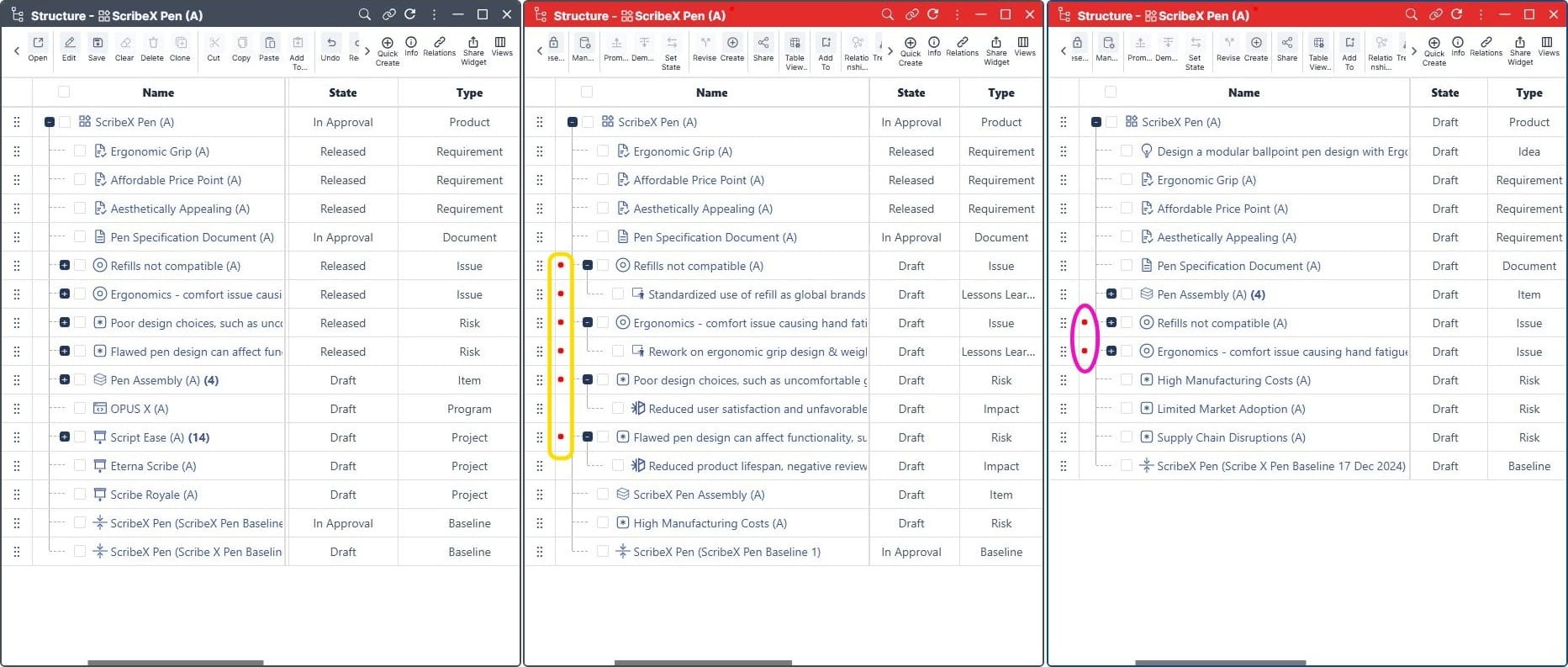
Compare current development status with approved reference points. Evaluate whether engineering work, product structure, and project milestones remain aligned with planned objectives.
Set the milestone.
Build the history.
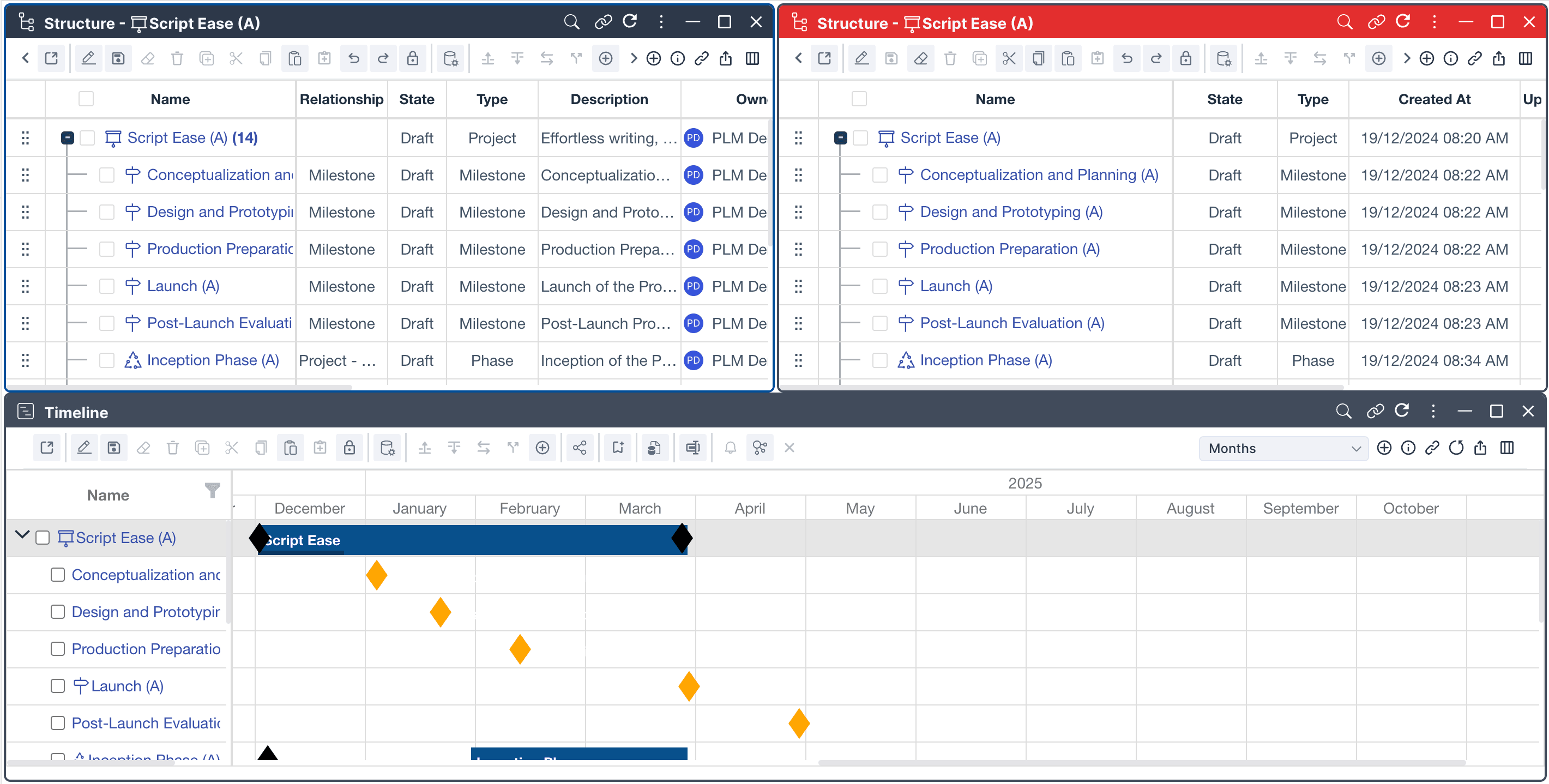
Use scheduled baselines to create repeatable snapshots at predefined lifecycle checkpoints. Track product evolution consistently, spot emerging challenges, and support progress reviews.
Know the product state.
Make changes with confidence.
A baseline in PLM preserves a controlled reference for comparing future product information. Unlike a single file version or object revision, a baseline can represent the state of multiple connected lifecycle records in Nora IPLM.
One reference state.
Connected across the lifecycle.
Capture the approved state of a BOM, requirements set, product configuration, or project at a defined point in time. Preserve relationships between items, documents, and product data to support impact assessment, progress reviews, and traceable decisions.
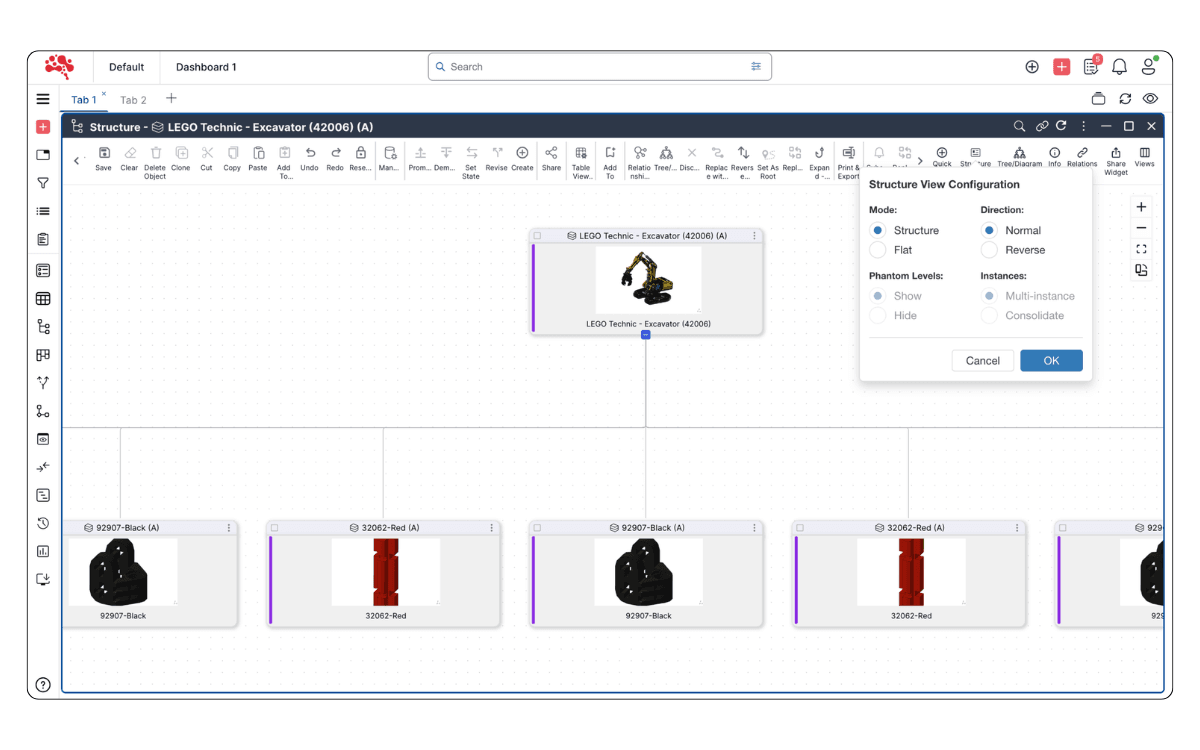
Select and capture.
Define the approved state.
Choose the product scope and record the BOMs, requirements, documents, and configurations that belong in a controlled baseline.
Baseline scope and capture
A baseline provides a stable reference at design reviews, release gates, and other engineering milestones.
Compare and assess.
See what evolved.
Compare current product data with an earlier baseline to identify additions, removals, modifications, and potential downstream impacts.
Baseline versus revision
A revision typically tracks a controlled iteration of one product object; a baseline captures a broader connected state.
Monitor and align.
Review development progress.
Evaluate current product and project information against an approved reference. Detect deviations and support decisions before changes affect release plans.
Milestone and progress reviews
Review product maturity against planned checkpoints and keep teams aligned with approved goals.
Schedule and trace.
Build a clear history.
Create repeatable milestone snapshots and maintain a chronological record of product evolution for engineering, quality, and manufacturing teams.
Scheduled baseline checkpoints
Use consistent checkpoints to make changes easier to explain, compare, and trace across the product lifecycle.
Versions and revisions.
A broader baseline view.
Individual object history
Versions and revisions track saved states and controlled iterations of individual files, items, or designs.
Connected product baseline
A baseline records a defined reference across multiple connected objects so teams can compare the broader product or project state.
Baseline management in action.
Explore the product workspace.
See how Nora IPLM captures product baselines and keeps historical reference states connected to engineering work. Explore the platform walkthrough, including the scheduled baseline experience.
Explore scheduled baselines walkthrough
From approved snapshot.
To informed decisions.
Create a reliable reference, compare the current product state, and evaluate the impact of change. Follow the three connected stages of baseline management in Nora IPLM.
Capture an approved product baseline
Select a BOM, requirements set, product configuration, or project milestone. Record the approved product state and its connected lifecycle relationships before development continues.

Compare the evolving product state
Continue engineering work, then compare current information with the baseline. Identify which items, structures, requirements, or configurations changed and assess their impact.

Review progress and preserve traceability
Evaluate deviations, confirm alignment with approved goals, and capture further checkpoints when appropriate. Scheduled baselines build a consistent history across development milestones.

Engineering teams.
One shared product reference.
Baselines support design reviews, engineering changes, release readiness, and project checkpoints. Give engineering, PLM, product, and manufacturing teams a common historical reference for critical decisions.
BOM release baselines
Preserve approved product structures at release milestones so changes can be compared and traced.
Requirements and design reviews
Capture agreed requirements and approved design states before the next development phase.
Engineering change analysis
Compare product structures before and after an engineering change to understand its impact.
Project and configuration milestones
Create consistent checkpoints for schedules, product variants, and lifecycle maturity reviews.
Example: comparing a BOM before and after an engineering change.
Before updating an assembly, the engineering team captures an approved BOM baseline. The change is implemented, parts and relationships are updated, and the current BOM is compared with the earlier reference. The team reviews additions, removals, and modifications to verify that the released structure matches the approved change.
Get to know
PLM Baseline Management.
Answers to common questions about baseline snapshots, product revisions, BOM comparison, scheduled checkpoints, and engineering traceability.
What is baseline management in PLM?
Baseline management in PLM is the process of capturing a controlled snapshot of connected product or project information at a specific point in time for later comparison, review and traceability.
What is a product baseline?
A product baseline is a defined reference state of product information, such as a BOM, requirements set, configuration or related lifecycle data, captured at a particular milestone.
Why are baselines important in product development?
Baselines provide a stable reference for understanding what changed, tracking product maturity, reviewing impact and keeping development aligned with approved goals.
What is the difference between a baseline and a revision?
A revision usually represents a controlled iteration of an individual product object, while a baseline can capture the state of multiple connected lifecycle objects at a specific point in time.
Can a BOM be baselined?
Yes. A BOM baseline can preserve an approved product structure so teams can compare later changes and understand how the structure evolved, including structures that later support MBOM planning.
Can requirements be included in a baseline?
Yes. Requirements can be captured as part of a baseline to preserve an agreed reference set before further product development or change.
How does baseline comparison help engineering teams?
Baseline comparison helps teams identify differences between product states, evaluate change impact and confirm whether the current product remains aligned with approved decisions.
Can baselines be created at project milestones?
Yes. Teams can create baselines at design reviews, project gates, releases or other key development milestones to create repeatable checkpoints.
What are scheduled baselines?
Scheduled baselines are planned product snapshots created at predefined times or milestones to provide a consistent history of product development and progress.
Who typically uses baseline management in PLM?
Engineering, PLM, product, project, quality, configuration and manufacturing teams can use baselines to review product states, track maturity and evaluate change.
Capture what matters.
Stay in control of change.
Create reliable product baselines, compare evolving BOMs and requirements, and make engineering decisions with full lifecycle context. Start a free trial or explore Nora IPLM in the live platform.
Talk to us about baseline management