
Introduction
Every successful product begins with a well-managed project. From the first idea to final delivery, effective project management keeps teams aligned, priorities clear, and progress measurable. Without it, even the best ideas can get lost in miscommunication, delays, and scattered tools.
That’s where Nora IPLM comes in. Our Integrated Project Management brings every stage of the product lifecycle, including planning, execution, tracking, and delivery, into one connected workspace. Teams can define programs, projects, phases, and milestones through structured templates that make collaboration simple and consistent across departments.
With real-time dashboards and interactive timeline views, managers can easily track progress, identify bottlenecks, and keep every initiative moving forward. Automated workflows streamline reviews and approvals, while baselines and scheduling tools help teams measure actual results against planned targets.
By linking projects with related data such as documents, BOMs, and change requests, Nora IPLM provides a complete and connected view of progress across design, engineering, and manufacturing. The result is faster execution, stronger accountability, and a clear path from concept to completion.
Let’s dive in and see how you can create your first project from scratch.
What Is Unified Project Management in PLM?
Unified project management in PLM connects project planning and execution directly with the product data being created and changed during development. Instead of managing schedules in one tool and BOMs, documents, requirements, issues, and engineering changes in separate systems, teams can manage project work in the same lifecycle context.
For engineering and manufacturing teams, this means a project task can be connected to the actual product deliverable it affects. Milestones, phases, dependencies, approvals, and project status become easier to understand because they are linked to the underlying product work.
Why Connect Project Management with PLM?
- Connect project tasks to BOMs, documents, requirements, issues, and engineering changes.
- Give project managers visibility into both schedule progress and the product work behind it.
- Reduce manual status updates between standalone project tools and engineering systems.
- Track phases, milestones, gates, dependencies, deliverables, and ownership in one product-development context.
- Maintain traceability between project decisions and the product records affected by those decisions.
This is especially useful for new product development (NPD), new product introduction (NPI), engineering change programs, product improvements, and cross-functional manufacturing projects.
PLM Project Management vs. Standalone Project Management
Area | Standalone Project Tool | PLM Project Management |
Project tasks | Managed mainly as schedule/work items | Connected to product lifecycle work |
Product data | Usually linked externally | BOMs, documents, changes and other records can stay in context |
Engineering changes | Often tracked separately | Change execution can be connected to project activities |
Traceability | Project history and product history may be separate | Project activity can remain linked to product decisions |
Best fit | General business projects | Engineering, manufacturing, NPD and NPI projects |
How to create and manage projects
- Open the Structure Widget.
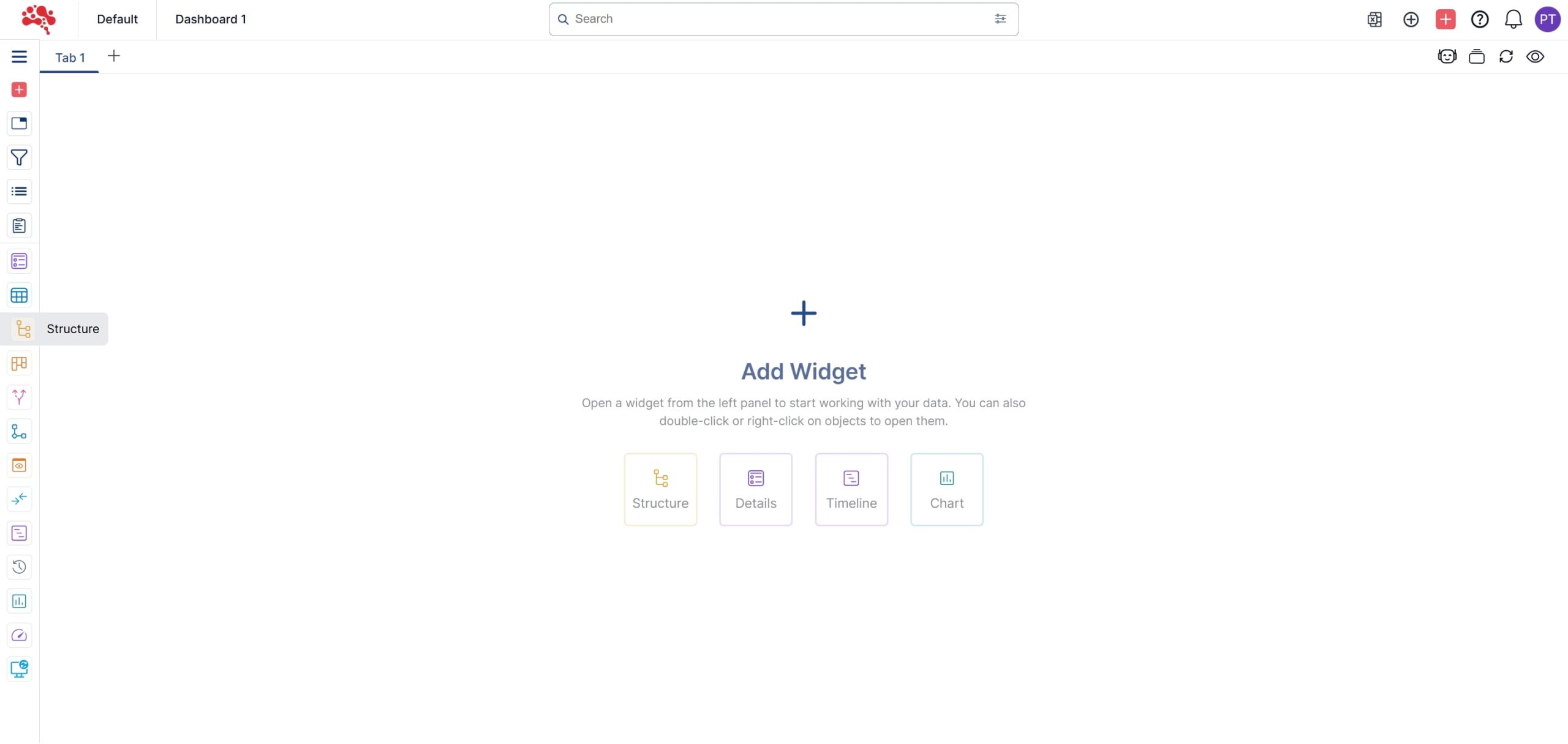
2. Click “Quick Create”.
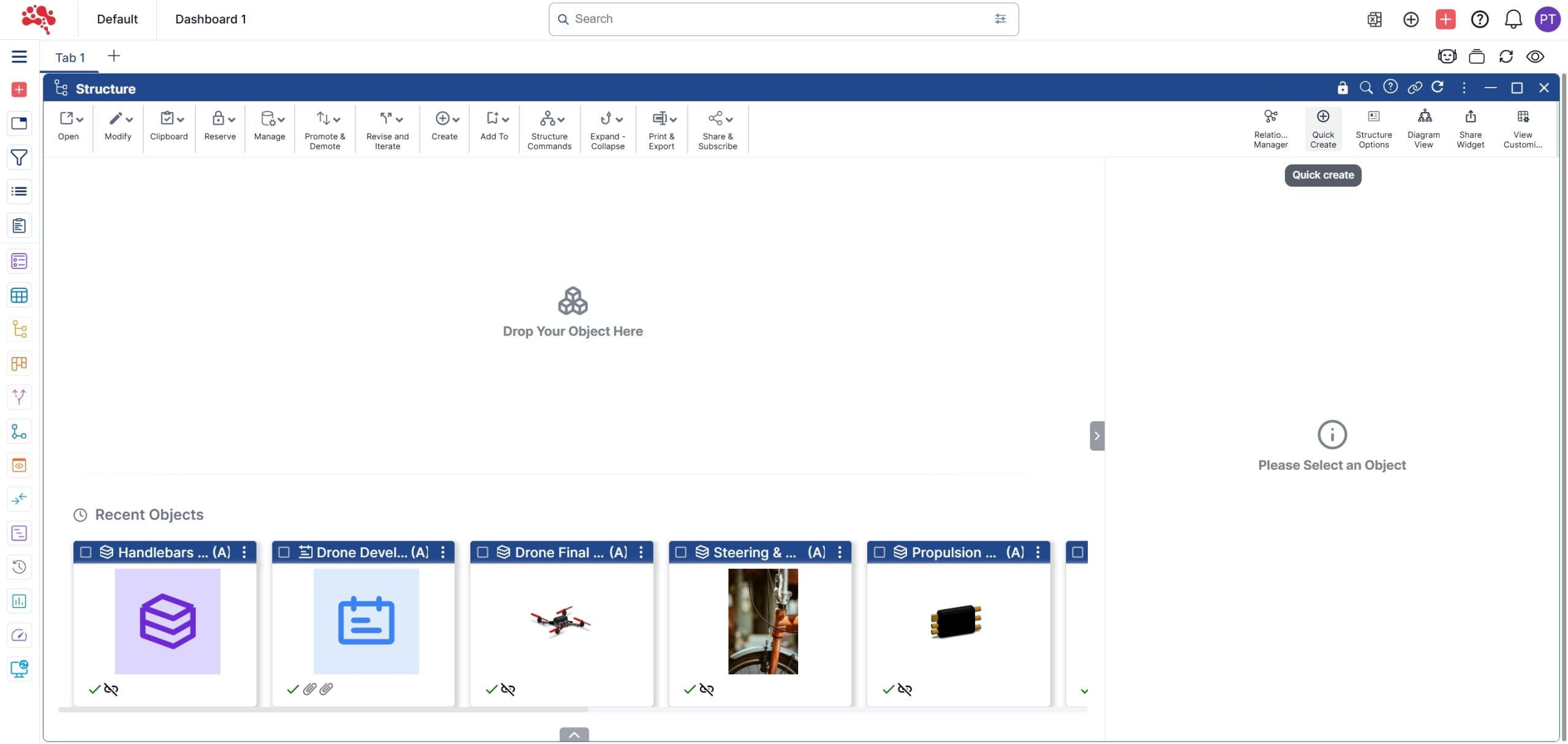
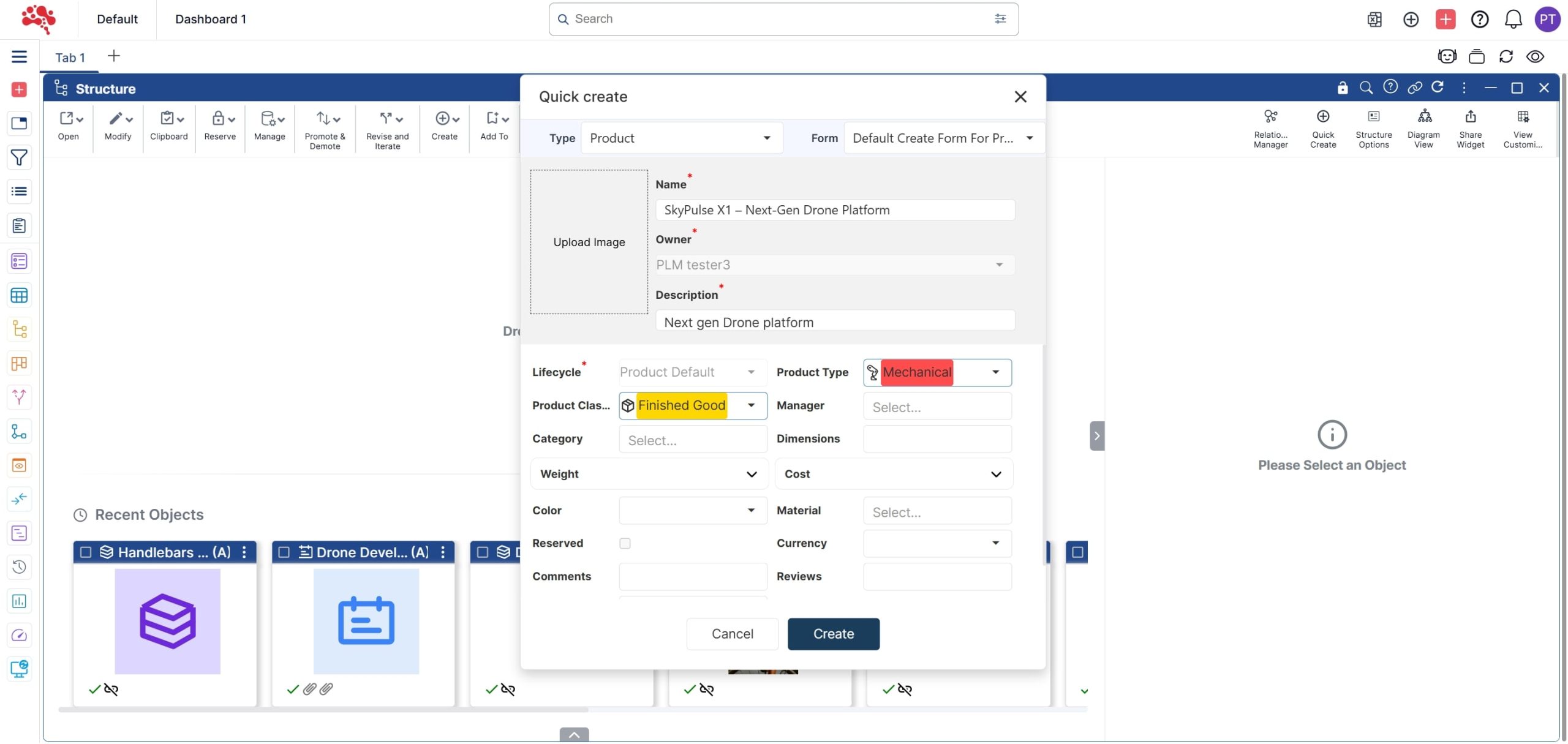
3. Fill in all the required details and click “Create”.
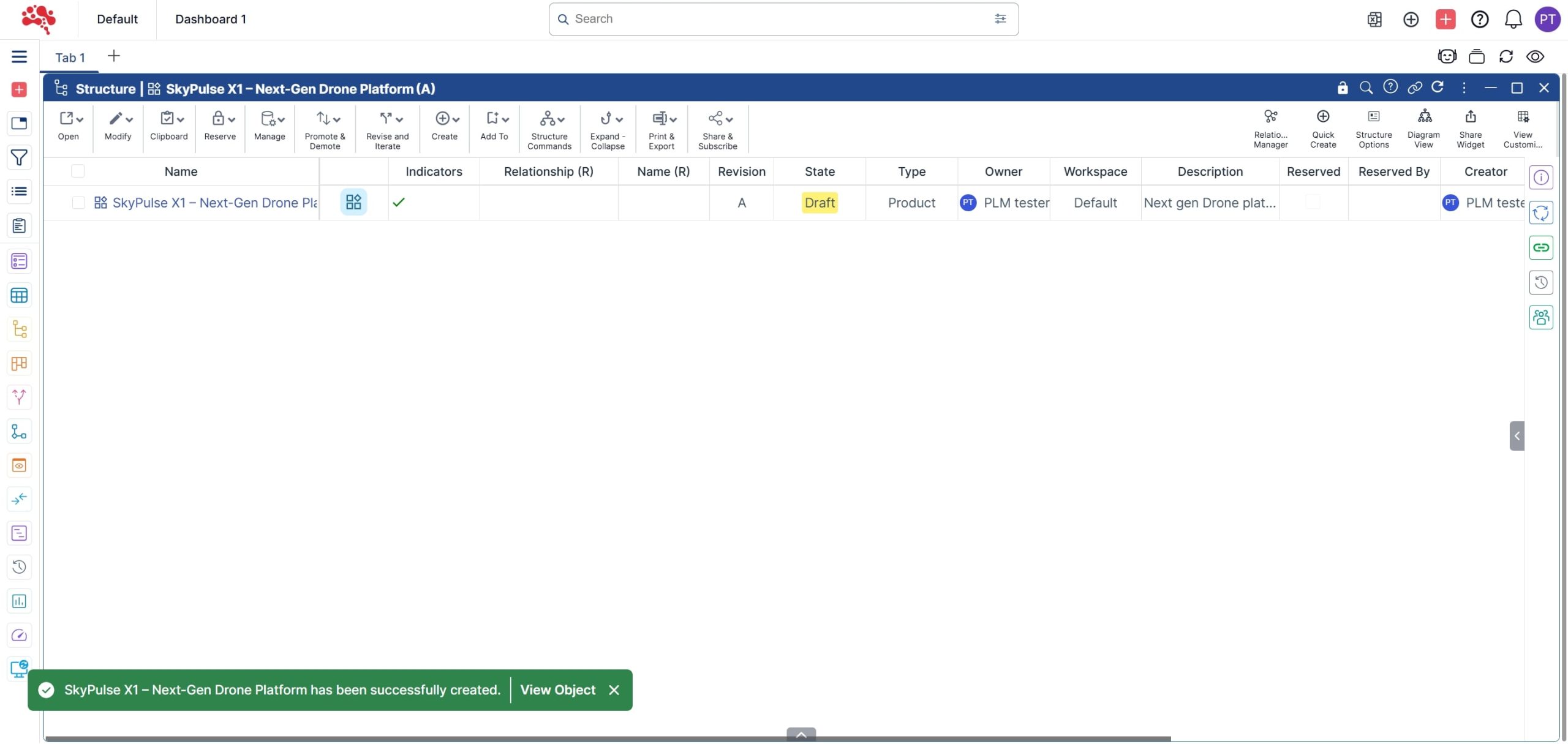
4. A new Product has been successfully created.
5. Right-click on the Product and select “Quick Create with Relation”.
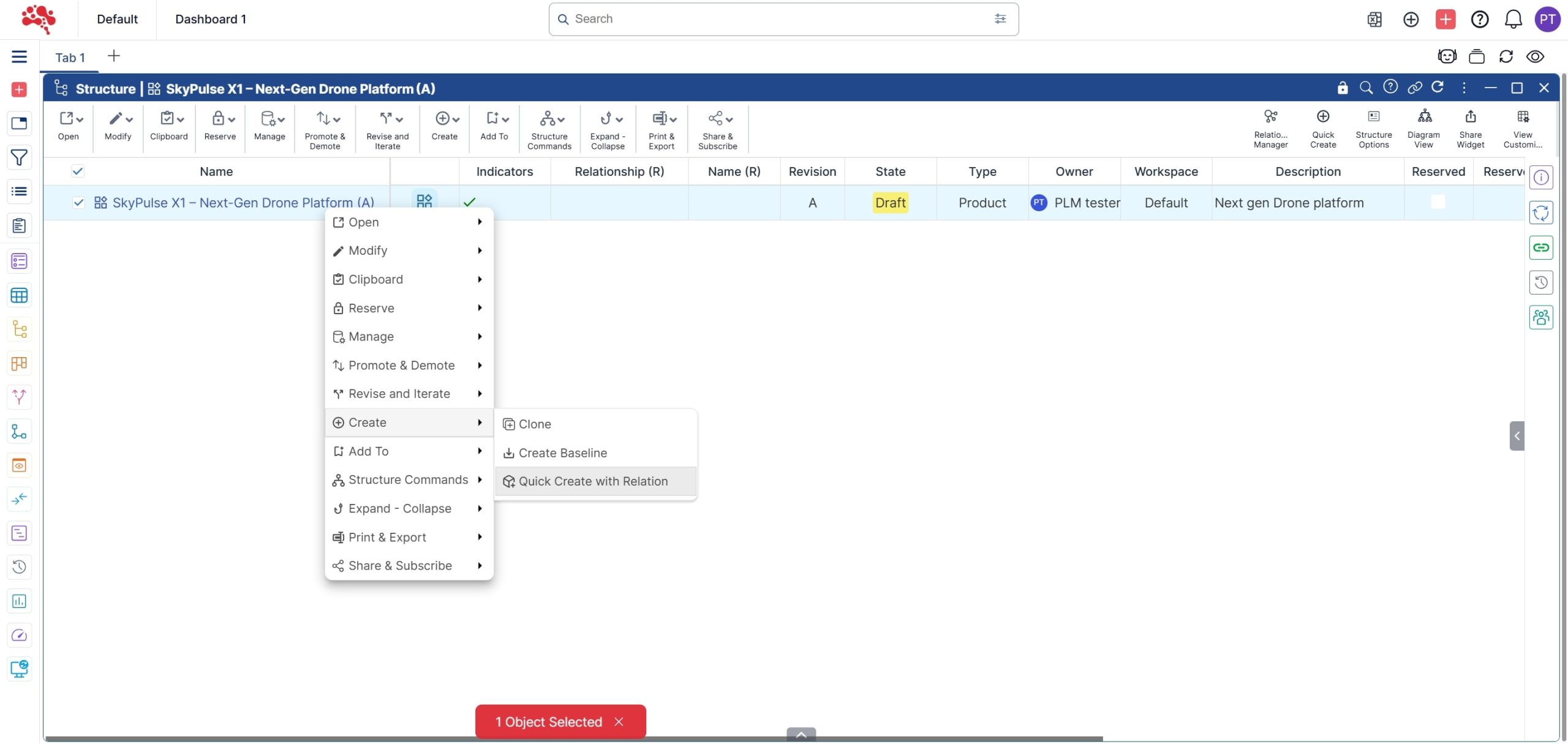
6. Set the Type as Program, enter an appropriate Program name and Relation type.
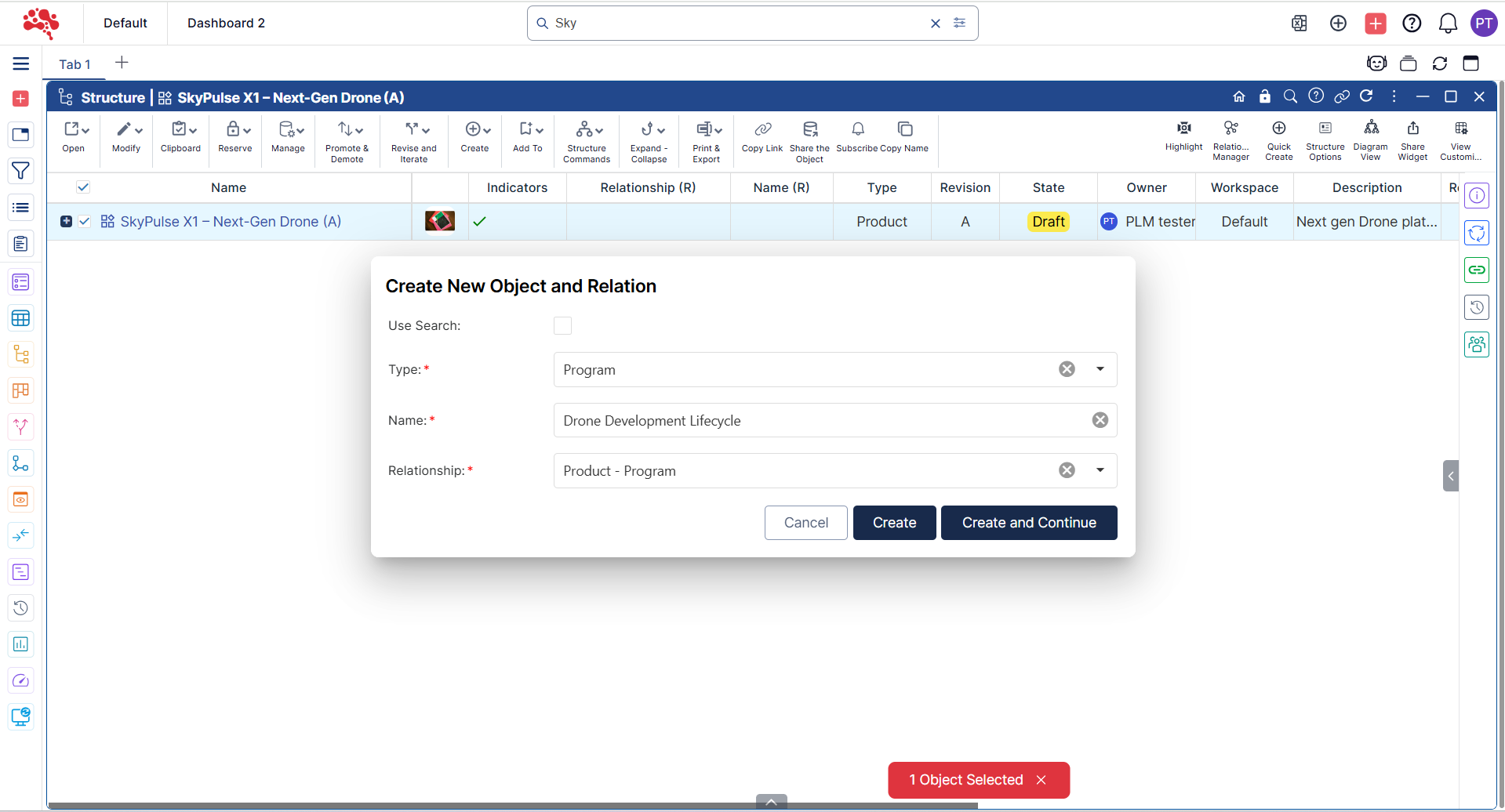
7. The Program has been successfully added to the Product

How to Create a Project and Connect it to a Program
- Open the Program in a Structure Widget and right-click to select “Quick Create with Relation”.
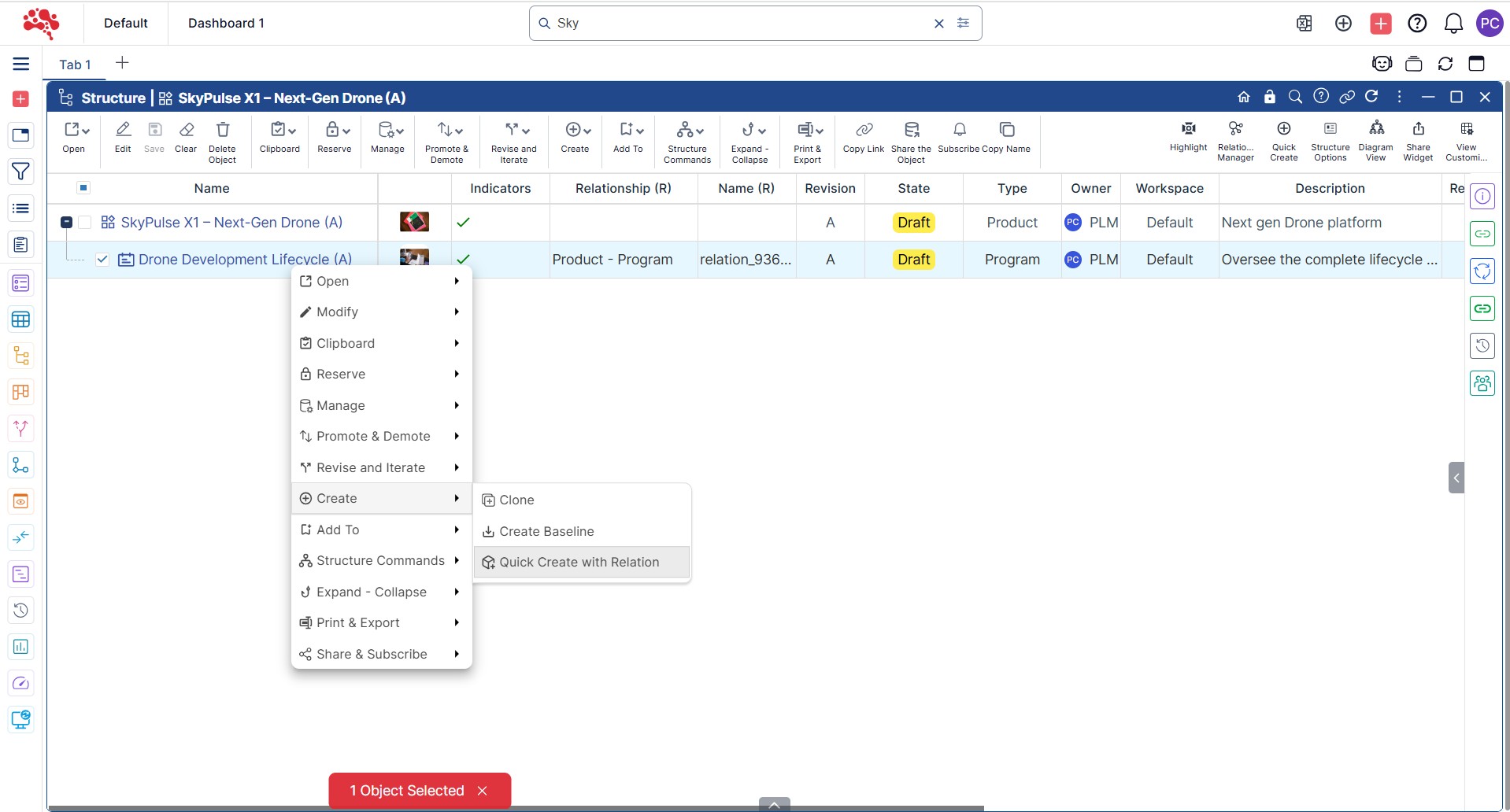
2. Choose the Type and Relationship, enter the name, and click “Create and Continue” to create and add a new Project
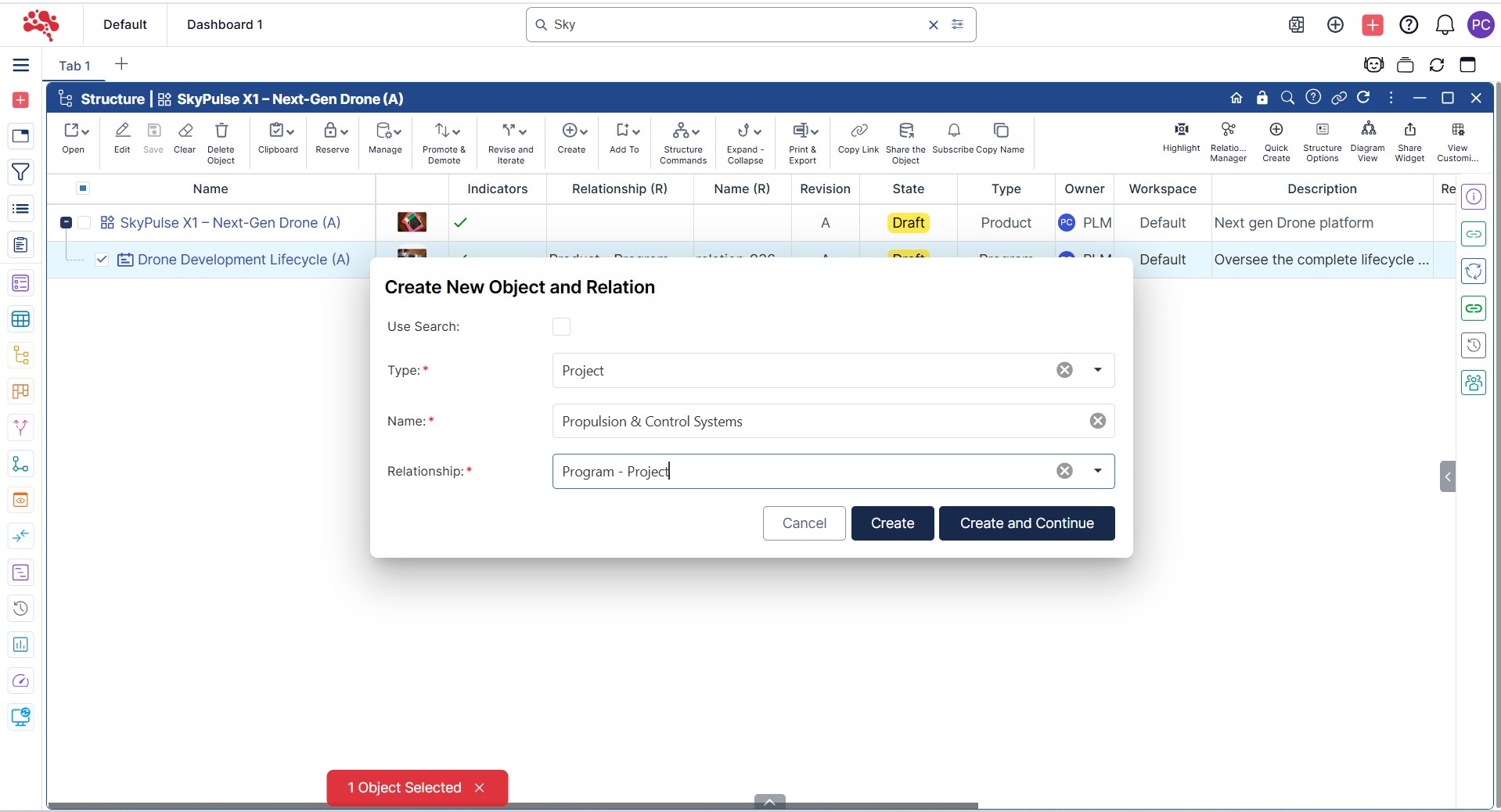
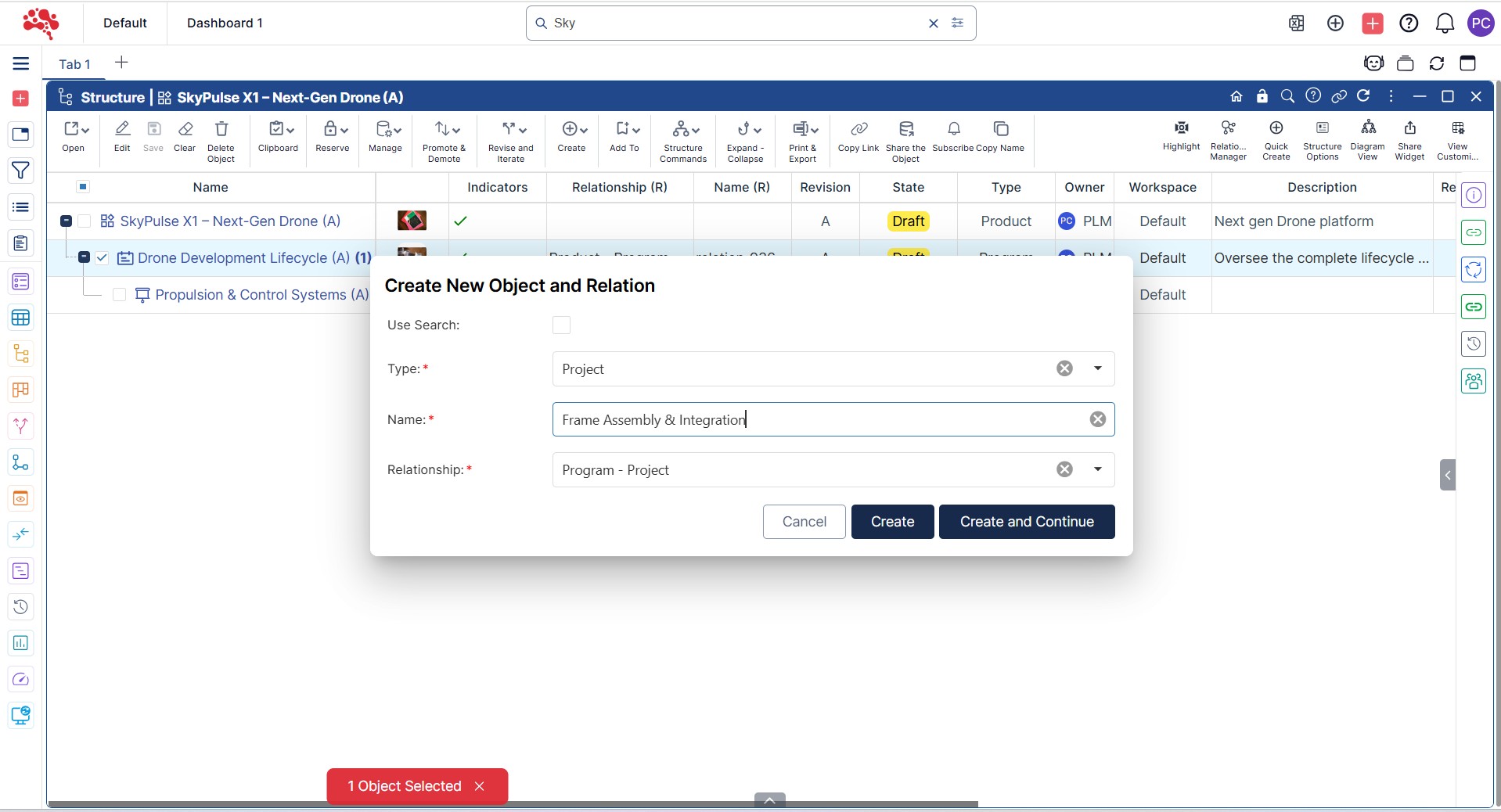
3. Two Projects have now been successfully created and linked to the Program.
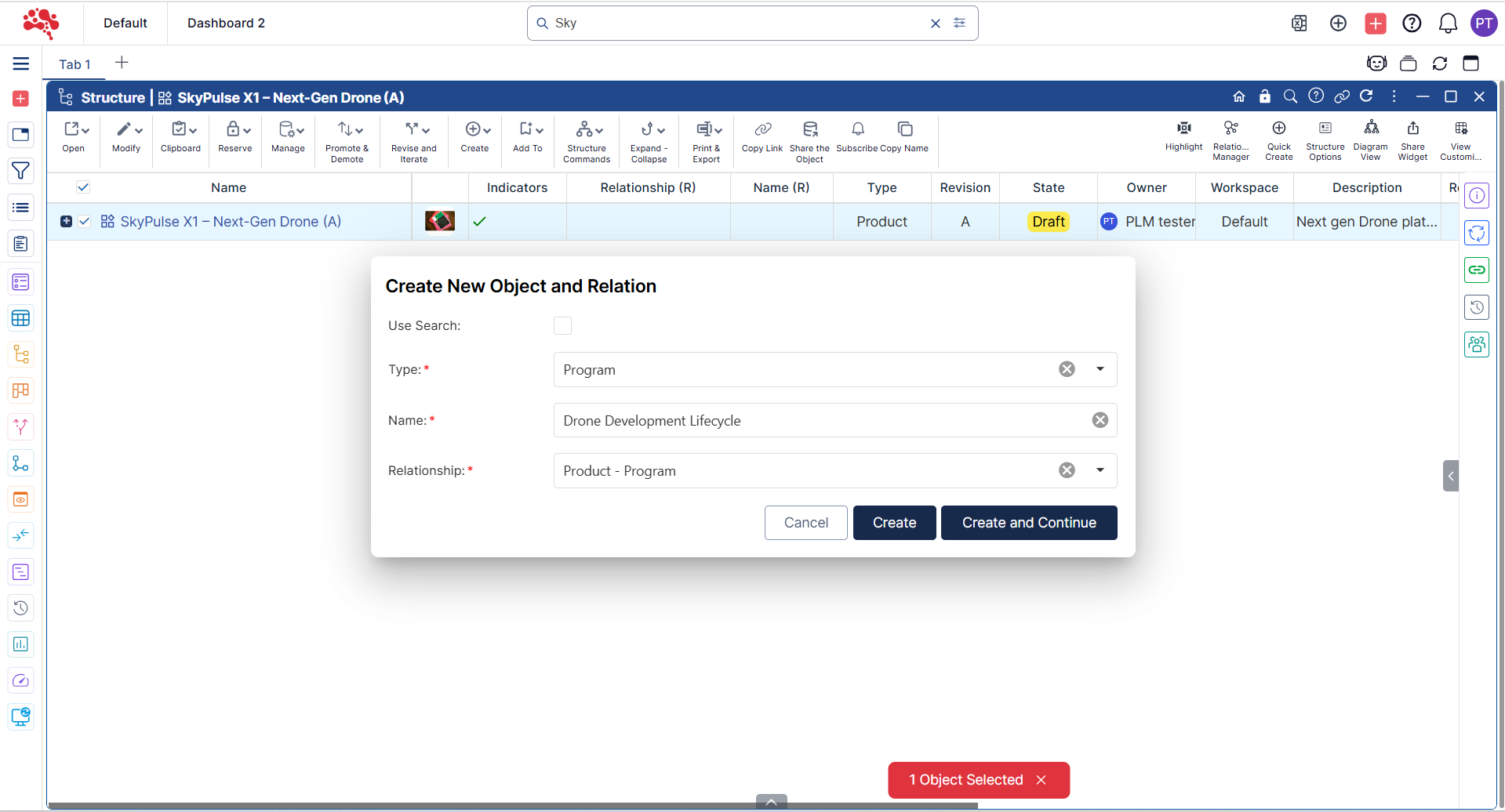
How to Create a Phase and Connect it to a Project
- Open the Project in a Structure Widget and Right-click on the Project and select “Quick Create with Relation”.
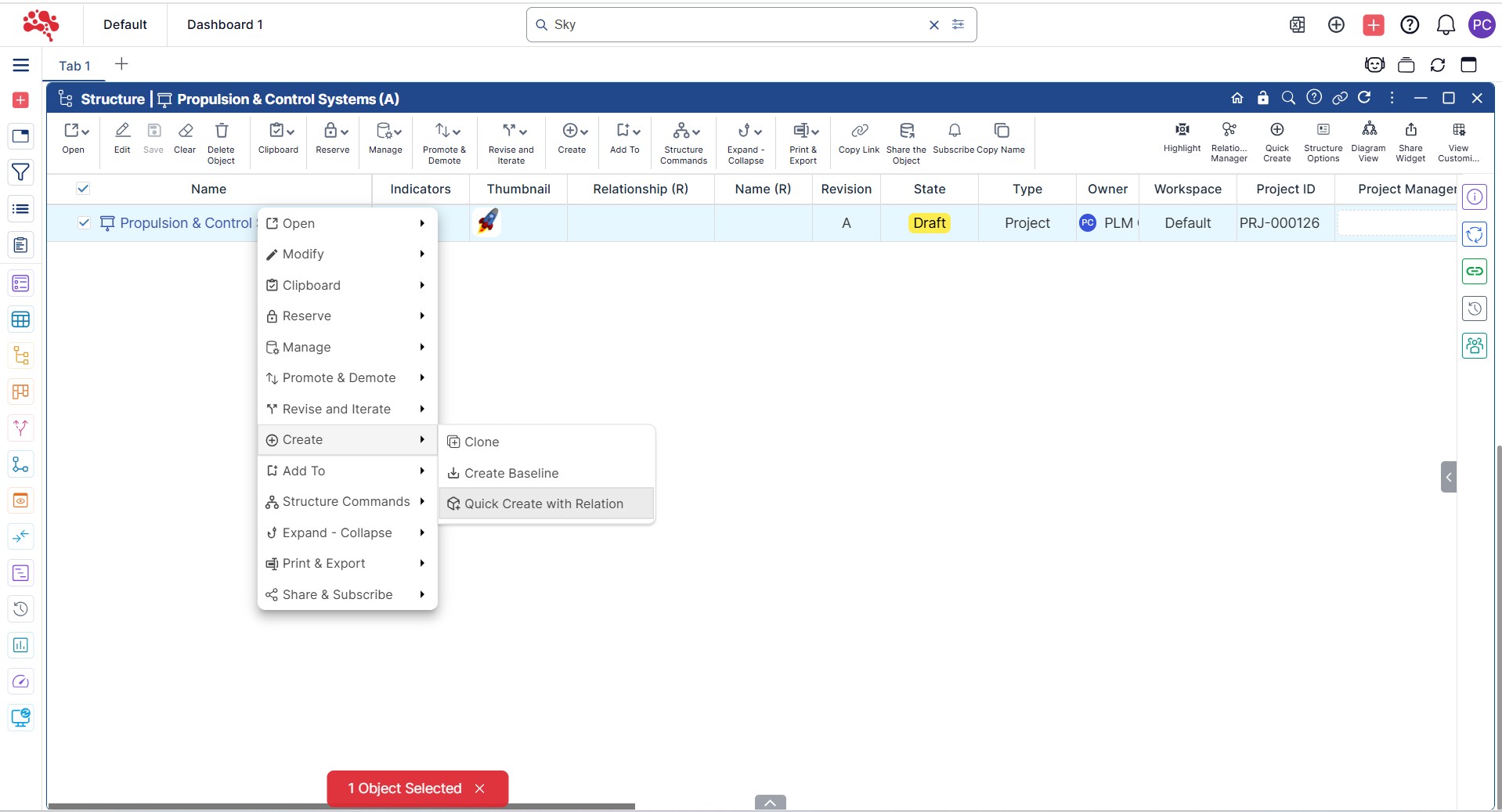
2. Choose the Type and Relationship, enter the name, and click “Create” to add a new Phase
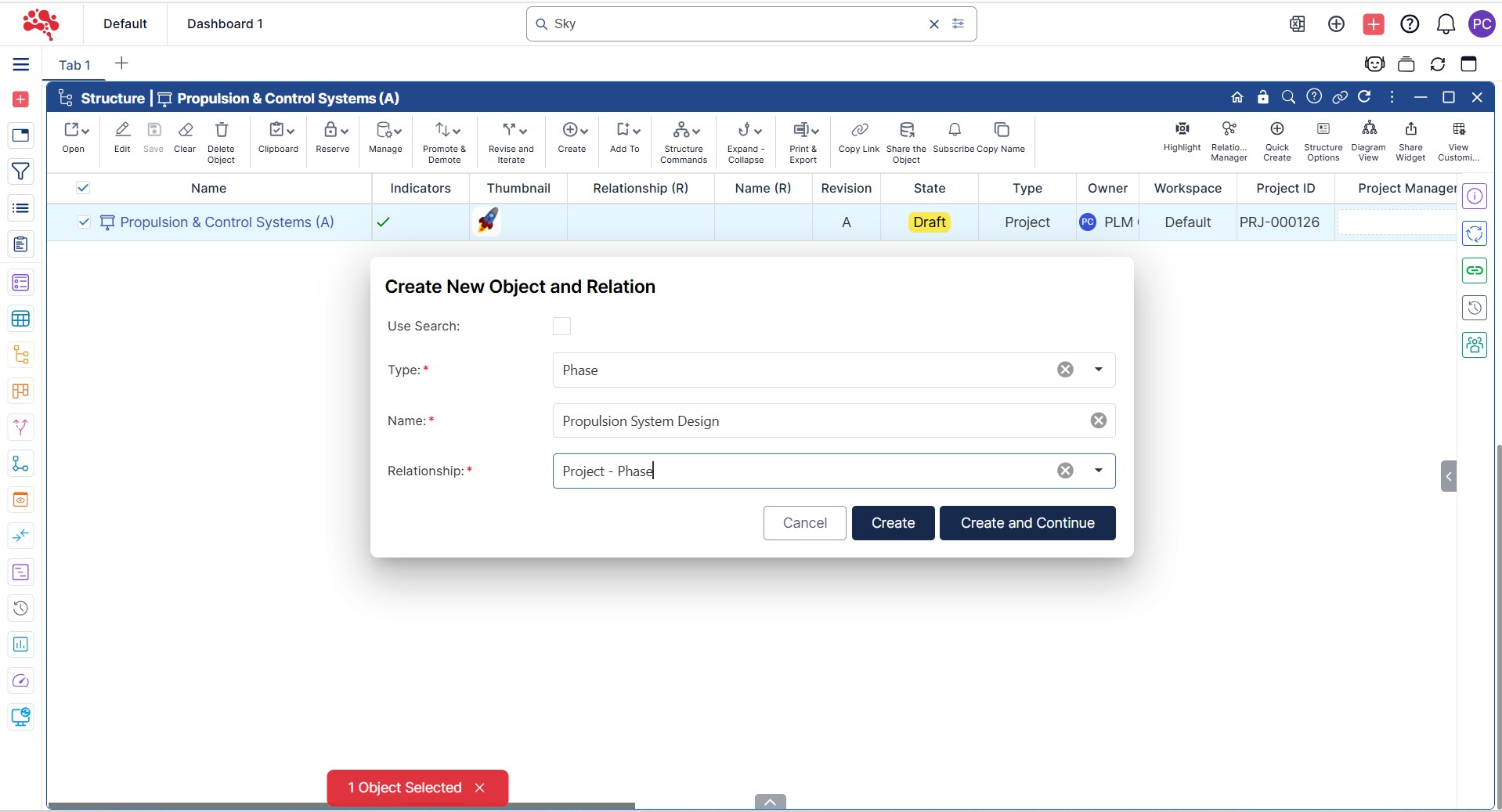
3. Using “Quick Create with Relations”, add the corresponding Phases as needed.
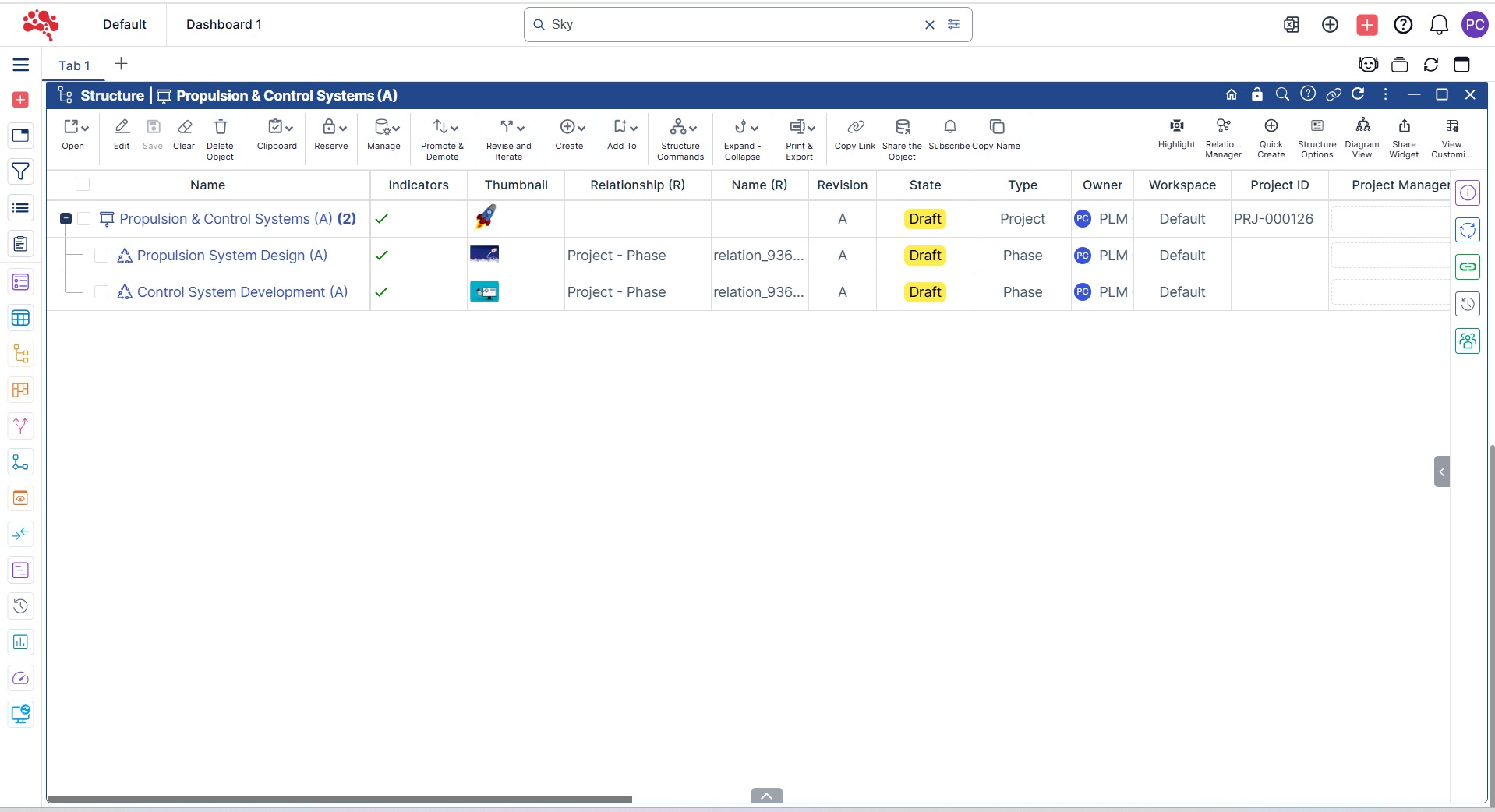
How to Add Tasks, Milestones, and Gates to a Project
- Right-click on the Phase and select “Quick Create with Relation”.
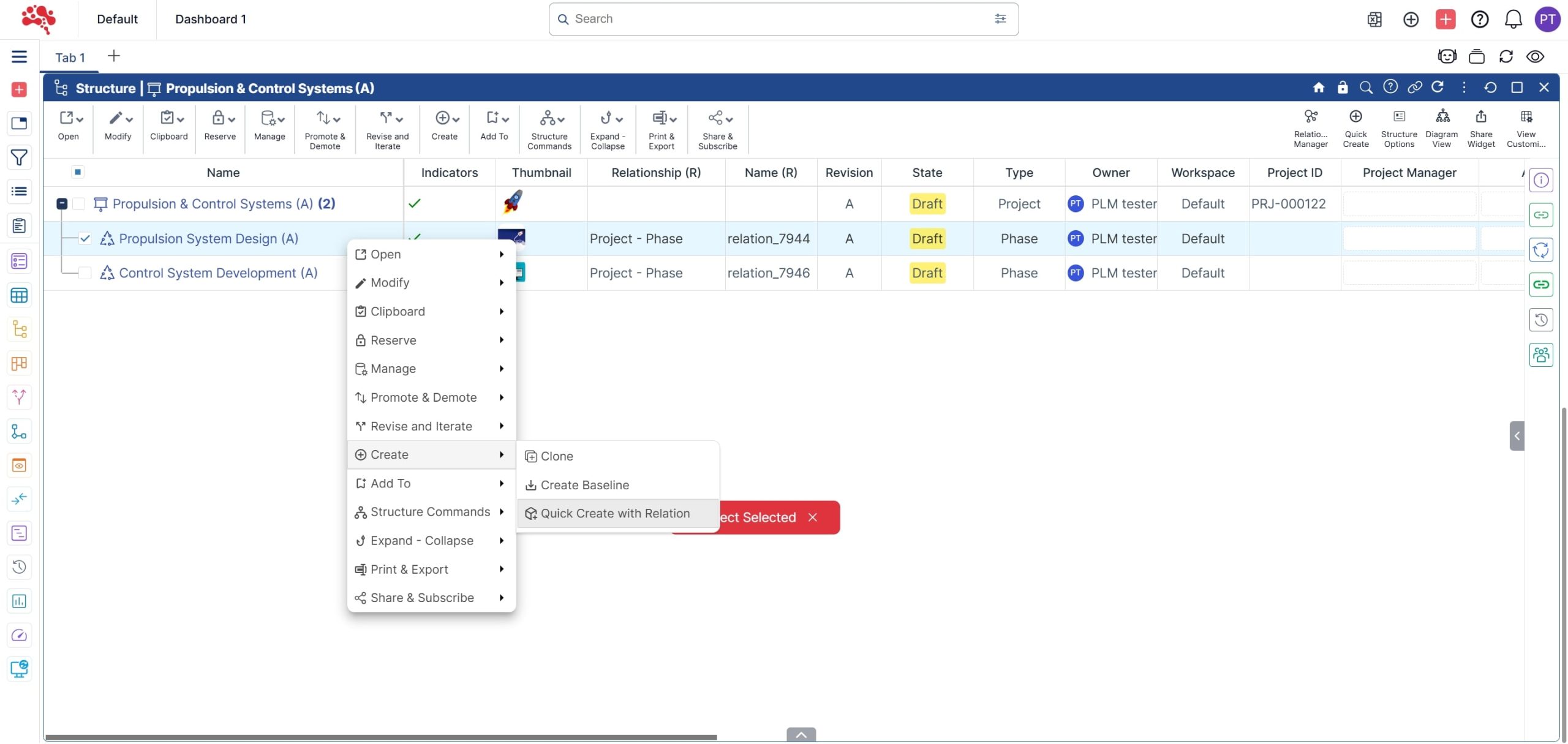
2. Choose the Type and Relationship, enter the name, and click “Create” to add a new Task.
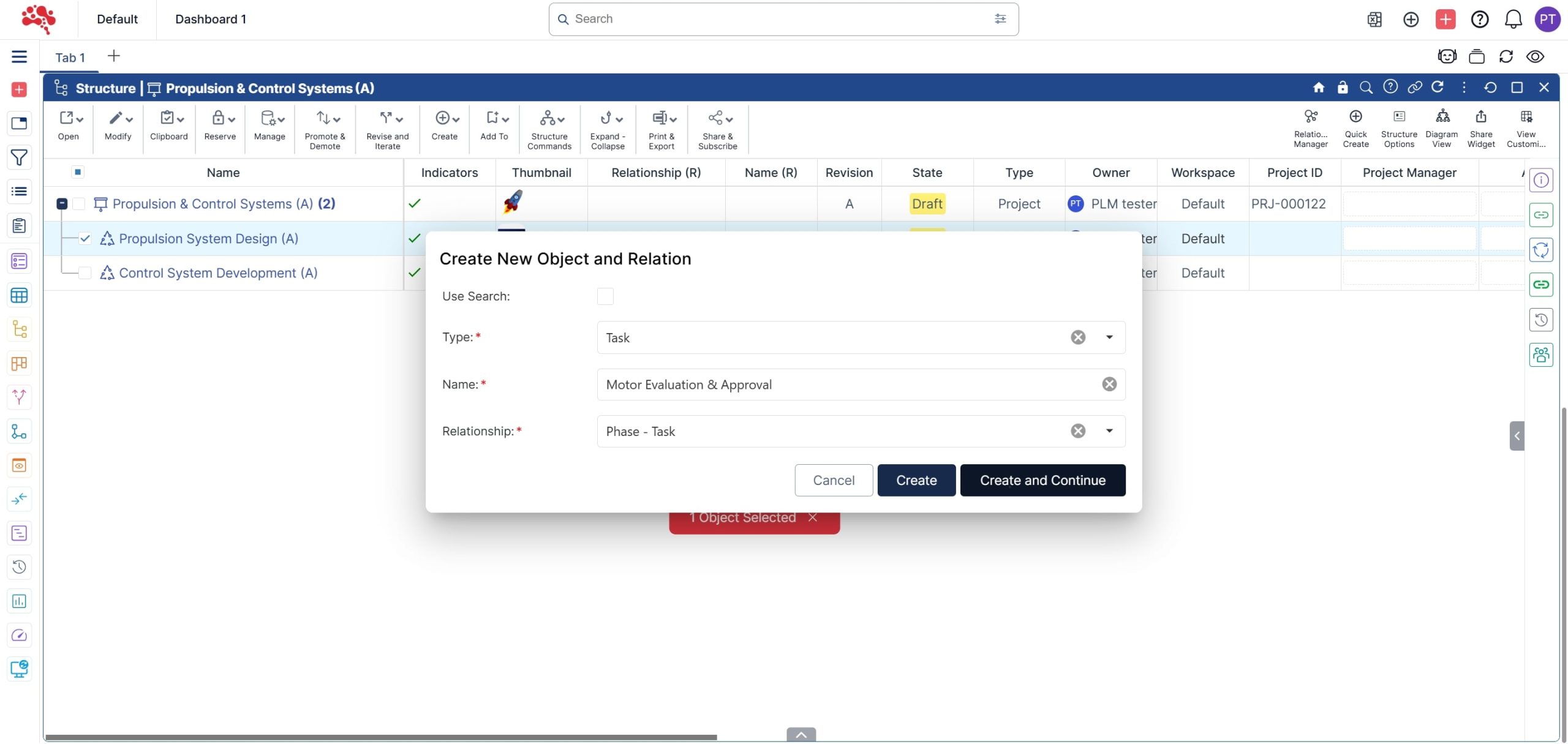
3. Repeat the step to create and add a new Milestone
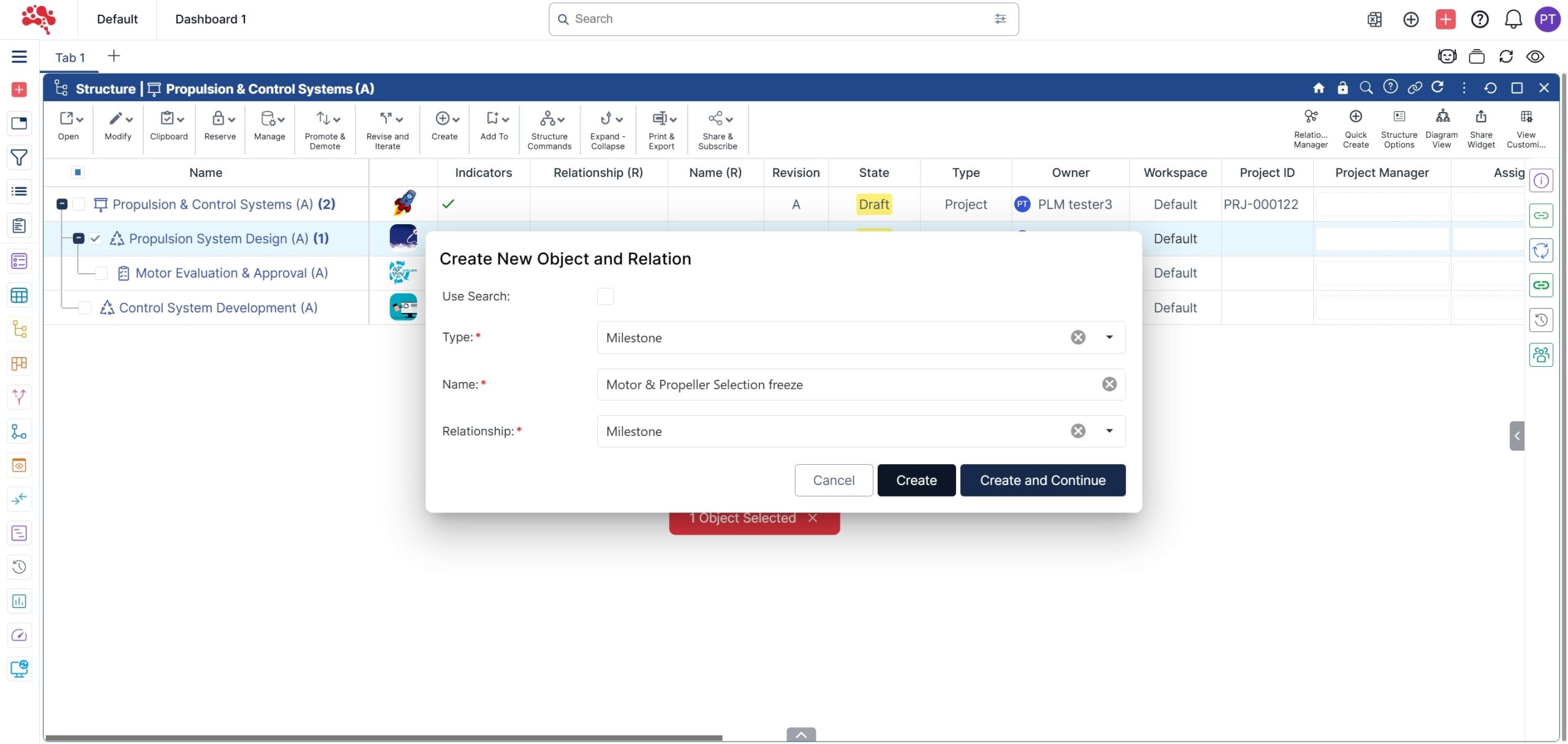
4. A Task and Milestone have been successfully added to the Phase.
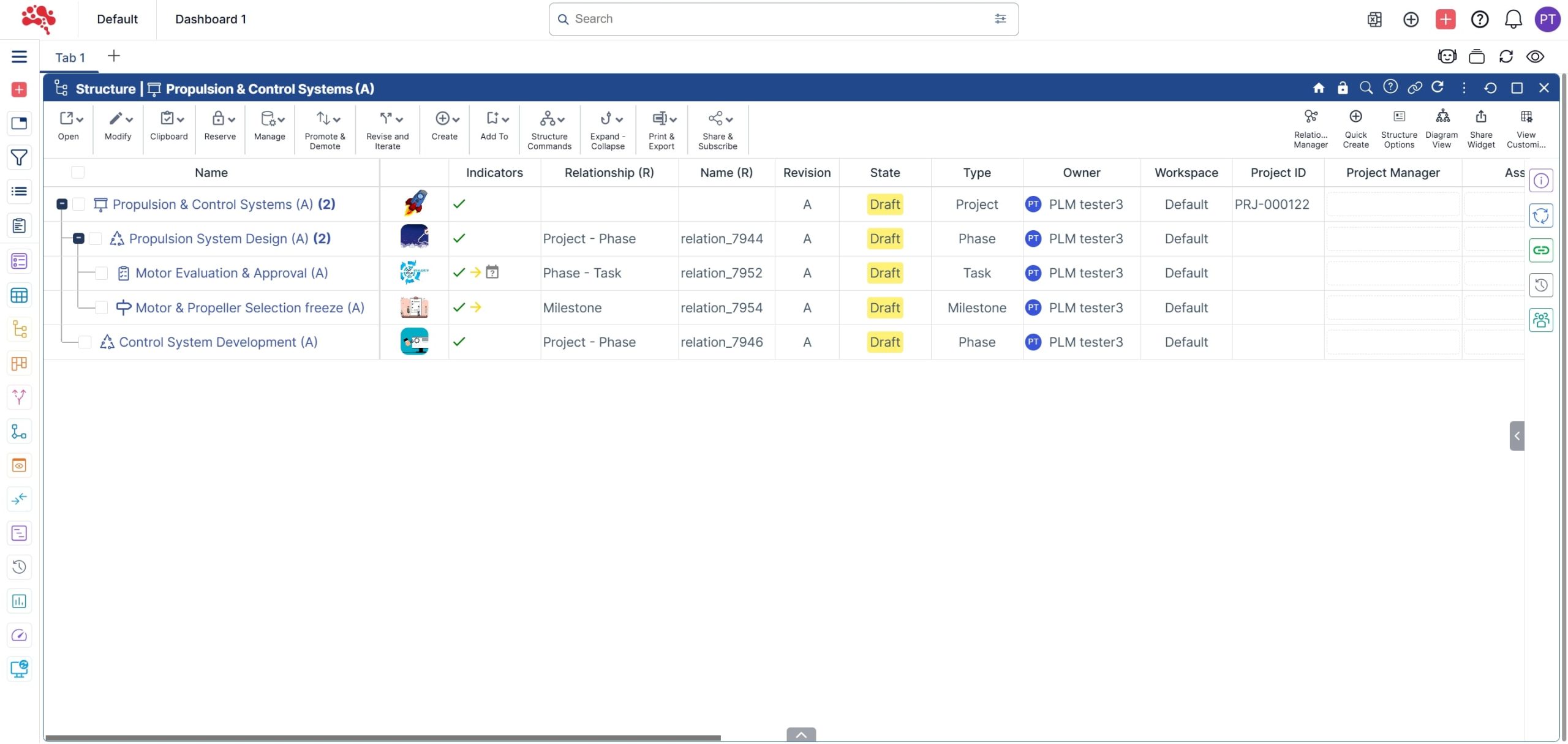
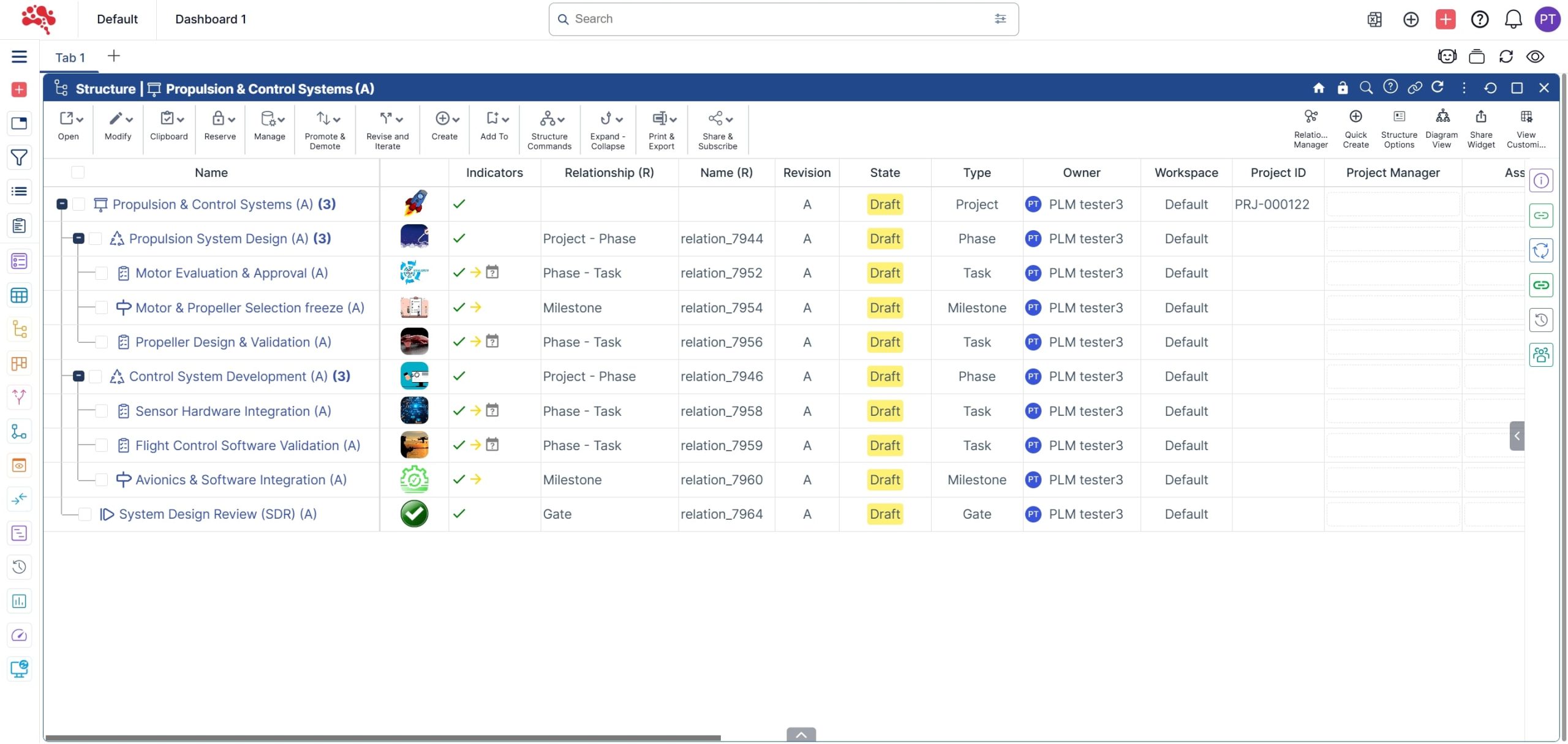
5. Following the same steps, you can create and connect additional Tasks, Milestones, and a Gate for the Phases and Project.
Visualize and manage your program and project schedules with the timeline widget
1 .Right-click on the “Program” and select “Open in Timeline.”

2. The Program with the Projects, Phases, Tasks, Milestones and Gates are displayed in the Timeline widget according to the assigned timelines.

3. Click on the “Relationship Manager” to select the appropriate filters to display.

4. Click on “Timeline Options” to select different time-based interval display views.

How Nora IPLM Connects Projects to Product Execution
Nora IPLM goes beyond scheduling by connecting programs and projects to the broader product lifecycle. Projects can be structured around programs, phases, tasks, milestones, gates, deliverables, timelines, and dependencies while remaining connected to product information.
- BOMs and product structures – connect execution to the product being developed.
- Documents and deliverables – keep project outputs controlled and accessible in context.
- Engineering changes – coordinate tasks and timelines around approved product changes.
- Issues and risks – track problems that can affect delivery, quality, cost, or schedule.
- Requirements – keep project execution aligned with product and engineering expectations.
- Dashboards and timeline views – monitor progress, dependencies, milestones, and potential bottlenecks.
Best Practices for Product Development Project Management
- Build a clear hierarchy from program to project, phase, task, milestone, and gate.
- Connect deliverables to the relevant product records instead of tracking completion only as a checkbox.
- Define dependencies early so teams can see how delays affect downstream work.
- Link engineering changes and project activities when changes affect delivery plans.
- Use timeline and KPI views to review progress, risks, and blocked work regularly.
- Create reusable project structures for recurring NPD, NPI, and engineering processes.
Conclusion
Strong project management keeps product development moving steadily from the first concept to the final release. When teams can plan, assign, and track work within a single connected platform like Nora IPLM, they gain real-time visibility and eliminate the confusion caused by scattered tools and disconnected data.
As you’ve seen, Nora IPLM keeps every project linked to product data, milestones measurable, and tasks aligned with design and engineering goals. The platform connects teams through synchronized updates, automated notifications, and clear ownership, helping everyone stay focused on what matters most.
Whether you’re managing multiple product lines or complex development cycles, Nora IPLM provides the structure, clarity, and flexibility to move projects forward with confidence. Start simplifying your project management today and empower your teams to plan, execute, and deliver faster with Nora IPLM.
See the consequence before you commit to the change
Discover how Nora IPLM Knowledge Thread turns connected product data into a traceable AI Change Impact Simulation, from qualified evidence and visual propagation to alternate-item, carbon, and AI-assisted analysis.


