Creo Integration for Nora IPLM
Connect your Creo models, assemblies, and design data with Nora IPLM for direct version control, data sync, and full lifecycle tracking.

What is Nora IPLM - Creo Integration?
Nora IPLM and PTC Creo integration connects your CAD environment directly with your product lifecycle data for controlled, automated design management.
Designers work inside Creo while models, assemblies, drawings, and all related metadata sync directly to Nora IPLM in real time. This keeps product data consistent, current, and fully connected to BOMs, change requests, projects, and documents without manual uploads or disconnected systems.
The result is a single source of truth for both design and lifecycle data, where engineering teams move faster with full visibility and traceability across every stage of product development.

Direct CAD-to-PLM Sync Without File Duplication
With Nora IPLM, CAD data flows directly from your design environment into our PLM platform, without creating duplicate files or manual uploads.
Every model, drawing, and assembly is synced in real time, ensuring engineers always work with the latest information while maintaining a clean, unified product database. This eliminates version conflicts and keeps your entire product lifecycle accurate and aligned.
How the Creo Integration Works
With this integration, Creo users stay focused on design while Nora IPLM handles the data flow quietly in the background through the Desktop App and Desktop Widget. Models, assemblies, drawings, and metadata sync as you work, creating a reliable link between CAD and the full product lifecycle.
Key capabilities include:
• Automatic change detection for parts, assemblies, and drawings
• One click check in and check out from the desktop
• Structured parent and child relationships
• Instant reflection of design updates inside PLM
• Fast sync, revision, and iteration actions
Product data stays aligned across design, manufacturing, and operations as work progresses.
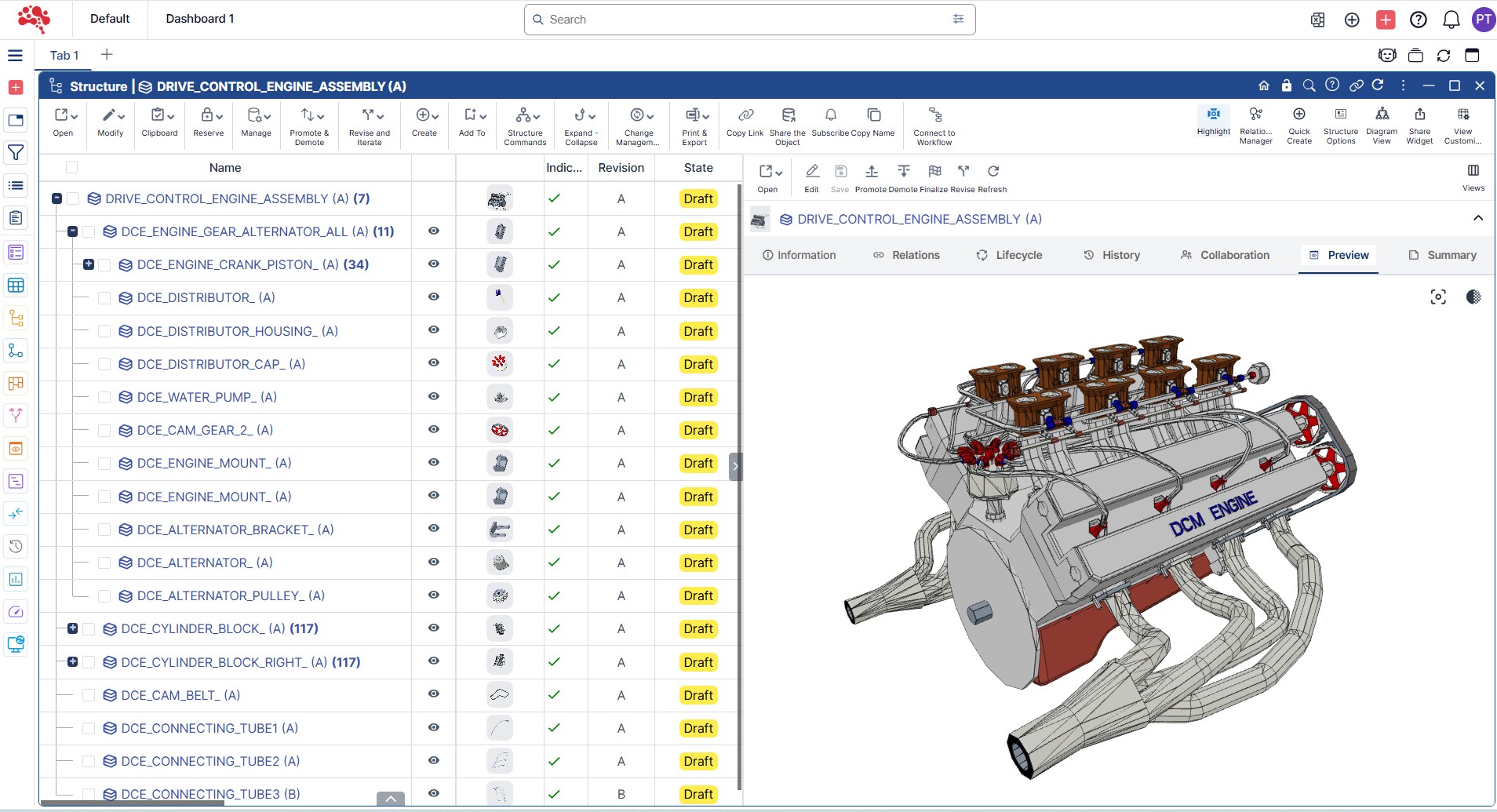
A Direct Connection Between Creo and Nora IPLM
Once the Nora IPLM Desktop Services App is installed, Creo connects directly to your PLM workspace.
From there, CAD data moves between Creo and Nora IPLM with full control over structure, versions, and lifecycle status:
- Save, upload, and sync CAD models from Creo directly into Nora IPLM
- Manage revisions and iterations with proper lifecycle states
- Access linked assemblies, drawings, references, and metadata
- Maintain full traceability across product development
- Prevent duplicate files and outdated versions through real-time synchronization
The result is a connected design process where CAD data flows into PLM with accuracy, structure, and full lifecycle visibility.
How to Get Started with the Creo Integration
The widget provides a quick view of whether the connection is active, so you can start your design work with full confidence. This helps maintain smooth data syncing and a seamless CAD-to-PLM experience.

Launch Creo

Open the Desktop Widget in Nora IPLM

Go to “Select App” section and select “Creo”

Connection is completed
How to Install the Desktop Services Application
Follow these steps to download and install the Nora IPLM Desktop Services application on your system. This tool enables seamless CAD integration, file syncing, and secure communication with the PLM platform.
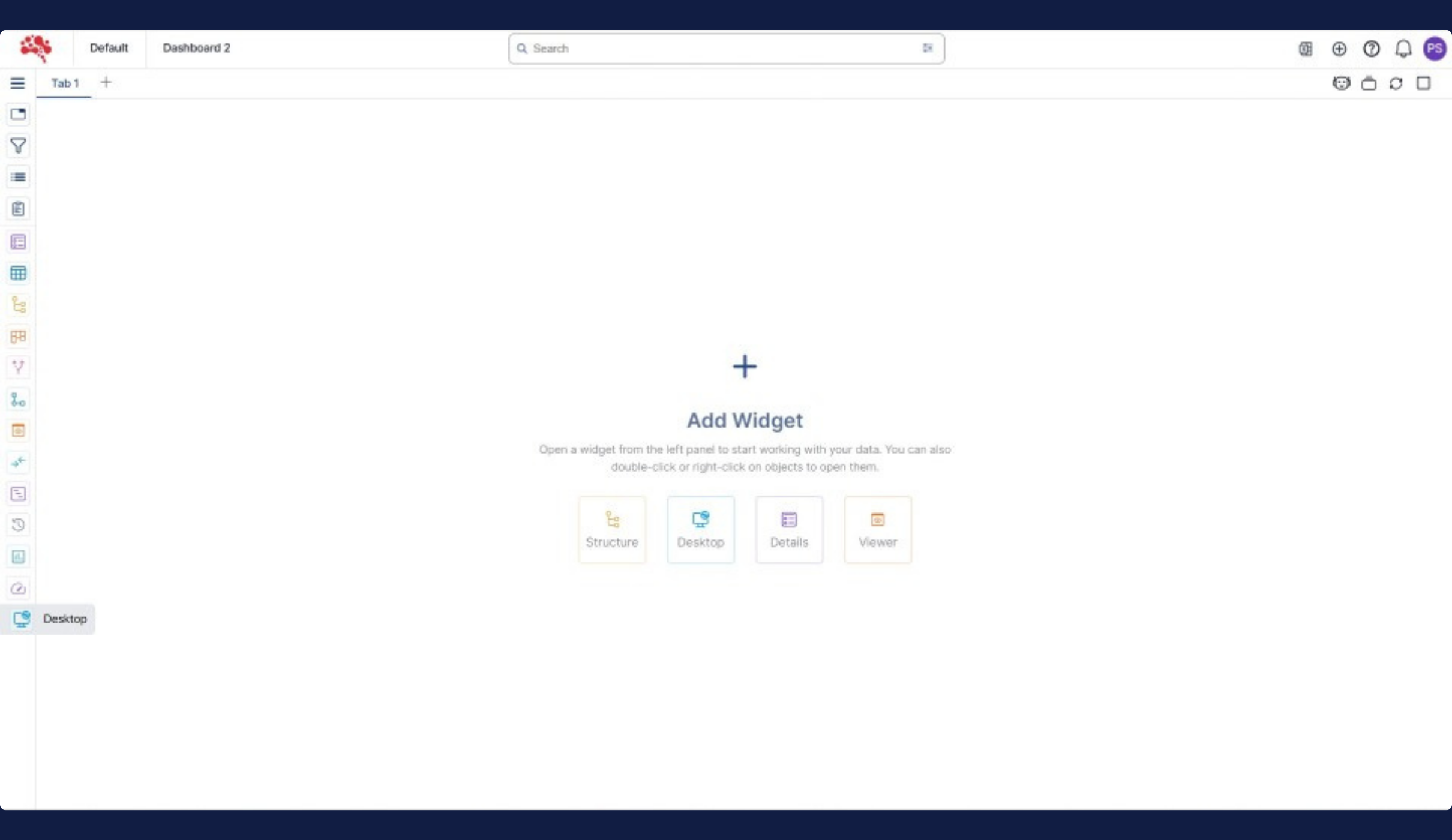
Open the Desktop Widget in Nora IPLM from the left sidebar.
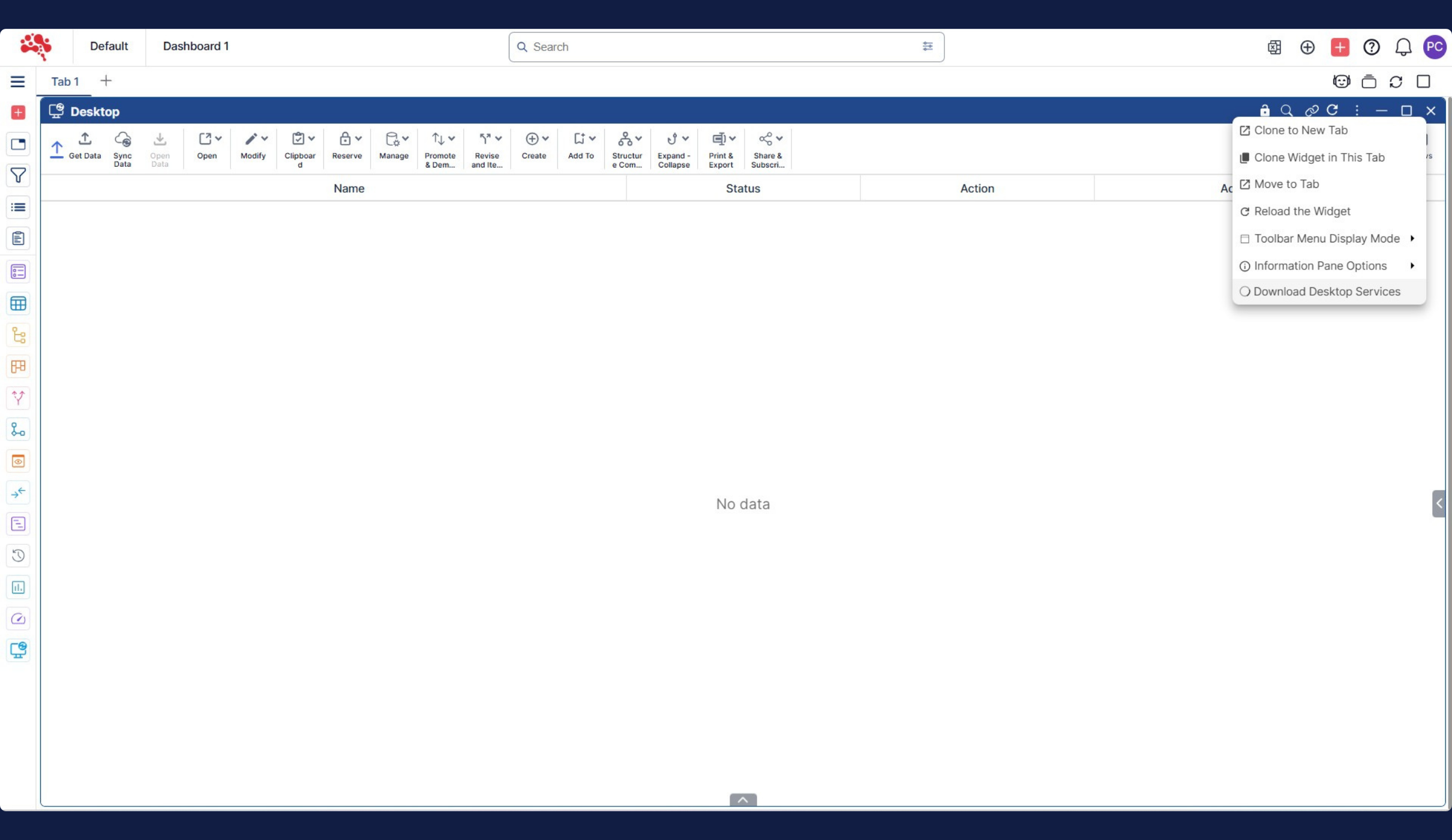
Click the three dot menu (⋮) and select “Download Desktop Services.”
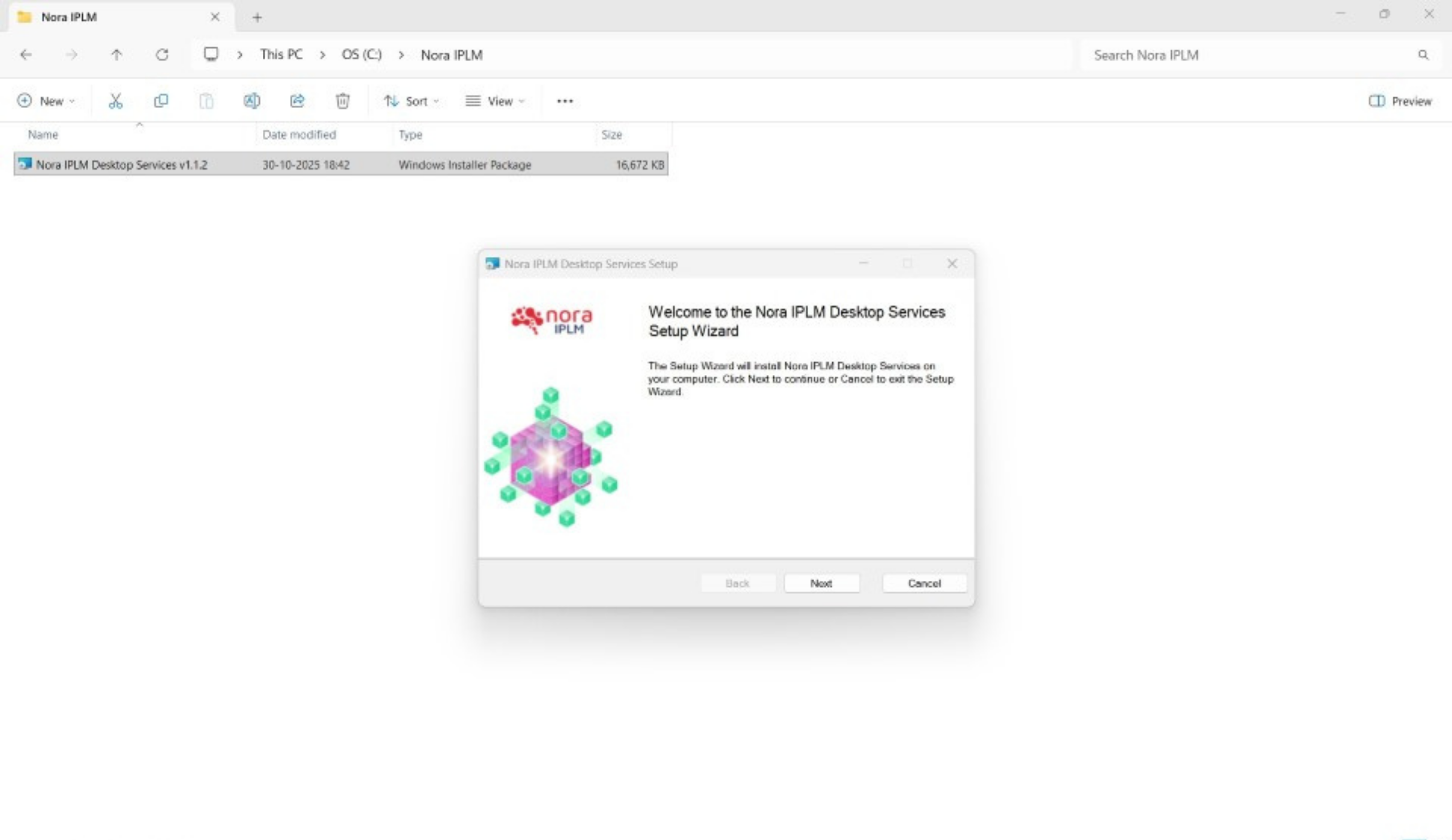
Run the installer by double clicking the Nora IPLM Desktop Services package.

Launch the app by double clicking the Nora IPLM Desktop Services icon on your desktop.

Confirm it is running by checking for the Nora IPLM icon in your system tray.
What Are the Prerequisites
1

Creo 10 or later installed
2

All API toolkits included during the Creo installation
3

Nora IPLM Desktop Services downloaded and running
Explore Our Other Integrations

Solidworks
Connect your CAD environment directly to product development. Sync designs, revisions, and BOMs in real time without leaving SolidWorks.

CATIA
Connect your CAD environment directly to product development. Sync designs, revisions, and BOMs in real time without leaving CATIA.

Microsoft 365
Connect your workspace directly to product development. Sync documents, tasks, and collaboration updates in real time without leaving Microsoft 365.
Frequently Asked Questions
The integration connects Creo directly to Nora IPLM, allowing automatic syncing of models, drawings, assemblies, metadata, and revisions. All updates flow seamlessly into the PLM without manual uploads.
No. The integration eliminates manual file handling. Your Creo data is synced in real time to Nora IPLM, ensuring a single source of truth and preventing file duplication.
No. The Desktop Services application ensures lightweight, background syncing so you can work normally without slowdown or interruption.
Yes. Every save, update, and revision is tracked in Nora IPLM with full version history and traceability, ensuring accurate change management across your product lifecycle.