Large Assembly Management:
Experience how Nora IPLM helps engineering teams manage complex SolidWorks assemblies without slowdowns or data chaos.
Connect, upload, and manage large CAD assemblies with ease.
Nora IPLM’s Desktop Services App for Windows connects SolidWorks directly to your PLM workspace for fast and reliable data transfer.
This direct connection removes manual export steps and keeps every file, reference, and dependency fully intact within the system.
Tip: The Desktop Services App supports large assemblies with thousands of components, maintaining structure accuracy and dependency integrity during upload.
Connect SolidWorks to Nora IPLM securely without browser uploads
Upload entire assemblies and subassemblies in native formats
Automatically extract part metadata such as material, revision, weight, and quantity
Preserve reference structures to prevent broken links and missing files
From CAD Assembly to Structured BOM
Once your SolidWorks assembly is uploaded, Nora IPLM instantly creates a complete Bill of Materials (BOM) using your CAD data.
Automatic BOM Extraction
Each component is recognized as an Item in the system.
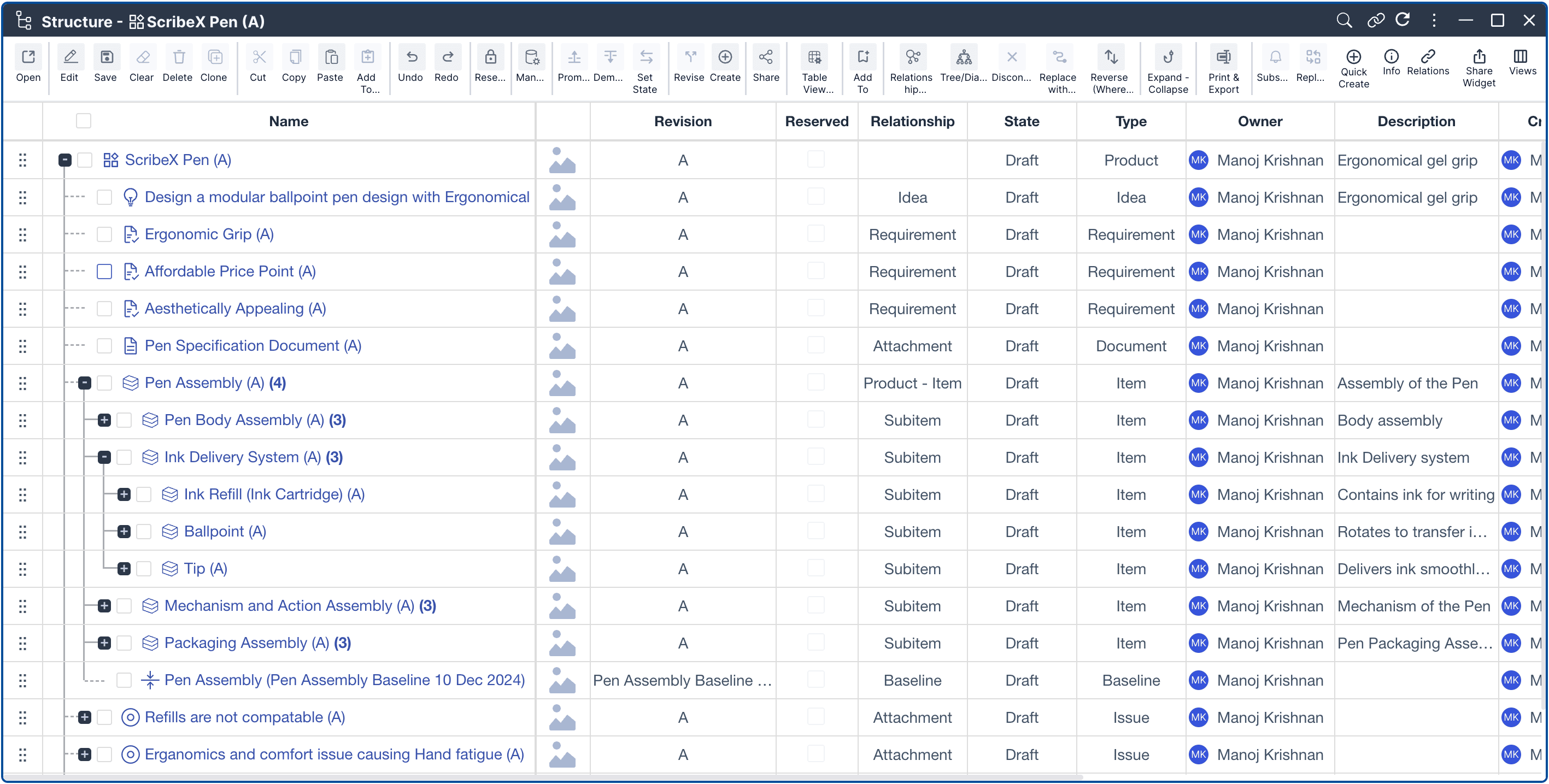
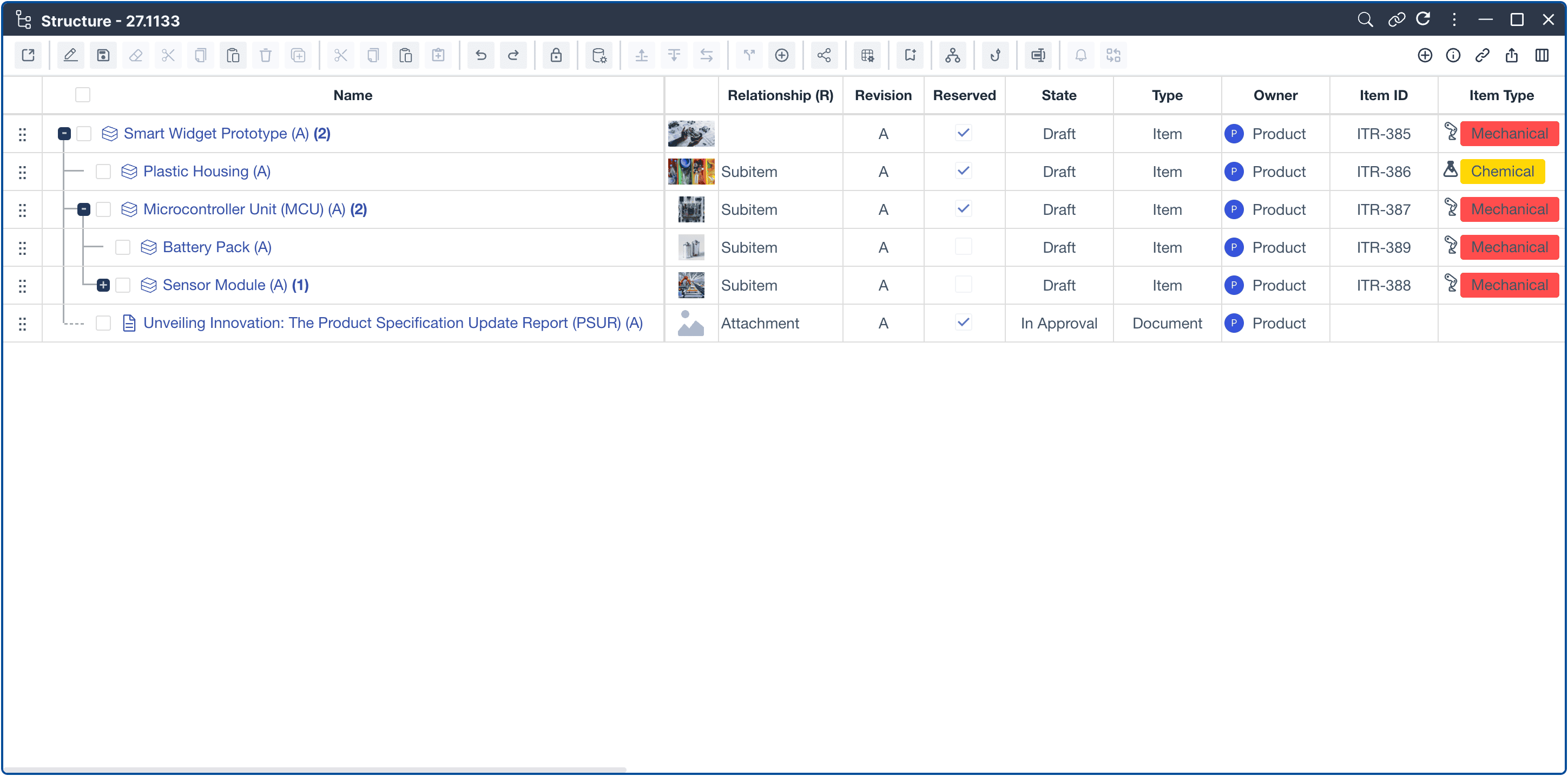
Hierarchical structure (parent–child) is preserved.
Metadata like revision, description, and material are auto-filled
Smart BOM Editor
Edit or reorganize assemblies directly inside Nora IPLM.
Perform bulk updates or revision control on large datasets.
Compare different revisions or configurations side by side
Instant Insights
View assembly size, weight, and cost summaries.
Identify missing or duplicate parts automatically.
Generate reports for design reviews or procurement.

Performance Built for Large Assemblies
Managing thousands of parts shouldn’t slow you down.
Nora IPLM’s scalable architecture and caching engine handle even the most complex assemblies efficiently.
Cloud-native performance with optimized file handling
Lazy loading and data streaming for large structures
BOM Health Indicators to highlight inconsistencies
Real-time collaboration without version conflicts
Whether your assembly has 200 parts or 20,000, Nora IPLM keeps performance consistent and reliable.
Visualize and Control Every Detail
The Structure Widget and Viewer Widget work together to help you understand the full picture:
Expand and collapse subassemblies for quick navigation
Highlight dependencies or revision mismatches
View 3D geometry directly in the browser
Compare assemblies across revisions visually
These views make large-scale design reviews faster, clearer, and more interactive.

End-to-End Traceability
Nora IPLM connects every component to its digital thread:
Link CAD files, drawings, and specifications
Track revisions and design changes
Connect items to Change Requests or Engineering Change Orders (ECOs)
Synchronize updates across SolidWorks and ERP systems
This unified data model ensures your team always works on the latest, approved version.
Watch the Demo
See how easy it is to manage large assemblies from SolidWorks to Nora IPLM.
Demo Highlights:
Connect SolidWorks to Nora IPLM through the Windows Desktop App
Upload a large assembly (including subassemblies and references)
Automatically create the structured BOM
Visualize and edit assembly data in real time
Track revisions and updates instantly.
Why Choose Nora IPLM for Large Assembly Management
| Feature | Benefit |
|---|---|
Native SolidWorks integration | Direct connection via the Desktop Services App for fast, secure uploads |
Automated BOM creation | Accurate, structured assemblies generated instantly from CAD data |
Optimized for large datasets | Handles thousands of components without performance drops |
Multi-level visualization | Explore assemblies through 3D and hierarchical views |
Revision and iteration management | Directly iterate and revise assemblies within the Desktop Widget, keeping every change tracked and synchronized |
Cloud Scalability | Reliable, fast, and accessible from anywhere for distributed teams |
Frequently Asked Questions
Nora IPLM connects directly to SolidWorks through the Desktop Services App for Windows. This secure desktop integration allows engineers to upload full assemblies and subassemblies, extract metadata, and preserve all file references, without using a browser or manual export.
Once the assembly is uploaded, Nora IPLM automatically creates a structured Bill of Materials (BOM) using your CAD data. The hierarchy, metadata, and part attributes are extracted and organized, allowing you to edit, analyze, and manage the BOM directly in the platform.
Yes. Nora IPLM is built to manage large assemblies with thousands of components. Its cloud-native architecture uses optimized file handling, caching, and data streaming to maintain fast performance even when working with complex structures.
You can directly iterate and revise assemblies using the Desktop Widget. Each revision is tracked in real time, and every change stays synchronized between SolidWorks and Nora IPLM. This way, we ensure full visibility across all versions and eliminates file conflicts.
Absolutely. Nora IPLM provides 3D and hierarchical views through the Previews, Viewer Widget and Structure Widget. You can expand subassemblies, compare revisions, highlight mismatches, and view geometry directly in your platform.
Teams can access the same assemblies and BOMs simultaneously with real-time collaboration features. Users can review changes, comment, and update data without overwriting others’ work, keeping everyone aligned across design and production.
Yes. Nora IPLM supports ERP synchronization for items and BOMs using specific attributes. This makes it easy to push or compare data with ERP systems.
Nora IPLM combines SolidWorks integration, real-time revision control, and cloud performance to handle complex multi-domain assemblies without slowing design cycles. It keeps large datasets organized, synchronized, and easy to manage across all engineering disciplines.
Yes. During your 30-day free trial, you can install the Desktop Services App to experience full SolidWorks connectivity. It works directly with your live environment for testing large assembly workflows.
You can explore Nora IPLM in two ways:
Start your 30-day free trial with full feature access.
Use the live sandbox to experience the platform instantly without creating an account.
Featured Modules & Widgets
Product Lifecycle Management
Advanced BOM Management
Future of Nora IPLM
5 Common BOM Management Mistakes and How to Fix Them
Discover the top 5 BOM management errors in 2025 and learn how PLM solutions can help SMBs avoid costly mistakes and streamline product development.