Task Summary Report
A complete view of task details, scheduling, effort, ownership and related workflow context in one clear screen.

Task Summary Report
The Task Summary Report gives a complete top to bottom view of any task including schedule progress, effort history, ownership, relations, milestones, subtasks, workflows and project impact. All task context is surfaced in one structured view, so teams can evaluate status, understand blockers and make decisions without searching across modules.
This report is built for fast clarity and reliable decision making.

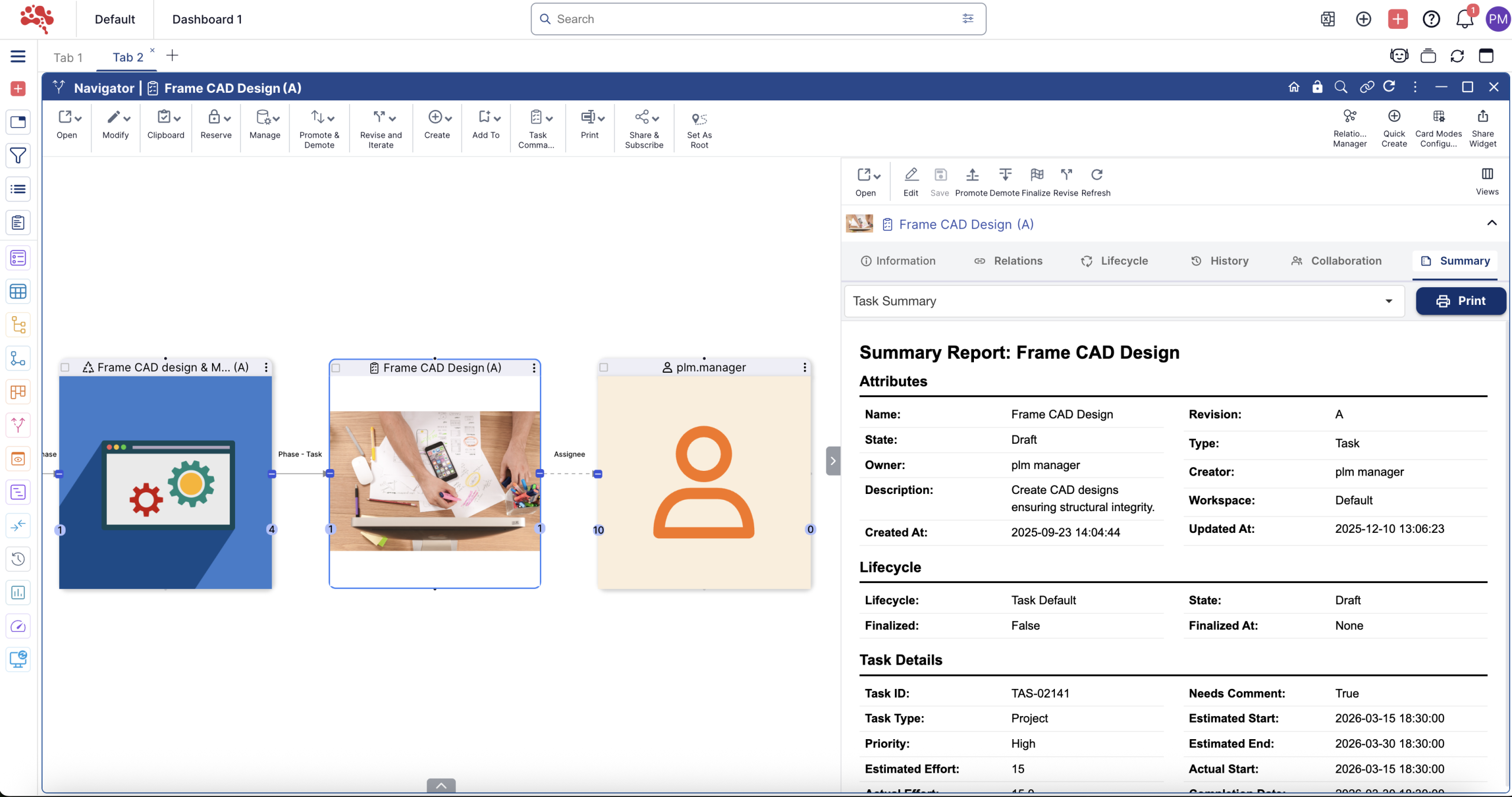
Everything About a Task, In One Place
You see the full task profile immediately: name, type, state, owner, workspace, timestamps and revision. Scheduling intelligence such as estimated dates, actual progress and percent completion is displayed side by side with duration and effort data.
No duplicates. No manual checks. One authoritative output.
Schedule, Progress and Delivery Insight
Planned start and completion dates are compared with actual execution to reveal slippage and alignment. Estimated effort is captured next to actual effort, giving teams visibility into workload accuracy and forecasting quality.
Completion percentage and criticality highlight urgency, making prioritization clear for managers and contributors.

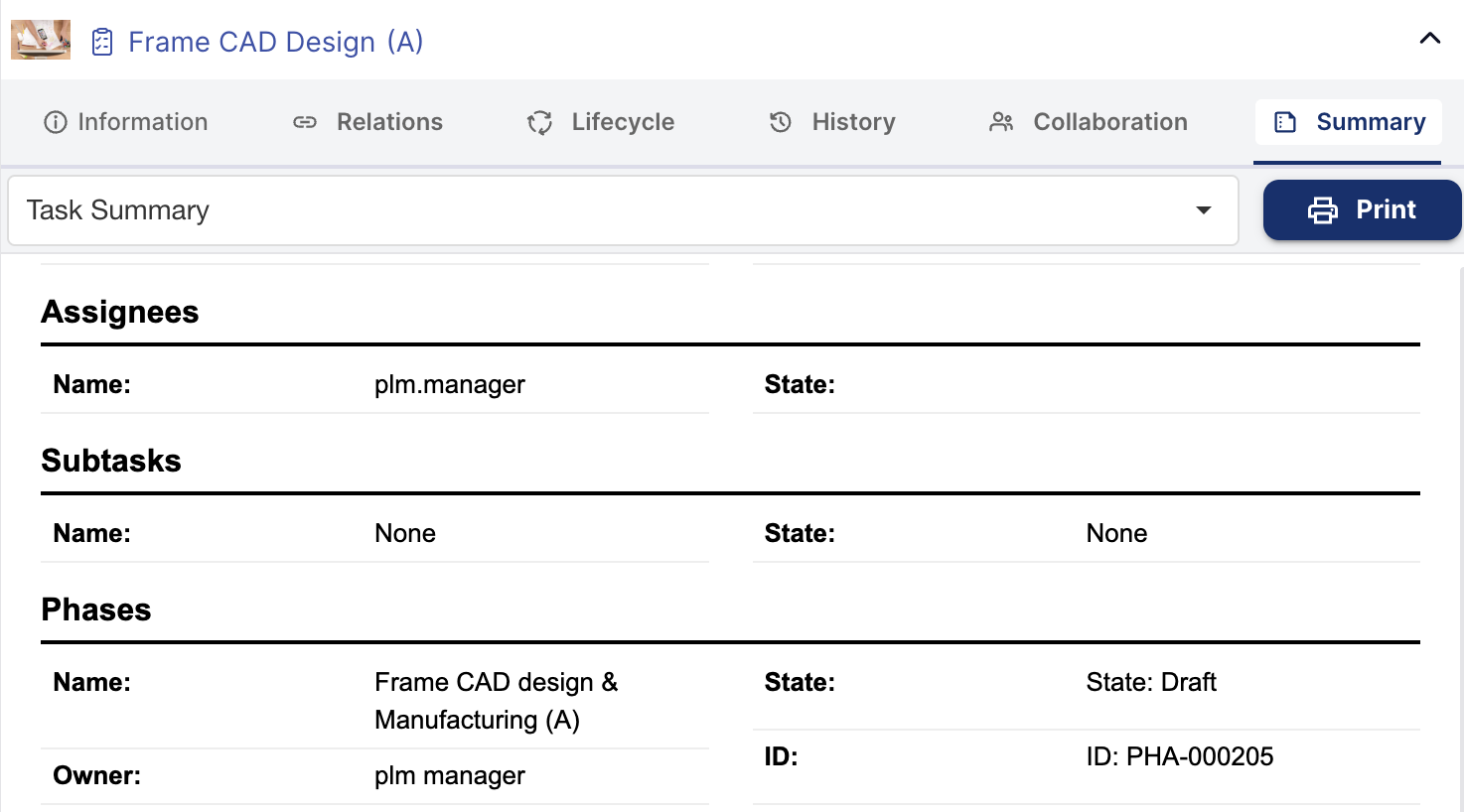
Context Beyond the Individual Task
Tasks rarely live alone. This report shows what they connect to.
Subtasks, parent phases and milestones appear with state, ID and ownership to reveal dependencies. Associated workflows and projects are mapped for impact understanding. If a task contributes to a larger delivery path, you see exactly how.
No more hidden dependencies or disconnected work.
How to Use the Task Summary Report
Access accurate, consolidated BOM data instantly, no deep navigation, no manual work. Just follow a few simple steps to get a complete, export-ready view of your product structure.
01
02
03
04
Clear Responsibility and Collaboration Tracking
Assignees are listed in a dedicated view so effort ownership is never ambiguous. Work logs, instructions, comments and checklists give full narrative of what has been done and what remains. Tags and note fields help filter, search and group work across teams.
It becomes easy to evaluate status, assign next steps or escalate when needed.
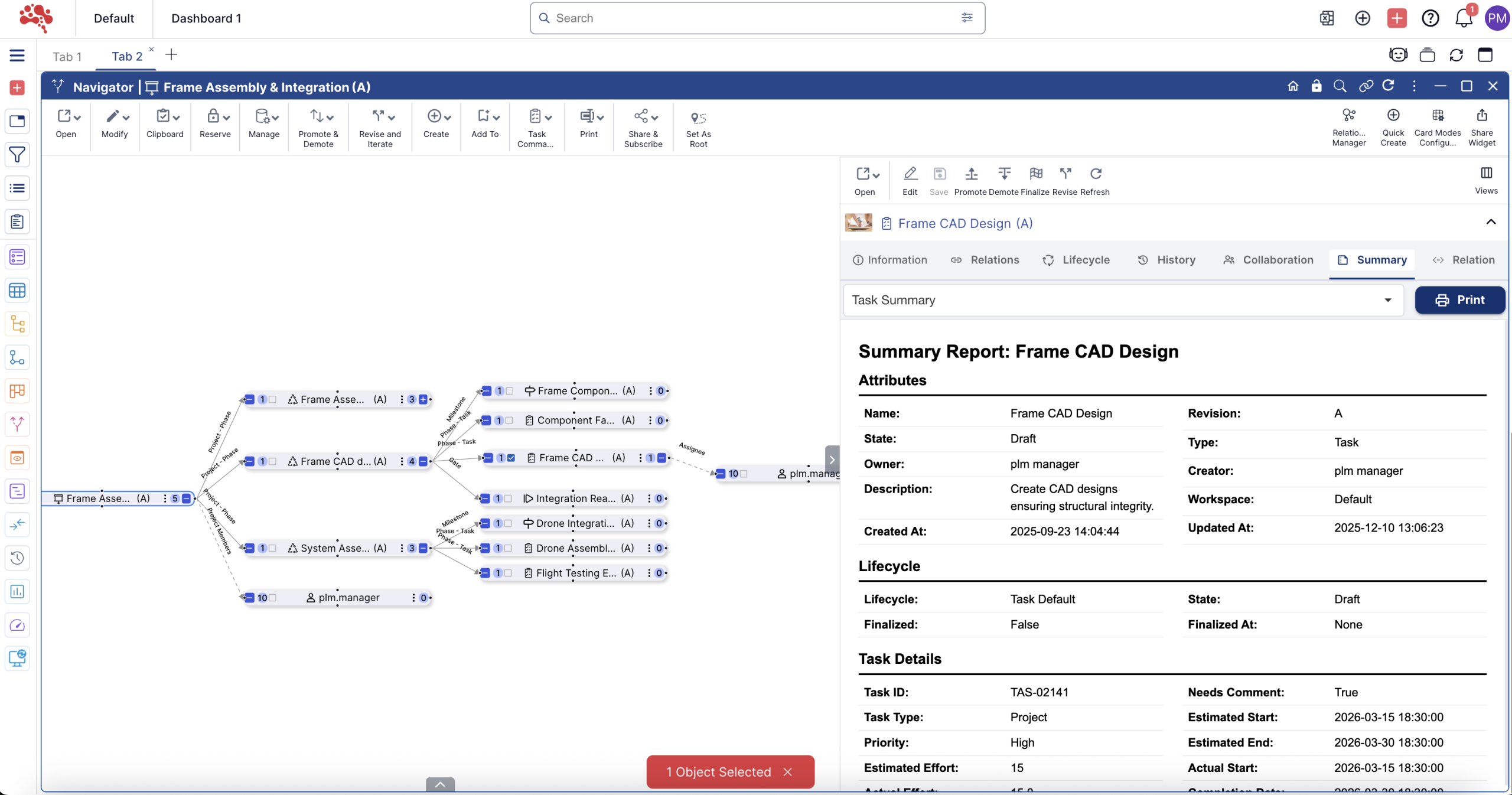

For Teams That Want Progress Visibility
- Engineers see details and context before taking action.
- Managers understand risk and delay without inspecting multiple objects.
- Cross functional teams get a shared view of responsibility and flow.
Task work becomes aligned and traceable.
Complete Task Insight That Drives Real Progress
The Task Summary Report consolidates everything that defines a task scheduling data, ownership, relationships, subtasks, workflows, projects, milestones and history into one readable view. Teams can act faster, communicate clearly and progress work with confidence.
It replaces uncertainty with clarity.
It transforms activity into traceable progress.
It makes task accountability visible to everyone.
Task Summary at a Glance
Full Task Snapshot
View the full task profile instantly with identity, state, ownership, workspace, timestamps, progress and effort all in one structured screen.
Schedule and Progress Insight
Compare planned vs actual dates, estimated vs actual effort, completion rate and criticality to spot delays and workload accuracy fast.
Connected Task Context
See subtasks, parent phases, milestones, workflows and projects together to reveal full dependency and delivery impact.
Clear Ownership and Collaboration
Track assignees, comments, instructions, checklists, work logs and tags so accountability and next steps are always visible.