Viewer Widget
Unified Viewer for 3D Models, Documents, Drawings, and More. Easily view and interact with all your critical product data, including 3D models, technical drawings, and documents, in one integrated Viewer Widget.

All Your 3D Models, Documents, and Drawings: Viewable, Interactive, and in One Place
Built to support fast decision-making and effective collaboration, the Viewer Widget eliminates the need to open external tools or manage disconnected file versions. It is more than just a file preview. It serves as a central workspace for reviewing and interacting with product-related data.
Display and interact with 3D models
View your CAD files directly in the browser. Rotate, zoom, and examine models in detail to review design elements or explore assemblies. No extra software or plugins required.
Display and edit Office 365 documents
View your CAD files directly in the browser. Rotate, zoom, and examine models in detail to review design elements or explore assemblies. No extra software or plugins required.
More Ways to Use the Viewer Widget
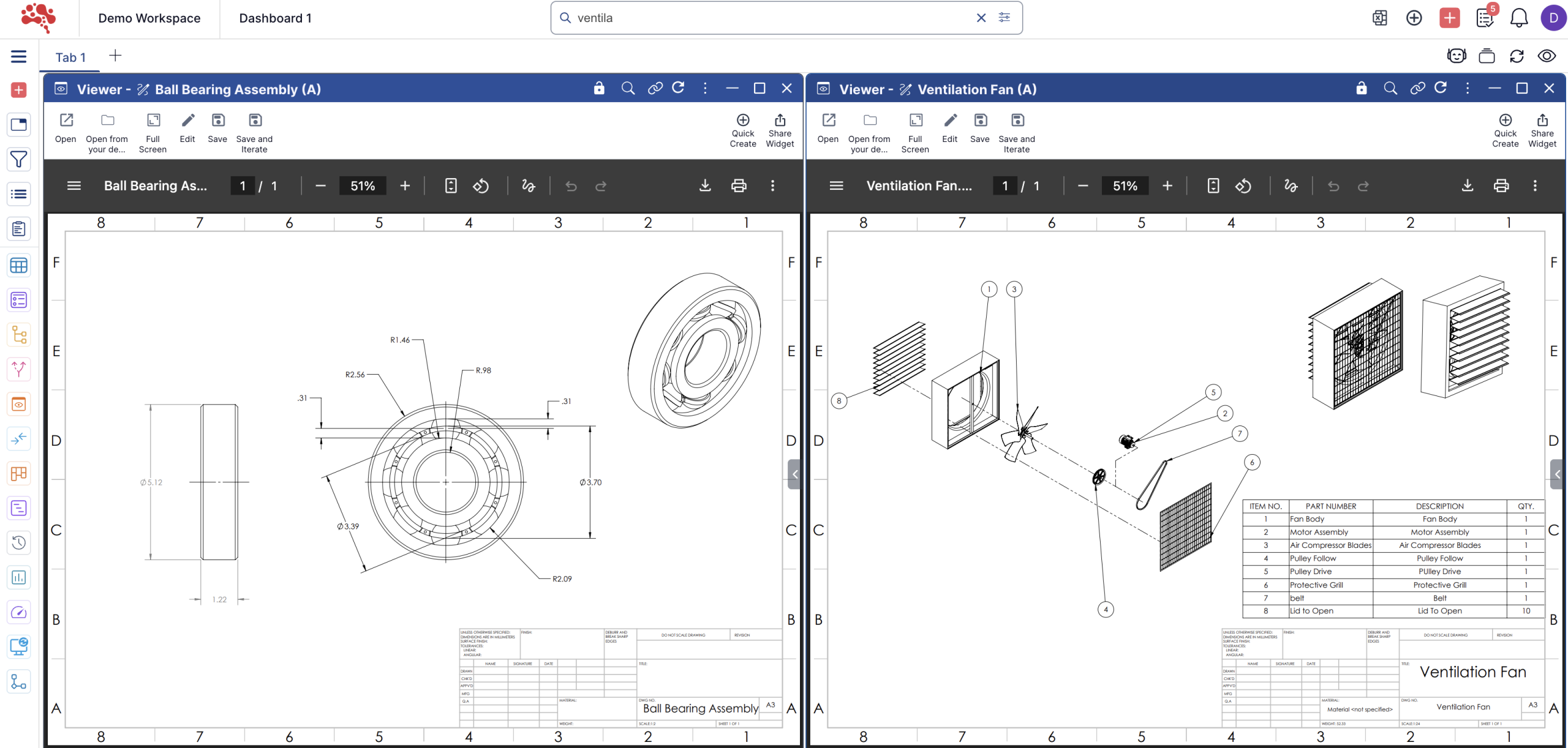
View and manage technical drawings
Open engineering drawings, PDF schematics, and other visual documentation in full resolution. Stay aligned with specifications while reviewing designs, structures, or requirements.
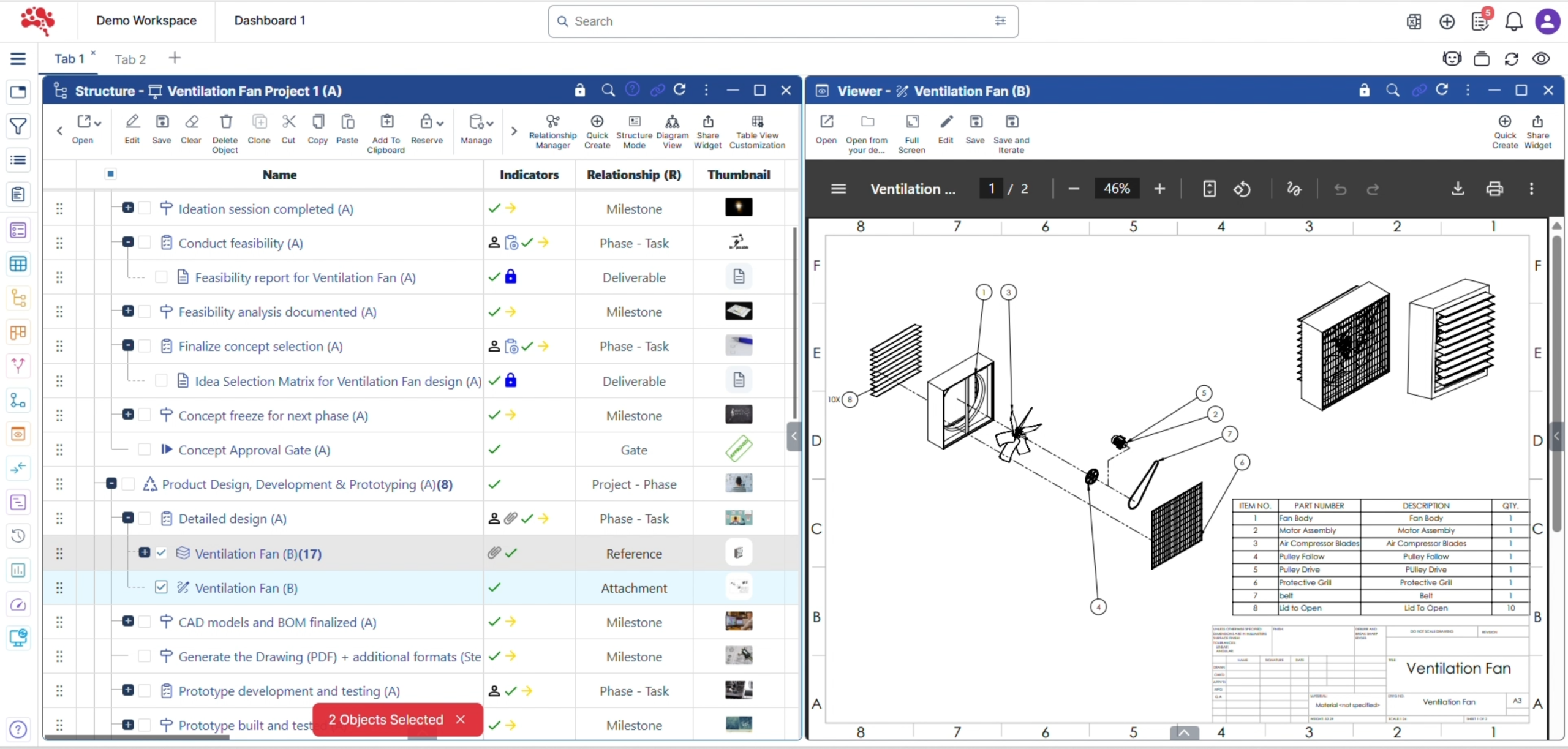
Link with other widgets
The Viewer Widget is designed to work with the rest of your workspace. Link it to related widgets like Tables, BOM Structures, or Details to stay aligned while reviewing specific items or tasks.
Access it from the Info Panel
Most Viewer Widget capabilities are also available inside the Info Panel’s “Viewer” tab. This makes it easy to view content while browsing through tasks, objects, or change requests.
Create document iterations
Need to update a document? You can create a new iteration of any Office file or supported format, keeping full traceability of changes and decisions across the product lifecycle.
Benefits for your team
Streamline collaboration, reduce tool switching, and keep every file version connected to the right product data. The Viewer Widget helps your team move faster with full context and fewer disruptions.
Faster reviews
No delays caused by opening external apps or waiting for files to download.
Fewer tools
Keep your workflow inside Nora IPLM without needing separate viewers or editors.
Greater context
See drawings, documents, and 3D models next to project data, BOM entries, or tasks.
Improved traceability
Every change is recorded and linked to the relevant object or process.
Consistent collaboration
Whether you are viewing or editing, every stakeholder sees the same version in the same place.
Powerful Modules for Every Stage of Product Development
Nora IPLM modules are designed to work effortlessly in a one unified platform, helping teams to collaboration across the entire product lifecycle. From ideation to execution, each module brings clarity, control, and scalability without the complexity of traditional PLM systems.
Frequently Asked Questions
The Viewer Widget supports viewing of:
CAD-related files and visuals
Drawings and design documents
PDFs and reference files
All views stay connected to the original PLM record.
Reviewers don’t need to download files or open external software. They can view the content, understand context, and act, approve, comment, or move workflows forward, from the same screen.
Yes. The Viewer Widget makes product visuals accessible to non-technical stakeholders by presenting designs and documents in a clear, readable format without requiring CAD tools.
Yes. The Viewer Widget always reflects the latest controlled version of the file linked to the item, document, or change, eliminating confusion caused by outdated files.
Design reviews
Change impact discussions
Document approvals
Cross-functional collaboration
Any moment where seeing the data drives better decisions.